
howtosimply.com/guides/android-auto-not-working-on-a-samsung-galaxy-6-fixes/ · Checked October 2026 · Samsung Galaxy A57 5G (SM-A576B), One UI 8.5, Android 16
In this guide
Use a short, good USB cable, ideally the one from the phone box, and check that Android Auto is on in the car. On the phone, open Settings, Connected devices, Android Auto, check Start Android Auto automatically and Start Android Auto while locked, and forget the car and connect it again.
4 of 6 steps with real screenshots · 1 official source below
- Device
- Android
- Shown on
- Samsung Galaxy A57 5G (SM-A576B), One UI 8.5, Android 16
- App
- Settings
- Real screenshots
- 4 of 6 steps
- What we did
- Observed: looked at each screen, changed nothing
- Our phone
- Shown on Galaxy A57, One UI 8.5
- Checked
- October 2026
- Sources
- 1 official, linked below
Step by step
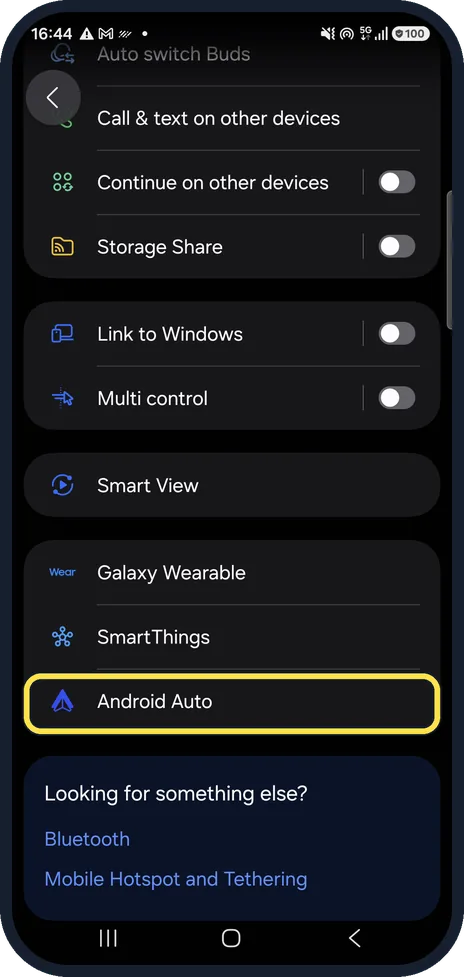
Open Android Auto settings
Settings, Connected devices, then scroll down to Android Auto.
Watch these steps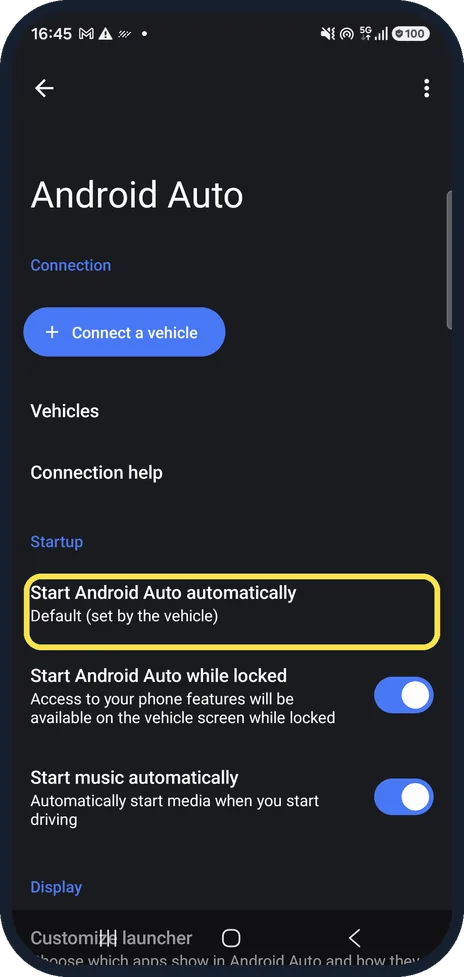
Check how it starts
Start Android Auto automatically decides whether it opens when you plug in. Ours was on Default (set by the vehicle).
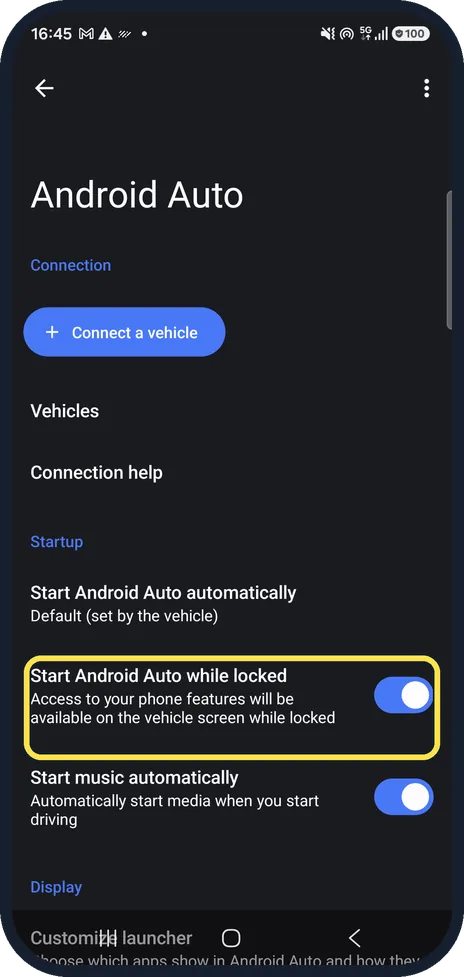
Allow it while locked
Start Android Auto while locked lets the car use the phone without unlocking it first. It was on on our phone.
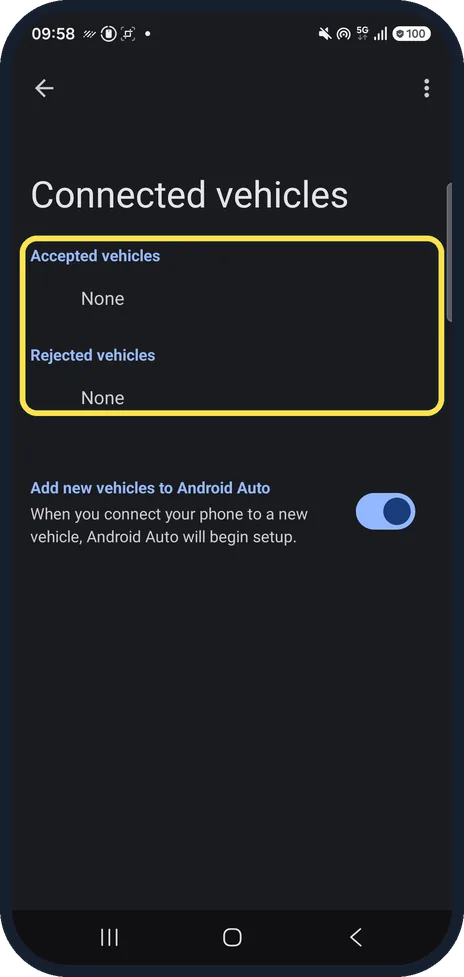
Forget the car and connect again
Your cars are listed under Vehicles; Google's help says to forget them and connect again. Connect a vehicle starts a new connection. Ours had no cars.
Change the cable
Google recommends a cable under 1 metre, no extensions, ideally the one that came with the phone. If it used to work, try a new cable first.
Check the car
Android Auto must be switched on in the car's system, and the car must support it. Restart the car's screen and check the maker's list of compatible cars.
Watch these steps
If you do not see this option
- Your phone runs an older Android Google now asks for Android 11 or later with a data plan. Check under Settings, About phone, Software information. Source: My Android Auto app isn't working
- You are looking for an Android Auto app Google says Android Auto is built into the phone, so there is no separate app to install from the Play Store. Its settings are under Connected devices on a Galaxy. Source: My Android Auto app isn't working
If this does not work
- It worked in one car but not the second Google says to unplug the phone, open Settings, Connected devices, Connection preferences, Android Auto, Previously connected cars, tap the menu at the top right and choose Forget all cars, then plug in again. Source: My Android Auto app isn't working
- You have an aftermarket car stereo Google says to check the maker's website, for example Pioneer or Kenwood, for a firmware update for the unit. Source: My Android Auto app isn't working
About this guide
When Android Auto will not start, the cable is the usual cause, followed by settings on the phone or in the car. On a Galaxy, Android Auto's settings are under Connected devices, not in an app.
Good to know
Android Auto needs Android 11 or later and a data plan. Bluetooth trouble with the car? Samsung Galaxy Bluetooth not connecting? 6 fixes.
In short: Short original cable, Android Auto on in the car, phone settings under Connected devices, forget the car and reconnect.
Links checked in October 2026. Menus and features can change after software updates. These steps match the version named at the top.
📷 See real photos from the Galaxy A57 in our Camera Lab, next to 10 other phones.
Did this guide work for you?
Sorry about that. What happened?