
howtosimply.com/guides/samsung-galaxy-location-not-accurate-5-settings-to-check/ · Checked October 2026 · Samsung Galaxy A57 5G (SM-A576B), One UI 8.5, Android 16
In this guide
Turn on Location, then open Settings, Location, Location services, Location Accuracy and switch on Improve Location Accuracy. Wi-Fi scanning and Bluetooth scanning on the Location services page also help indoors.
5 of 5 steps with real screenshots · 1 official source below
- Device
- Android
- Shown on
- Samsung Galaxy A57 5G (SM-A576B), One UI 8.5, Android 16
- App
- Settings
- Real screenshots
- 5 of 5 steps
- What we did
- Observed: looked at each screen, changed nothing
- Our phone
- Shown on Galaxy A57, One UI 8.5
- Checked
- October 2026
- Sources
- 1 official, linked below
Step by step
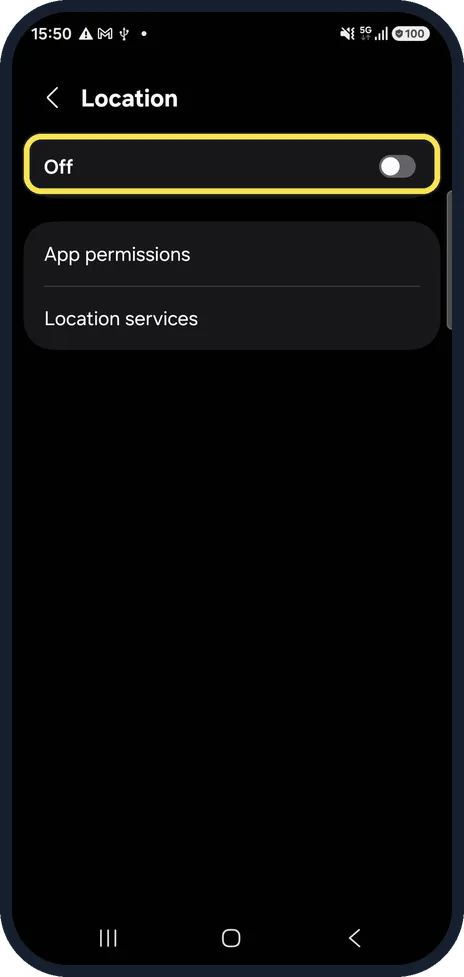
Turn on Location
Settings, Location. Ours was off, so no app could get a position.
Watch these steps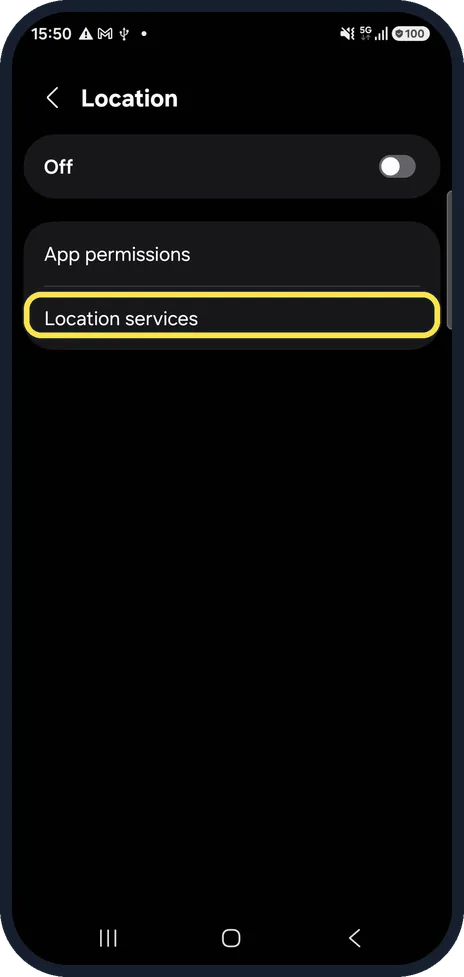
Open Location services
It is on the same page.
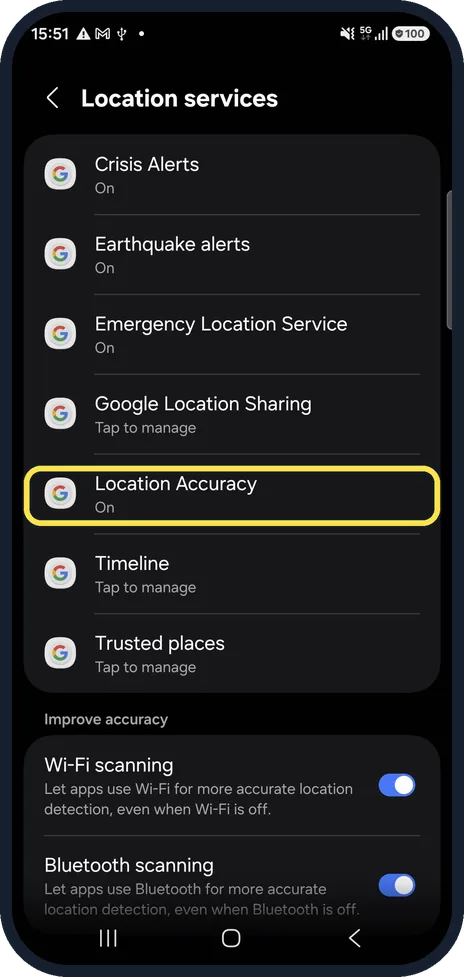
Open Location Accuracy
It is a Google service in the list. Ours said On.
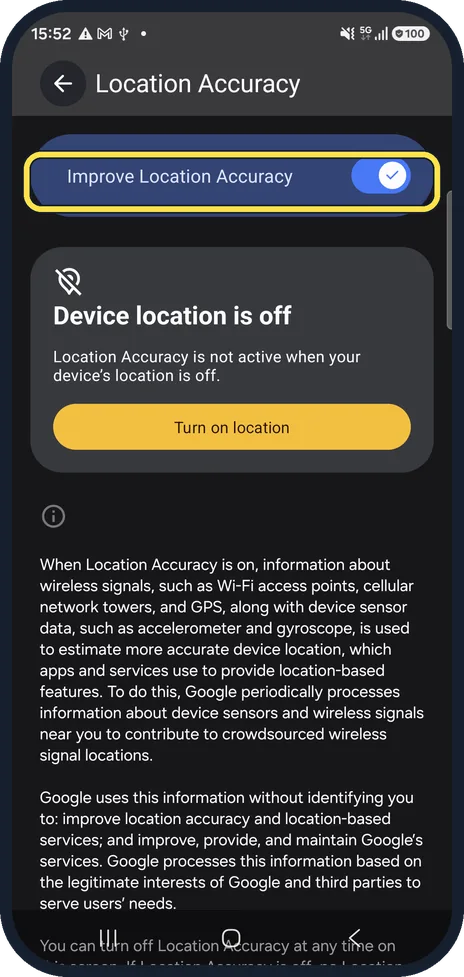
Switch on Improve Location Accuracy
With it off, only GPS and the sensors are used.
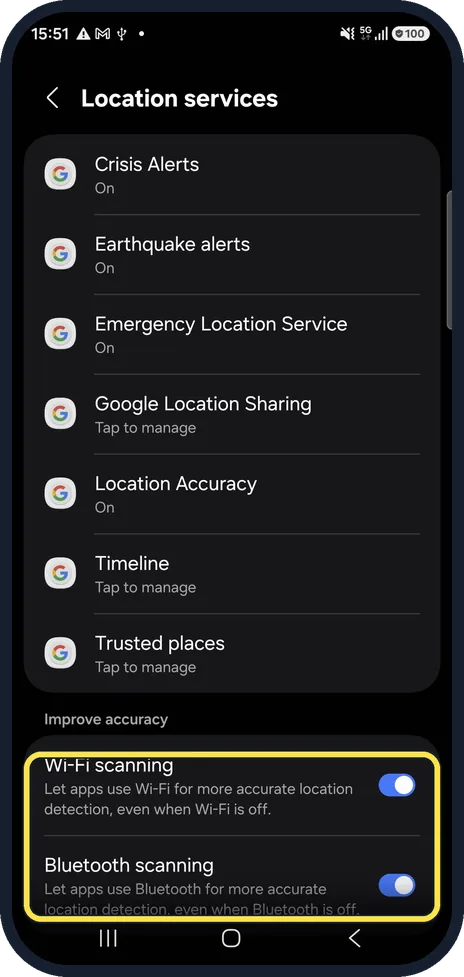
Leave Wi-Fi and Bluetooth scanning on
Back on Location services. They let apps find nearby networks for a better fix, even with Wi-Fi or Bluetooth switched off.
Watch these steps
If you do not see this option
- There is no Location Accuracy Google says Location Accuracy is also called Google Location Services, and that some of its steps work only on Android 12 and up. Source: Manage your Android device's location settings
- You want a quick switch Google says to swipe down twice from the top, tap Edit and drag Location into Quick Settings. Source: Manage your Android device's location settings
If this does not work
- Location is still wrong indoors Google says Wi-Fi scanning and Bluetooth scanning help apps get better location info. Keep both on, as in step 5. Source: Manage your Android device's location settings
- Location is off and apps still show a place Google says that with Location off you can still get search results and ads based on your IP address, which can be far from where you are. Source: Manage your Android device's location settings
About this guide
GPS alone needs a clear view of the sky and can be off by a long way indoors. Google's Location Accuracy adds Wi-Fi, mobile masts and the phone's sensors.
Location was switched off on our phone, so the Location Accuracy page shows a notice.
Good to know
Check the app itself too: Settings, Location, App permissions shows whether it may use precise location.
Outdoors, give the phone a minute with a clear view of the sky.
In short: Location on, Location services, Location Accuracy on, Wi-Fi and Bluetooth scanning on.
Links checked in October 2026. Menus and features can change after software updates. These steps match the version named at the top.
📷 See real photos from the Galaxy A57 in our Camera Lab, next to 10 other phones.
Did this guide work for you?
Sorry about that. What happened?