
howtosimply.com/guides/how-to-send-files-from-a-google-pixel-to-a-mac-with-localsend/ · Checked October 2026 · macOS 27.0.1 (LocalSend 1.18.2) and Google Pixel 10a (Android 17, LocalSend (Google Play))
In this guide
- Install LocalSend on the Mac and allow local network access
- Leave LocalSend open on Receive
- On the Pixel, open LocalSend and tap Folder
- Pick the folder and tap Use this folder
- Tap Allow
- Check the selection, then tap your Mac
- Wait for the Mac to accept
- Click Accept on the Mac
- Wait for Finished
- Open the files in Downloads
- If you do not see this option
- If this does not work
- Good to know
- Sources
Install the free LocalSend app on both, put them on the same Wi-Fi, pick files on the Pixel, tap your Mac and click Accept on the Mac. On ours, 52 files (1.1 GB) took 6:01 to 6:36 over three runs. No cable or account is needed.
10 of 10 steps with real screenshots · 1 official source below
- Device
- Android
- Shown on
- macOS 27.0.1 (MacBook Neo), LocalSend 1.18.2, Google Pixel 10a, Android 17, LocalSend (Google Play)
- App
- LocalSend
- Real screenshots
- 10 of 10 steps
- Checked
- October 2026
- Sources
- 1 official, linked below
Step by step
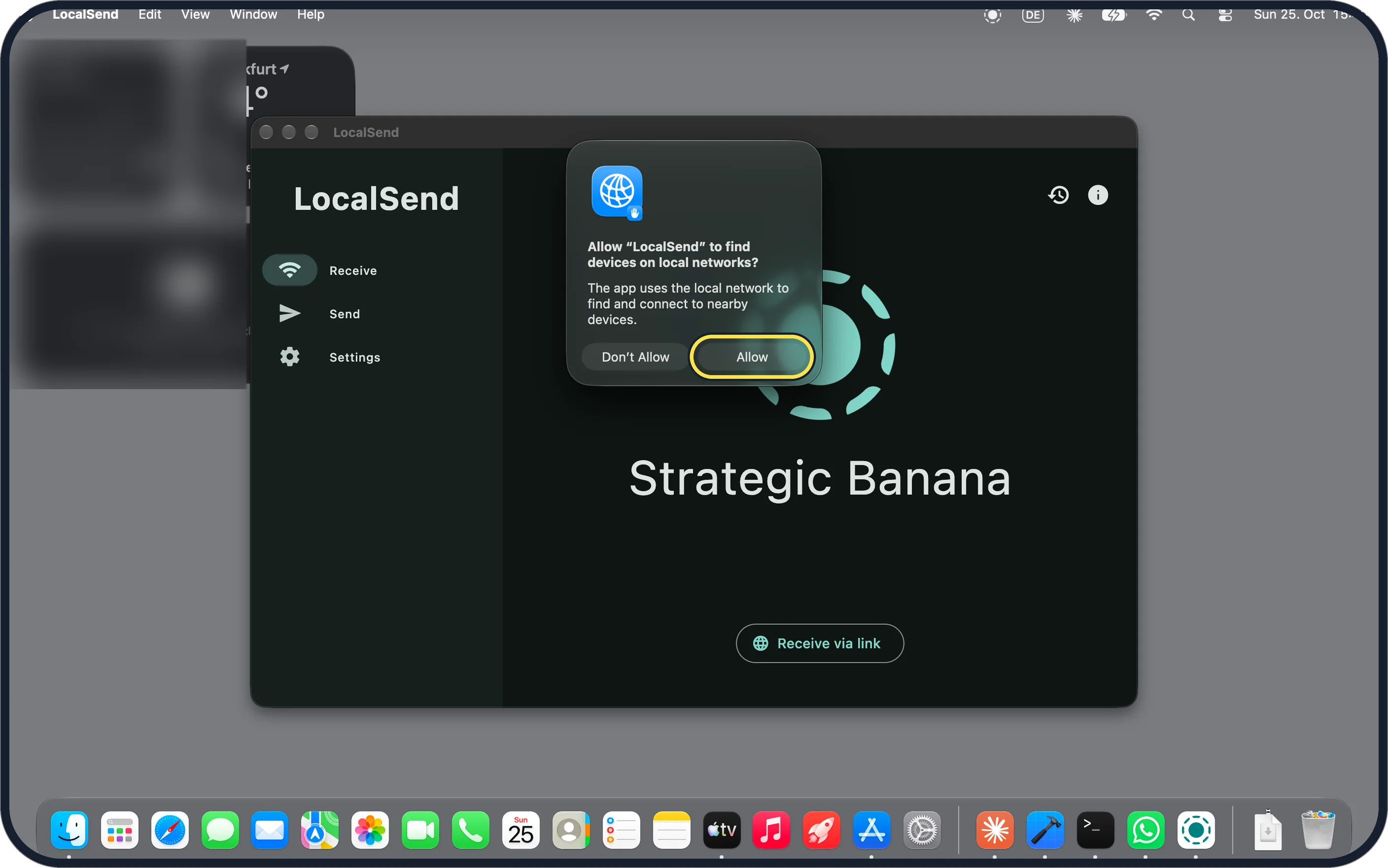
Zoomed in on the setting. Tap to see the whole screenTap the picture to see it full size Install LocalSend on the Mac and allow local network access
We used the DMG from localsend.org, so no Apple ID was needed. On first launch macOS asks: Allow "LocalSend" to find devices on local networks? Click Allow.
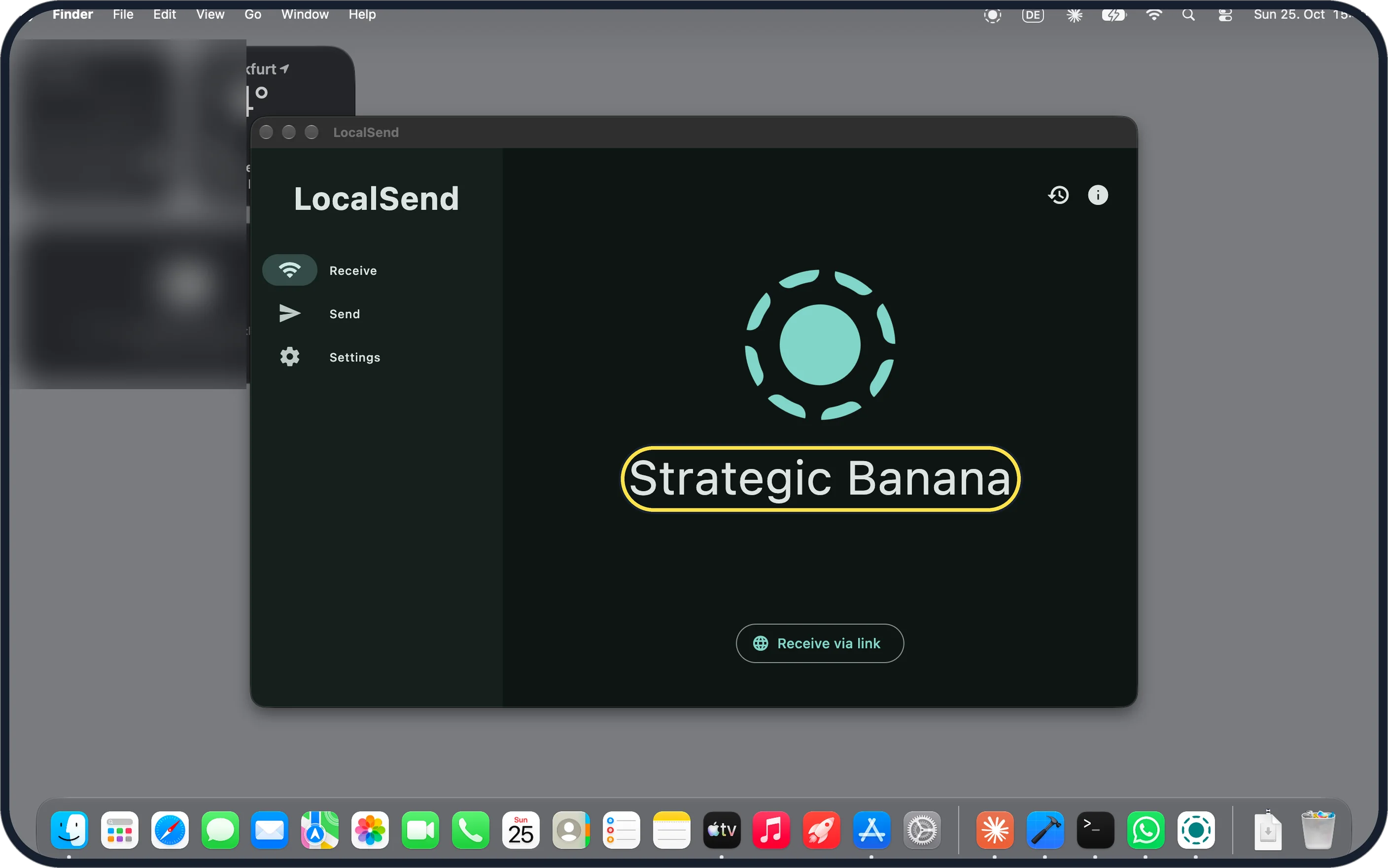
Zoomed in on the setting. Tap to see the whole screenTap the picture to see it full size Leave LocalSend open on Receive
The Mac shows its LocalSend name in the middle. That is the name to look for on the Pixel.
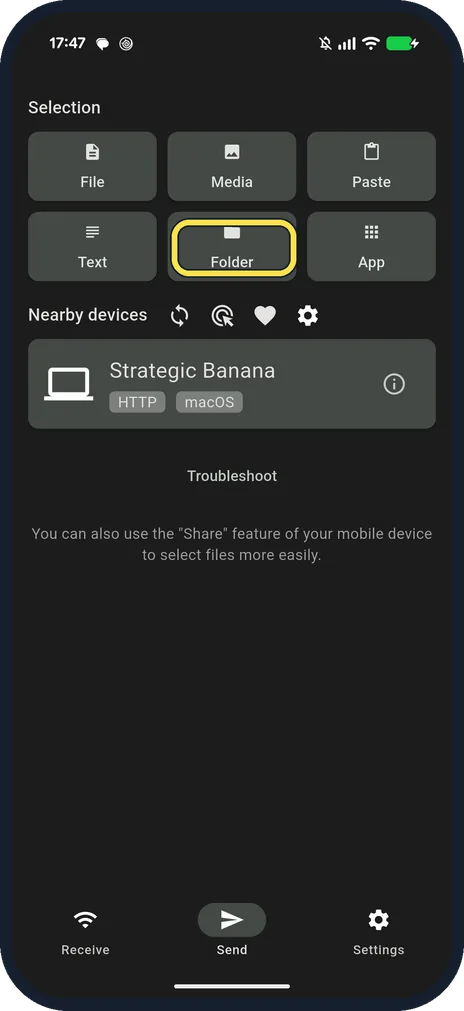
On the Pixel, open LocalSend and tap Folder
Install LocalSend from Google Play. On the Send tab, pick File, Media or Folder. With both on the same Wi-Fi, ours listed the Mac under Nearby devices at once.
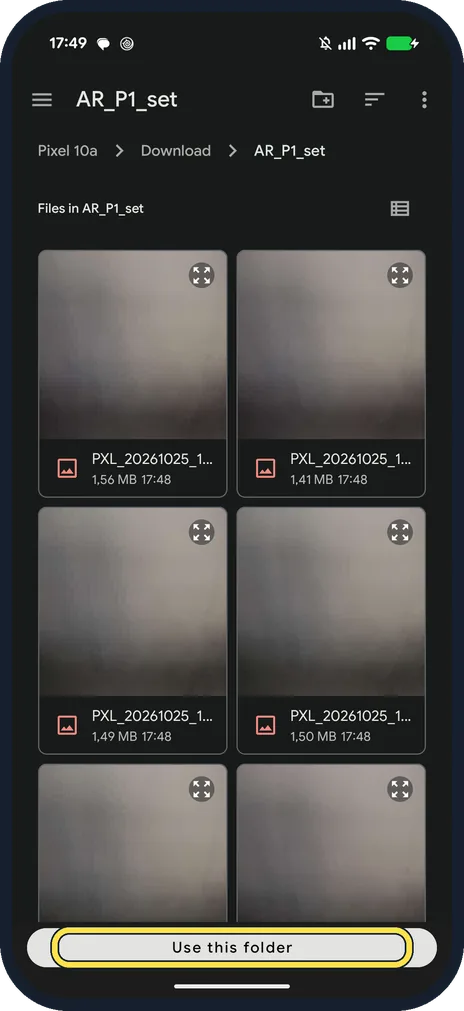
Pick the folder and tap Use this folder
Ours was Download, AR_P1_set, a folder we made for the files.
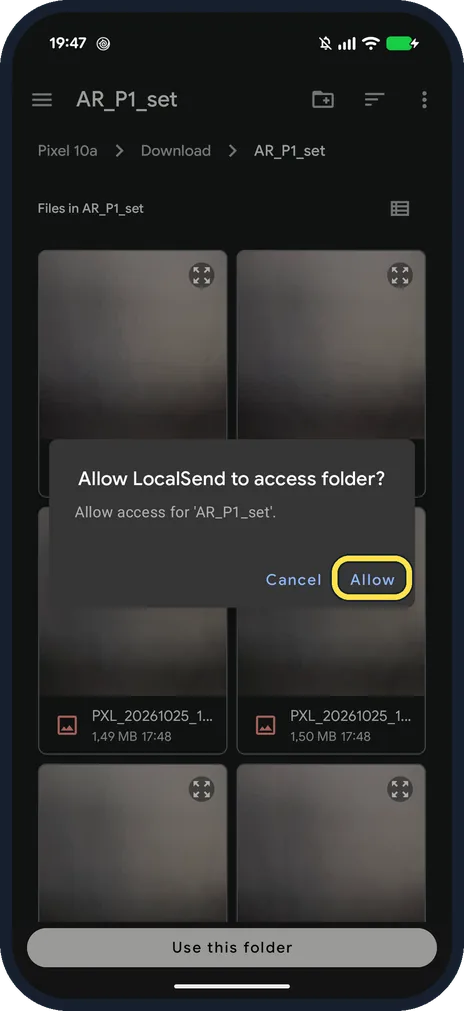
Tap Allow
Android asks: Allow LocalSend to access folder? Allow access for 'AR_P1_set'.
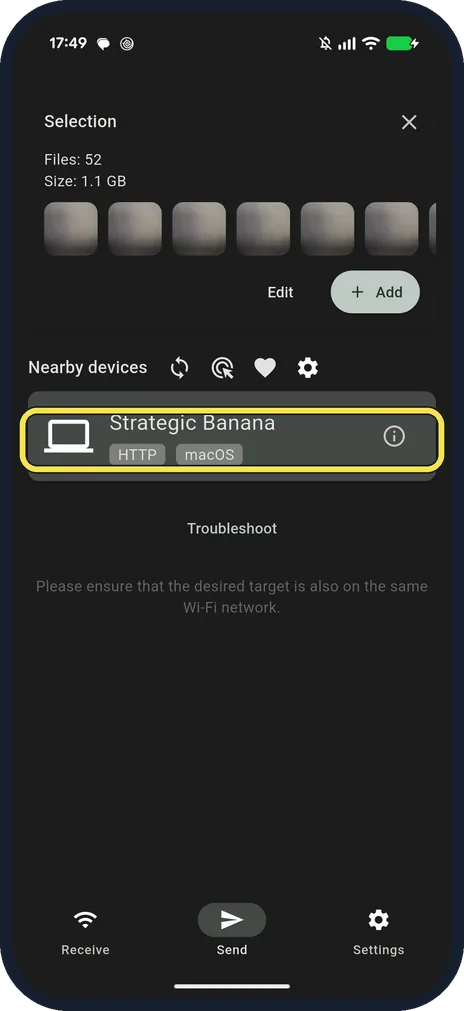
Check the selection, then tap your Mac
Ours said Files: 52, Size: 1.1 GB (1,056,316 KB on the Mac afterwards). Tap the Mac's name under Nearby devices.
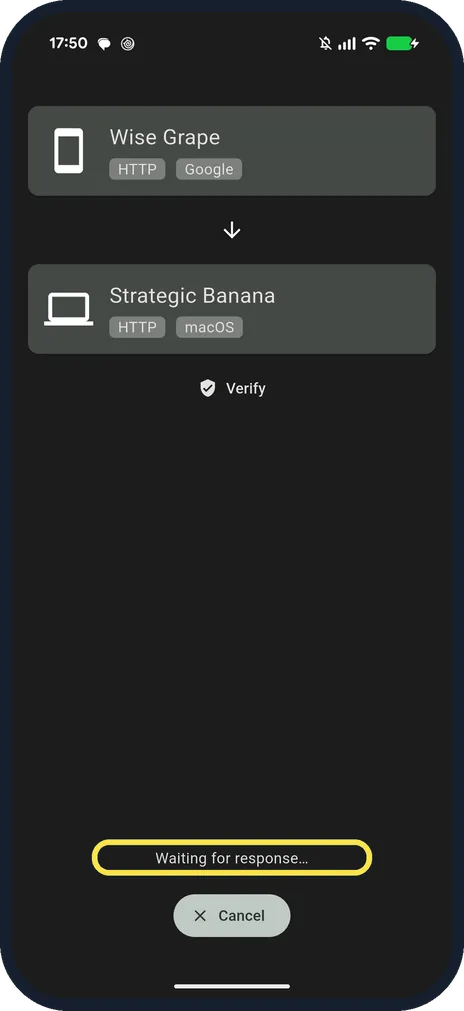
Wait for the Mac to accept
The Pixel shows Wise Grape to Strategic Banana and Waiting for response.
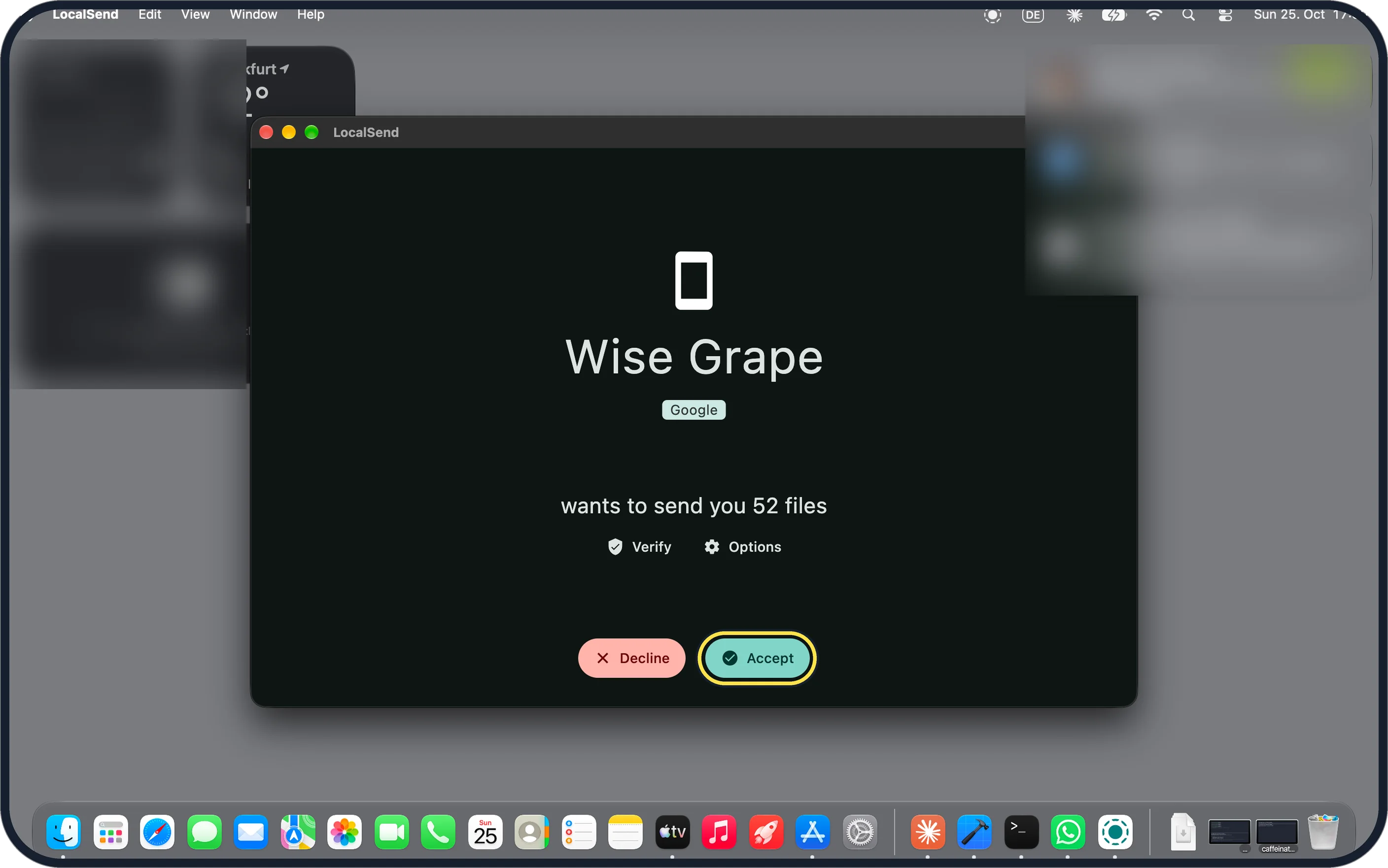
Zoomed in on the setting. Tap to see the whole screenTap the picture to see it full size Click Accept on the Mac
The Mac says the Pixel wants to send you 52 files. Verify and Options are above the buttons.
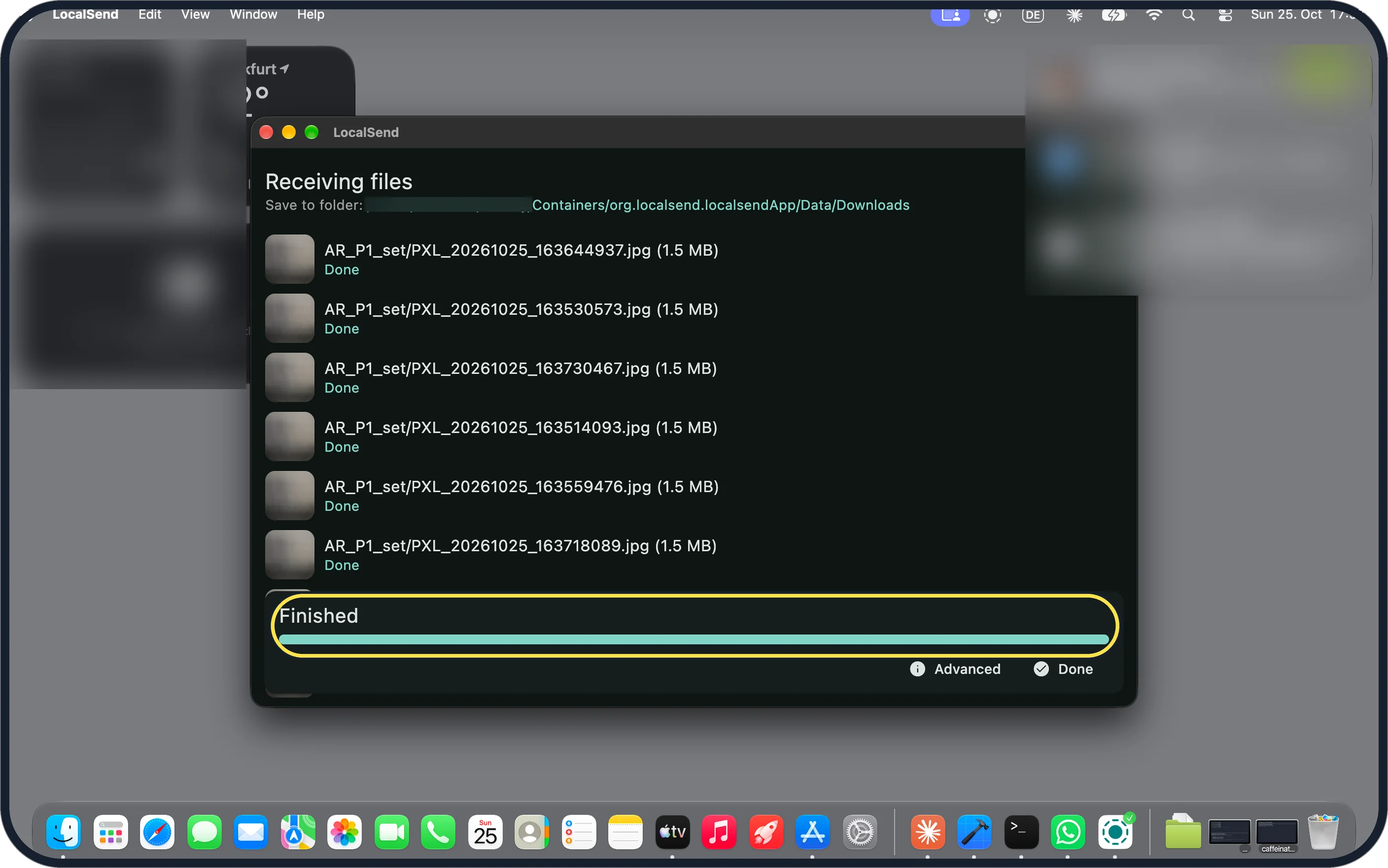
Tap the picture to see it full size Wait for Finished
Each file turns Done. Ours took about 6:16, 6:01 and 6:36 from Accept to Finished over three runs, about 2.8 MB per second.
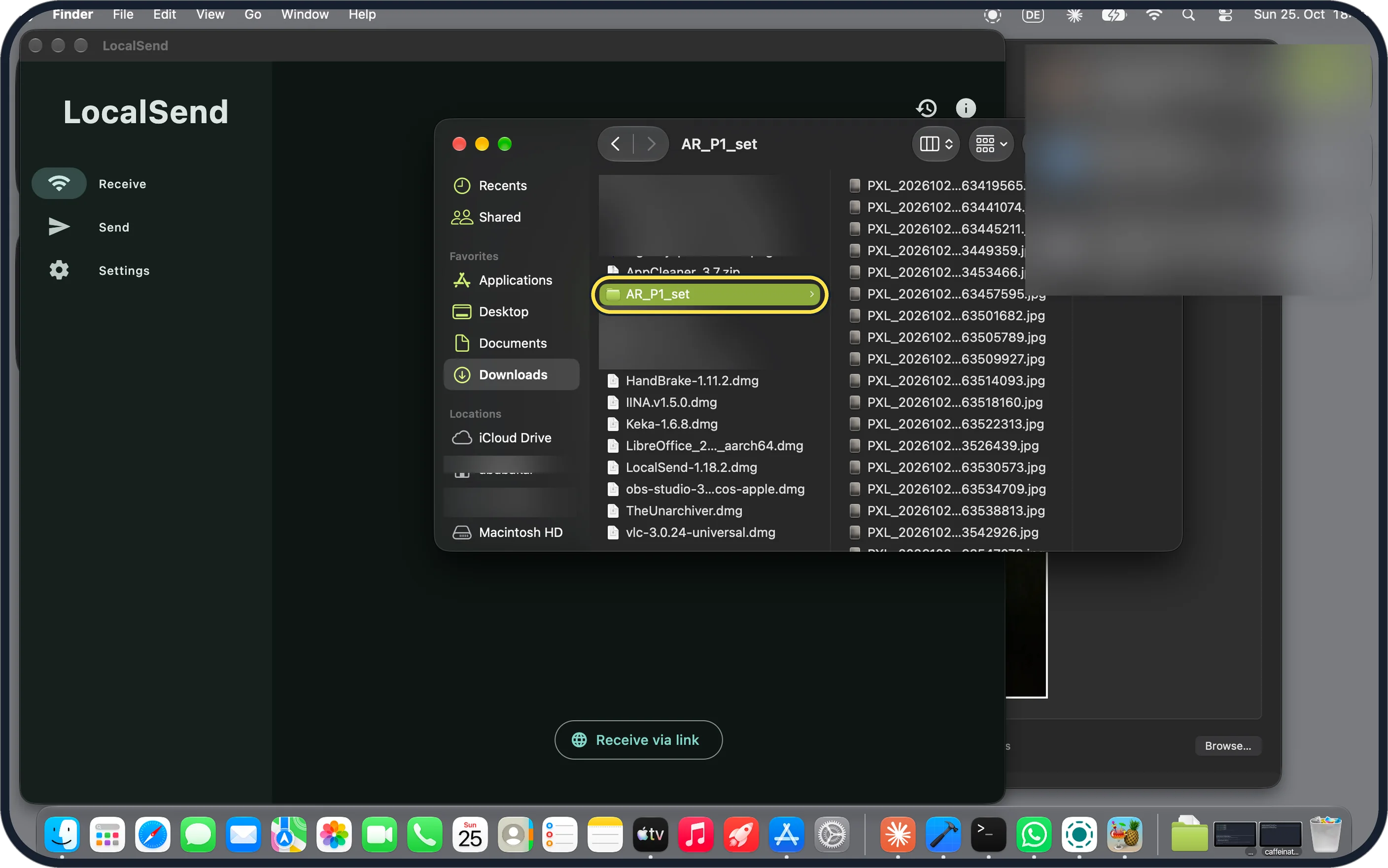
Zoomed in on the setting. Tap to see the whole screenTap the picture to see it full size Open the files in Downloads
Ours arrived in a folder with the same name, AR_P1_set, in the Mac's Downloads folder.
If you do not see this option
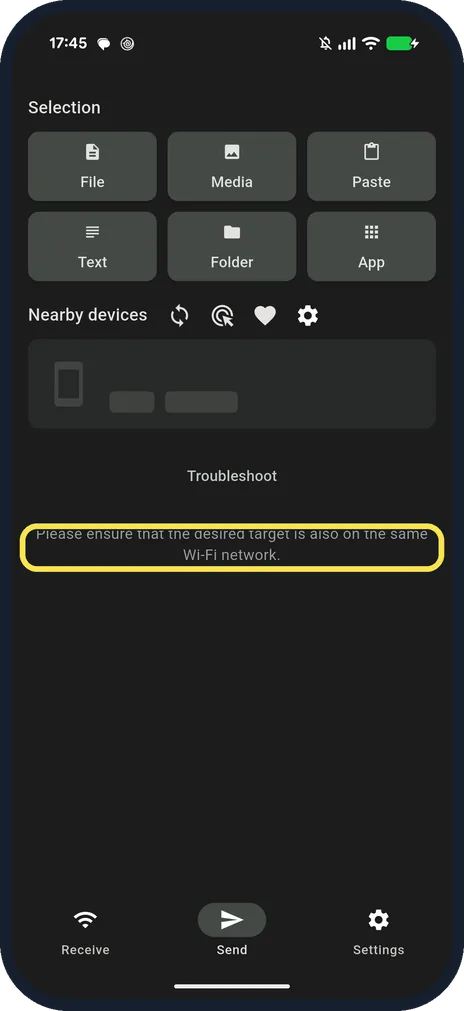
- The Mac doesn't show up on the Pixel? On a hostel Wi-Fi ours found no device after 25 seconds and said: Please ensure that the desired target is also on the same Wi-Fi network. LocalSend says AP isolation on a router blocks connections between devices; we switched both to the same private Wi-Fi. Source: README (Setup and Troubleshooting)
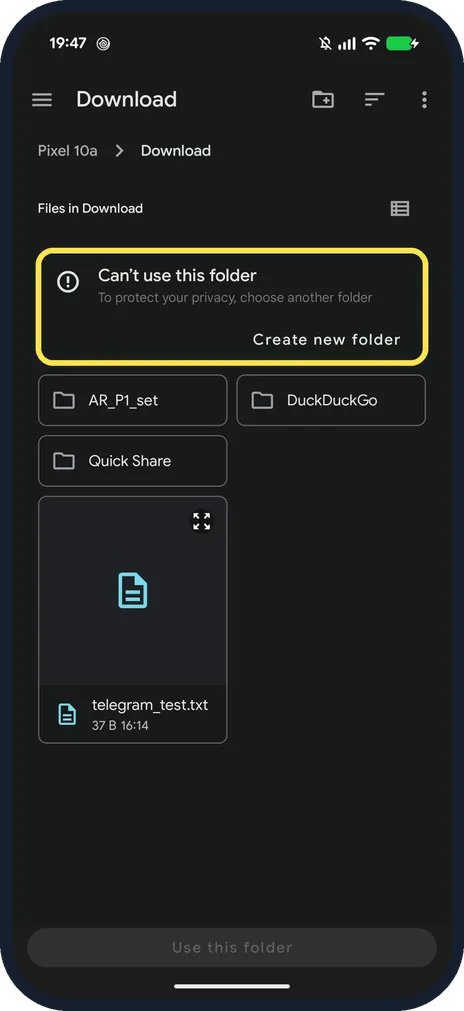
- Android says Can't use this folder? Ours did for the Download folder itself: To protect your privacy, choose another folder. DCIM was refused too. Make a folder inside Download, or tap Create new folder, and put the files there.
- Mac version from the App Store or Homebrew? LocalSend lists the App Store, Homebrew and a DMG for macOS. It says the app has no auto-update, so the DMG version stays as installed until you update it. Source: README (Setup and Troubleshooting)
If this does not work
- Firewall or VPN on? LocalSend says it uses port 53317 (TCP and UDP) and that you may need to allow it in a firewall; a VPN should allow local traffic or be turned off. Ours showed Port 53317 under Settings, Network on the Mac. Source: README (Setup and Troubleshooting)
- Slow transfer? Ours ran over a phone hotspot's Wi-Fi at about 2.8 MB per second; most of the 1.1 GB was three 4K videos. LocalSend works without the internet, so a faster local Wi-Fi is what speeds it up. Source: README (Setup and Troubleshooting)
- Mac shows an HTTP badge? LocalSend says it sends data over HTTPS. On ours the Pixel listed the Mac with an HTTP badge, while the Mac's Device Details log on the Pixel said Discovered via HTTPS and both apps showed Encryption on in Settings. The screens didn't tell us which one the transfer used, so keep private files on a Wi-Fi you trust. Source: README (Setup and Troubleshooting)
About this guide
Google's Quick Share app is not offered for Mac, so LocalSend is a free way to send files over Wi-Fi without a cable. The files land in the Mac's Downloads folder.
The screenshots are from our Google Pixel 10a with Android 17 and our MacBook Neo with macOS 27.0.1 and LocalSend 1.18.2, both in Dark mode, taken on 25 October 2026. LocalSend gives each device a random name: ours were Wise Grape (Pixel) and Strategic Banana (Mac).
Good to know
To get files on the Pixel from another Android phone, see receive files with Quick Share on a Pixel.
With a cable instead, see transfer photos from an OPPO phone to a Mac.
In short: LocalSend on both, same Wi-Fi, Folder, tap the Mac, Accept on the Mac.
Links checked in October 2026. Menus and features can change after software updates. These steps match the version named at the top.
📷 See real photos from the Pixel 10a in our Camera Lab, next to 10 other phones.
Did this guide work for you?
Sorry about that. What happened?