
howtosimply.com/guides/how-to-print-double-sided-on-a-mac/ · Checked October 2026 · MacBook Pro · macOS Tahoe 26
In this guide
Choose File, Print in the app, open the Double-sided menu in the print window and choose On. For pages that should flip like a notepad, choose On (Short Edge). Then click Print. The option only appears if the printer can print on both sides.
3 of 6 steps with real screenshots · 1 official source below
- Device
- Mac
- Shown on
- macOS Tahoe 26 (MacBook Pro)
- Real screenshots
- 3 of 6 steps
- Checked
- October 2026
- Sources
- 1 official, linked below
Step by step
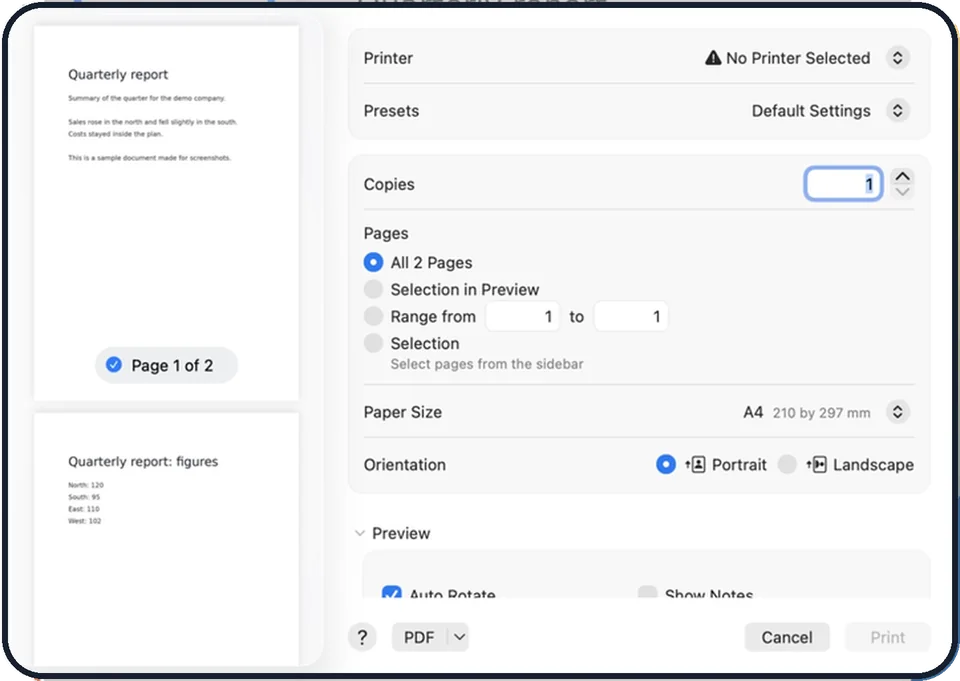
Tap the picture to see it full size Open the print window
With the document open, choose File, Print, or press Command + P.
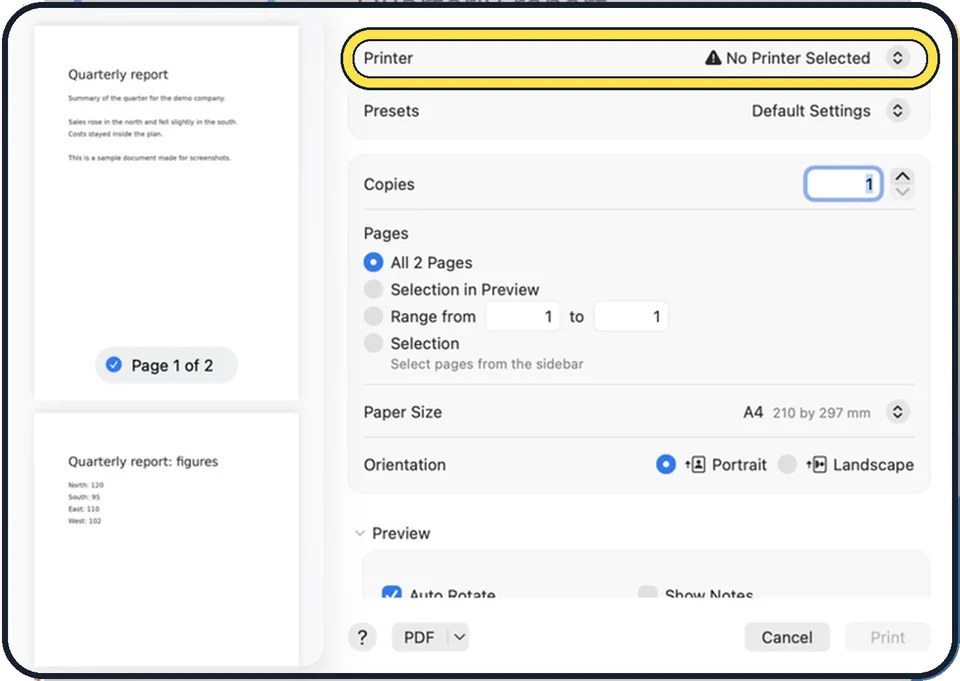
Tap the picture to see it full size Choose the printer
Check the Printer menu at the top. The double-sided option depends on the printer selected there.
Open the Double-sided menu
It is in the main part of the print window. In some apps you first click Show Details at the bottom.
Choose On
On turns the pages over on the long edge, like a book. This is right for normal upright documents.
Or choose On (Short Edge)
This turns the pages over on the short edge, like a calendar or notepad. Use it for landscape pages and slides.
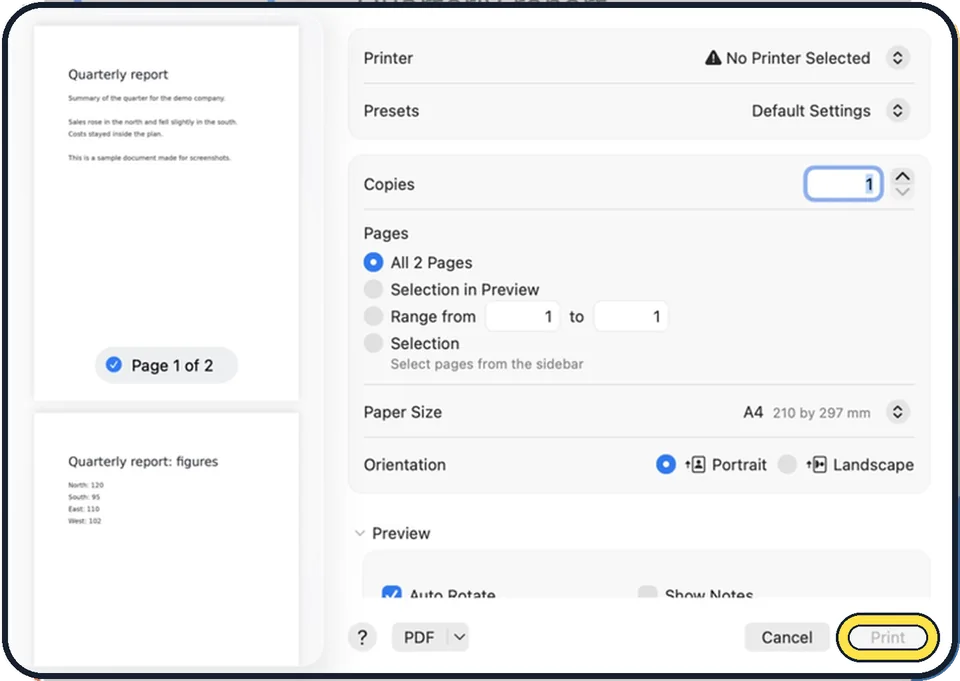
Zoomed in on the setting. Tap to see the whole screenTap the picture to see it full size Click Print
The Print button is at the bottom right. In the picture it is grey because no printer is selected on that Mac. The preview on the left does not change. The printer does the turning.
About this guide
Printing on both sides halves the paper you use. On a Mac the setting is in the print window of every app, as long as the printer has a duplex unit, which most current office and home printers do.
These steps are for recent versions of macOS.
Good to know
If there is no Double-sided menu, the printer or the app does not support it. Check the printer's manual. Some printers need the duplex unit switched on in System Settings, Printers & Scanners, under the printer's options.
Without a duplex printer you can still do it by hand: print the odd pages first, put the stack back into the tray and print the even pages. Test with two sheets first to see which way round the paper has to go.
If the printer does not appear at all: how to add a printer to a Mac.
In short: File, Print, Double-sided menu, On (or On (Short Edge)), Print.
Links checked in October 2026. Menus and features can change after software updates. These steps match the version named at the top.
Did this guide work for you?
Sorry about that. What happened?