
howtosimply.com/guides/how-to-see-notification-history-on-a-xiaomi-phone/ · Checked October 2026 · Xiaomi Redmi Note 15 Pro 5G (25080RABDG), HyperOS 3.0.308.0, Android 16
In this guide
Go to Settings, Notifications & status bar, Notification history, and turn on Use notification history. It was off on our Redmi, so notifications you dismissed before turning it on cannot be seen.
4 of 4 steps with real screenshots · 1 official source below
- Device
- Android
- Shown on
- Xiaomi Redmi Note 15 Pro 5G (25080RABDG), HyperOS 3.0.308.0, Android 16
- App
- Settings
- Path
- Settings › Notifications & status bar › Notification history
- Real screenshots
- 4 of 4 steps
- Checked
- October 2026
- Sources
- 1 official, linked below
Step by step
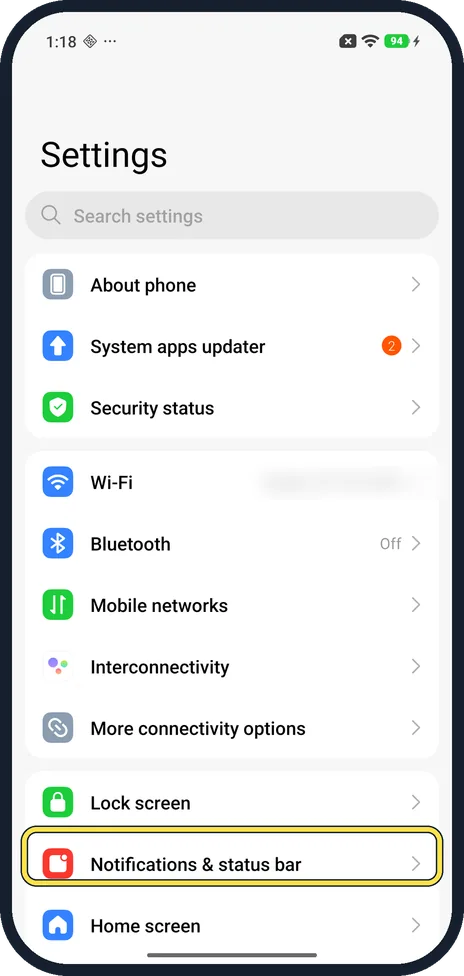
Open Notifications & status bar
Open Settings and tap Notifications & status bar.
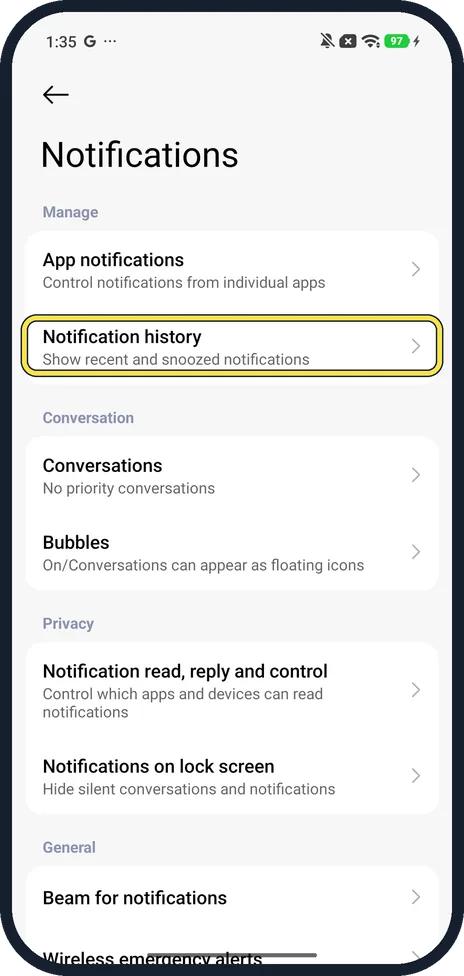
Tap Notification history
The Notifications page opens. Under Manage, tap Notification history. Its note says Show recent and snoozed notifications.
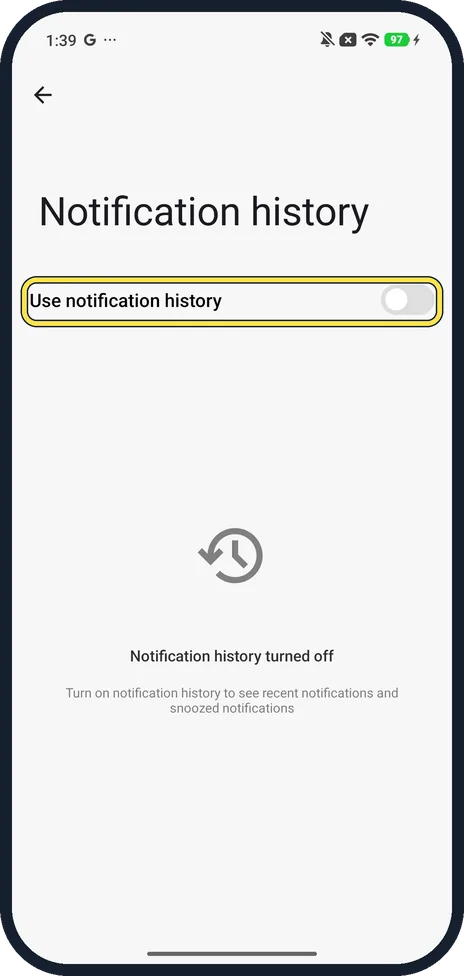
Turn on Use notification history
Ours was off and said Notification history turned off. Tap the switch.
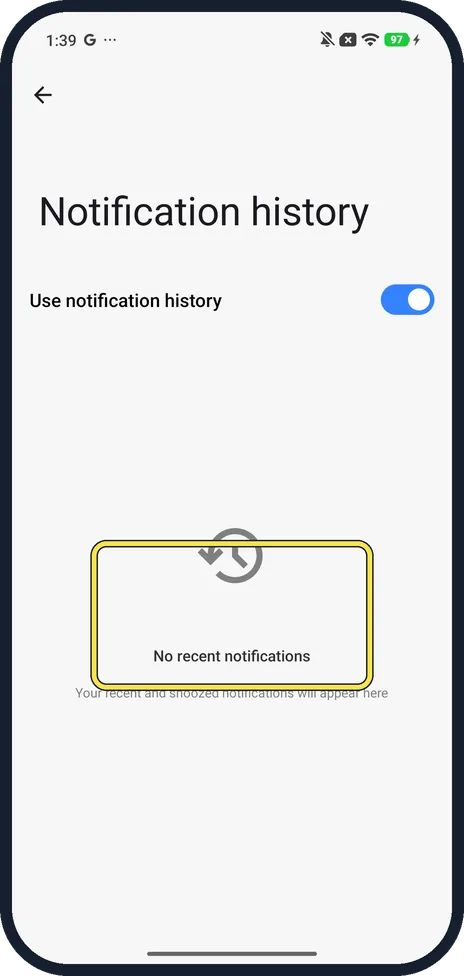
Check back after a notification arrives
Right after turning it on, ours said No recent notifications. New and snoozed notifications collect here from now on.
If you do not see this option
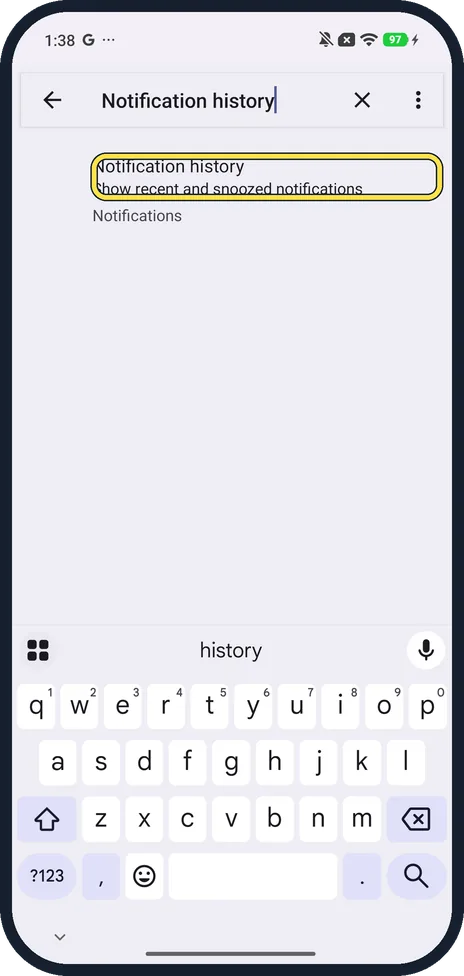
- No Notifications & status bar? Search Settings for notification history; ours found it under Notifications.
If this does not work
- Nothing from before you turned it on? History only collects notifications that arrive after the switch is on. On ours it said No recent notifications straight after.
- An app's notifications never show at all? Check the app is allowed to notify: how to turn off notifications for an app on a Xiaomi phone shows the same switches.
About this guide
Notification history lists recent and snoozed notifications, including ones you swiped away. On our Redmi it was off out of the box, so turn it on now to see notifications you dismiss later.
The screenshots are from our Redmi Note 15 Pro 5G with Xiaomi HyperOS 3 and Android 16, in Light mode, taken on 23 October 2026. We turned it on for a picture and off again.
Good to know
Notifications missing on the lock screen: Xiaomi lock screen notifications not showing?.
In short: Settings, Notifications & status bar, Notification history, Use notification history on.
Links checked in October 2026. Menus and features can change after software updates. These steps match the version named at the top.
Did this guide work for you?
Sorry about that. What happened?