XIAOMI REDMI
How to record 4K or 60fps video on a Xiaomi phone (HyperOS 3)
Open Camera, swipe to Video, and tap the 1080 · 30 label at the top right. Tap 4K for 4K video, or stay at 1080 and tap the 30 to switch to 60 frames per second. On our Redmi Note 15 Pro 5G, 4K recorded at 30 fps only: 60 fps was not offered at 4K.

7 of 7 steps show a real screenshot from our Redmi Note 15 Pro 5G. Each step was checked against the maker's own instructions, linked at the end.
Steps
- 1
Open Video and tap the resolution
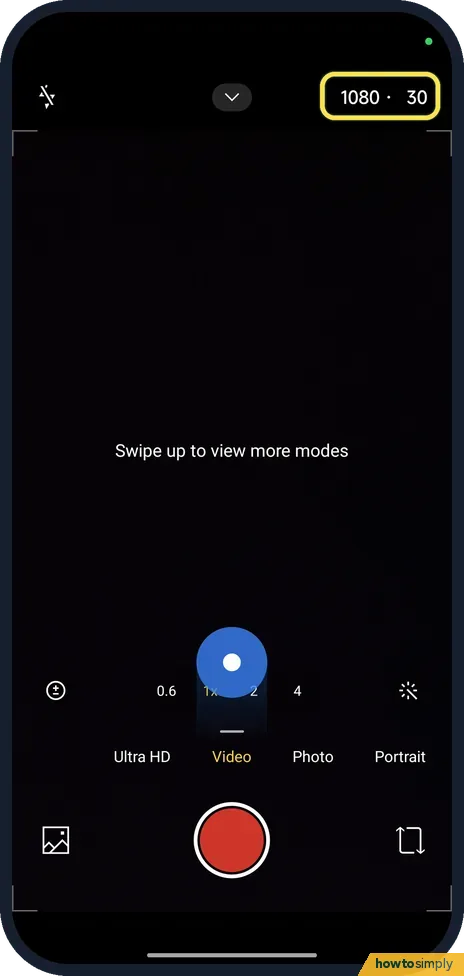
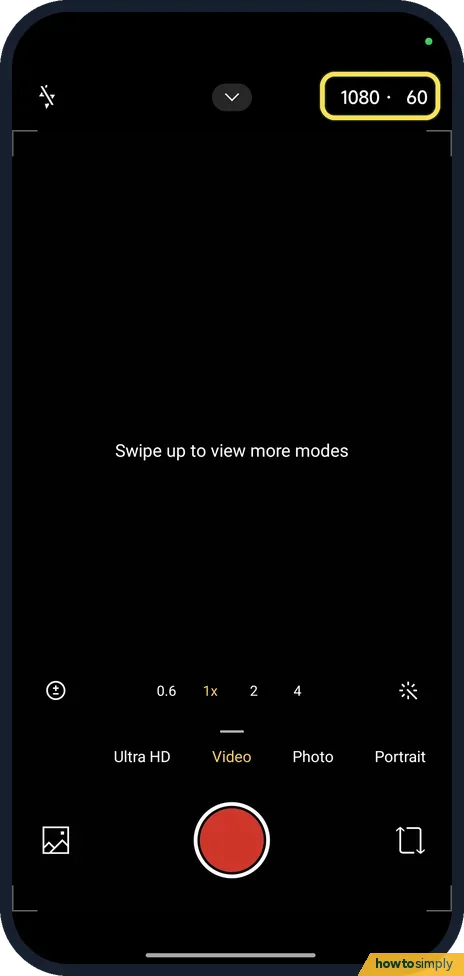
Open Camera and swipe to Video. Tap the 1080 · 30 label at the top right.
- 2
Tap 4K
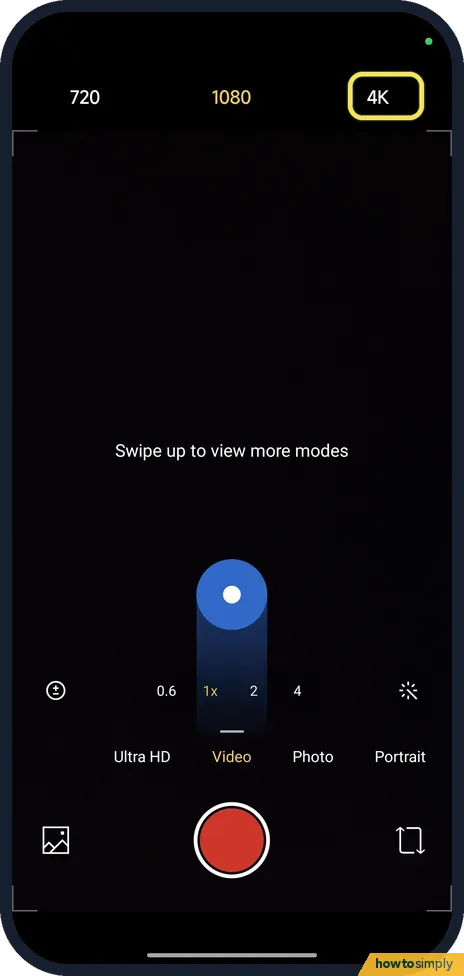
A bar opens with 720, 1080 and 4K. Tap 4K. On ours 1080 was selected.
- 3
Check the label
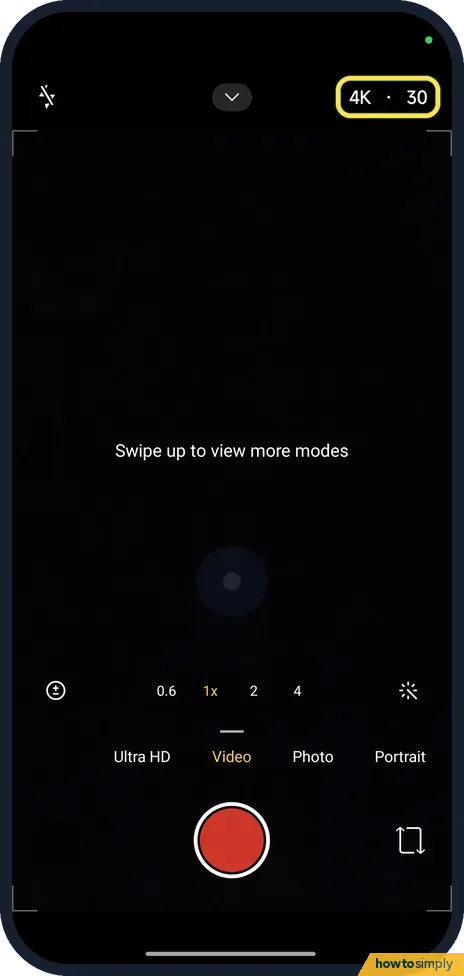
The label now reads 4K · 30. Press the shutter button to record in 4K.
- 4
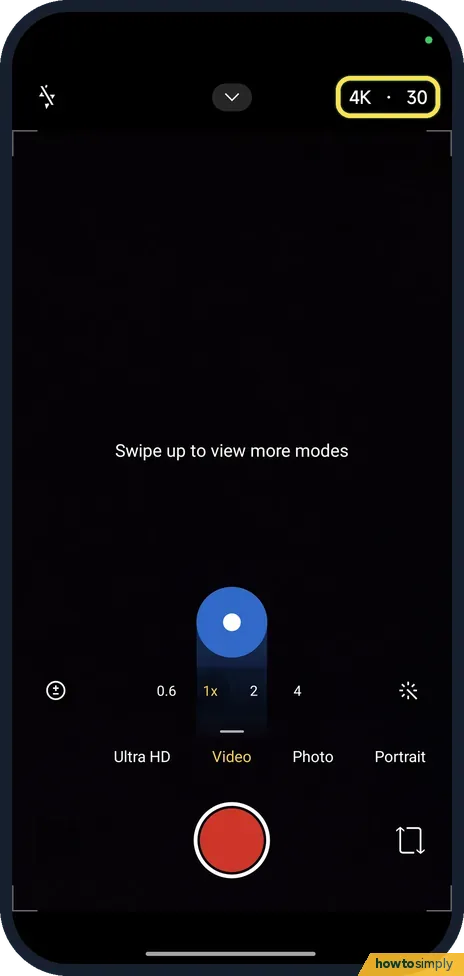
4K stays at 30 fps
At 4K, tapping the 30 did nothing on our phone: the label stayed 4K · 30. This phone does not offer 60 fps at 4K.
- 5
For 60 fps, use 1080 and tap 30
Switch back to 1080 and tap the 30 in the label. It changes to 60. On ours it toggled between 30 and 60; there was no list.
- 6
Open the camera settings
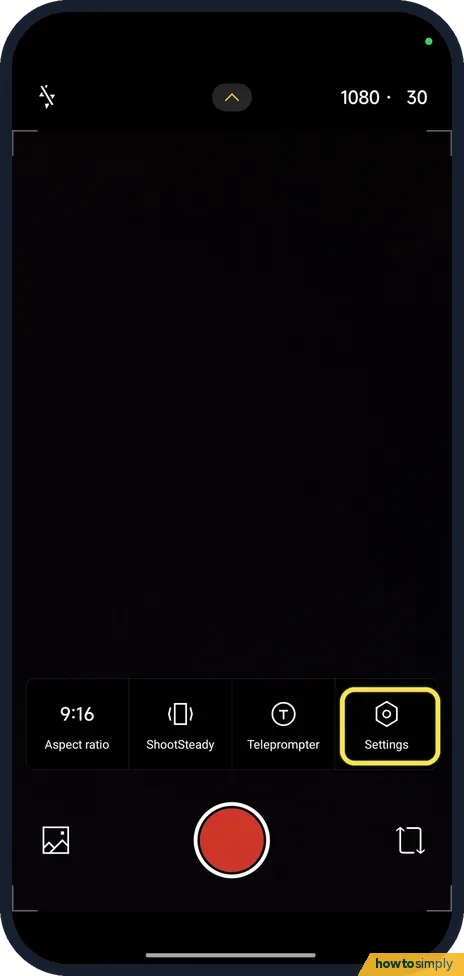
For more video settings, tap the small arrow at the top of the viewfinder and then Settings. We had put the label back to 1080 · 30 before this picture.
- 7
Check Video encoder and Auto frame rate
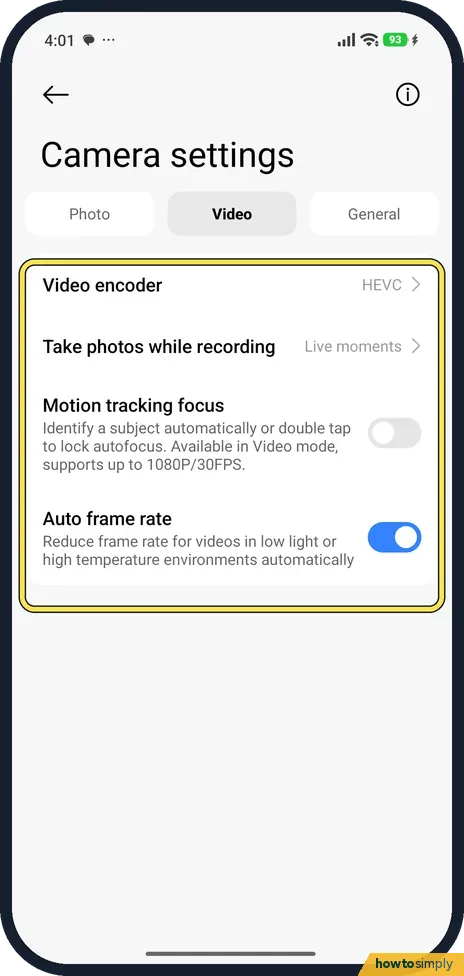
On the Video tab, Video encoder was HEVC, which makes smaller files. Auto frame rate was on: it lowers the frame rate in low light or when the phone is hot.
If you do not see this option
- No 60 at 4K? On our Redmi Note 15 Pro 5G, 4K was 30 fps only. For 60 fps, record at 1080.
- No resolution label in another mode? Xiaomi says you can change video resolution and frame rate in Pro and Video mode. Ultra HD, left of Video in the mode bar, is a separate mode; we did not test it. Source: Generic User Guide for HyperOS 3.0
If this does not work
- Frame rate drops by itself? Auto frame rate, in camera settings, reduces it in low light or high temperature. Turn it off there.
- Video will not play on another device? HEVC files are smaller but some older computers and TVs cannot play them. Change Video encoder in camera settings.
- Phone runs out of space? 4K and 60 fps videos make much bigger files than 1080 at 30 fps.
- Shaky video at 4K? Xiaomi's HyperOS 3 guide describes ShootSteady in Video mode, reached from an icon at the top of the viewfinder, to make video smoother. Try it for handheld clips.
Good to know
Camera sound and watermark: how to turn off the camera watermark and shutter sound.
Higher settings fill storage faster and take longer to back up or upload, which matters if your photos sync over mobile data. If you only switched to 4K or 60 fps for one clip, tap the label again afterwards to go back to 1080 · 30. To check how much room is left before a long recording, or to clear space afterwards, see Xiaomi storage full.
About this guide
- Device
- Android
- Shown on
- Xiaomi Redmi Note 15 Pro 5G (25080RABDG), HyperOS 3.0.308.0, Android 16
- App
- Camera
- Path
- Camera › Video
- Real screenshots
- 7 of 7 steps
- Checked
- October 2026
- Sources
- 2 official, linked below
Sources
Links checked October 2026. Menus and features can change with updates.Spotted a mistake? Menus change with updates, and we want every step to match your screen. Email us about this page or use the contact form. We read every report, and fixes are listed on What changed.
Liked this guide?
Follow us for new guides and short how-to videos.
Did this guide work for you?
Sorry about that. What happened?