
howtosimply.com/guides/how-to-see-notification-history-on-an-oppo-phone/ · Checked October 2026 · CPH2689, EEA), ColorOS 16.0.5, Android 16 (build CPH2689_16.0.5.1001(EX01) · OPPO Reno13 5G
In this guide
Turn on Notification history first: search Settings for notification history, or go to Notifications & Quick Settings, More settings, Notification history. It was off on ours.
3 of 3 steps with real screenshots · 3 official sources below
- Device
- Android
- Shown on
- OPPO Reno13 5G (CPH2689, EEA), ColorOS 16.0.5, Android 16 (build CPH2689_16.0.5.1001(EX01))
- App
- Settings
- Real screenshots
- 3 of 3 steps
- Checked
- October 2026
- Sources
- 3 official, linked below
Step by step
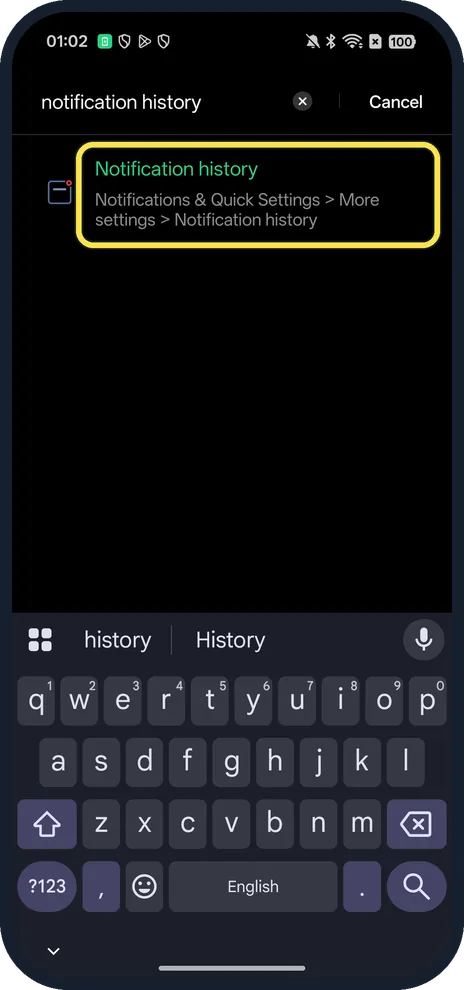
Search Settings
Open Settings, tap the search bar and type notification history, then tap the Notification history result. It shows the path: Notifications & Quick Settings > More settings > Notification history.
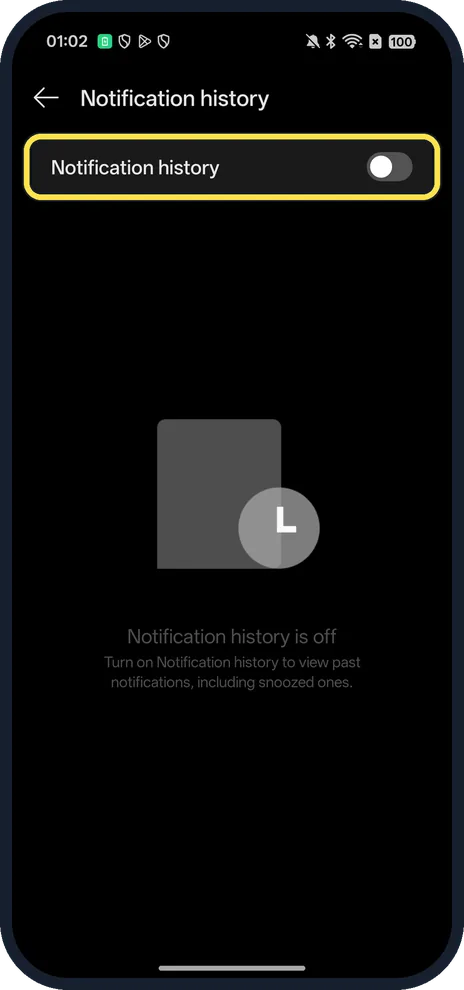
Turn on Notification history
Ours was off. The page says: turn on Notification history to view past notifications, including snoozed ones. They then show on this same page; come back the same way to read them.
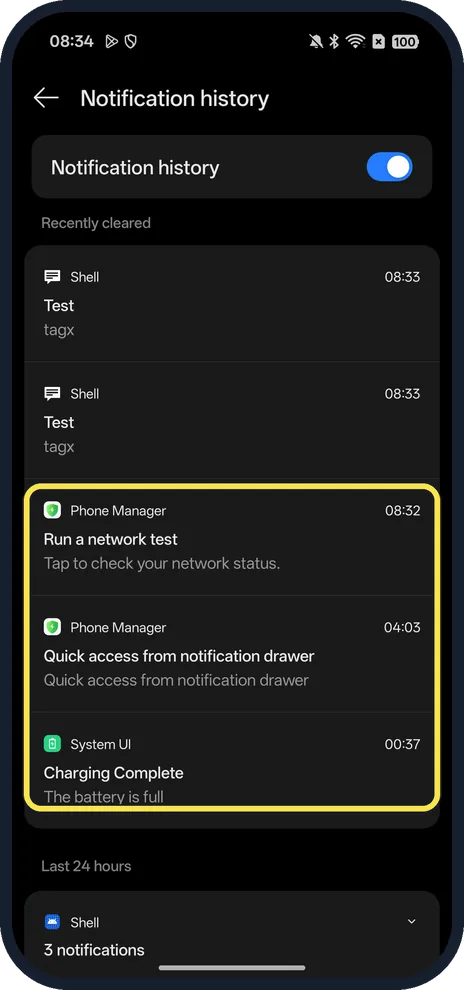
Read your history
Ours listed Recently cleared and Last 24 hours, with the app name and time. To fill it for the screenshot we sent three sample notifications from a computer over USB (they show as Shell); the boxed ones are real, from Phone Manager and System UI.
If you do not see this option
- Prefer to go by hand? Open Notifications & Quick Settings, tap More settings and look for Notification history, the path the search result gives.
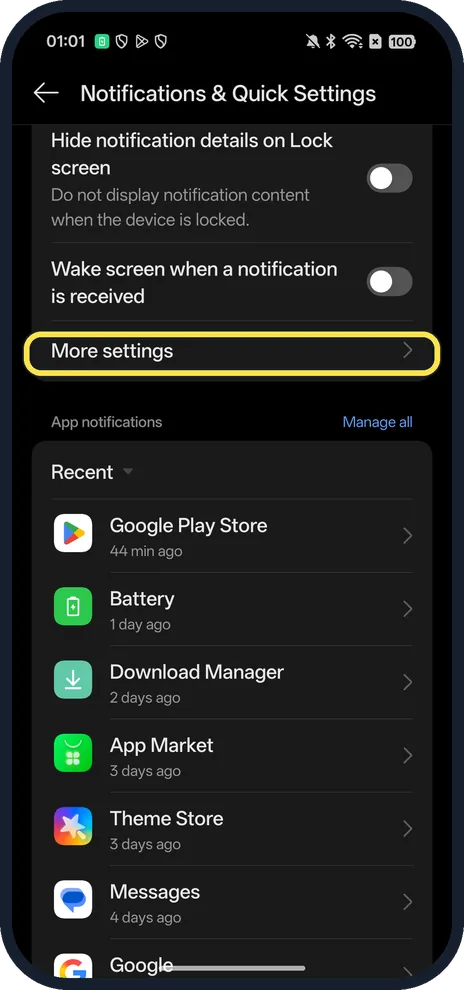
- Older OPPO phone? Older ColorOS calls the page Notifications & status bar; OPPO's own help uses that name, with a More settings page under it. Search Settings for notification history to find it on any version. Source: What Is OPPO Reno's Notification Center and Status Bar
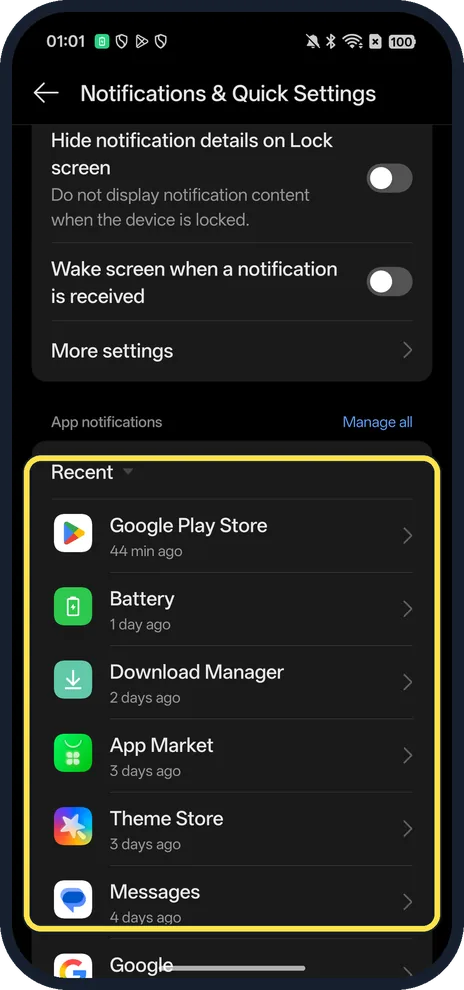
- Just want to see which apps sent something lately? The Recent list on Notifications & Quick Settings shows apps and when they last notified you.
If this does not work
- History is empty? Check the switch is on. Google says notification history shows snoozed notifications and the day's notifications; with the switch off, ours had nothing to show. Source: Control notifications on Android
- Notifications never arrive at all? OPPO says to check the app's Allow notifications switch, turn off Do Not Disturb and Aeroplane mode, and allow the app background activity (Settings, Apps, App management, the app, Battery usage on ColorOS 12 and later). Source: What to Do if OPPO Phone is Not Receiving App Notifications
- Want a notification back later instead? Turn on Notification snoozing in More settings to snooze one and show it again after a set time.
About this guide
The screenshots are from our OPPO Reno13 5G, the European model CPH2689, with ColorOS 16.0.5 and Android 16 (build CPH2689_16.0.5.1001(EX01)), in Dark mode. Notification history was off on ours; we turned it on for the screenshots and off again.
Good to know
To mute one app, turn off its notifications.
For live updates like deliveries, manage Live Alerts.
In short: Search Settings for notification history and turn it on.
- Google Android Help: Control notifications on Android
- OPPO Support: What to Do if OPPO Phone is Not Receiving App Notifications
- OPPO Support: What Is OPPO Reno's Notification Center and Status Bar
Links checked in October 2026. Menus and features can change after software updates. These steps match the version named at the top.
Did this guide work for you?
Sorry about that. What happened?