
howtosimply.com/guides/how-to-copy-text-from-a-photo-on-android/ · Checked October 2026 · build CP3A.261005.005 · Google Pixel 10a, Android 17
In this guide
Open the photo in Google Photos, tap the three dots at the top right and tap Google Lens. Touch and hold a word, drag the handles over the text you want and tap Copy. Then touch and hold a text field in any app and tap Paste.
8 of 8 steps with real screenshots · 1 official source below
- Device
- Android
- Shown on
- Google Pixel 10a, Android 17 (build CP3A.261005.005)
- App
- Photos
- Real screenshots
- 8 of 8 steps
- Checked
- October 2026
- Sources
- 1 official, linked below
Step by step
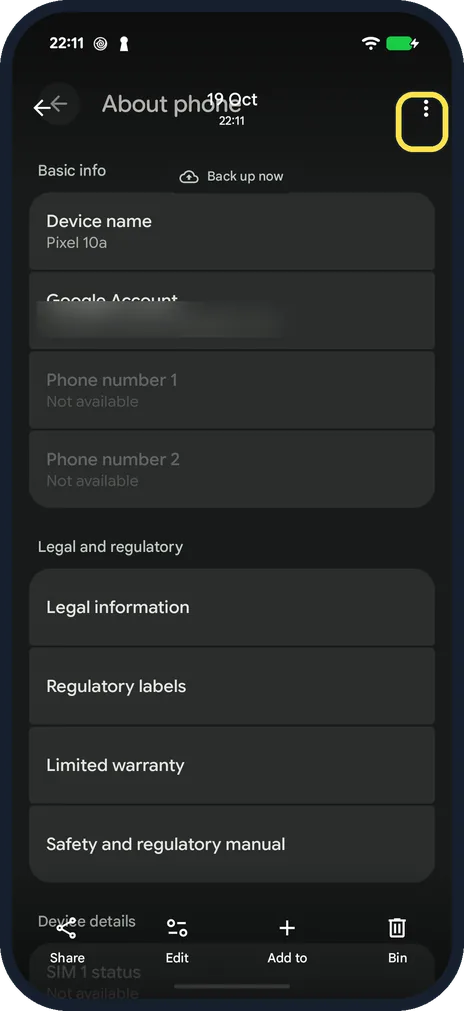
Open the photo and tap the three dots
Open the photo or screenshot in Google Photos. On our Pixel the bar at the bottom has Share, Edit, Add to and Bin, and no Lens button. Tap the three dots at the top right.
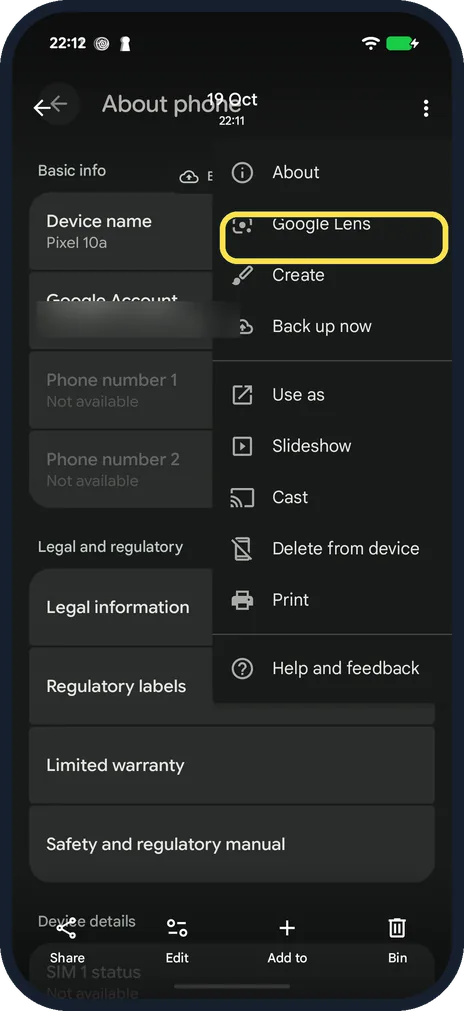
Tap Google Lens
It is the second item in the menu, below About.
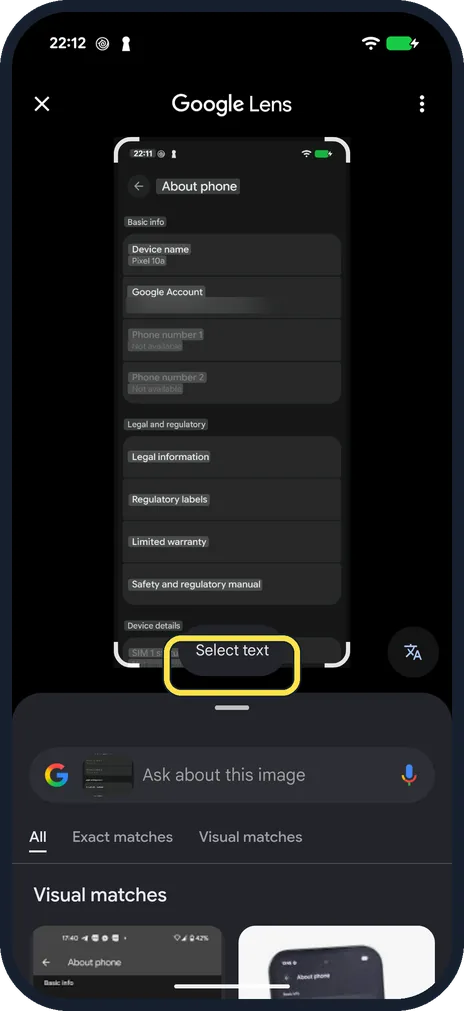
Close the tip and tap Select text
The first time, Lens showed a tip about Circle to Search; we tapped Got it. Then tap Select text at the bottom of the picture: Lens highlights all the text it can read.
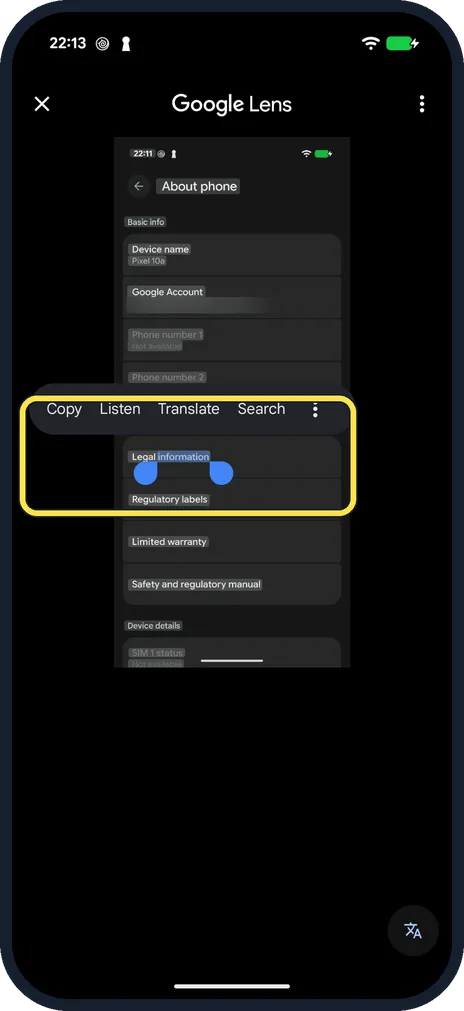
Touch and hold one word
To copy only part of the text, touch and hold a word. Two blue handles appear around it; drag them to take in more words. A menu shows Copy, Listen, Translate and Search.
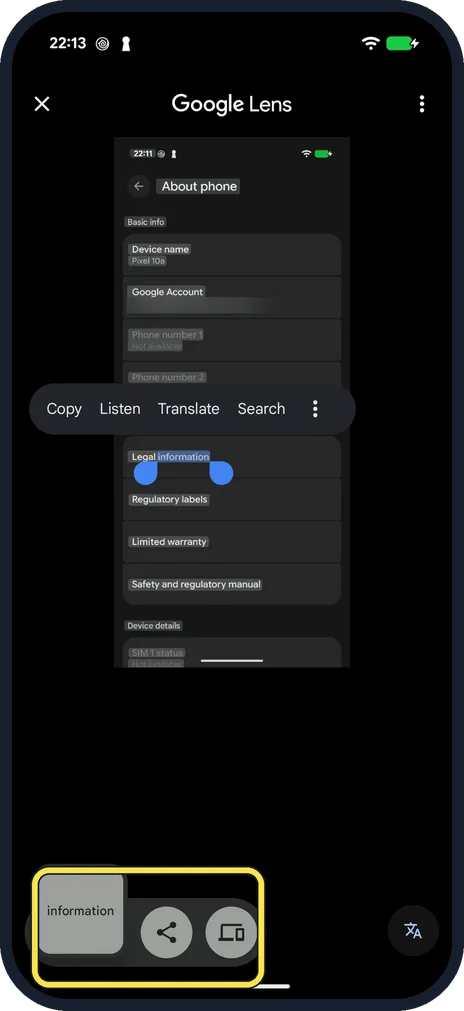
Tap Copy
Android shows a small preview of the copied text at the bottom left, with buttons to share it or send it to another device.
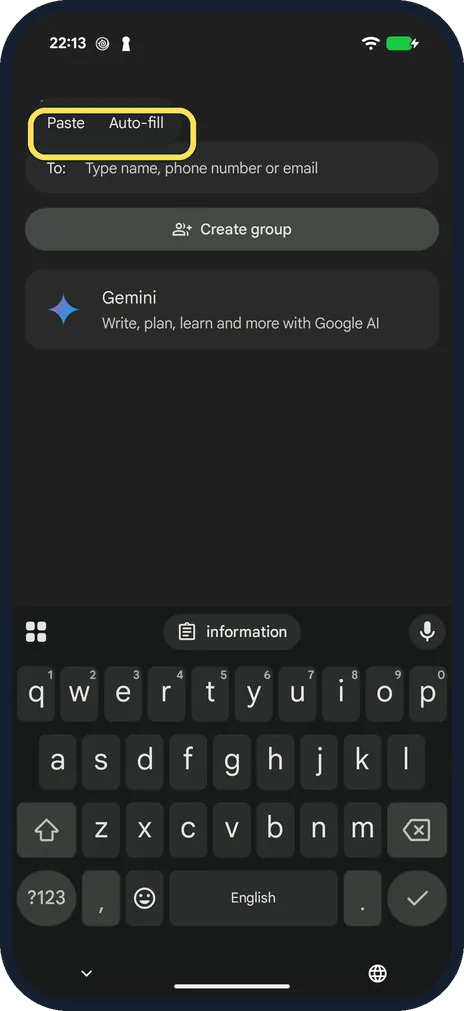
Paste it
Open the app where you need the text, touch and hold the text field and tap Paste. We used the To field of a new chat in Messages.
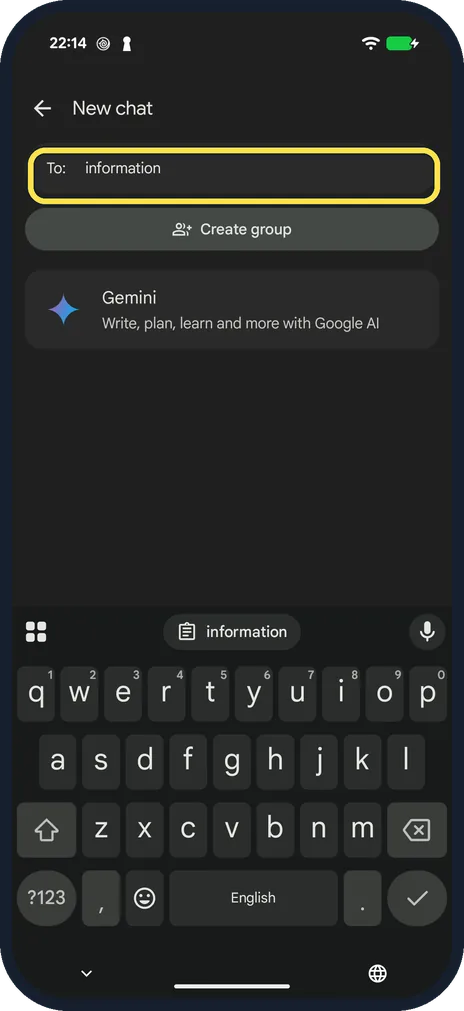
Check the pasted text
The word appears in the field. The keyboard also offers the copied text as a chip above the letters, so you can tap it there instead.
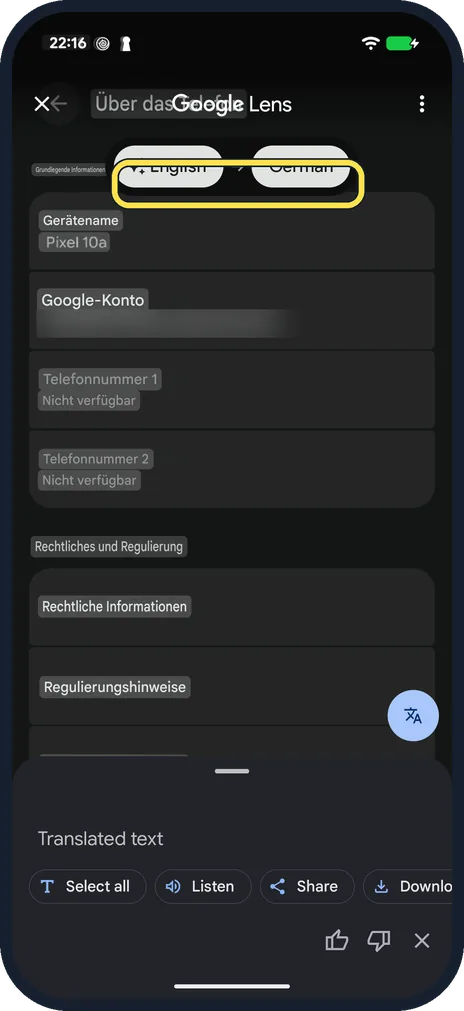
Or translate the text
In Lens, tap the translate button at the bottom right. On our English screenshot Lens first offered English to English, so we tapped the second language and chose German: the text was then shown in German on top of the picture.
If you do not see this option
- No Lens button below the photo? There was none on our Pixel 10a with Google Photos 7.67.0: the bar showed Share, Edit, Add to and Bin. Lens is in the three-dot menu (step 2).
- A tip about Circle to Search covers the picture? The first time Lens opened on our phone it said: You can now Circle to Search what's in your photos and screenshots. Just hold the bottom bar. Tap Got it to carry on.
If this does not work
- Translate shows the same language twice? Lens guesses the language of the picture. Ours showed English to English; tap the second language and pick the one you want.
- Nothing to paste? Android keeps the last thing you copied. Copy the text again in Lens, then touch and hold the text field once more.
About this guide
Google Lens reads the text in a picture: a sign, a letter, a page of a book, a screenshot. You can copy it, translate it or search for it, without typing anything.
The screenshots are from our Google Pixel 10a with Android 17 (build CP3A.261005.005), in dark mode. Our picture is a screenshot of the phone's About phone page; Google Photos was version 7.67.0. We deleted the screenshot afterwards and sent nothing.
Good to know
Check numbers and names after copying. Handwriting, unusual fonts and poor light lead to mistakes.
To search for what is in a picture instead: how to use Google Lens on Android to search with your camera.
To turn a photographed page into a proper document, see how to scan a document with an Android phone.
In short: Google Photos, three dots, Google Lens, touch and hold a word, Copy. Touch and hold a text field, Paste.
Links checked in October 2026. Menus and features can change after software updates. These steps match the version named at the top.
Did this guide work for you?
Sorry about that. What happened?