
What changed: rewritten for One UI 8.5 with our own screenshots. The battery percentage switch is gone; the number sits in the icon.
howtosimply.com/guides/how-to-show-battery-percentage-on-a-samsung-galaxy-one-ui-8-5/ · Checked October 2026 · Samsung Galaxy A57 5G (SM-A576B), One UI 8.5, Android 16
In this guide
On One UI 8.5 the battery percentage is always shown as a number inside the battery icon. The old Show battery percentage switch is gone. Settings, Notifications, Status bar now has Show battery background, which only turns the oval behind the number on or off.
4 of 4 steps with real screenshots · 1 official source below
- Device
- Android
- Shown on
- Samsung Galaxy A57 5G (SM-A576B), One UI 8.5, Android 16
- App
- Settings
- Path
- Settings › Notifications › Status bar › Show battery background
- Real screenshots
- 4 of 4 steps
- What we did
- Observed: looked at each screen, changed nothing
- Our phone
- Shown on Galaxy A57, One UI 8.5
- Checked
- October 2026
- Sources
- 1 official, linked below
Step by step
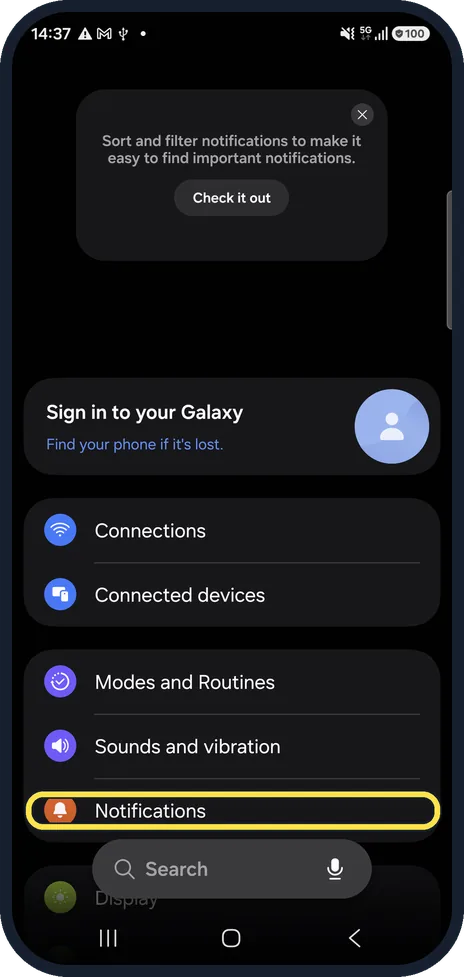
Open Notifications
Open Settings and tap Notifications.
Watch these steps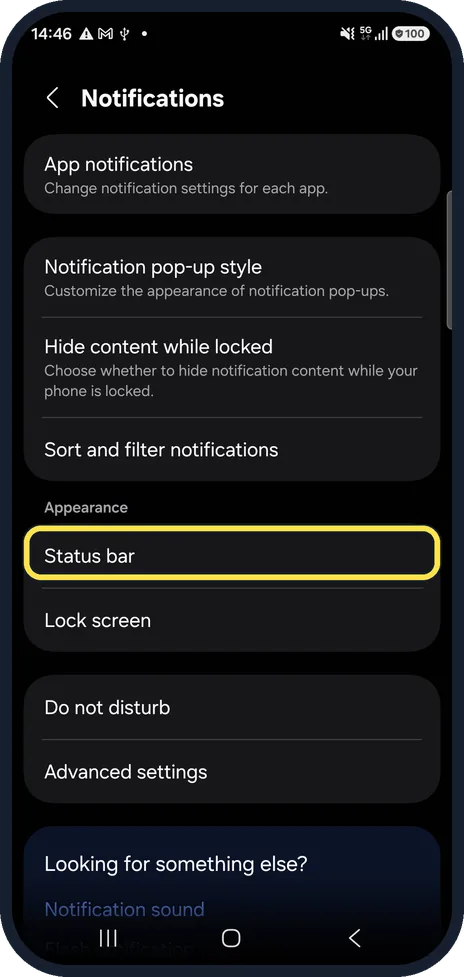
Tap Status bar
It is in the Appearance group.
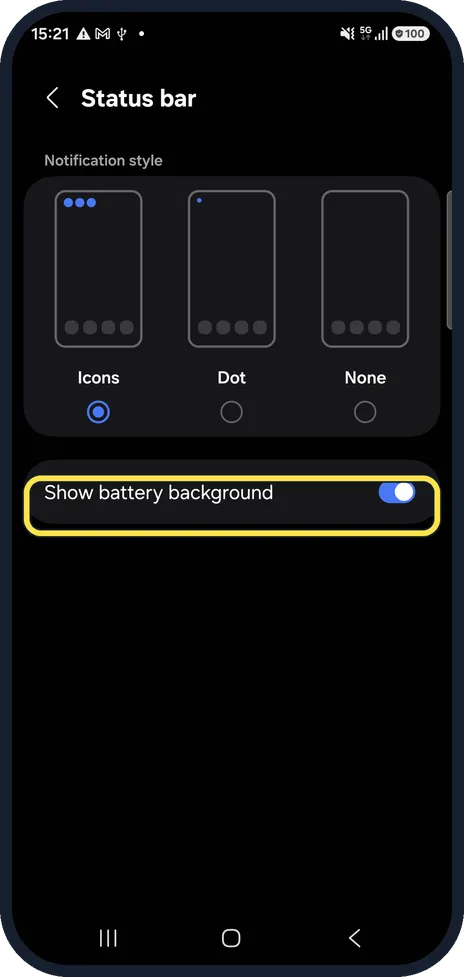
Find Show battery background
This is where Show battery percentage used to be. Switch it off and the battery shows as a plain number without the oval.
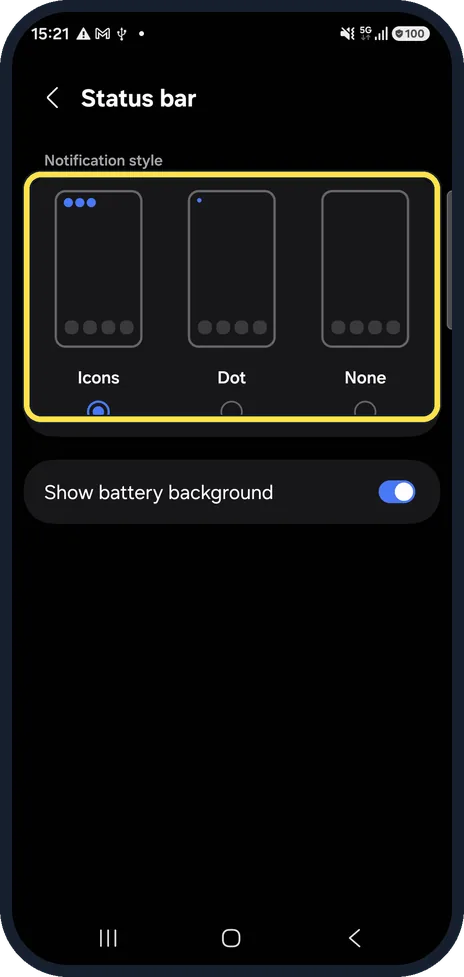
Choose the notification icons
Above it, Notification style sets whether app icons, a single dot or nothing appears in the status bar.
What changed: rewritten for One UI 8.5 with our own screenshots. The battery percentage switch is gone; the number sits in the icon.
Watch these steps
If this does not work
- The battery icon looks thinner and smaller Samsung says this is the new One UI 8.5 design. Turn off Show battery background to show just the number. Source: Status bar issues on your Galaxy phone after the One UI 8.5 update
- The clock or icons vanish in one app Samsung says some apps set up the status bar area themselves, so the clock or icons can disappear while that app is open. Contact the app maker. Source: Status bar issues on your Galaxy phone after the One UI 8.5 update
About this guide
After the One UI 8.5 update, many people went looking for the Show battery percentage switch and could not find it. Samsung replaced it. The number stays; only the background shape around it can be switched off.
Good to know
On One UI 8 and earlier, the switch is called Show battery percentage, under Settings, Notifications, Status bar (or Advanced settings on Android 11 and 12).
Battery running down too fast? Samsung Galaxy battery draining fast? 6 fixes.
In short: One UI 8.5: the percentage is always inside the icon. Settings, Notifications, Status bar, Show battery background.
Links checked in October 2026. Menus and features can change after software updates. These steps match the version named at the top.
📷 See real photos from the Galaxy A57 in our Camera Lab, next to 10 other phones.
Did this guide work for you?
Sorry about that. What happened?