ONEPLUS
How to remove animations on a OnePlus (OxygenOS 16)

In short
Go to Settings, Accessibility & convenience, Accessibility, open the Vision tab and switch on Remove animations. Searching Settings for remove animations finds it too.
3 of 3 steps show a real screenshot from our Nord 5. Each step was checked against the maker's own instructions, linked at the end.
Steps
- 1
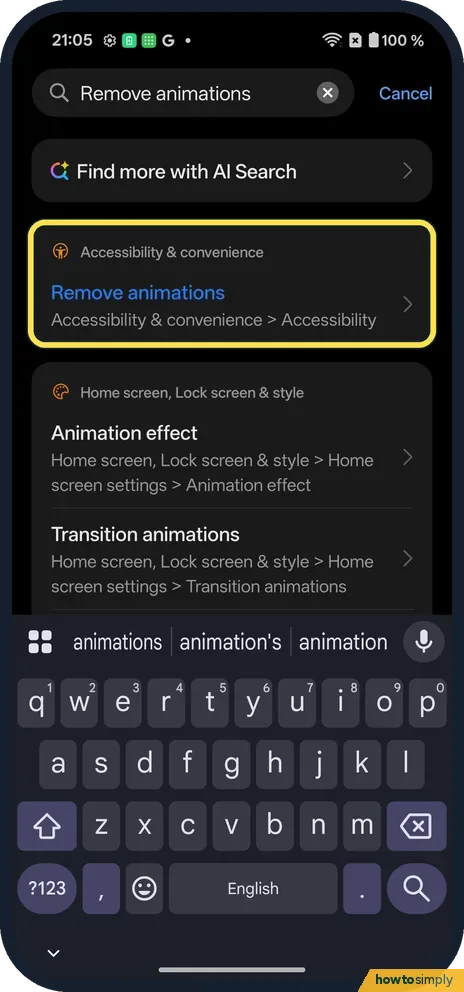
Search for it
Searching Remove animations finds it under Accessibility & convenience, Accessibility.
- 2
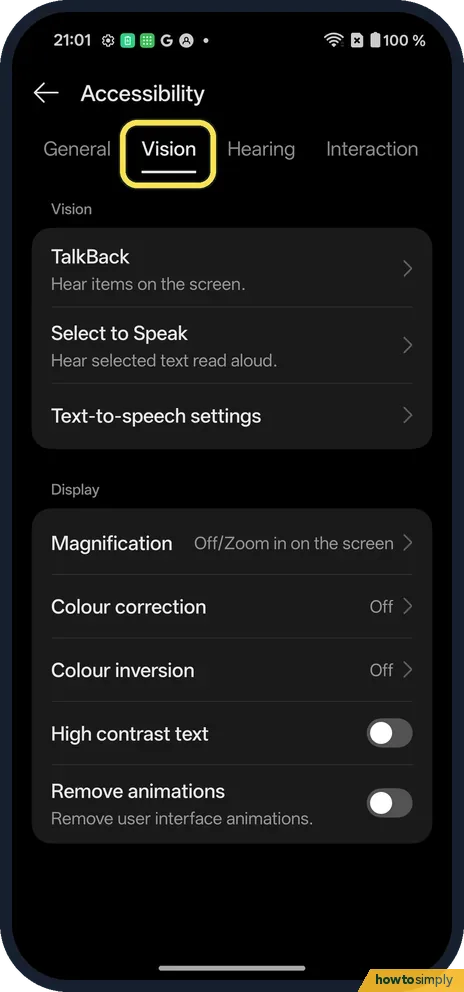
Or open the Vision tab
Open Accessibility and tap the Vision tab.
- 3
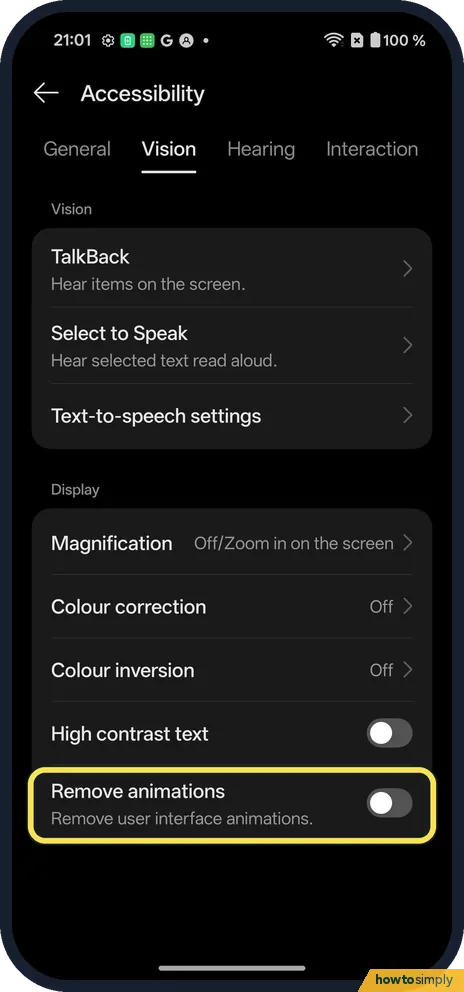
Switch it on
Remove animations is the last switch under Display.
If you do not see this option
- Want them softer, not off? Search also finds Animation effect and Transition animations under Home screen, Lock screen & style.
- Older OxygenOS? OnePlus's OxygenOS 14 manual puts Accessibility under Additional settings. Source: OxygenOS 14.0 User Manual
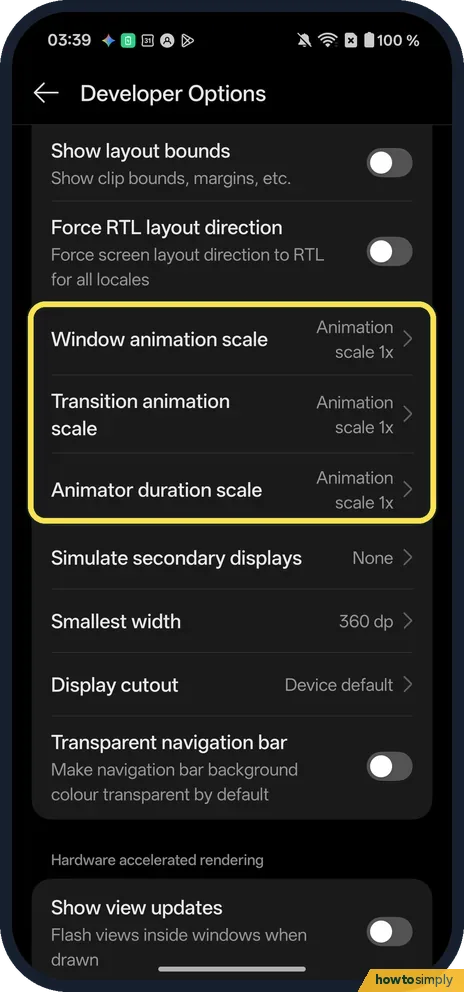
- Want faster, not none? Android's Developer options include Window animation scale and Transition animation scale. Google describes them as playback speeds for checking app performance, where a lower scale means a faster speed. On our Nord 5, Developer Options lists Window animation scale, Transition animation scale and Animator duration scale, all at Animation scale 1x. They are testing tools, so Remove animations is the simpler choice for comfort. See turn on Developer options on a OnePlus. Source: Configure on-device developer options
If this does not work
- Some apps still move? Apps can use their own animations.
- Home screen still animates? Check Animation effect in Home screen settings.
- Videos and GIFs still move? That is expected. Google describes the setting as reducing system and image transition effects in supported apps. Videos, games, moving stickers and animated adverts are content inside the app, so they keep playing. Look for an autoplay or reduced-motion option in that app's own settings.
- Effects came back after an update? Open the Vision tab again and check the switch. If it shows on but the zoom effects are back, switch it off and on again, then restart the phone so every app picks up the change.
Good to know
Turn on colour correction or greyscale on a OnePlus.
Once it is on, apps and windows appear and close straight away instead of zooming or sliding. Nothing is deleted and no other setting changes, so you can switch it off at any time from the same Vision tab. Google lists the setting both for vision and for people with photosensitivity or seizure triggers. For photosensitivity it also suggests Dark theme, which you can pair with this: use Dark mode and its styles on a OnePlus.
About this guide
- Device
- Android
- Shown on
- OnePlus Nord 5 (CPH2709), OxygenOS 16.0.5.1201, Android 16
- App
- Settings
- Path
- Settings › Accessibility & convenience › Accessibility › Vision › Remove animations
- Real screenshots
- 3 of 3 steps
- Checked
- October 2026
- Sources
- 3 official, linked below
Sources
Links checked October 2026. Menus and features can change with updates.Spotted a mistake? Menus change with updates, and we want every step to match your screen. Email us about this page or use the contact form. We read every report, and fixes are listed on What changed.
Liked this guide?
Follow us for new guides and short how-to videos.
Did this guide work for you?
Sorry about that. What happened?