ONEPLUS
How to put a OnePlus on silent or vibrate (OxygenOS 16)

In short
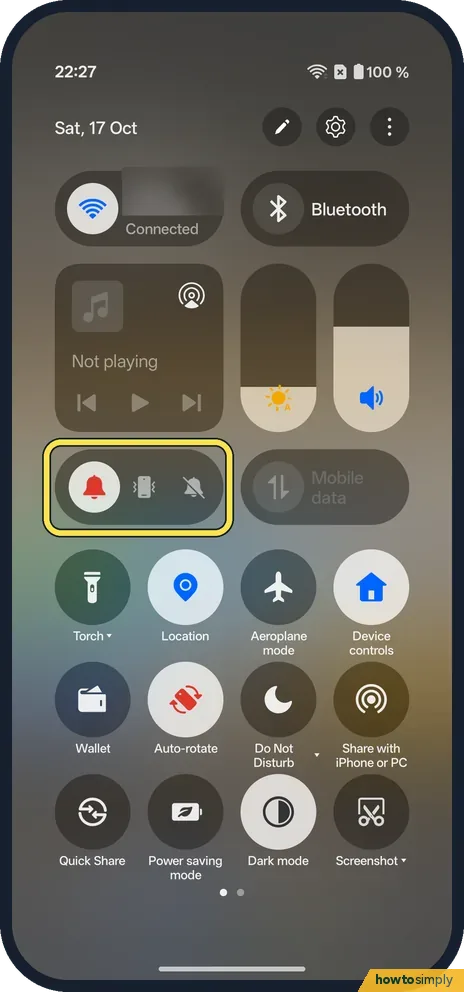
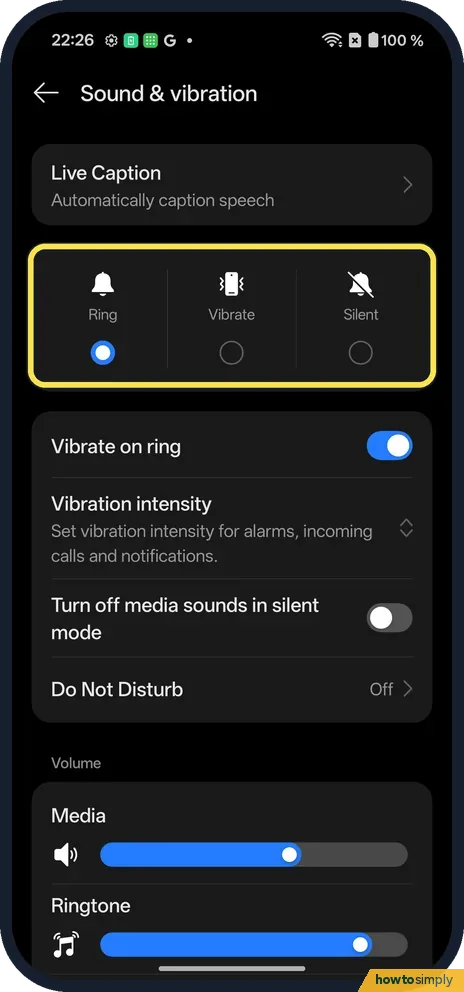
Swipe down twice. Under the sliders, a pill has three icons: bell (Ring), phone (Vibrate) and crossed-out bell (Silent). Tap one. Settings, Sound & vibration has the same three at the top.
4 of 4 steps show a real screenshot from our Nord 5. Each step was checked against the maker's own instructions, linked at the end.
Steps
- 1
Find the ring control
Swipe down twice from the top. It is the pill on the left under the sliders; the red icon is the current mode.
- 2
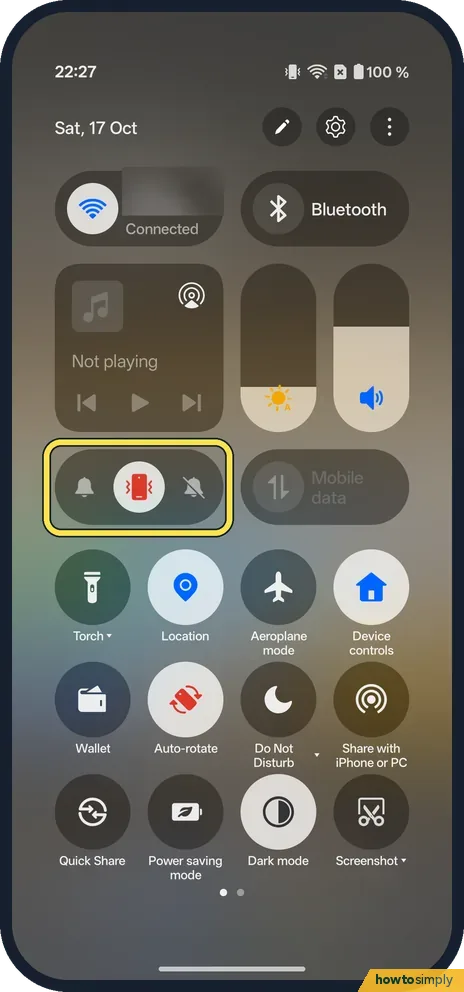
Tap Vibrate
The middle icon. A vibrate icon shows in the status bar.
- 3
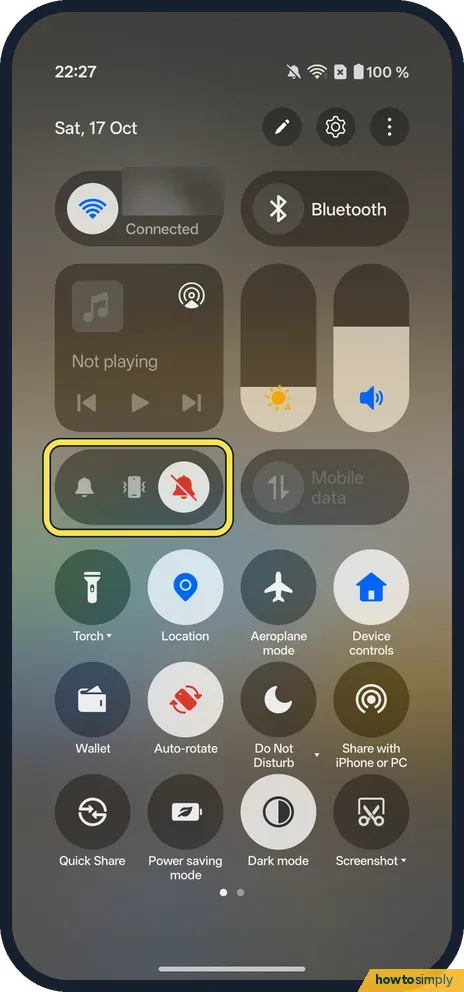
Tap Silent
The right icon. A crossed-out bell shows in the status bar.
- 4
Or in Settings
Open Settings, Sound & vibration: Ring, Vibrate and Silent are at the top.
If you do not see this option
- A OnePlus with an Alert Slider? Phones with the three-position slider switch Ring, Vibrate and Silent with it. Our Nord 5 has a Plus Key on that side instead, listed in its specs. Source: OnePlus Nord 5 specs
- Want a button for it? Search Settings for Plus Key. On ours, Sound & vibration is one of the actions it can do.
- Silent at night only? Use Do Not Disturb or Bedtime mode on a OnePlus. Source: Limit interruptions with Do Not Disturb on Android
If this does not work
- Media still plays aloud? Turn off media sounds in silent mode is a separate switch in Sound & vibration. It was off on ours.
- Alarms quiet in Silent? Silent mutes calls and notifications. Alarms have their own slider: change the volume.
- No vibration in Vibrate? Check Vibration intensity: ringtone and vibration.
- Need to silence a call that is ringing? Google says pressing a volume button silences the ring of an incoming call. The call keeps coming in, so you can still answer or let it go to voicemail.
- Work apps still make sounds? Google notes that work profile sounds can be set separately in the sound settings. Check them there if work notifications behave differently from personal ones.
Good to know
Change the volume on a OnePlus.
It only affects how calls and notifications alert you: missed calls and messages are all waiting when you look, and nothing is blocked. If you want quiet at the same time every day without remembering to switch, a schedule is more reliable than the pill: Do Not Disturb can turn on for set times or during calendar events, and Bedtime mode can turn on while charging.
About this guide
- Device
- Android
- Shown on
- OnePlus Nord 5 (CPH2709), OxygenOS 16.0.5.1201, Android 16
- App
- Quick Settings
- Path
- Quick Settings › Ring mode
- Real screenshots
- 4 of 4 steps
- Checked
- October 2026
- Sources
- 4 official, linked below
Sources
Links checked October 2026. Menus and features can change with updates.Spotted a mistake? Menus change with updates, and we want every step to match your screen. Email us about this page or use the contact form. We read every report, and fixes are listed on What changed.
Liked this guide?
Follow us for new guides and short how-to videos.
Did this guide work for you?
Sorry about that. What happened?