ONEPLUS
How to set and delete an alarm on a OnePlus (OxygenOS 16)

In short
Open Clock, Alarm and tap +. Turn the hour and minute wheels, pick Ring once, Weekdays or Custom, and tap Done. To delete, touch and hold the alarm and tap Delete: it goes at once, with no confirmation.
6 of 6 steps show a real screenshot from our Nord 5. Each step was checked against the maker's own instructions, linked at the end.
Steps
- 1
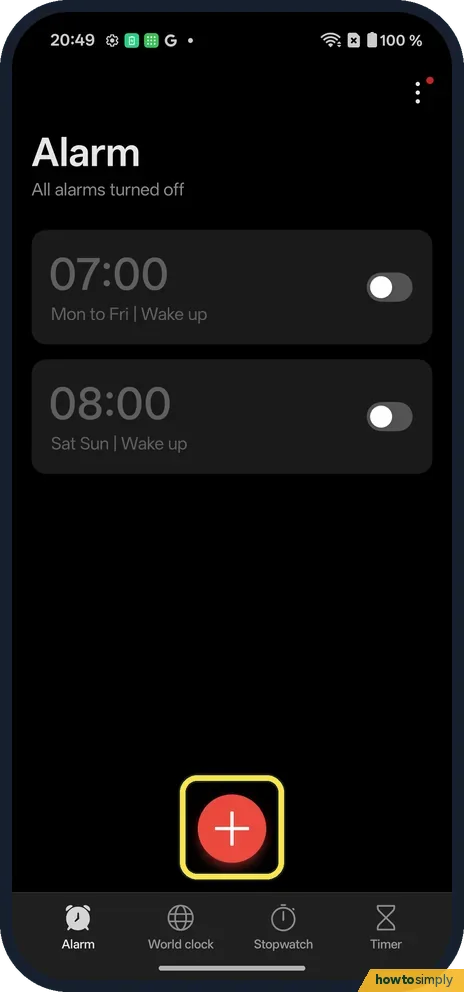
Tap +
Open Clock. On Alarm, tap the red + at the bottom.
- 2
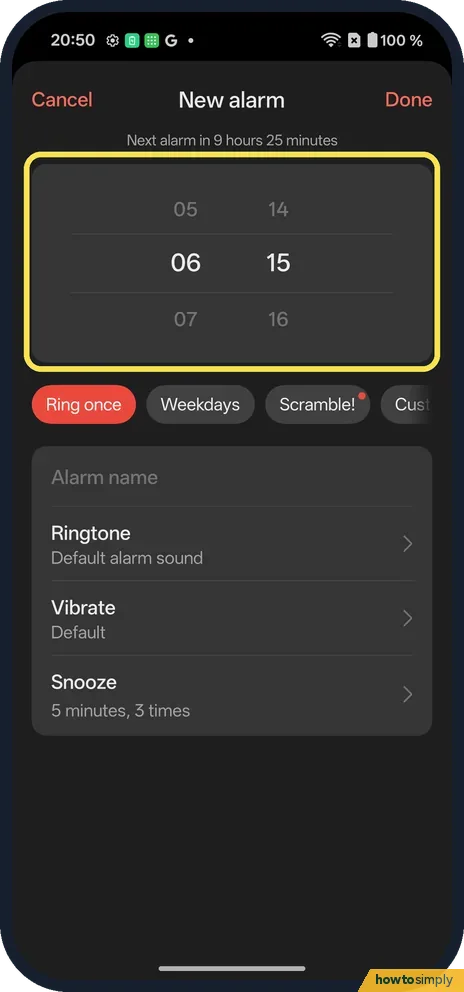
Set the time
Turn the wheels to the time: 06:15. The top says when it will ring next.
- 3
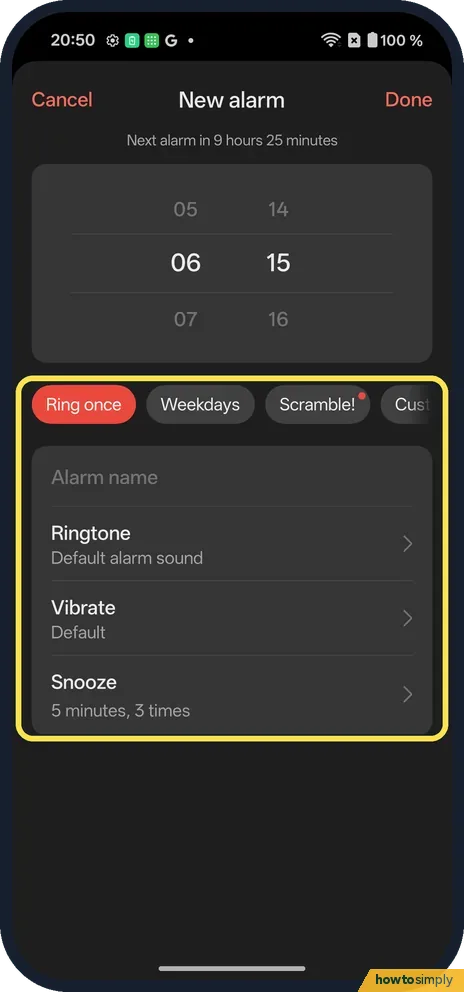
Choose the days
Ring once, Weekdays, Scramble! or Custom. Below are Alarm name, Ringtone, Vibrate and Snooze. Tap Done.
- 4
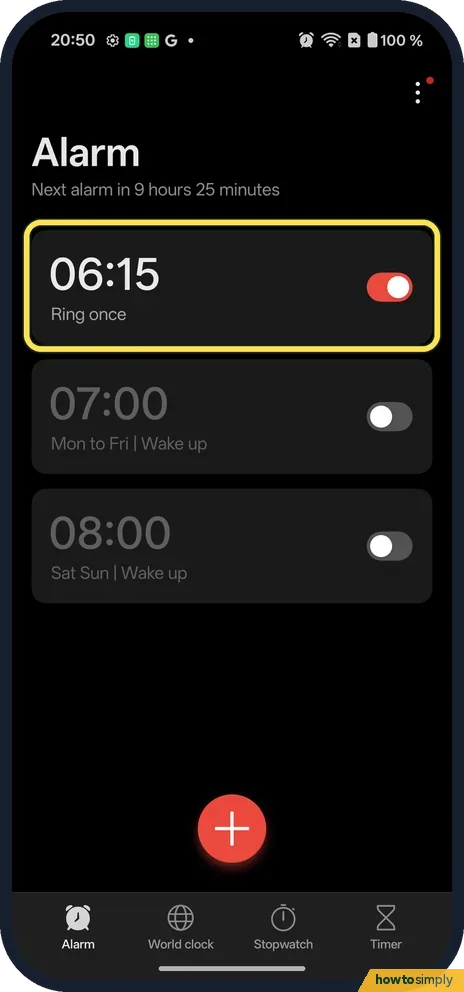
Check it is on
The new alarm is on, set to Ring once, and the top says Next alarm in 9 hours 25 minutes.
- 5
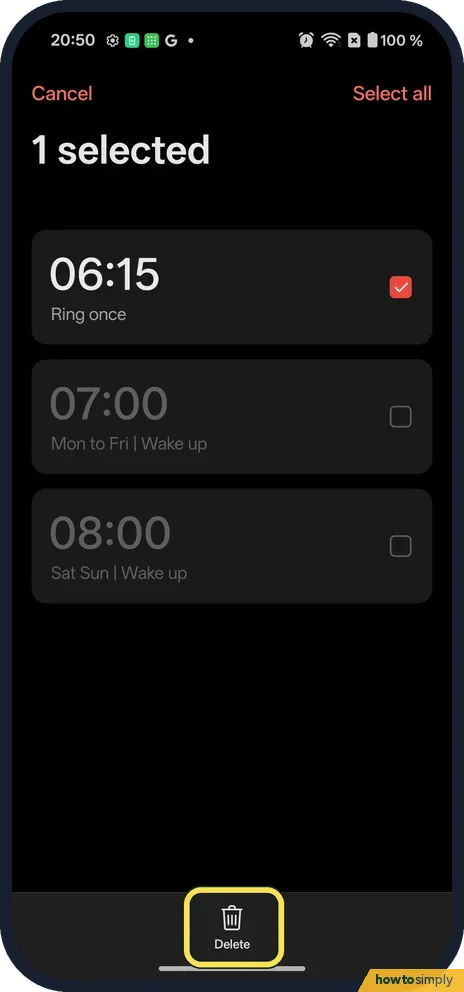
Delete: touch and hold
The alarm is ticked, 1 selected. Tap Delete at the bottom.
- 6
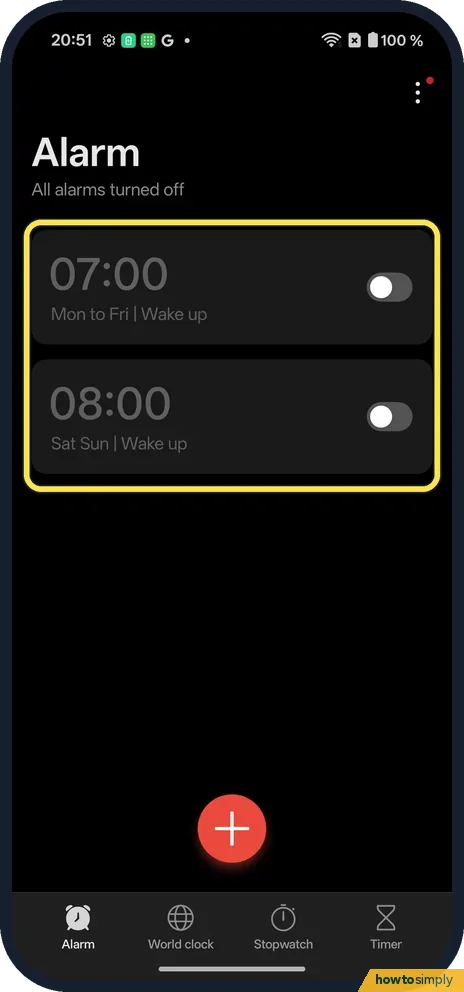
It is gone
The 06:15 alarm went at once. We saw no confirmation box and no Undo bar.
If you do not see this option
- Scramble!? One of the repeat choices on ours. We did not try it.
- Older OxygenOS? OnePlus's OxygenOS 14 manual says the same: touch and hold an alarm to delete it. Source: OxygenOS 14.0 User Manual
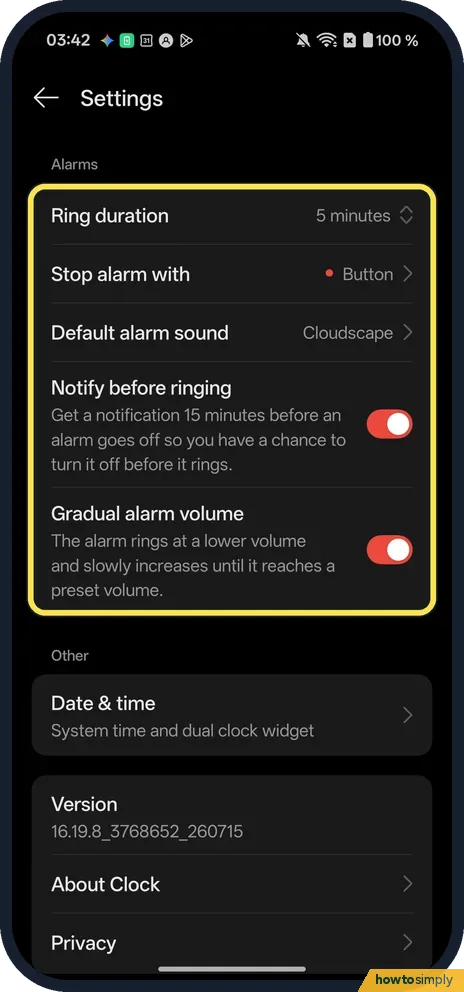
- Looking for the alarm settings? They are in the Clock app's Settings, under Alarms. Ours had Ring duration (5 minutes), Stop alarm with (Button), Default alarm sound (Cloudscape), and Notify before ringing and Gradual alarm volume, both on.
If this does not work
- Alarm silent? Check the Ringtone and the alarm volume.
- Did not ring? Its switch must be on. Ours showed the switch on and Next alarm in 9 hours 25 minutes.
- Deleted by mistake? There is no undo. Set it again.
- Alarm did not ring at all? Google's Clock Help lists the usual causes: the Clock app's notifications are off, Do Not Disturb is blocking alarms, the alarm sound is silent with vibration off, the alarm volume is very low, or Battery Saver is limiting the app. Check each one, then set a test alarm two minutes ahead.
- Do Not Disturb silenced it? Google says Do Not Disturb can silence an alarm if alarms are not allowed in its settings. Allow alarms there so they always get through.
- Alarm stops too quickly? The OxygenOS 14 manual describes Ring duration and Stop alarm with in the Clock app's settings, and our OxygenOS 16 Clock app has both: 5 minutes and Button on ours. A longer ring duration gives you more time to wake up.
Good to know
Set up Bedtime mode on a OnePlus.
A saved alarm stays in the Alarm tab until you delete it, even when switched off, so the list can get long. Deleting old ones keeps it tidy, but remember there is no confirmation and no undo on ours. Alarms use almost no battery while waiting, and Google's Clock Help notes that if your ringtone is silent and vibration is off, the alarm will not go off, so pick a real sound for anything important.
The OxygenOS 14 manual says that when an alarm rings you can press the Power button or tap Snooze to sleep a little longer, and tap Stop to turn it off. It also mentions a Notify before ringing option in the Clock settings; on ours it was on, sending a notification 15 minutes before an alarm goes off so you have a chance to turn it off before it rings. For a regular sleep routine, alarms work well alongside Bedtime mode.
About this guide
- Device
- Android
- Shown on
- OnePlus Nord 5 (CPH2709), OxygenOS 16.0.5.1201, Android 16
- App
- Clock
- Path
- Clock › Alarm
- Real screenshots
- 6 of 6 steps
- Checked
- October 2026
- Sources
- 2 official, linked below
Sources
Links checked October 2026. Menus and features can change with updates.Spotted a mistake? Menus change with updates, and we want every step to match your screen. Email us about this page or use the contact form. We read every report, and fixes are listed on What changed.
Liked this guide?
Follow us for new guides and short how-to videos.
Did this guide work for you?
Sorry about that. What happened?