
howtosimply.com/guides/how-to-free-up-whatsapp-storage-on-android/ · Checked October 2026 · Google Pixel 10a, Android 17 (build CP3A.261005.005), WhatsApp 2.26.41.77
In this guide
Open WhatsApp Settings, Storage and data, Manage storage and tap a chat. Sort its files by Largest, select the big ones, tap the bin and then Delete. Ours: 3 files, 18,2 MB, from a 30,1 MB test chat.
8 of 8 steps with real screenshots · 1 official source below
- Device
- Android
- Shown on
- Google Pixel 10a, Android 17 (build CP3A.261005.005), WhatsApp 2.26.41.77
- App
- Real screenshots
- 8 of 8 steps
- Checked
- October 2026
- Sources
- 1 official, linked below
Step by step
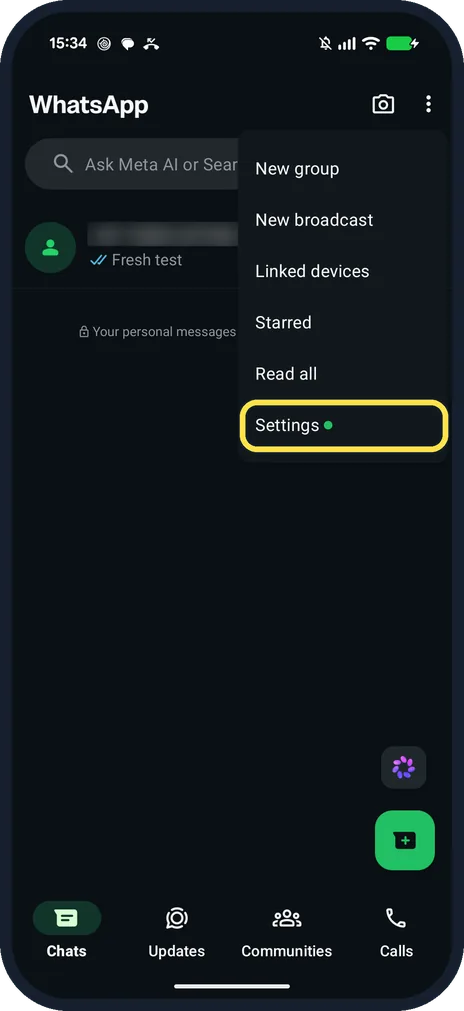
Open WhatsApp Settings
On the Chats tab, tap the three dots at the top right, then Settings.
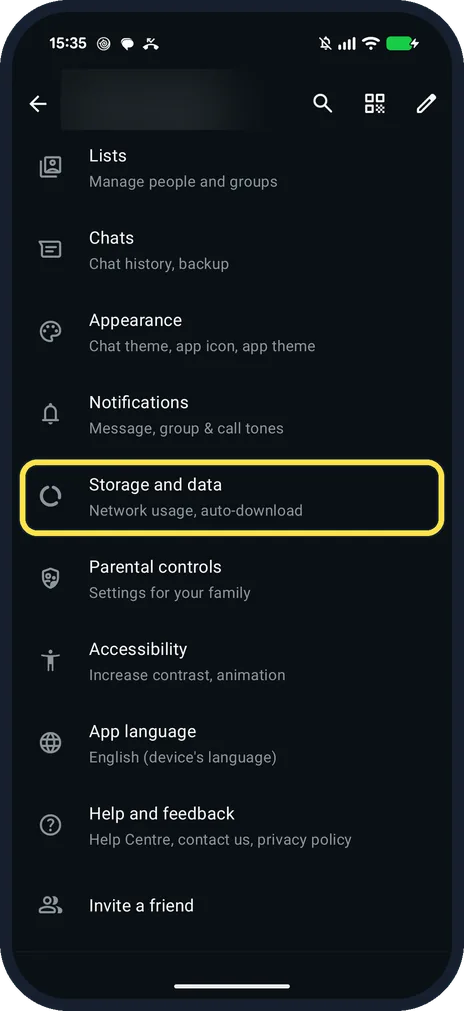
Tap Storage and data
It is below Notifications: Network usage, auto-download.
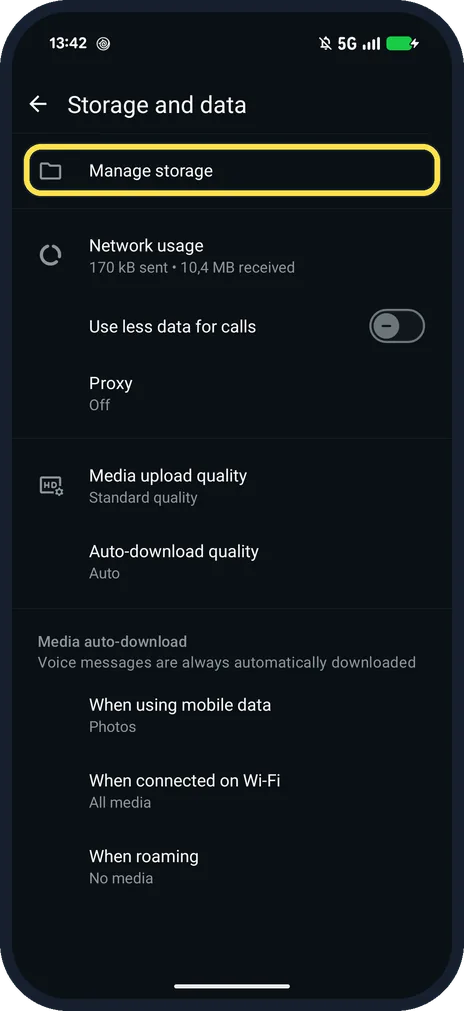
Tap Manage storage
It is the first row.
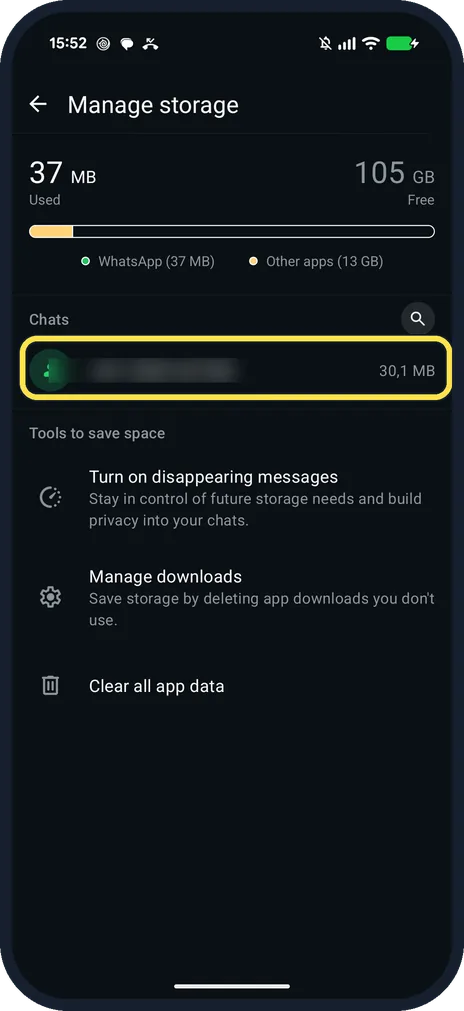
Tap the chat that uses the most
Ours: 37 MB used, 105 GB free; the test chat took 30,1 MB.
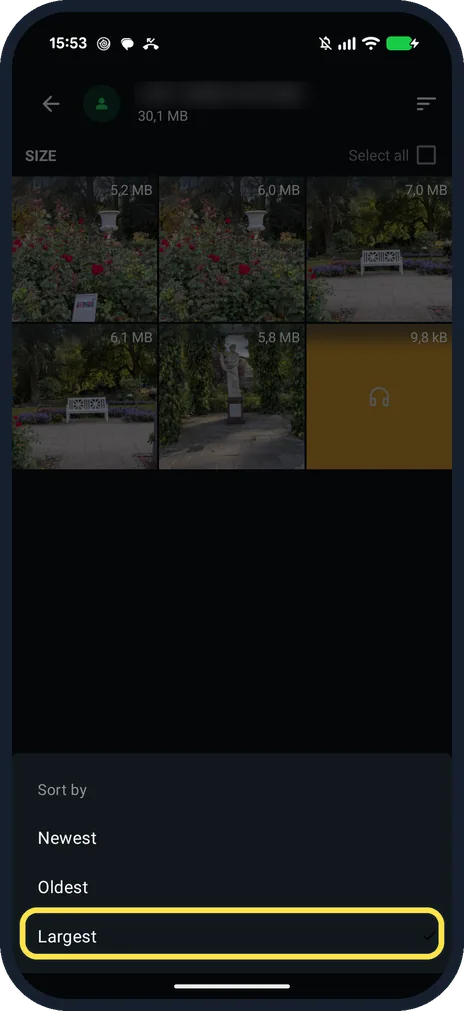
Sort by Largest
Tap the sort button at the top right: Newest, Oldest or Largest.
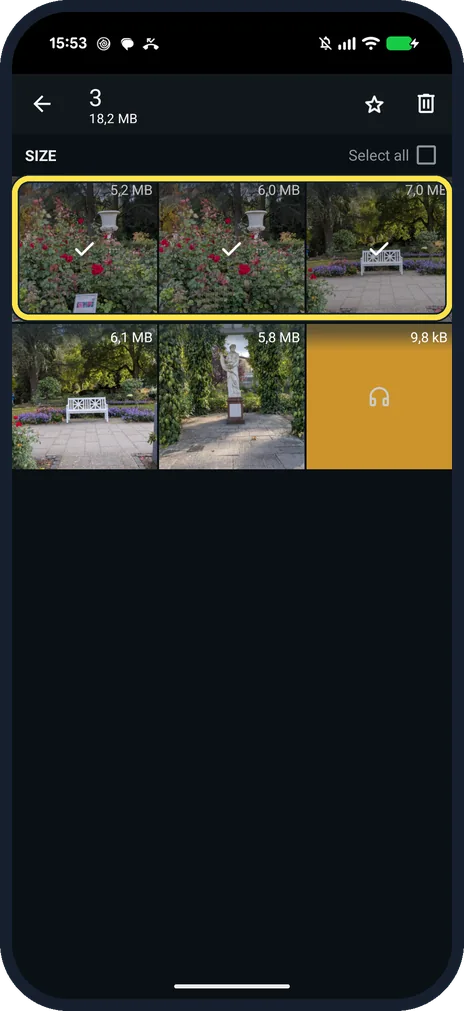
Touch and hold the files to delete
Tap more to add them. Ours: 3 selected, 18,2 MB. Then tap the bin at the top right.
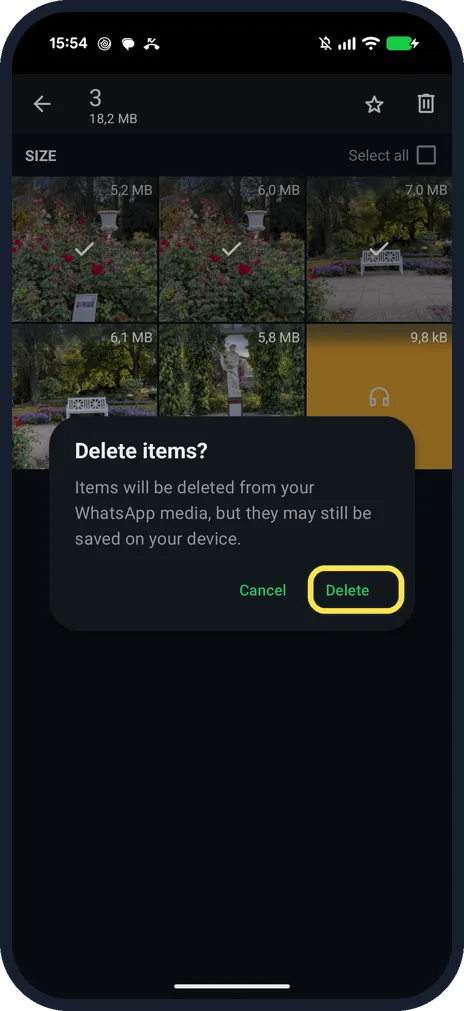
Tap Delete
The box says: Items will be deleted from your WhatsApp media, but they may still be saved on your device.
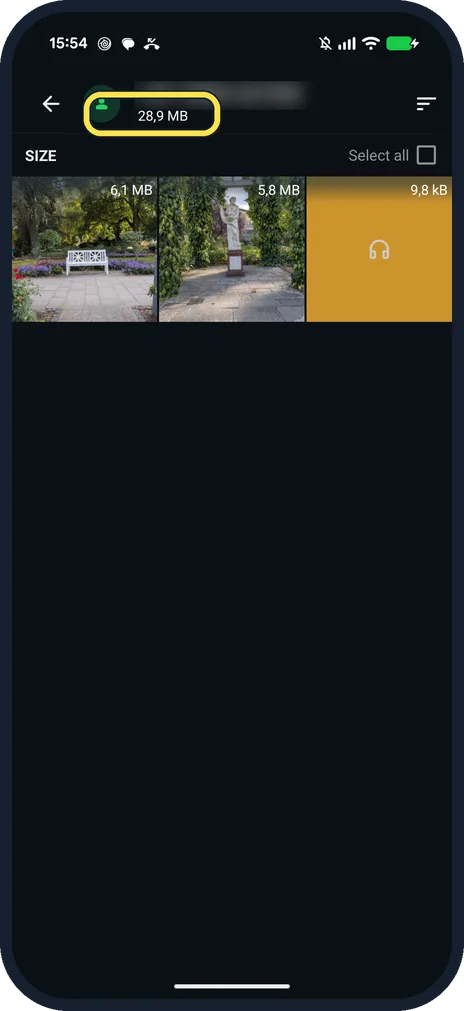
Check what is left
Ours had three files left. The chat's size under its name read 28,9 MB, down from 30,1 MB, so copies may still count.
If you do not see this option
- From one chat? WhatsApp says: open the chat, tap the chat name, then Manage storage. It shows that chat's files, largest first. Source: How to free up storage on WhatsApp
- Backup taking the space? WhatsApp says backup storage is separate: Settings, Chats, Chat backup, then Review and delete media. Source: How to free up storage on WhatsApp
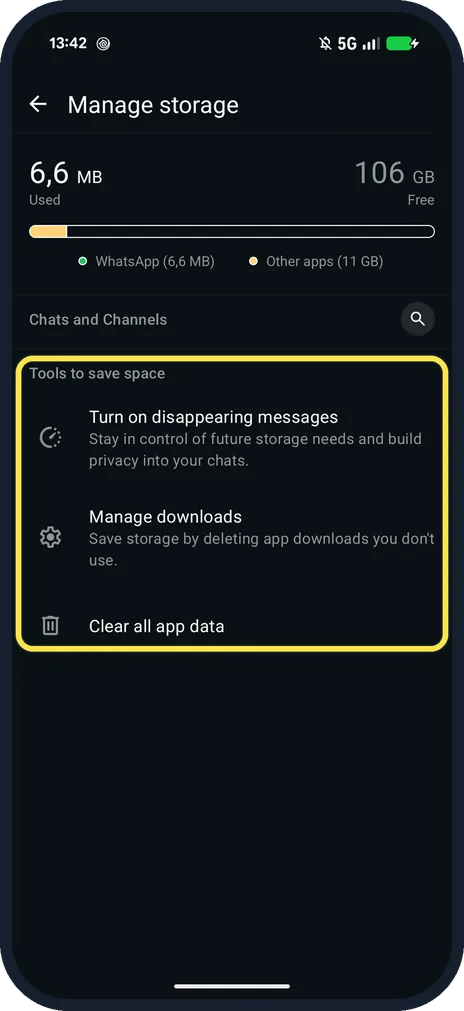
- Tools to save space? Ours listed Turn on disappearing messages, Manage downloads and Clear all app data.
If this does not work
- Backup still big after deleting? WhatsApp says deleted items stay in the backup until the next time you back up. Source: How to free up storage on WhatsApp
- Deleted an item but no space freed? WhatsApp says you also need to delete any copies of it. Source: How to free up storage on WhatsApp
About this guide
Manage storage shows WhatsApp's own files. Photos you saved to the gallery are counted by the phone, not here.
The screenshots are from our Google Pixel 10a with Android 17 and WhatsApp 2.26.41.77, in Dark mode, taken on 25 October 2026. We sent five test photos and a voice note to our Message yourself chat, then deleted the three largest.
Good to know
To clear temporary files only, see clear the WhatsApp cache on a Pixel.
In short: WhatsApp, three dots, Settings, Storage and data, Manage storage, a chat, Largest, select, Delete.
Links checked in October 2026. Menus and features can change after software updates. These steps match the version named at the top.
📷 See real photos from the Pixel 10a in our Camera Lab, next to 10 other phones.
Did this guide work for you?
Sorry about that. What happened?