
howtosimply.com/guides/how-to-change-the-whatsapp-chat-theme-and-wallpaper-on-android/ · Checked October 2026 · Google Pixel 10a, Android 17 (build CP3A.261005.005), WhatsApp 2.26.41.77
In this guide
Open the chat, tap the three dots, then Chat theme, and pick a theme: it changes the chat bubble and wallpaper together. Chat bubble and Wallpaper below it change them separately. WhatsApp 2.26.41.77 on our Pixel 10a had no theme or wallpaper row in Settings, Chats.
3 of 3 steps with real screenshots · 1 official source below
- Device
- Android
- Shown on
- Google Pixel 10a, Android 17 (build CP3A.261005.005), WhatsApp 2.26.41.77
- App
- Real screenshots
- 3 of 3 steps
- Checked
- October 2026
- Sources
- 1 official, linked below
Step by step
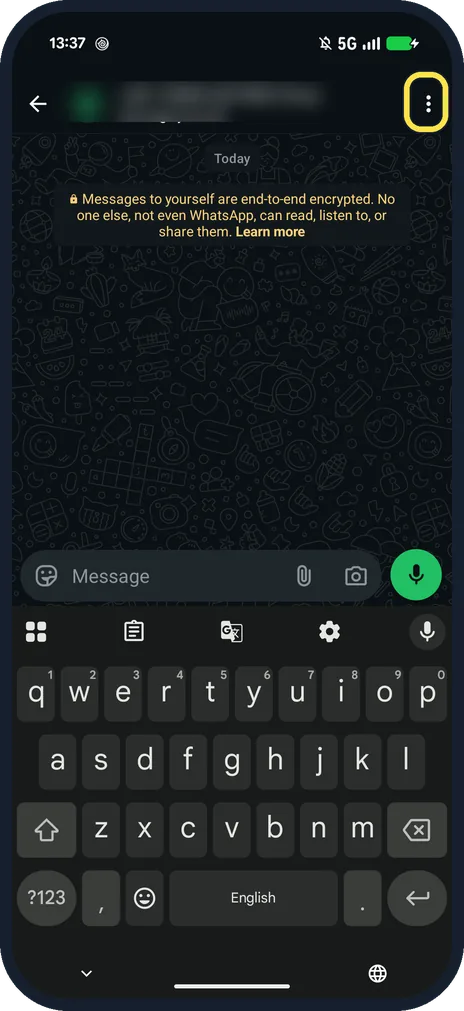
Open the chat and tap the three dots
They are at the top right of the chat.
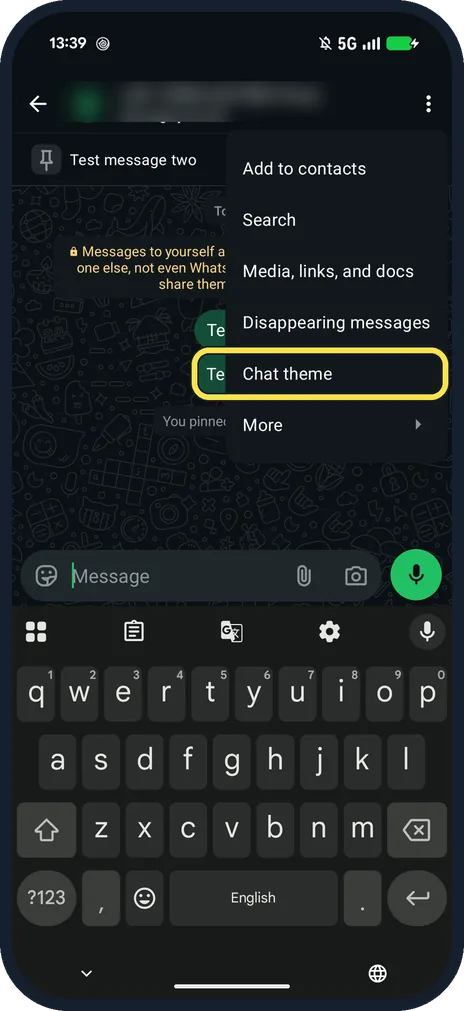
Tap Chat theme
Below Disappearing messages in the chat menu.
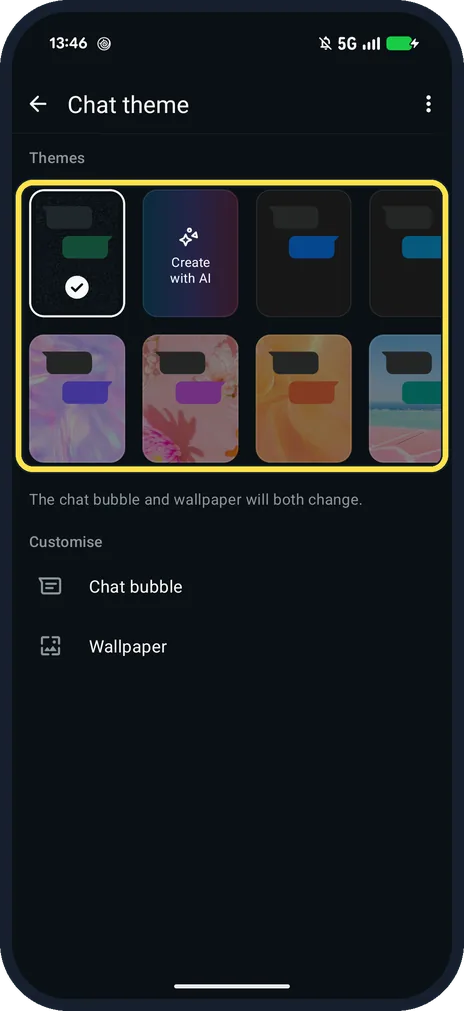
Pick a theme
Themes shows the current one ticked, Create with AI and preset themes. The page says: The chat bubble and wallpaper will both change. Chat bubble and Wallpaper under Customise change one at a time.
If you do not see this option
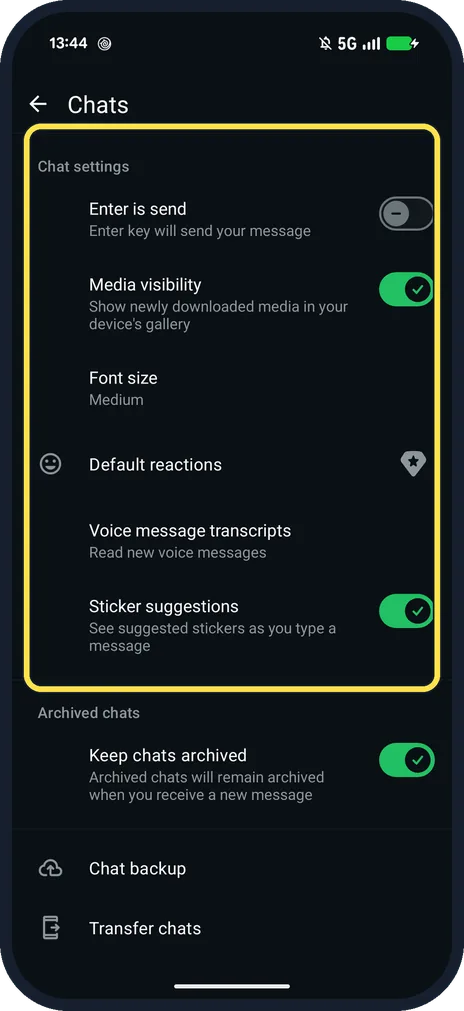
- Looked in Settings, Chats? Ours had no theme or wallpaper row there: Chat settings starts with Enter is send, Media visibility and Font size.
- Same theme for every chat? WhatsApp's help says Settings, Appearance, Default chat theme. We did not check that path on this version. Source: How to change your app or chat theme
If this does not work
- No Create with AI? WhatsApp says Meta AI features are only in some countries and languages. Source: How to change your app or chat theme
- Only want a new wallpaper? Tap Wallpaper under Customise instead of a theme; WhatsApp says a theme changes both. Source: How to change your app or chat theme
About this guide
On this version, themes are set per chat from the chat's own menu.
The screenshots are from our Google Pixel 10a with Android 17 and WhatsApp 2.26.41.77, in Dark mode, taken on 25 October 2026. We opened Chat theme and did not change it.
Good to know
To change WhatsApp's language, open Settings, App language; see also WhatsApp notification sounds.
In short: Chat, three dots, Chat theme, pick.
Links checked in October 2026. Menus and features can change after software updates. These steps match the version named at the top.
📷 See real photos from the Pixel 10a in our Camera Lab, next to 10 other phones.
Did this guide work for you?
Sorry about that. What happened?