XIAOMI REDMI
How to clear an app's cache on a Xiaomi phone (HyperOS 3)
Open the app's App info page, tap Storage, then Clear data at the bottom, and choose Clear cache, then OK. Clear cache keeps your logins and settings; Manage space can delete them.

5 of 5 steps show a real screenshot from our Redmi Note 15 Pro 5G. Each step was checked against the maker's own instructions, linked at the end.
Steps
- 1
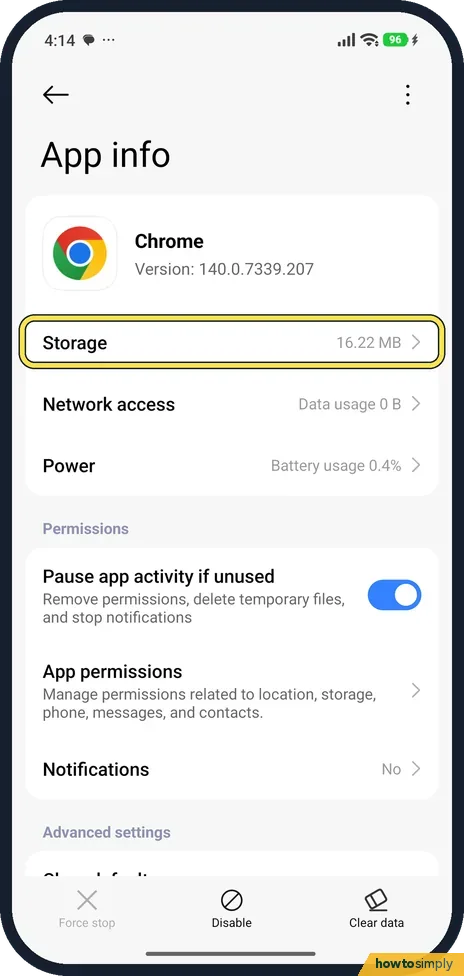
Open App info and tap Storage
Go to Settings, Apps, Manage apps and tap the app; App info opens. We used Chrome. Tap Storage. Ours showed 16.22 MB.
- 2
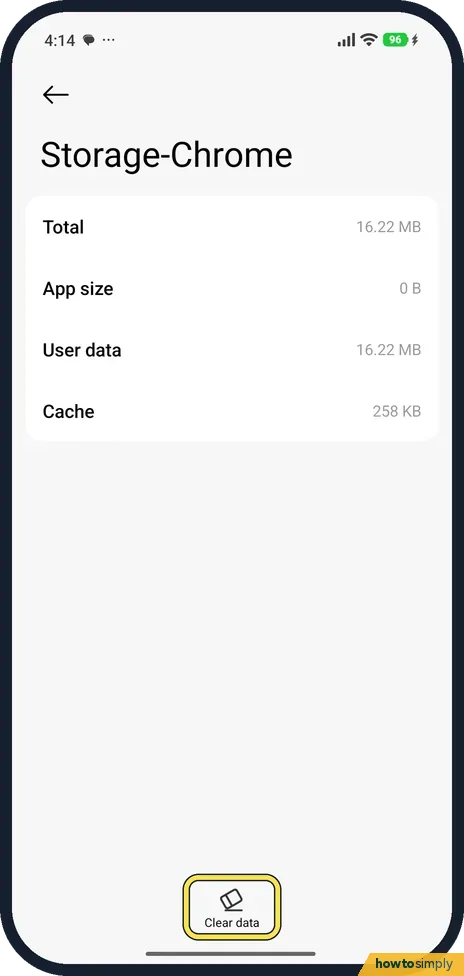
Tap Clear data
The page shows App size, User data and Cache (258 KB on ours). Tap Clear data at the bottom.
- 3
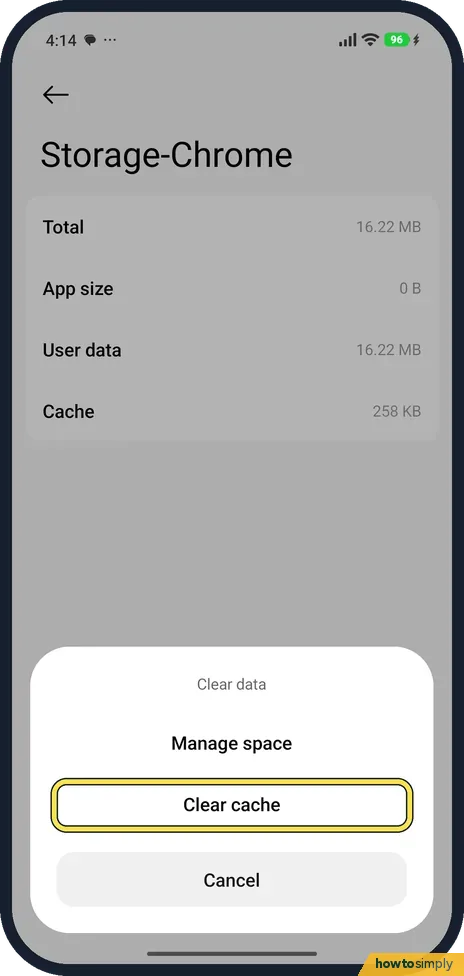
Choose Clear cache
A sheet offers Manage space and Clear cache. Tap Clear cache.
- 4
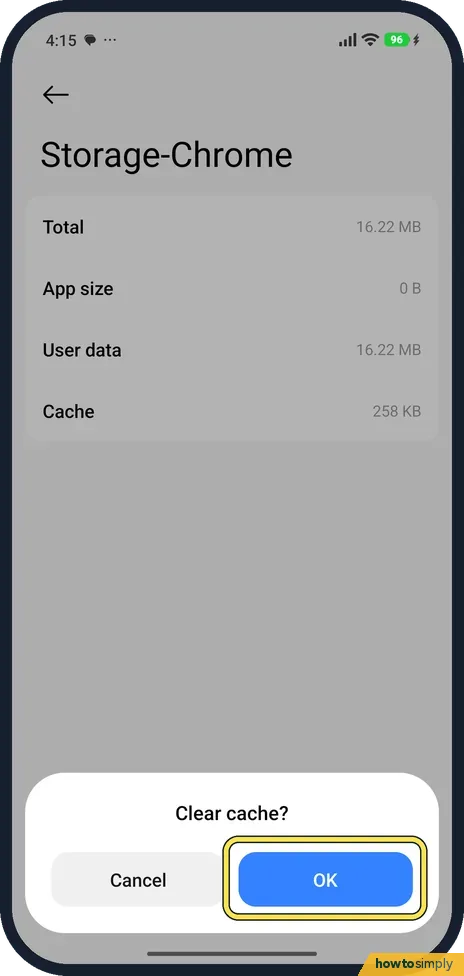
Tap OK
Confirm with OK.
- 5
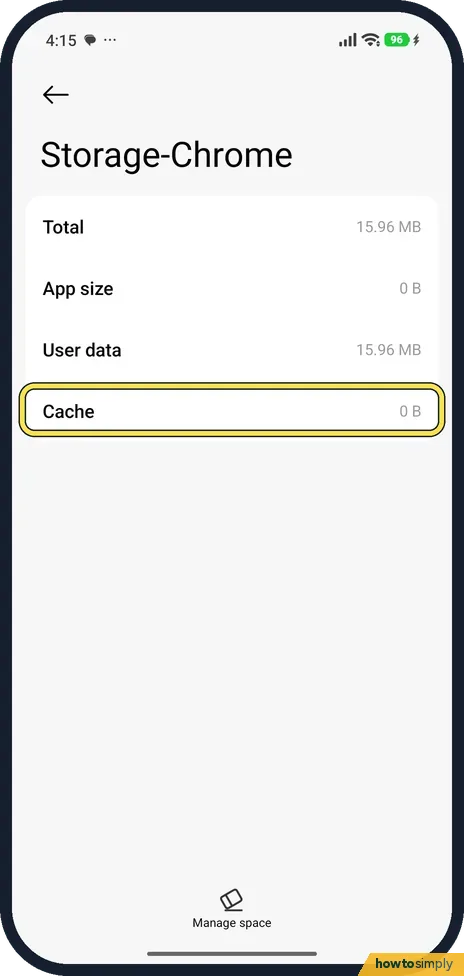
Check Cache shows 0 B
Cache dropped to 0 B. User data fell only by the same 258 KB (16.22 MB to 15.96 MB), so the rest of the app's data was kept. The bottom button now reads Manage space.
If you do not see this option
- No Clear cache button? On HyperOS 3 it is inside Clear data, as a choice on the sheet.
If this does not work
- App still misbehaves? Manage space, on the same sheet, can clear all the app's data, including logins. We did not use it.
- Cache fills up again? That is normal: apps rebuild it as you use them.
- App opens slowly after clearing? That is expected for the first launch. Google notes that some apps may be slow the next time you open them, because they have to rebuild their temporary files. It settles after a few uses.
- Want to clear several apps at once? Open the Security app and tap Cleaner. It scans for cache files, obsolete files, installation packages and residual files across the phone, and you choose which items to clean up.
- Problem only happens in one app? Clear that app's cache, then force stop it from the same App info page and open it again. If it still fails, check for an update to the app in Google Play before clearing anything more.
Good to know
Apps closing on their own? Xiaomi closing apps in the background.
Clearing the cache does not sign you out, delete messages or reset the app's settings, which is why it is the safe first step. The app simply builds new temporary files as you use it, so the Cache figure will rise again over time. There is no undo, but nothing needs undoing. If you want reminders, Cleaner in the Security app can alert you when unused files pass a size limit you set. Clearing data or storage is a different step: it wipes the app back to how it was when installed, so back up first if the app holds anything you need. For a wider clear-out, see Xiaomi storage full: how to free up space.
On our Redmi with HyperOS 3.0.309.0, on 1 November 2026, the Security app's home screen still had a Boost speed tile, which read Make your device 26% faster. It sits next to Cleaner, Battery and Manage apps.
About this guide
- Device
- Android
- Shown on
- Xiaomi Redmi Note 15 Pro 5G (25080RABDG), HyperOS 3.0.308.0, Android 16
- App
- Settings
- Real screenshots
- 5 of 5 steps
- Checked
- October 2026
- Sources
- 4 official, linked below
Sources
Links checked October 2026. Menus and features can change with updates.Spotted a mistake? Menus change with updates, and we want every step to match your screen. Email us about this page or use the contact form. We read every report, and fixes are listed on What changed.
Liked this guide?
Follow us for new guides and short how-to videos.
Did this guide work for you?
Sorry about that. What happened?