
howtosimply.com/guides/how-to-check-the-security-patch-level-on-a-xiaomi-phone/ · Checked October 2026 · Xiaomi Redmi Note 15 Pro 5G (25080RABDG), HyperOS 3.0.308.0, Android 16
In this guide
Open Settings and tap About phone. The Android security update row shows the patch date, 2026-08-01 on our Redmi Note 15 Pro 5G in late October. The HyperOS update page lists what the latest patch brought.
3 of 3 steps with real screenshots · 2 official sources below
- Device
- Android
- Shown on
- Xiaomi Redmi Note 15 Pro 5G (25080RABDG), HyperOS 3.0.308.0, Android 16
- App
- Settings
- Path
- Settings › About phone › Android security update
- Real screenshots
- 3 of 3 steps
- Checked
- October 2026
- Sources
- 2 official, linked below
Step by step
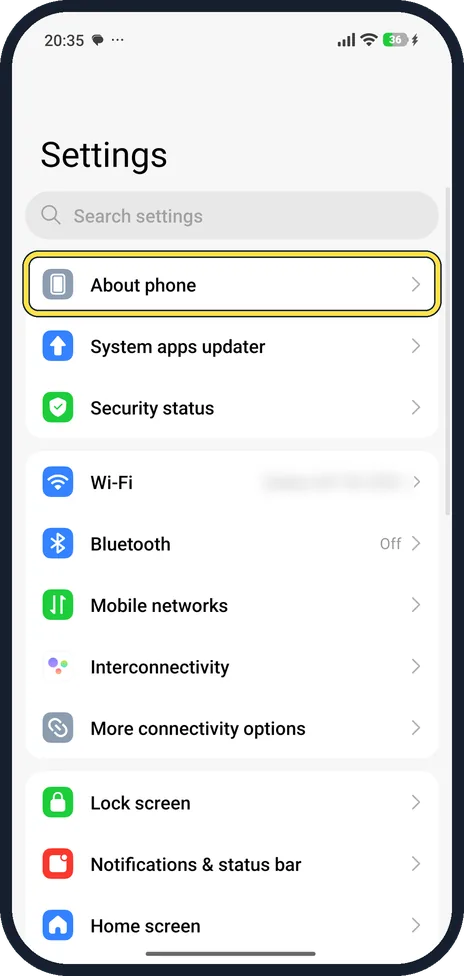
Open About phone
Open Settings; About phone is the first row.
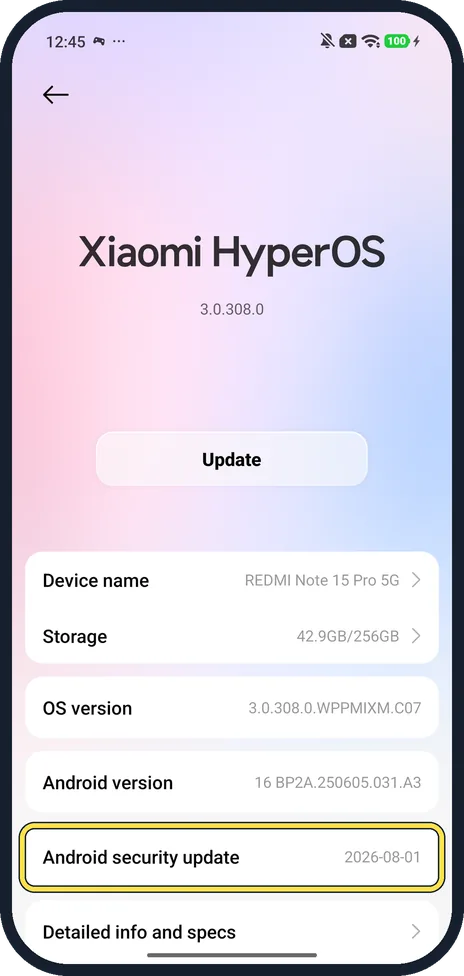
Read Android security update
Ours: OS version 3.0.308.0.WPPMIXM.C07, Android version 16 BP2A.250605.031.A3, Android security update 2026-08-01.
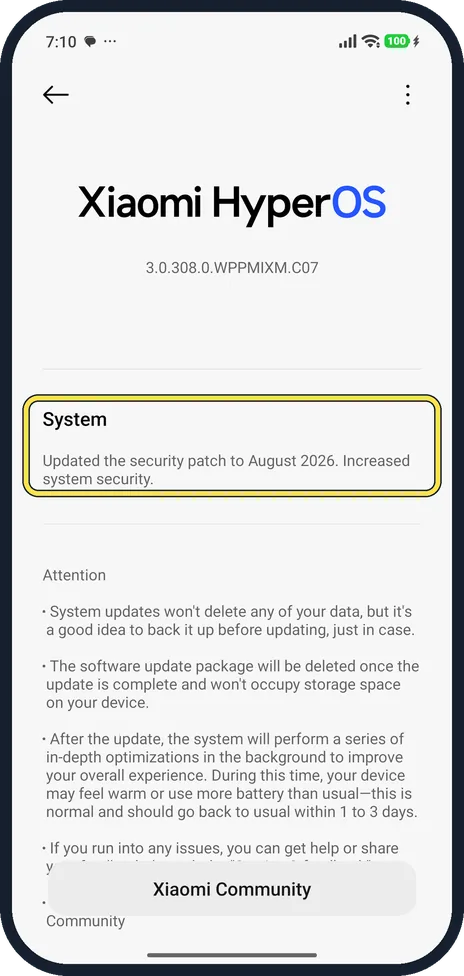
Tap the HyperOS tile for the patch notes
The update page said: Updated the security patch to August 2026. Increased system security.
If you do not see this option
- Following Google's steps? Google gives About phone, Android version, then Android security update. On HyperOS the row is on About phone itself. Source: Check and update your Android version
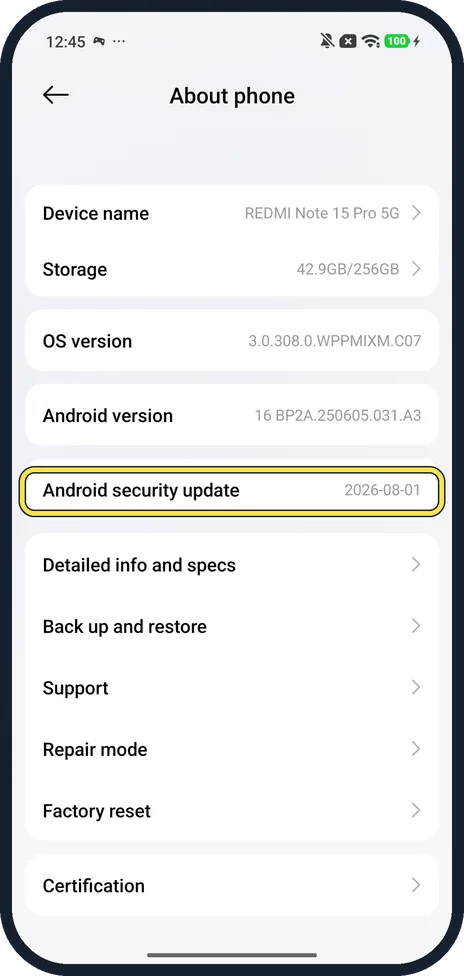
- Date in a different format? HyperOS writes it as year-month-day: 2026-08-01 is 1 August 2026. Scrolled down, the row sits just above Detailed info and specs.
If this does not work
- Patch is months old? Open the HyperOS tile on About phone. Xiaomi's guide says to check for updates there; Google says most security patches install automatically. Sources: Generic User Guide for HyperOS 3.0, Check and update your Android version
- Tapping the row does nothing? It is an information row on ours; the update page opens from the HyperOS tile at the top. Source: Generic User Guide for HyperOS 3.0
About this guide
HyperOS puts the patch date straight on About phone, as a plain row you cannot tap.
The screenshots are from our Redmi Note 15 Pro 5G (25080RABDG) with Xiaomi HyperOS 3.0.308.0 and Android 16, in Light mode.
Good to know
To install an update, see update a Xiaomi phone.
In short: Settings, About phone, Android security update.
- Google Android Help: Check and update your Android version
- Xiaomi: Generic User Guide for HyperOS 3.0
Links checked in October 2026. Menus and features can change after software updates. These steps match the version named at the top.
📷 See real photos from the Redmi Note 15 Pro 5G in our Camera Lab, next to 10 other phones.
Did this guide work for you?
Sorry about that. What happened?