
howtosimply.com/guides/how-to-check-the-security-patch-level-on-a-samsung-galaxy/ · Checked October 2026 · SM-A576B), One UI 9, Android 17 (build A576BXXU6BZIE · Samsung Galaxy A57
In this guide
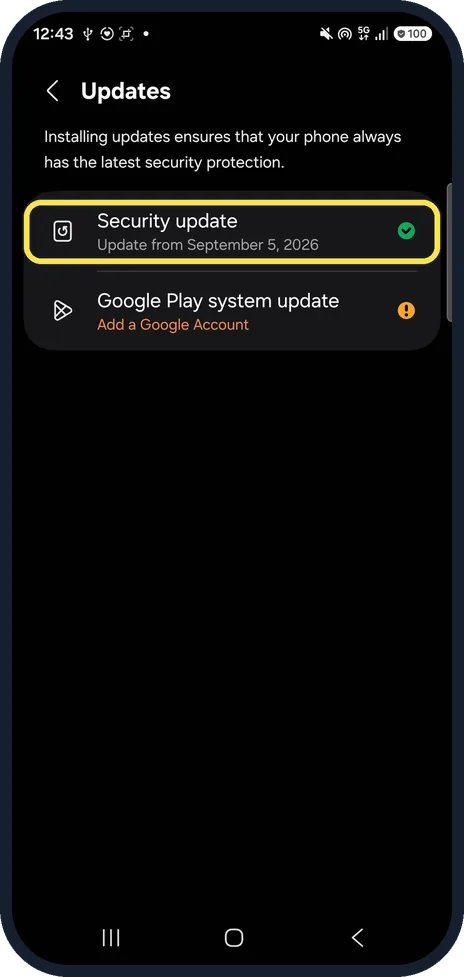
Open Settings, About phone, Software information and scroll to the bottom: Android security patch level shows the date, 5 September 2026 on our Galaxy A57 in late October. Settings, Security and privacy, Updates shows the same date with a tick when it is current.
4 of 4 steps with real screenshots · 2 official sources below
- Device
- Android
- Shown on
- Samsung Galaxy A57 (SM-A576B), One UI 9, Android 17 (build A576BXXU6BZIE)
- App
- Settings
- Path
- Settings › About phone › Software information › Android security patch level
- Real screenshots
- 4 of 4 steps
- Checked
- October 2026
- Sources
- 2 official, linked below
Step by step
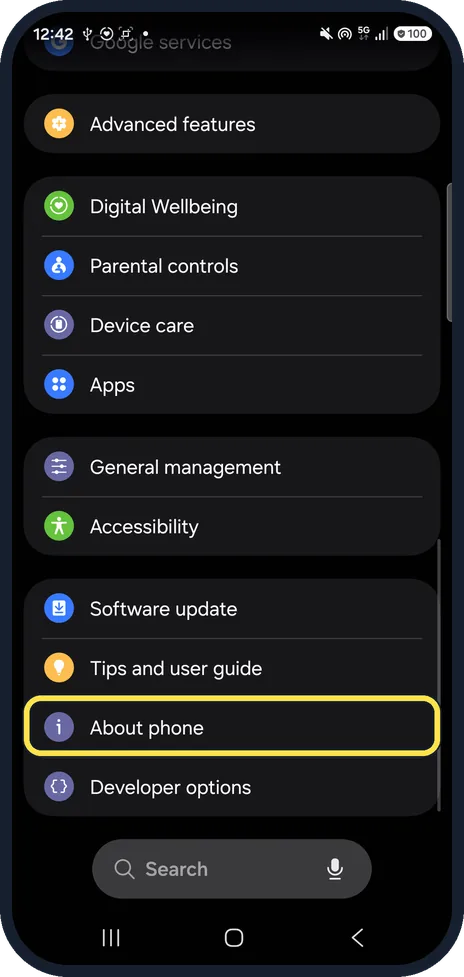
Open About phone
Open Settings and scroll to the bottom. About phone is below Software update and Tips and user guide.
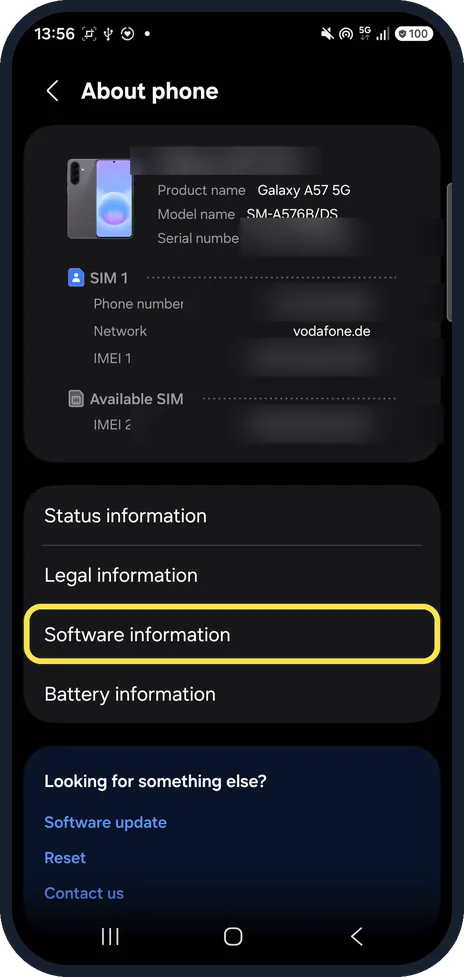
Tap Software information
It is below Status information and Legal information, under the model, number and IMEI card.
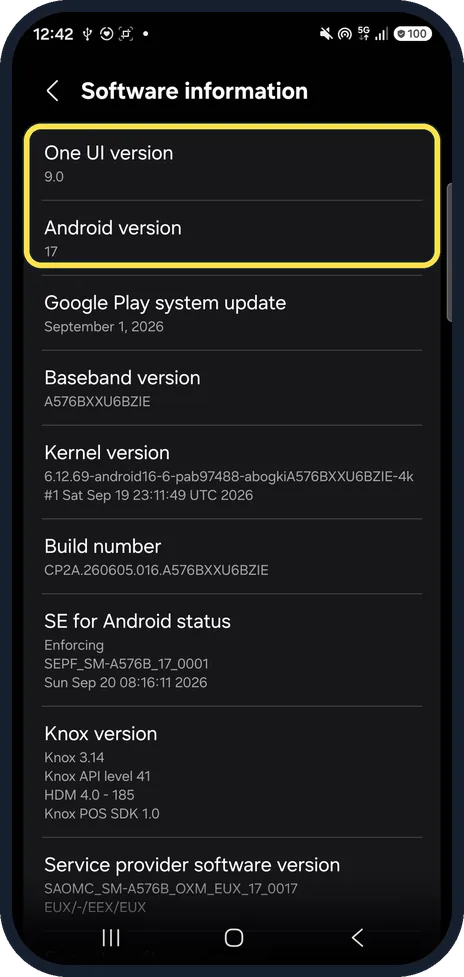
Check the versions at the top
Software information opens with One UI version 9.0 and Android version 17 on ours.
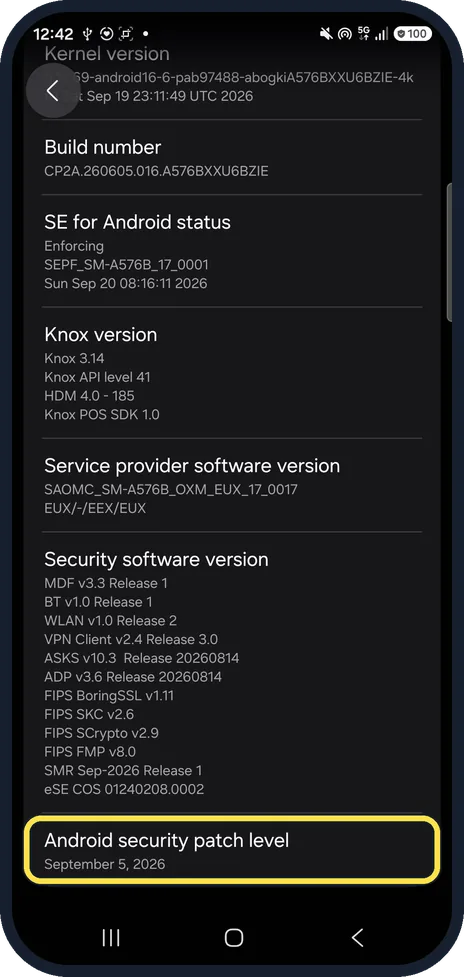
Scroll to Android security patch level
It is the last row, below Security software version. Ours: September 5, 2026.
If you do not see this option
- Want a quicker check? Settings, Security and privacy, Updates: Security update showed Update from September 5, 2026 with a green tick on ours.
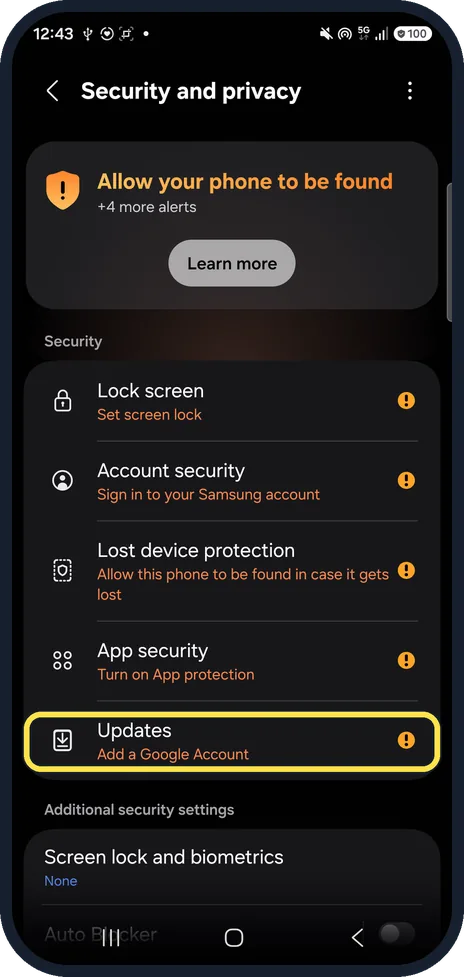
- Can't find Updates? It is in the Security list on Security and privacy, below App security. Samsung says the last update's details include the security patch level. Source: How software updates happen on your Samsung Galaxy
If this does not work
- Patch is months old? Open Settings, Software update and download any waiting update. Samsung says unlocked Galaxy phones usually get updates sooner than carrier-locked ones, which go through the carrier first. Source: How software updates happen on your Samsung Galaxy
- Following Google's route? Google gives About phone, Android version, Android security update. On a Galaxy it is About phone, Software information, Android security patch level. Source: Check and update your Android version
About this guide
Samsung puts the patch date at the very bottom of Software information, under the Knox and security software versions.
The screenshots are from our Samsung Galaxy A57 (SM-A576B) with One UI 9 and Android 17, in Dark mode, taken on 25 October 2026.
Good to know
For the One UI and Android version, see check the One UI and Android version on a Galaxy.
In short: Settings, About phone, Software information, Android security patch level.
- Samsung CA: How software updates happen on your Samsung Galaxy
- Google Android Help: Check and update your Android version
Links checked in October 2026. Menus and features can change after software updates. These steps match the version named at the top.
📷 See real photos from the Galaxy A57 in our Camera Lab, next to 10 other phones.
Did this guide work for you?
Sorry about that. What happened?