XIAOMI REDMI
How to change location settings on a Xiaomi phone (HyperOS 3)

In short
Go to Settings, Location and use the Use location switch at the top. App location permissions shows which apps can get your location; tap one to pick Allow all the time (if offered), only while using the app, Ask every time or Don't allow. Location Services holds Wi-Fi and Bluetooth scanning.
9 of 9 steps show a real screenshot from our Redmi Note 15 Pro 5G. Each step was checked against the maker's own instructions, linked at the end.
Steps
- 1
Turn Use location on or off
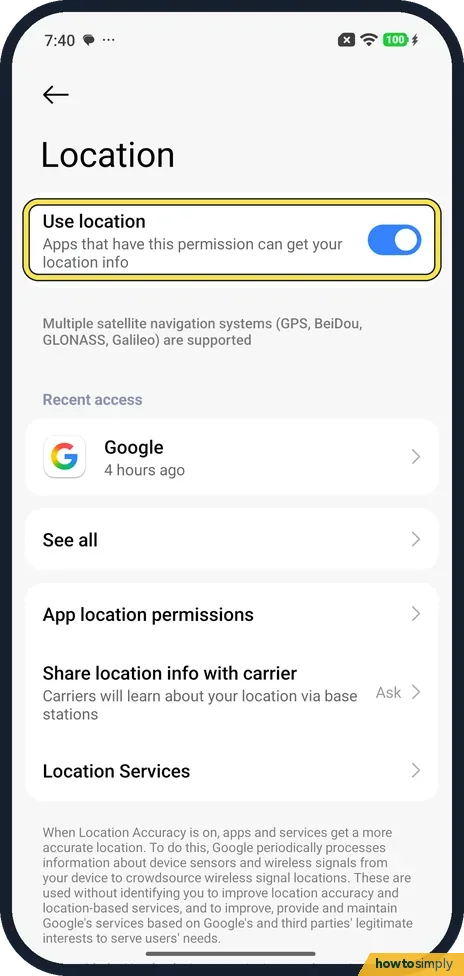
Open Settings and tap Location. Use location is the switch at the top: apps that have the permission can get your location info. It was on on ours. The note below says GPS, BeiDou, GLONASS and Galileo are supported.
- 2
Check Recent access
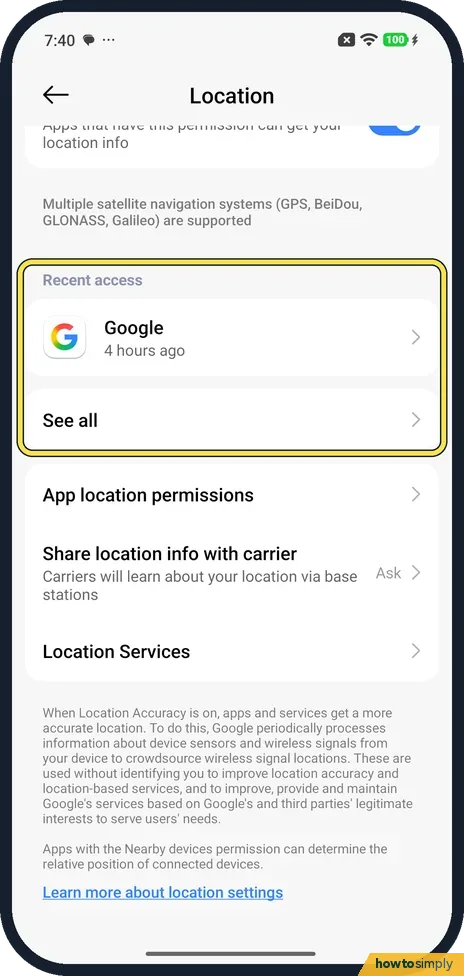
Recent access shows which apps asked for your location lately. Ours showed Google, 4 hours ago. See all lists more.
- 3
Open App location permissions
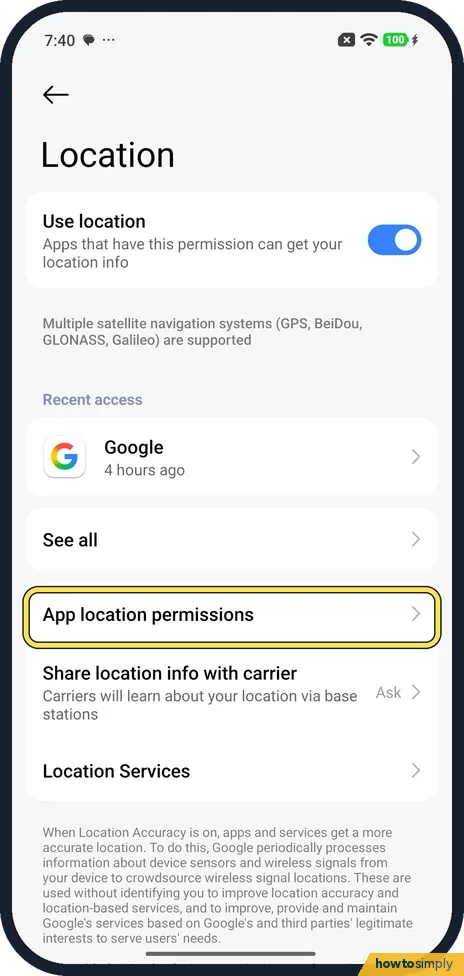
Tap App location permissions to see every app that can use your location.
- 4
See which apps have it
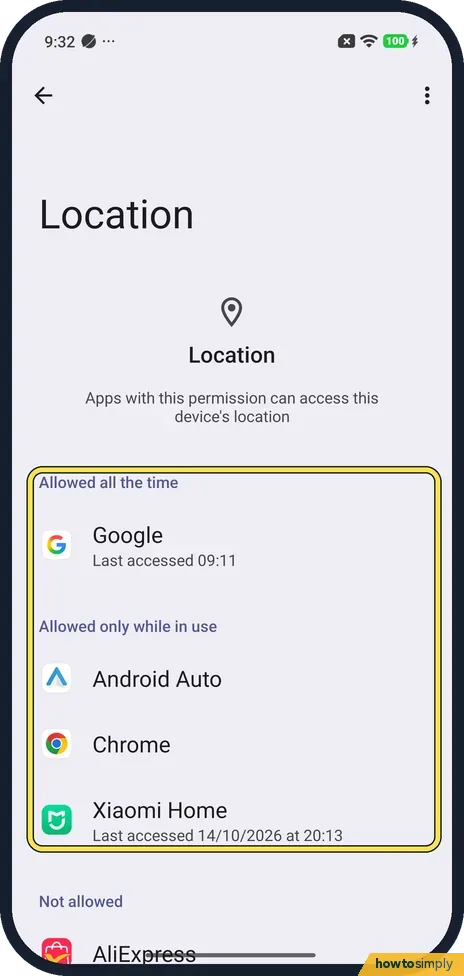
Apps are split into Allowed all the time, Allowed only while in use and Not allowed. On ours Google had it all the time, Android Auto, Chrome and Xiaomi Home only while in use, and AliExpress was the first under Not allowed. Tap an app to change it.
- 5
Change one app
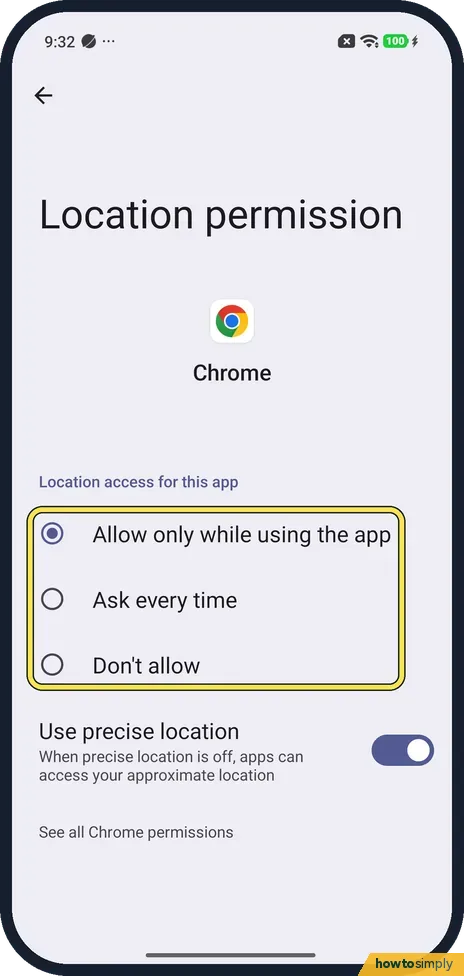
We tapped Chrome. Its Location permission page had three choices: Allow only while using the app (ticked), Ask every time and Don't allow. Tap the one you want.
- 6
Allow all the time, for some apps
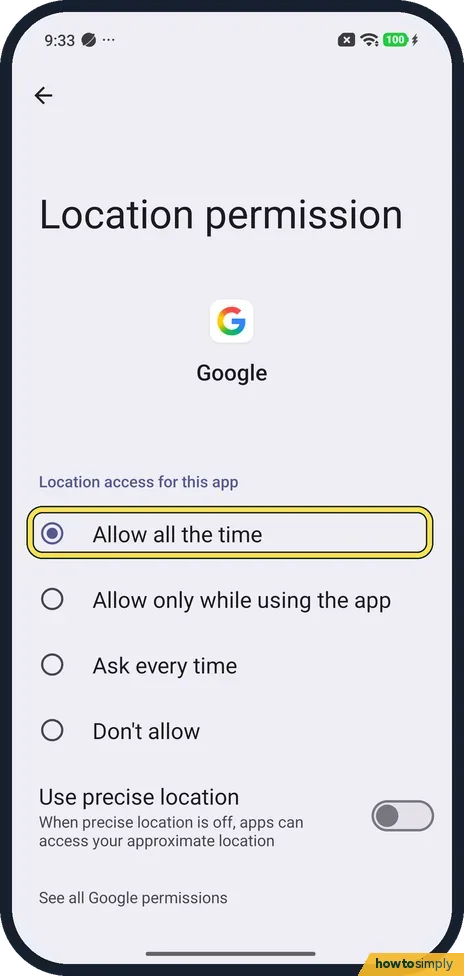
Not every app offers it. Google's page had a fourth choice at the top, Allow all the time, which was ticked on ours. Chrome's page didn't have it.
- 7
Use precise location
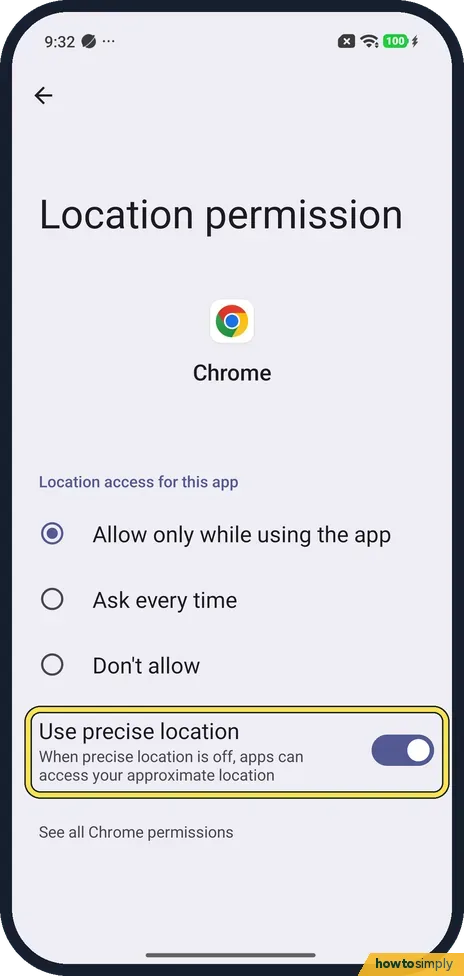
Below the choices, Use precise location was on for Chrome. The note says that when it is off, apps can access your approximate location. For Google it was off.
- 8
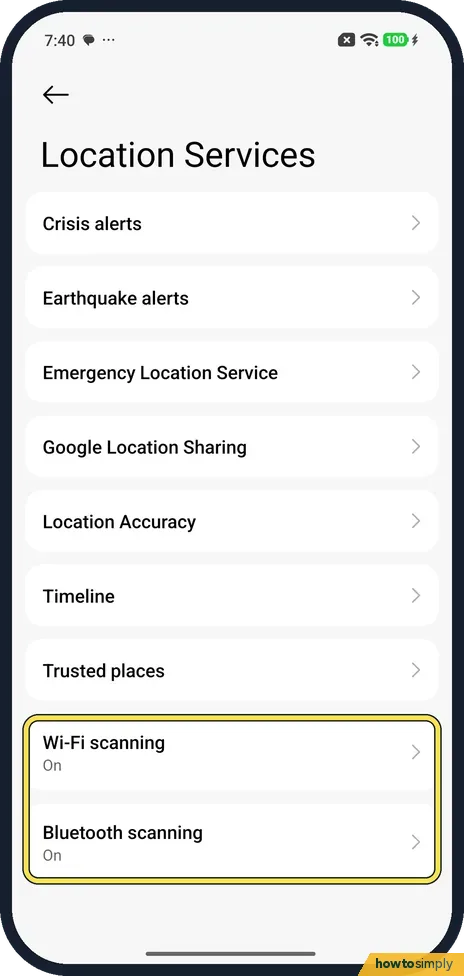
Open Location Services
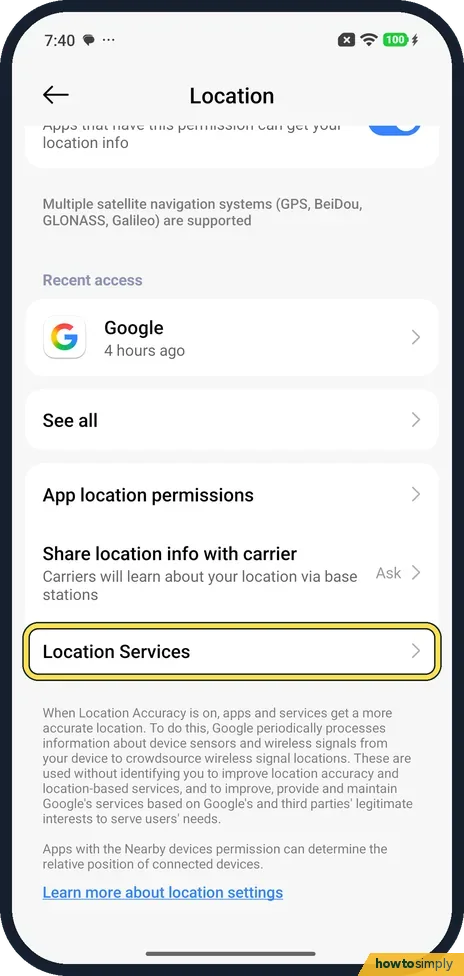
Back on Location, tap Location Services, below Share location info with carrier.
- 9
Wi-Fi and Bluetooth scanning
Ours listed Crisis alerts, Earthquake alerts, Emergency Location Service, Google Location Sharing, Location Accuracy, Timeline and Trusted places, then Wi-Fi scanning and Bluetooth scanning, both On. Google's help says these let the phone find nearby Wi-Fi and Bluetooth devices to help apps work out where you are.
If you do not see this option
- Location history missing? Xiaomi's HyperOS 3 guide lists Google Location History under Location services. On our phone that list had Timeline instead. Source: Generic User Guide for HyperOS 3.0
- No App location permissions row? Xiaomi's HyperOS 3 guide says that on some models you tap App access to location instead. Source: Generic User Guide for HyperOS 3.0
- No Location Services page? Google says that on Android 11 and lower, Location Accuracy is under Location, Advanced. Google also calls it Google Location Services. Source: Manage your Android device's location settings
If this does not work
- Location is not accurate? Google's help says Location Accuracy, under Location Services, uses wireless signals and sensor data to improve it. Check that it is on, and that Use precise location is on for the app.
- An app says location is off? Check Use location is on, then check that app under App location permissions. To manage all permissions at once, see how to change app permissions.
- No Allow all the time for an app? On ours Chrome didn't offer it, while Google did. Pick Allow only while using the app; the app then gets your location while you have it open.
Good to know
Share location info with carrier is a Xiaomi row between App location permissions and Location Services. Its note says carriers learn your location via base stations. Ours was set to Ask; our phone had no SIM, so we did not test it.
Xiaomi's HyperOS 3 guide says you can also turn Location on from Control centre, by swiping down from the top right.
Find a lost phone on a map: how to turn on Find Device.
Add a Location tile to Control centre: how to edit the Control Centre.
About this guide
- Device
- Android
- Shown on
- Xiaomi Redmi Note 15 Pro 5G (25080RABDG), HyperOS 3.0.308.0, Android 16
- App
- Settings
- Real screenshots
- 9 of 9 steps
- Checked
- October 2026
- Sources
- 2 official, linked below
Sources
Links checked October 2026. Menus and features can change with updates.Spotted a mistake? Menus change with updates, and we want every step to match your screen. Email us about this page or use the contact form. We read every report, and fixes are listed on What changed.
Liked this guide?
Follow us for new guides and short how-to videos.
Did this guide work for you?
Sorry about that. What happened?