ONEPLUS
How to turn off or restart a OnePlus (OxygenOS 16)

In short
Press Power and Volume Up together. Swipe the slider up to Restart or down to Power off. Holding Power on its own opens Gemini on the Nord 5; you can change that in Settings, Power button.
5 of 5 steps show a real screenshot from our Nord 5. Each step was checked against the maker's own instructions, linked at the end.
Steps
- 1
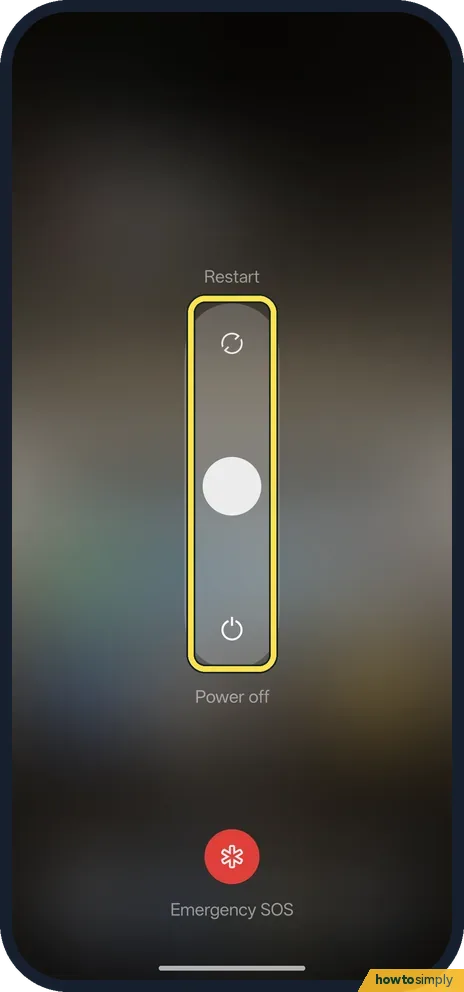
Press Power and Volume Up
Hold both buttons together for a moment. The power menu opens with a slider.
- 2
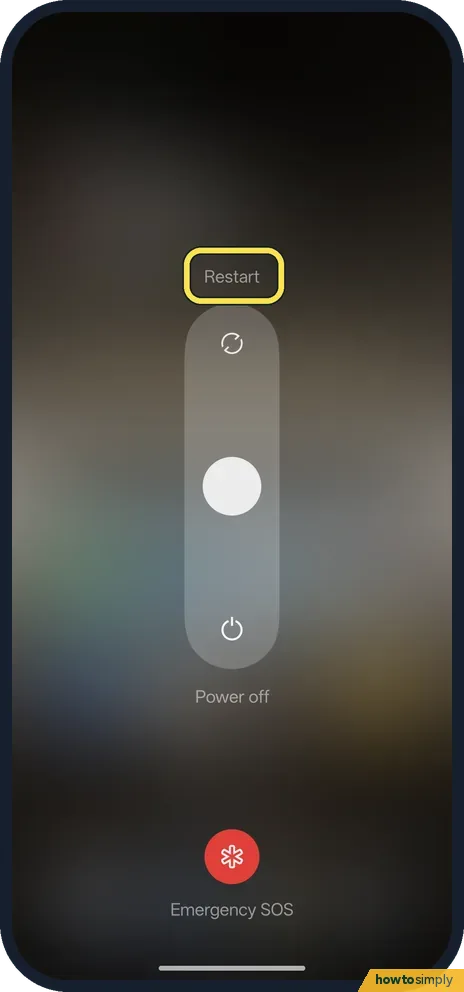
Swipe up to restart
Restart is at the top of the slider.
- 3
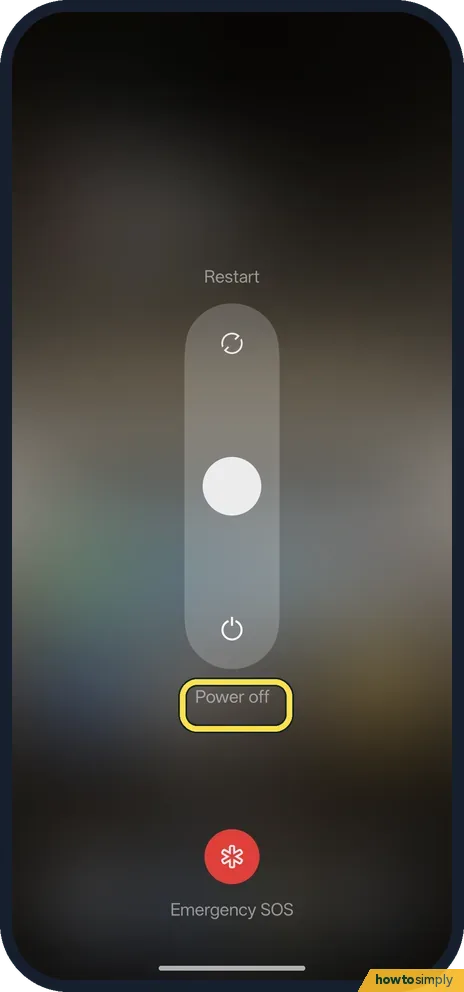
Or swipe down to turn off
Power off is at the bottom.
- 4
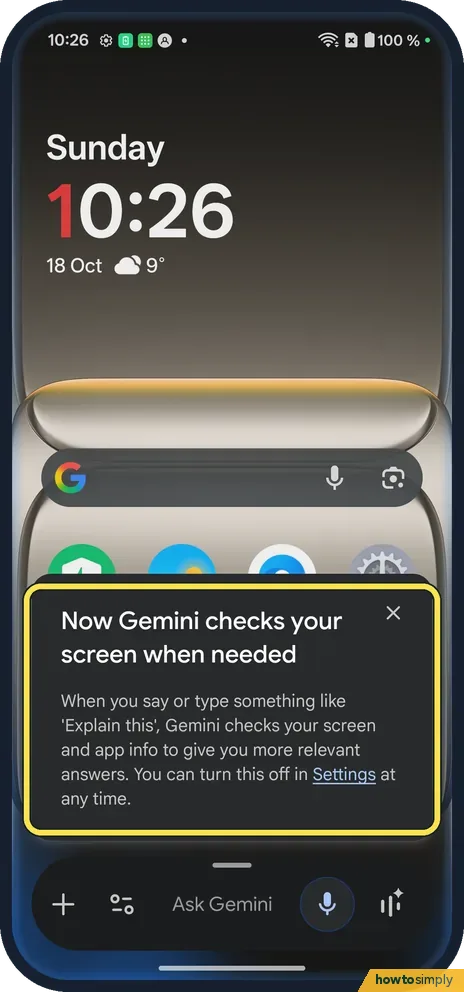
Holding Power alone?
On ours it opened Gemini, not the power menu.
- 5
Change it in Settings
Type power button in the Settings search bar. Press and hold the Power button said Digital assistant on ours, Double click None.

If you do not see this option
- OxygenOS 14 (OnePlus manual)? The manual has Settings, Additional settings, Power Button, where press and hold can bring up the Power Menu instead of the assistant. Source: OxygenOS 14.0 User Manual
- Emergency SOS? The power menu has an Emergency SOS button under the slider. More: Emergency SOS.
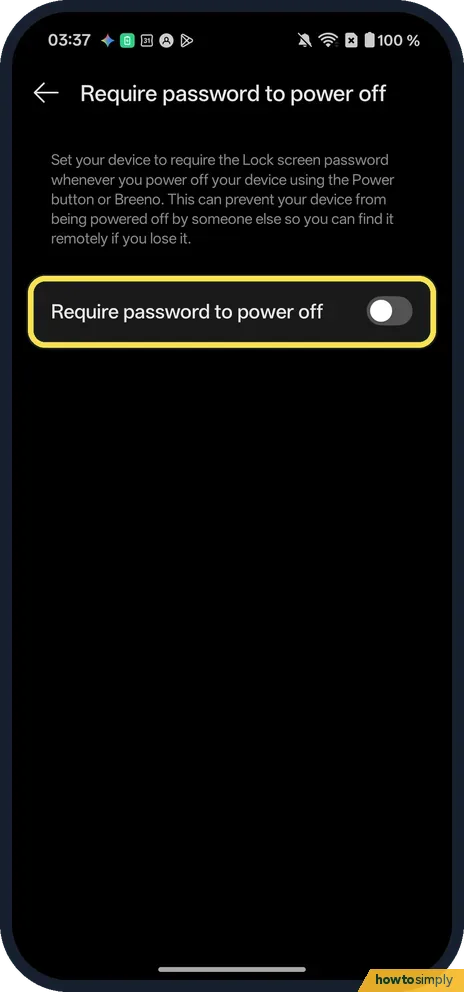
- Stop others switching it off? Our OxygenOS 16 Nord 5 has Require password to power off under Security and privacy, More security and privacy (off on ours). Its page says it asks for the Lock screen password whenever you power off with the Power button or Breeno, so someone else cannot switch the phone off and you can still find it remotely if you lose it.
If this does not work
- Screen frozen? The manual says to hold Power and Volume Up for more than 10 seconds to force a restart.
- Make Power open the menu? Change what the power button does.
- Asked for your password to turn off? OnePlus's OxygenOS 14 manual describes Power-off verification, Require password to power off, which asks for the lock screen password before the phone shuts down. It is meant to stop a thief switching the phone off so it cannot be located. Enter your screen lock to continue.
- Problem back after restarting? Google suggests restarting after each troubleshooting step and checking free storage, because a phone can start having issues when less than 10% is free. If it keeps happening, an app may be the cause; safe mode, which temporarily turns off downloaded apps, can help show that.
- Phone will not turn back on? Charge it for a while and try holding Power again. A completely flat battery may need some charging before the screen responds.
Good to know
Check for software updates on a OnePlus.
A restart closes every app and clears temporary memory, then starts the phone fresh. Nothing is deleted: your apps, photos and settings are as you left them. After a restart, Android asks for your PIN, pattern or password once before fingerprint or face unlock work again, so keep it to hand. If restarts are needed often, a pending update may fix the underlying problem: check for software updates on a OnePlus.
About this guide
- Device
- Android
- Shown on
- OnePlus Nord 5 (CPH2709), OxygenOS 16.0.5.1201, Android 16
- App
- Power + Volume Up
- Path
- Power + Volume Up
- Real screenshots
- 5 of 5 steps
- Checked
- October 2026
- Sources
- 2 official, linked below
Sources
Links checked October 2026. Menus and features can change with updates.Spotted a mistake? Menus change with updates, and we want every step to match your screen. Email us about this page or use the contact form. We read every report, and fixes are listed on What changed.
Liked this guide?
Follow us for new guides and short how-to videos.
Did this guide work for you?
Sorry about that. What happened?