
howtosimply.com/guides/how-to-change-the-screen-timeout-on-an-honor-phone/ · Checked October 2026 · BRP-NX1M, EEA), MagicOS 10.0, Android 16 (build 10.0.0.169(C430E7R2P1) · HONOR Magic7 Lite
In this guide
Open Settings, Display & brightness, Sleep and pick a time from 15 seconds to 1 hour. HONOR calls the screen timeout Sleep.
3 of 3 steps with real screenshots · 1 official source below
- Device
- Android
- Shown on
- HONOR Magic7 Lite (BRP-NX1M, EEA), MagicOS 10.0, Android 16 (build 10.0.0.169(C430E7R2P1))
- App
- Settings
- Path
- Settings › Display & brightness › Sleep
- Real screenshots
- 3 of 3 steps
- Checked
- October 2026
- Sources
- 1 official, linked below
Step by step
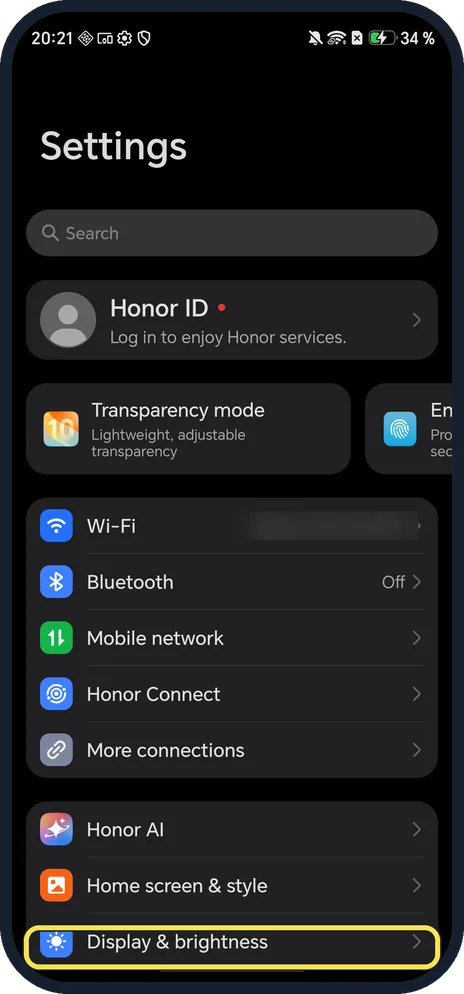
Open Display & brightness
Open Settings and scroll down to it.
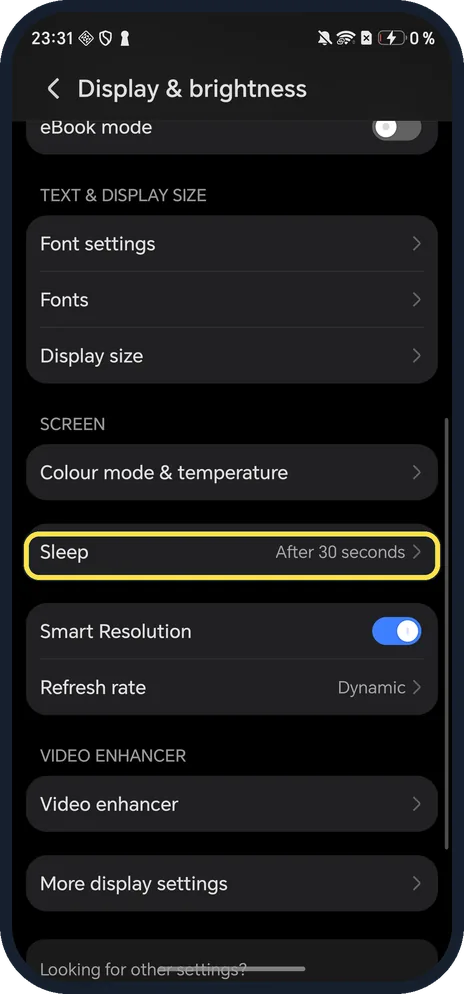
Tap Sleep
Scroll down to Screen. Ours said After 30 seconds.
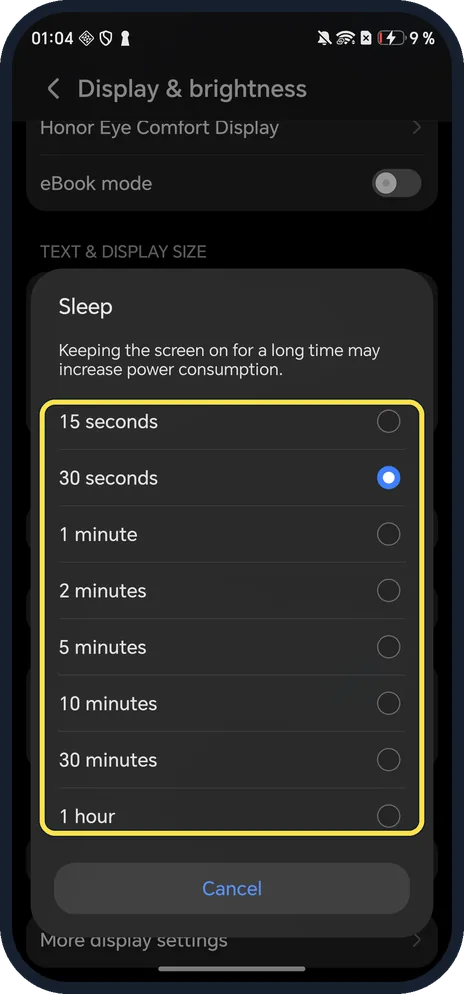
Pick a time
15 seconds, 30 seconds, 1, 2, 5, 10 or 30 minutes, or 1 hour. The dialog warns that keeping the screen on for a long time may increase power consumption.
If you do not see this option
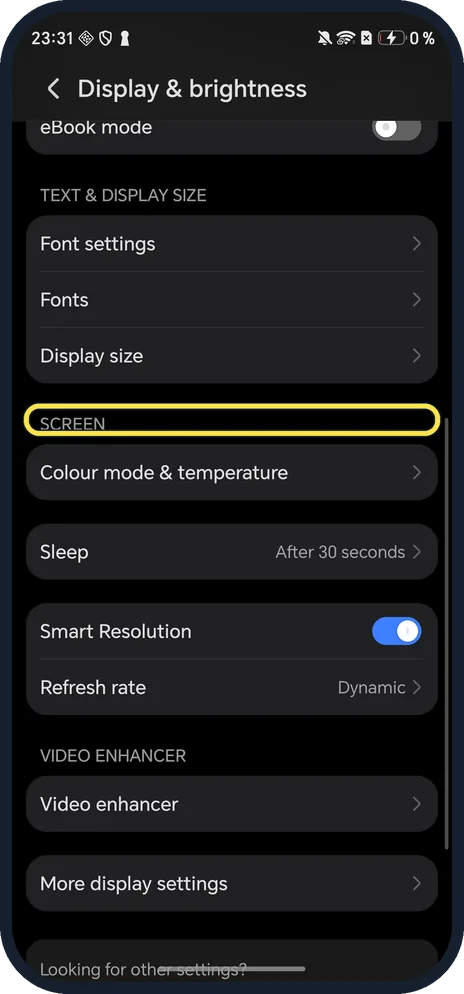
- Searched for screen timeout? The setting is called Sleep on HONOR, under the Screen heading.
- Want the time always visible instead? Use Always On Display; see the link below.
If this does not work
- Screen still turns off fast? HONOR says that with Power saving mode on, Sleep is dimmed and set to 30 seconds (or less). Turn Power saving mode off. Source: Unable to configure the Sleep, Auto-sync data and Battery percentage options
- No 1 hour on another HONOR? Ours (Magic7 Lite) offered 1 hour as the longest choice.
About this guide
The screenshots are from our HONOR Magic7 Lite, the European model BRP-NX1M, with MagicOS 10.0 and Android 16 (build 10.0.0.169(C430E7R2P1)), in Dark mode. Ours was on 30 seconds; we tapped Cancel and changed nothing.
Good to know
To show the time on a dark screen, turn on Always On Display.
To save battery, turn on Power saving mode.
In short: Settings, Display & brightness, Sleep.
Links checked in October 2026. Menus and features can change after software updates. These steps match the version named at the top.
Did this guide work for you?
Sorry about that. What happened?