
howtosimply.com/guides/how-to-edit-the-quick-panel-buttons-on-a-samsung-galaxy/ · Checked October 2026 · Samsung Galaxy A57 5G (SM-A576B), One UI 8.5, Android 16
In this guide
Swipe down from the top right, tap the pencil, then touch and hold a button to move it, tap the minus at its top left to remove it, or tap Add a control at the bottom to add one. Tap Done to save.
7 of 7 steps with real screenshots · 3 official sources below
- Device
- Android
- Shown on
- Samsung Galaxy A57 5G (SM-A576B), One UI 8.5, Android 16
- Starts in
- Quick Settings
- Real screenshots
- 7 of 7 steps
- Our phone
- Shown on Galaxy A57, One UI 8.5
- Checked
- October 2026
- Sources
- 3 official, linked below
Step by step
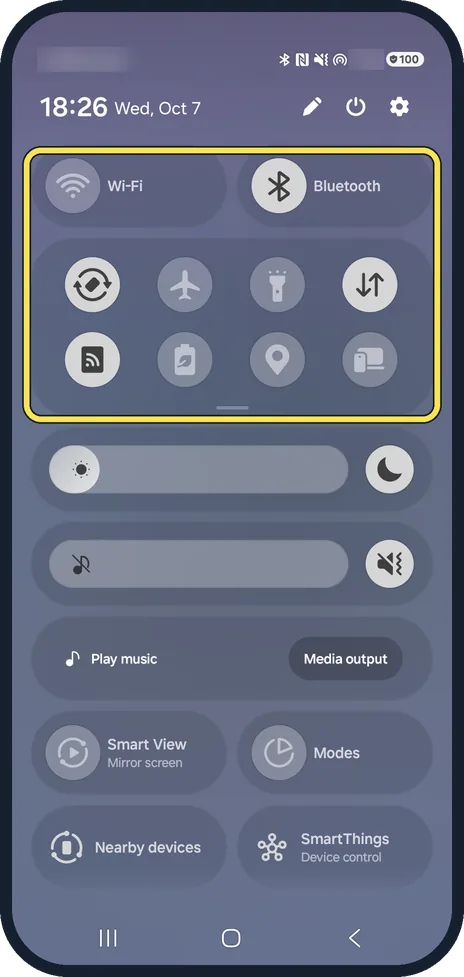
Open the quick panel
Swipe down from the top right corner of the screen.
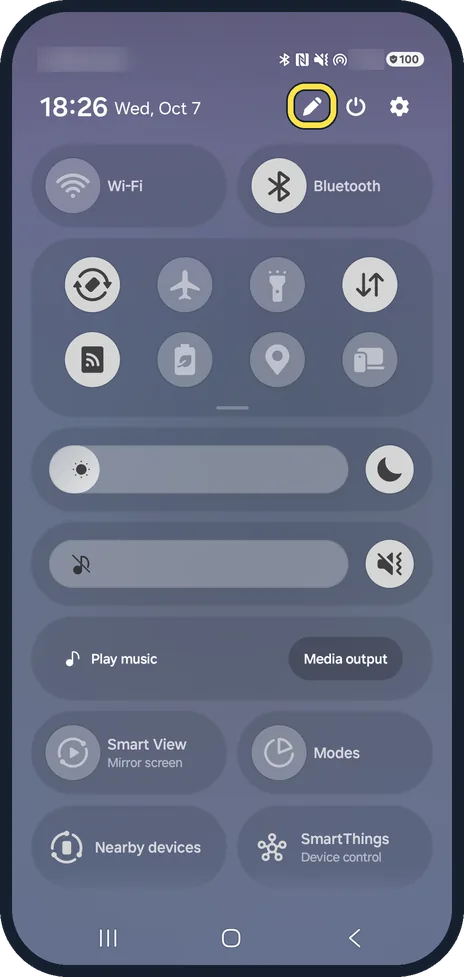
Tap the pencil
It is next to the power and settings buttons.
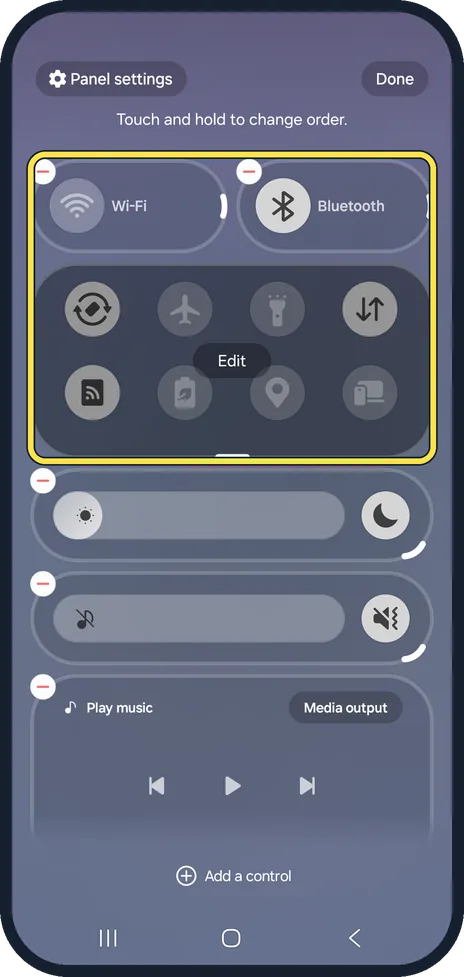
Move a button
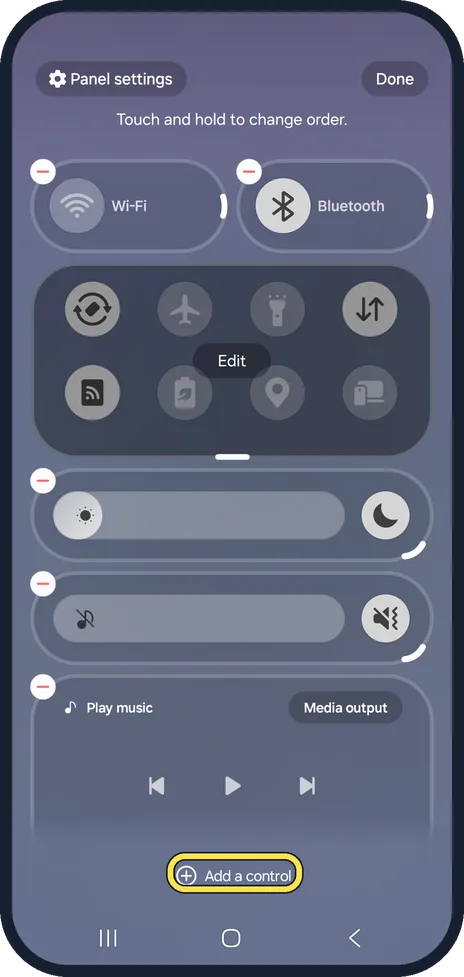
The edit view says Touch and hold to change order. Hold a button and drag it to a new place.
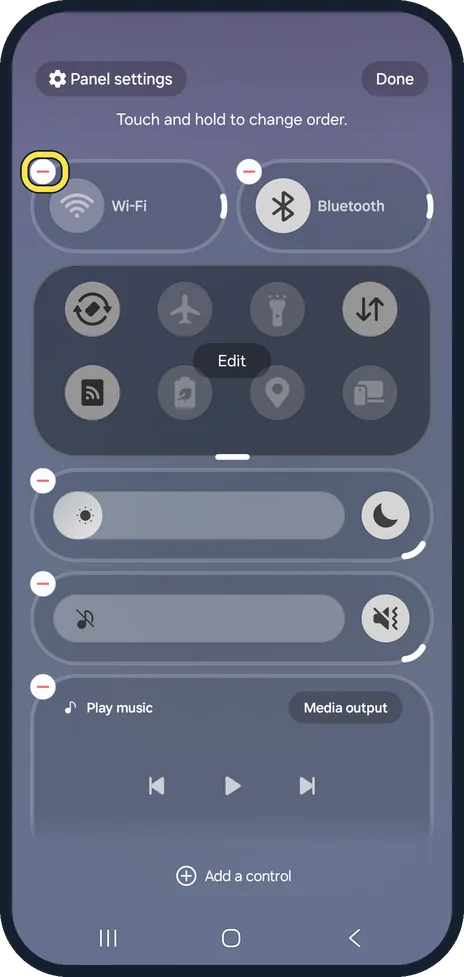
Remove a button
Tap the red minus at the top left of a button or slider.
Add a button
Tap Add a control at the bottom and pick the control you want.
Tap Done
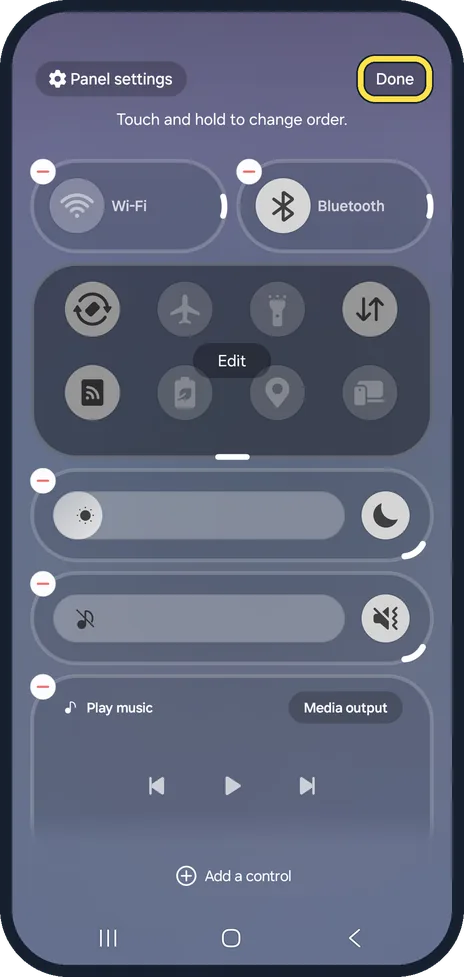
Done is at the top right. Your new layout is saved.
Start again if you lose track
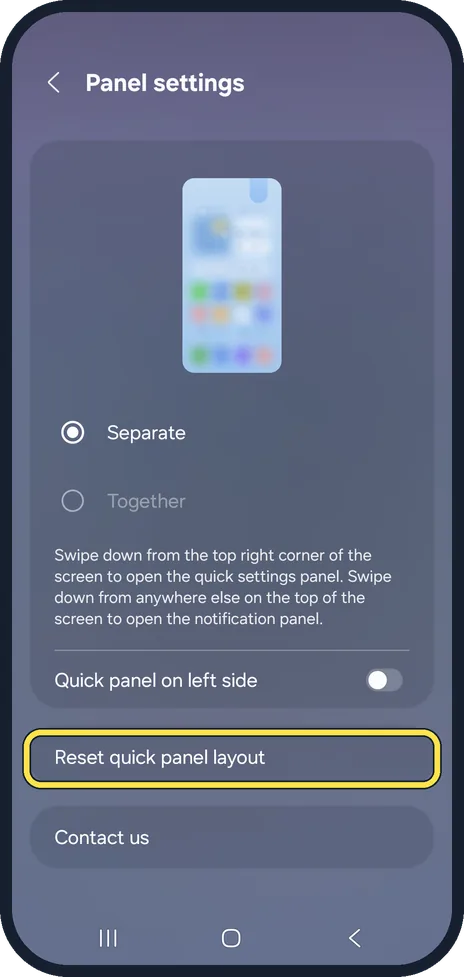
Panel settings, at the top left of the edit view, has Reset quick panel layout to restore Samsung's original buttons.
If you do not see this option
- Your phone is on One UI 6.1.1 or older Samsung says to swipe down from the top with two fingers, tap the pencil, then Edit to move or hide buttons, and Done. Source: Change the Quick panel icons on your Galaxy phone or tablet
- A control will not resize Samsung says resizing and turning a control sideways vary by control, so some keep one size. Source: How to customize the Quick panel on the Samsung Galaxy S26 series
If this does not work
- Your changes are gone Samsung says to tap Done to save your changes; backing out without Done keeps the old layout. Source: How to customize the Quick panel on the Samsung Galaxy S26 series
- The settings for a button do not open Samsung says to tap the name under a button, or touch and hold it, to open its settings; some show Details for the full page. Sources: Change the Quick panel icons on your Galaxy phone or tablet, Customize the Quick settings panel on your Samsung Galaxy
About this guide
The quick panel holds the buttons for Wi-Fi, Bluetooth, the torch and more. On One UI 8 its edit view also lets you resize some of them and add controls that are hidden by default.
We opened the edit view and backed out without saving.
Good to know
Prefer one panel for notifications and buttons? How to combine the Samsung notification and quick panels.
The buttons you add stay when you switch between the Separate and Together layouts.
In short: Swipe down from the top right, pencil: hold to move, minus to remove, Add a control to add, Done.
- Samsung Latin: How to customize the Quick panel on the Samsung Galaxy S26 series
- Samsung US: Change the Quick panel icons on your Galaxy phone or tablet
- Samsung CA: Customize the Quick settings panel on your Samsung Galaxy
Links checked in October 2026. Menus and features can change after software updates. These steps match the version named at the top.
📷 See real photos from the Galaxy A57 in our Camera Lab, next to 10 other phones.
Did this guide work for you?
Sorry about that. What happened?