
howtosimply.com/guides/samsung-galaxy-screen-brightness-keeps-changing-5-causes/ · Checked October 2026 · Samsung Galaxy A57 (One UI 9, Android 17 (build A576BXXU6BZIE)) and Samsung Galaxy A57 5G (One UI 8.5, Android 16)
In this guide
Adaptive brightness changes the screen with the light around you; turn it off under Settings, Display. Power saving, a hot phone and a nearly empty battery also dim the screen. Eye comfort shield changes the colour, not the brightness.
4 of 5 steps with real screenshots · 2 official sources below
- Device
- Android
- Shown on
- Samsung Galaxy A57 (SM-A576B), One UI 9, Android 17 (build A576BXXU6BZIE), Samsung Galaxy A57 5G (SM-A576B), One UI 8.5, Android 16
- App
- Settings
- Real screenshots
- 4 of 5 steps
- What we did
- Observed: looked at each screen, changed nothing
- Our phone
- Shown on Galaxy A57, One UI 8.5
- Checked
- October 2026
- Sources
- 2 official, linked below
Step by step
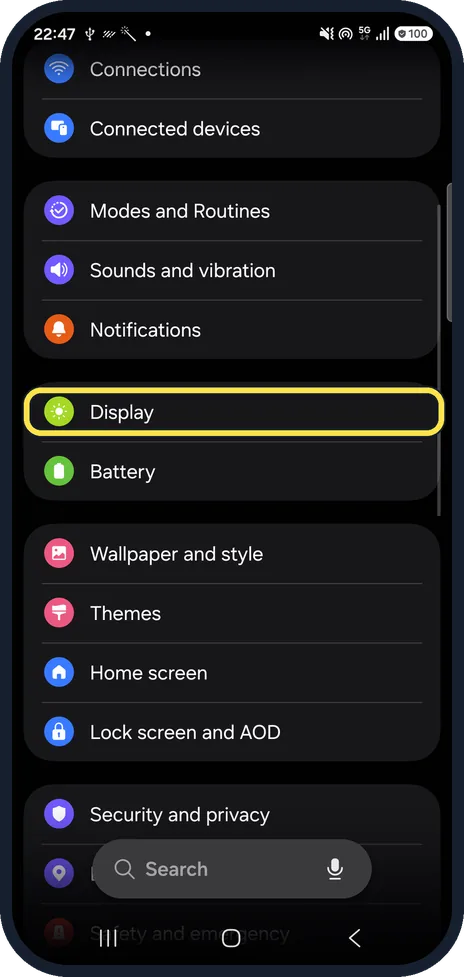
Open Display
Open Settings and tap Display.
Watch these steps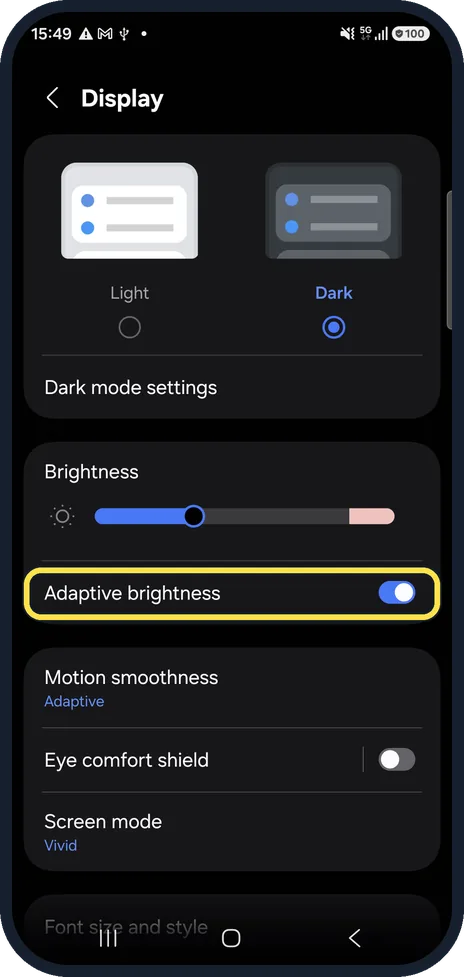
Switch off Adaptive brightness
It was on on our phone. Off, the brightness stays where you set the slider above it. It can also be switched from the quick panel.
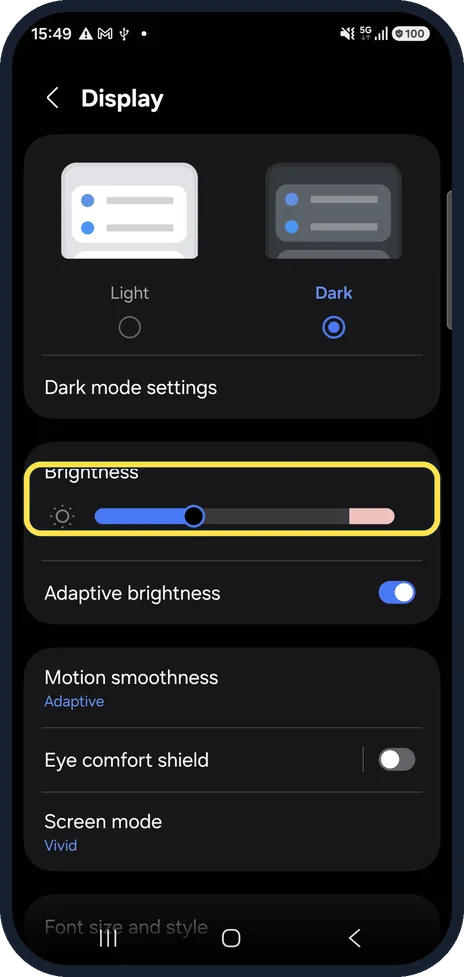
Set the level yourself
Drag the Brightness slider. Samsung notes a prompt to turn Adaptive brightness back on may appear once after a restart if you set it above 90%.
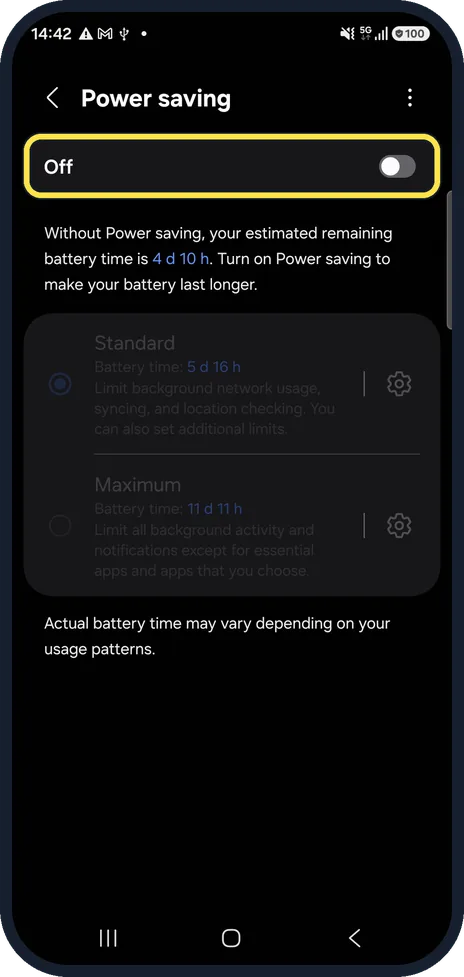
Check Power saving
Settings, Battery, Power saving lowers brightness to save battery.
Let a hot phone cool down
The phone dims itself when it overheats, for example in the sun, while charging or gaming, or when the battery is critically low. This is protection, not a fault.
Watch these steps
If you do not see this option
- Adaptive brightness is not where you expect Samsung says you can also swipe down, touch and hold the Brightness slider in the quick panel and turn Adaptive brightness off there. Source: What to do if the screen brightness changes automatically on your Samsung Galaxy device
- The Power saving settings are greyed out Samsung says you can only change the Power saving settings while Power saving is off. Source: Stop the screen brightness from dimming on your Galaxy phone or tablet
If this does not work
- The screen dims or goes dark by itself Samsung says a case or screen cover over the proximity sensor near the top of the screen can dim or turn off the screen. Clean the sensor with a dry microfibre cloth. Source: Stop the screen brightness from dimming on your Galaxy phone or tablet
- It dims when the battery is low Samsung says brightness may drop to stretch the battery when the level is very low. Charge the phone. Source: What to do if the screen brightness changes automatically on your Samsung Galaxy device
About this guide
Samsung says the brightness follows the surrounding light, the phone's temperature and the battery level. Only the first is a setting you can switch off.
Good to know
Eye comfort shield makes the screen warmer and yellower, which can look darker. It was off on ours: how to turn on Eye comfort shield on a Samsung Galaxy phone.
Even darker than the lowest setting? How to use Extra dim on a Samsung Galaxy phone.
In short: Display, Adaptive brightness off, set the slider. Power saving, heat and a low battery also dim the screen.
- Samsung Levant: What to do if the screen brightness changes automatically on your Samsung Galaxy device
- Samsung US: Stop the screen brightness from dimming on your Galaxy phone or tablet
Links checked in October 2026. Menus and features can change after software updates. These steps match the version named at the top.
📷 See real photos from the Galaxy A57 in our Camera Lab, next to 10 other phones.
Did this guide work for you?
Sorry about that. What happened?