
howtosimply.com/guides/how-to-change-or-turn-off-signal-notifications-on-android/ · Checked October 2026 · Google Pixel 10a, Android 17, Signal 8.32.3
In this guide
Tap your profile picture in Signal, then Notifications. Switch off Enable notifications to silence Signal, or tap Customize to change the sound and vibration through the Pixel's Messages channel.
5 of 5 steps with real screenshots · 2 official sources below
- Device
- Android
- Shown on
- Google Pixel 10a, Android 17, Signal 8.32.3
- App
- Signal
- Real screenshots
- 5 of 5 steps
- What we did
- Performed: we made the change on our device and show the result
- Checked
- October 2026
- Sources
- 2 official, linked below
Step by step
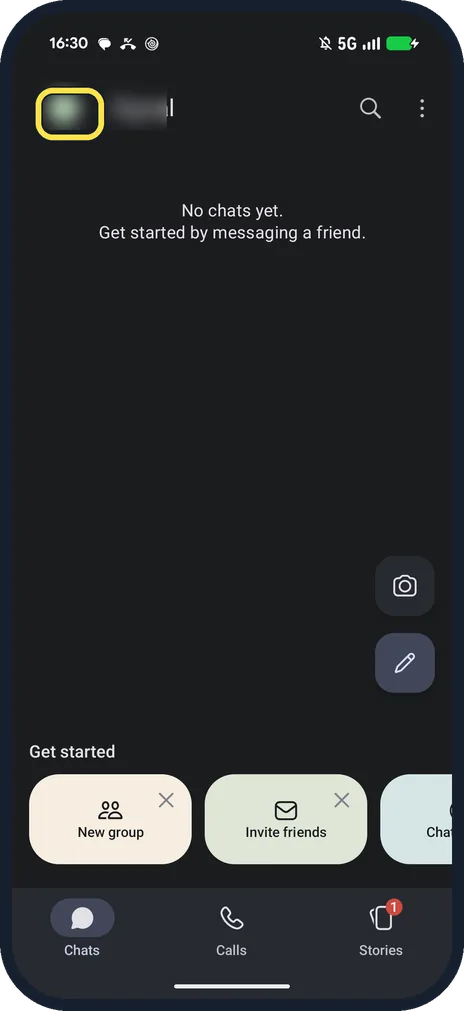
Tap your profile picture
It is at the top left of the Chats screen and opens Signal Settings.
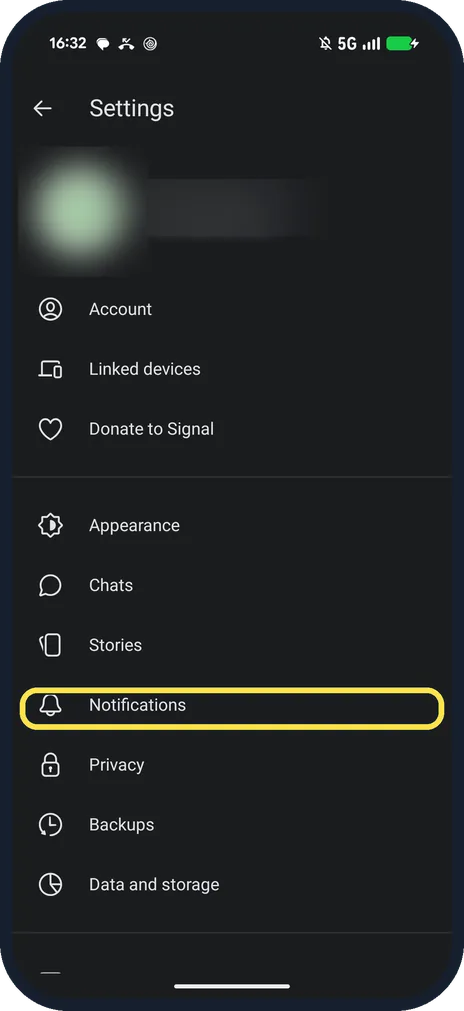
Tap Notifications
It is in Signal Settings, below Stories.
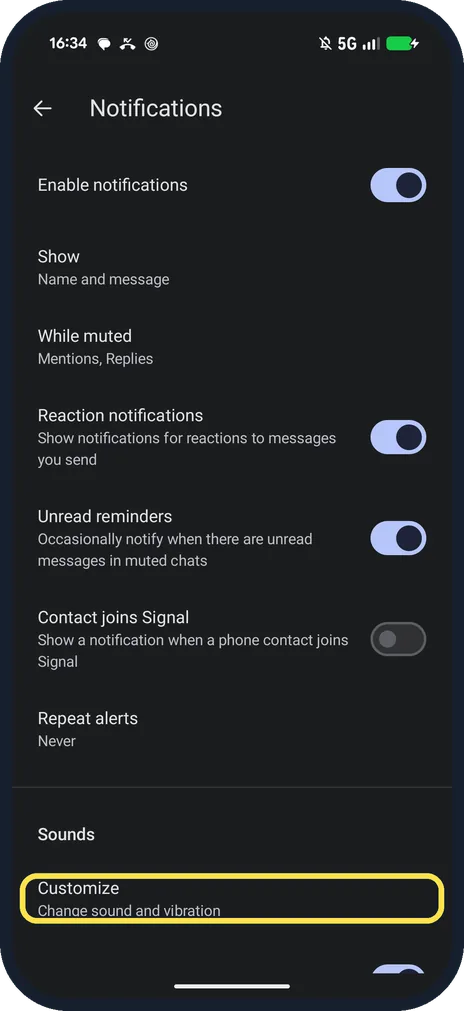
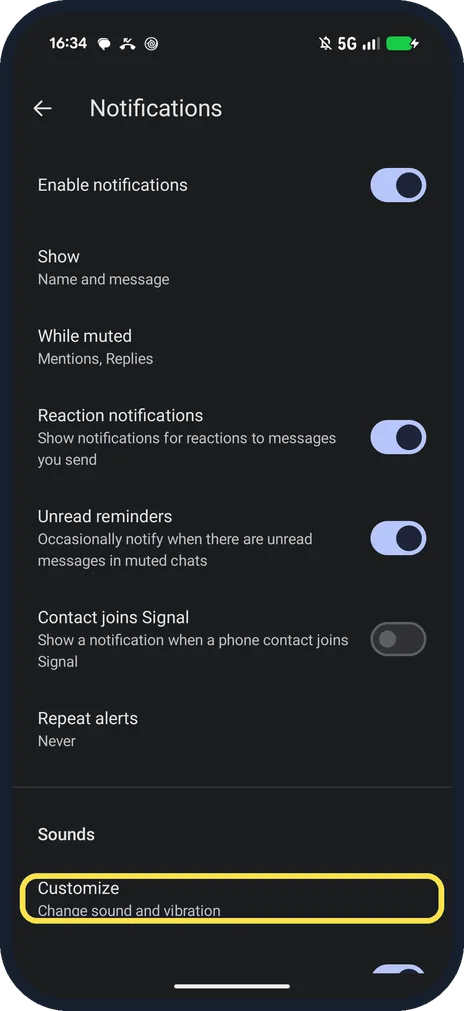
Switch off Enable notifications, or scroll to Customize
Ours had notifications on, Show set to Name and message, Contact joins Signal off.
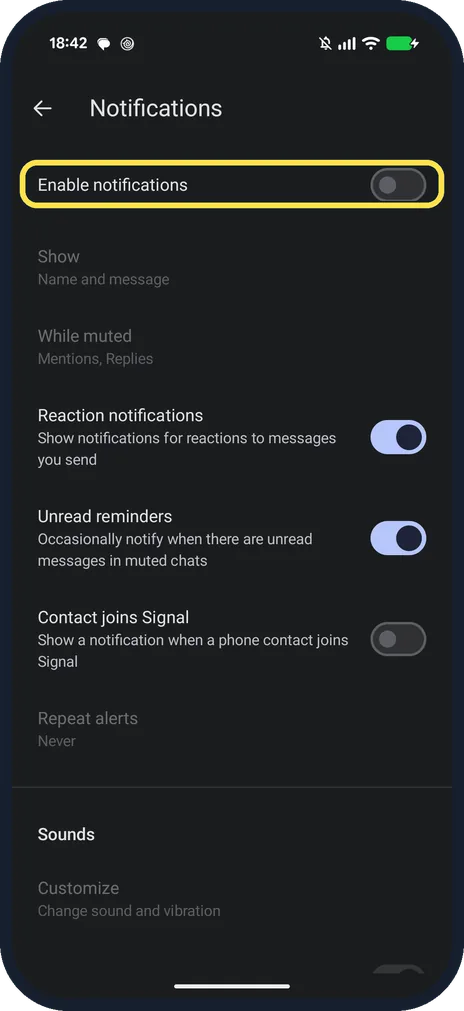
Check what changed
With Enable notifications off, ours greyed out Show, While muted, Repeat alerts and Customize. We switched it on again.
Change the sound
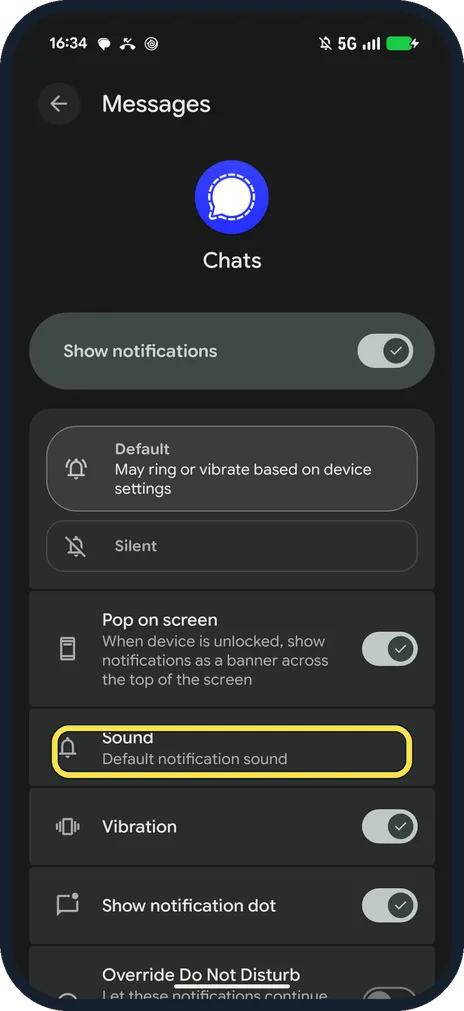
Customize opens the Pixel's Messages channel for Signal: Default or Silent, Pop on screen, Sound, Vibration.
If you do not see this option
- No sound row inside Signal? On our Pixel, Signal 8.32.3 hands sound and vibration to Android: Customize opens the Pixel's Messages channel for Signal.
- Xiaomi phone? Signal has its own Xiaomi page: it says notifications can stop in power saving, and to set the battery mode to Performance. Source: Xiaomi Notifications
If this does not work
- No Signal notifications on a Pixel? Signal says to turn off Battery Saver, switch off Pause app activity if unused for Signal, and keep All Signal notifications on in Settings, Notifications, App notifications. Source: Pixel Notifications
- Message text shows on the lock screen? Show sets what appears on a notification: ours said Name and message. Tap it to pick less.
About this guide
Signal's page also has reaction alerts, unread reminders and Contact joins Signal.
The screenshots are from Signal 8.32.3 on our Google Pixel 10a with Android 17, in Dark mode, taken on 25 October 2026.
Good to know
On Telegram, see change or turn off Telegram notifications.
To stop media downloads, see stop Signal auto-downloading media.
In short: Profile picture, Notifications, switch or Customize.
Links checked in October 2026. Menus and features can change after software updates. These steps match the version named at the top.
📷 See real photos from the Pixel 10a in our Camera Lab, next to 10 other phones.
Did this guide work for you?
Sorry about that. What happened?