
howtosimply.com/guides/how-to-turn-off-read-receipts-in-signal-on-android/ · Checked October 2026 · Google Pixel 10a, Android 17, Signal 8.32.3
In this guide
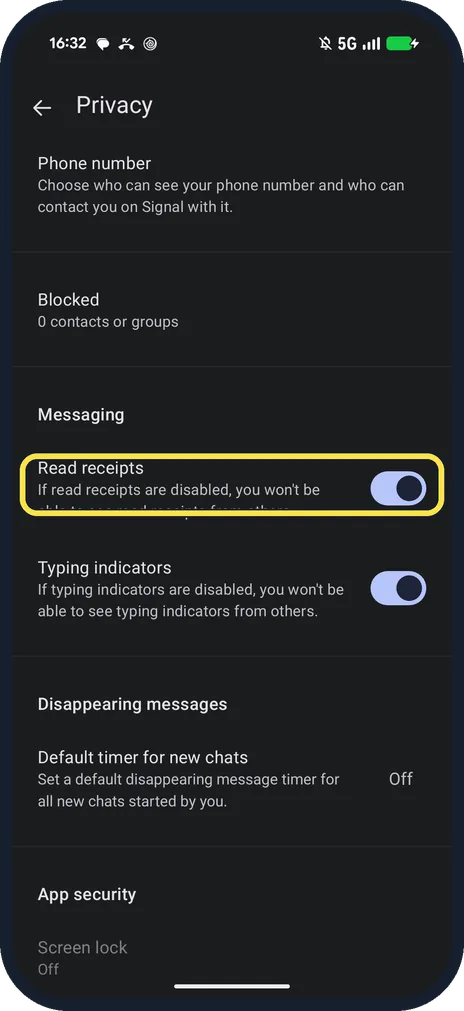
In Signal, tap your profile picture, then Privacy, and switch off Read receipts. Signal says you then also stop seeing read receipts from others. Typing indicators is the switch below it.
4 of 4 steps with real screenshots · 2 official sources below
- Device
- Android
- Shown on
- Google Pixel 10a, Android 17, Signal 8.32.3
- App
- Signal
- Real screenshots
- 4 of 4 steps
- Checked
- October 2026
- Sources
- 2 official, linked below
Step by step
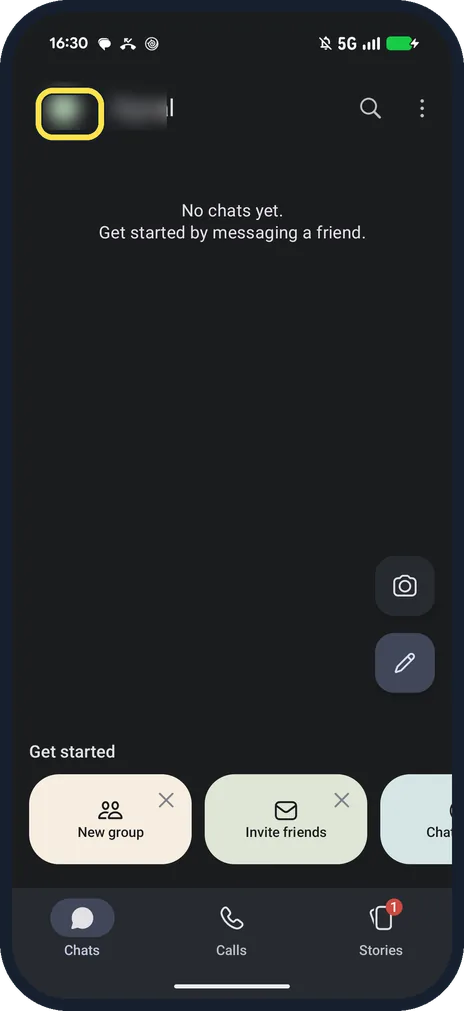
Tap your profile picture
It is at the top left of the Chats screen and opens Signal Settings.
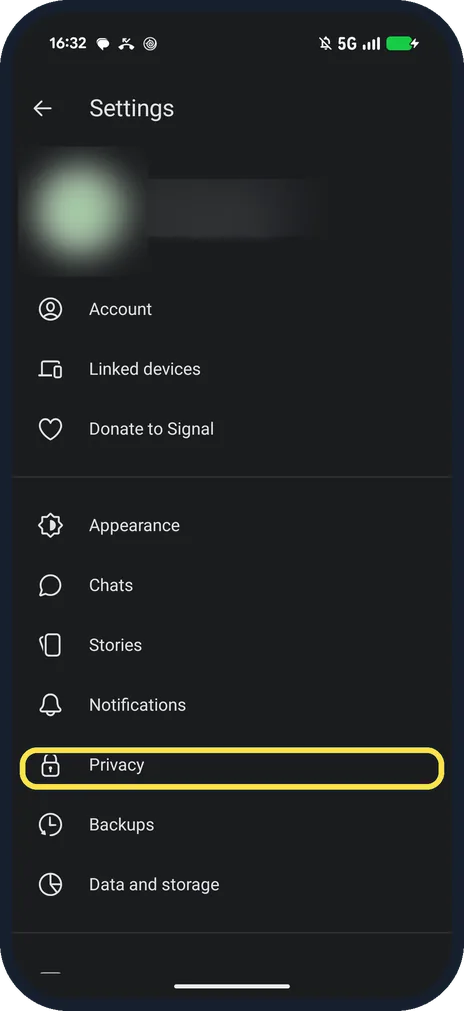
Tap Privacy
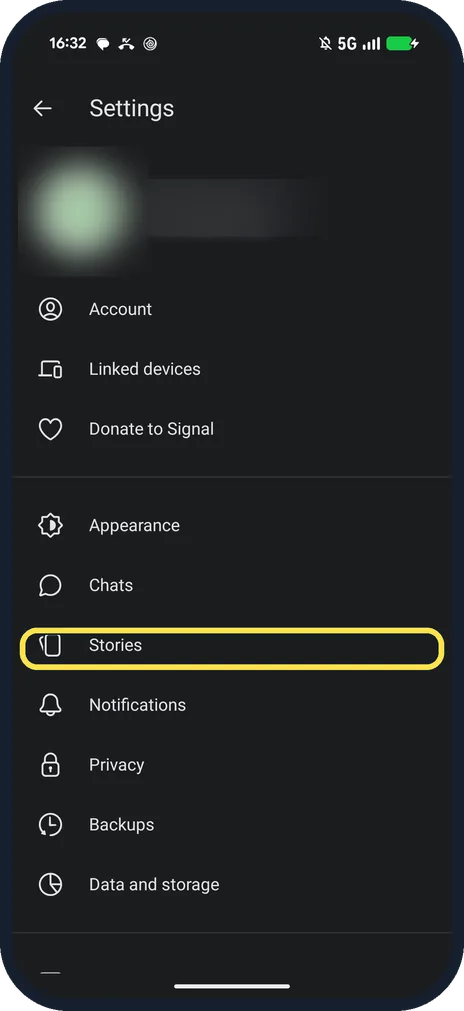
It is in Signal Settings, below Notifications.
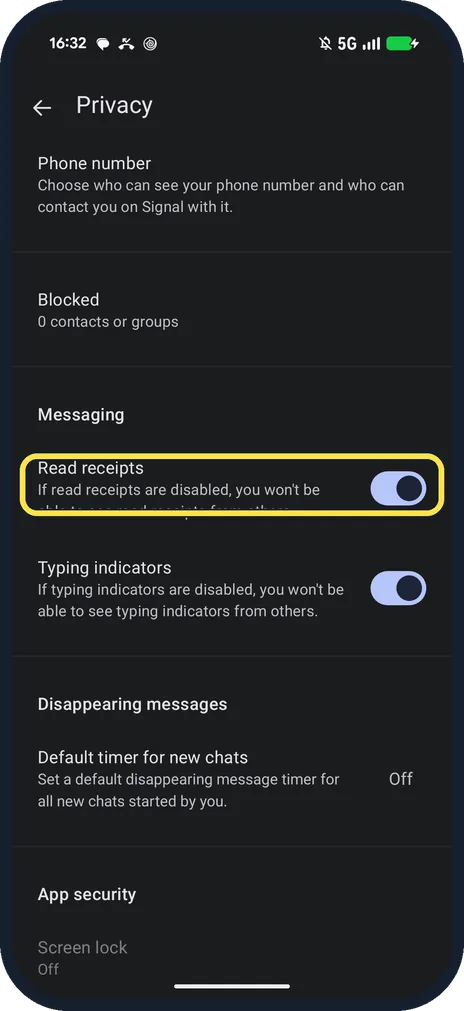
Find Read receipts
Under Messaging: Read receipts and Typing indicators. Ours were both on.
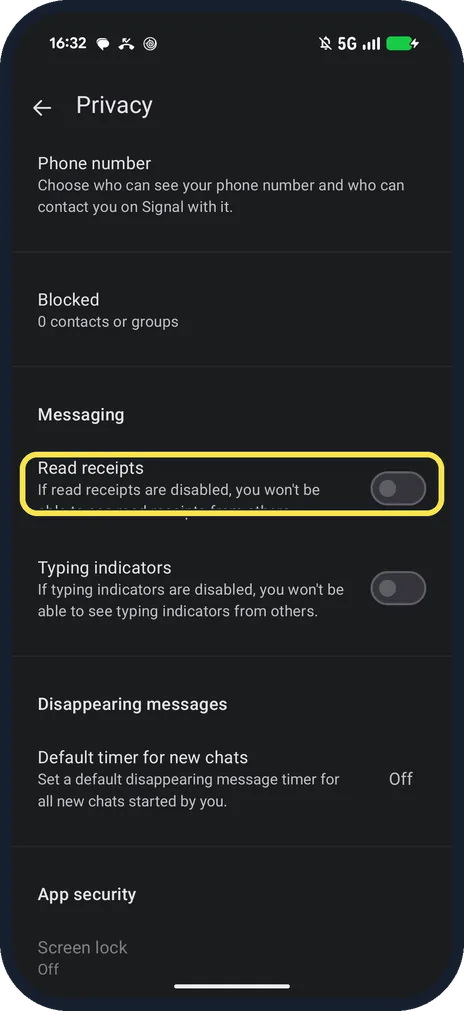
Switch off Read receipts
Ours turned grey. Switch off Typing indicators too if you want.
If you do not see this option
- Help page says Settings > Privacy > Read Receipts? That is the same route: on our Signal 8.32.3 Settings opens from your profile picture, and the switch reads Read receipts. Source: Read Receipts
- Stories still show who viewed them? Signal says story view receipts are a separate setting under Settings, Stories, so this switch does not change them. Source: Read Receipts
If this does not work
- Still see "Read" on some messages? Signal says read status only shows when both people have read receipts on, so turning yours off also hides theirs. Source: Read Receipts
- Others still see you typing? That is Typing indicators, the switch below. Signal says turning it off also stops you seeing others typing. Source: Typing Indicators
About this guide
Read receipts and Typing indicators are both on the Privacy page under Messaging.
The screenshots are from Signal 8.32.3 on our Google Pixel 10a with Android 17, in Dark mode, taken on 25 October 2026. We switched both off for the screenshots, then on again.
Good to know
On Telegram, see hide your last seen on Telegram.
To hide your number in Signal, see hide your phone number in Signal.
In short: Profile picture, Privacy, Read receipts off.
Links checked in October 2026. Menus and features can change after software updates. These steps match the version named at the top.
📷 See real photos from the Pixel 10a in our Camera Lab, next to 10 other phones.
Did this guide work for you?
Sorry about that. What happened?