
howtosimply.com/guides/how-to-use-app-twin-on-an-honor-phone/ · Checked October 2026 · BRP-NX1M, EEA), MagicOS 10.0, Android 16 (build 10.0.0.169(C430E7R2P1) · HONOR Magic7 Lite
In this guide
Open Settings, Apps, App Twin and turn on the switch next to the app; a second icon appears on the Home screen. Only supported apps that are installed appear; on our Magic7 Lite only Facebook was listed.
3 of 3 steps with real screenshots · 2 official sources below
- Device
- Android
- Shown on
- HONOR Magic7 Lite (BRP-NX1M, EEA), MagicOS 10.0, Android 16 (build 10.0.0.169(C430E7R2P1))
- App
- Settings
- Path
- Settings › Apps › App Twin
- Real screenshots
- 3 of 3 steps
- Checked
- October 2026
- Sources
- 2 official, linked below
Step by step
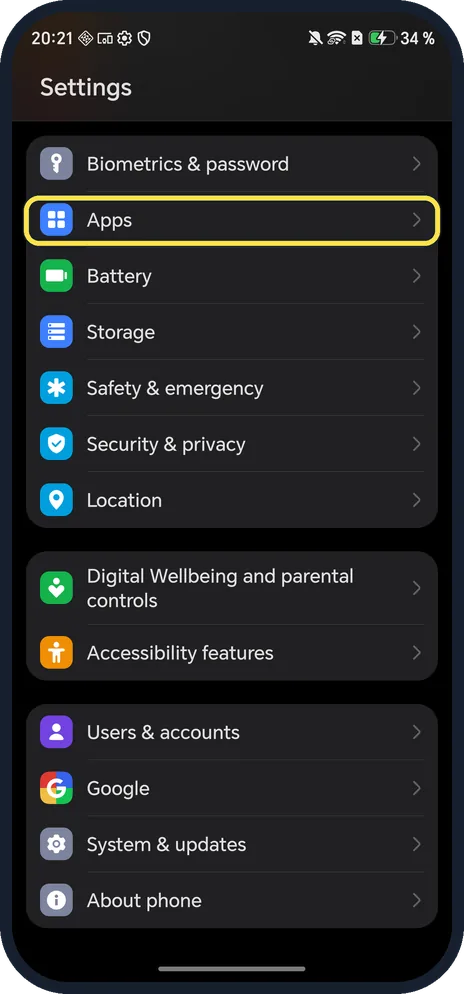
Open Apps
Open Settings and tap Apps.
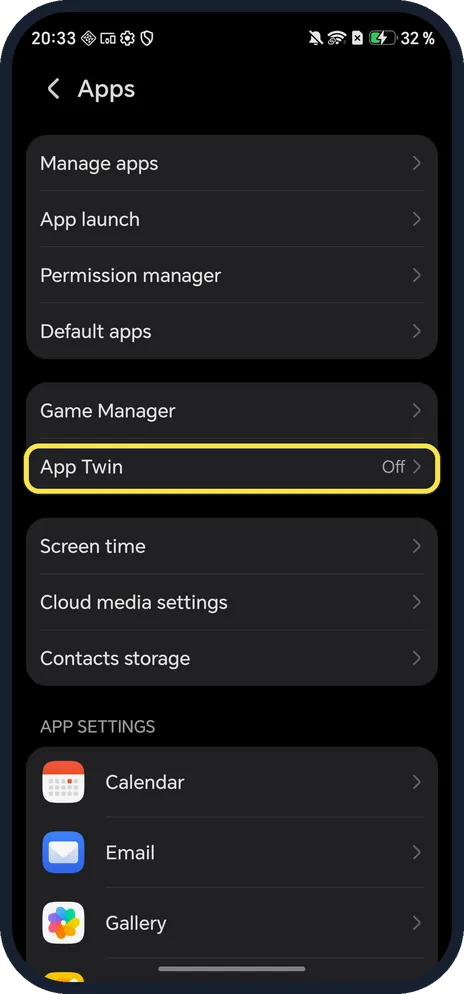
Tap App Twin
Ours said Off.
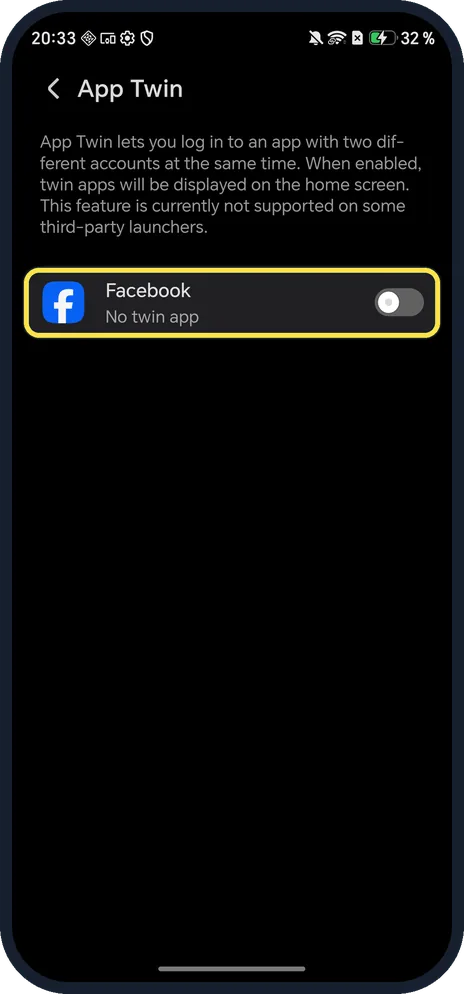
Turn on the app
Tap the switch next to the app. A second icon appears on the Home screen.
If you do not see this option
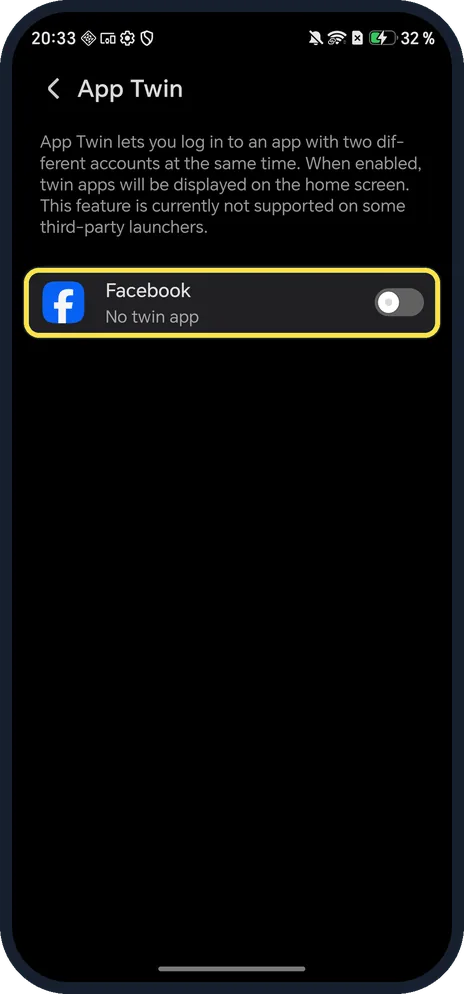
- WhatsApp not in the list? Only supported apps that are already installed appear; ours listed only Facebook. Install the app first.
- No App Twin under Apps? HONOR's guide gives Settings, Apps, App Twin and says settings vary by model and system version. Source: How to log in to two WhatsApp accounts on one HONOR mobile phone
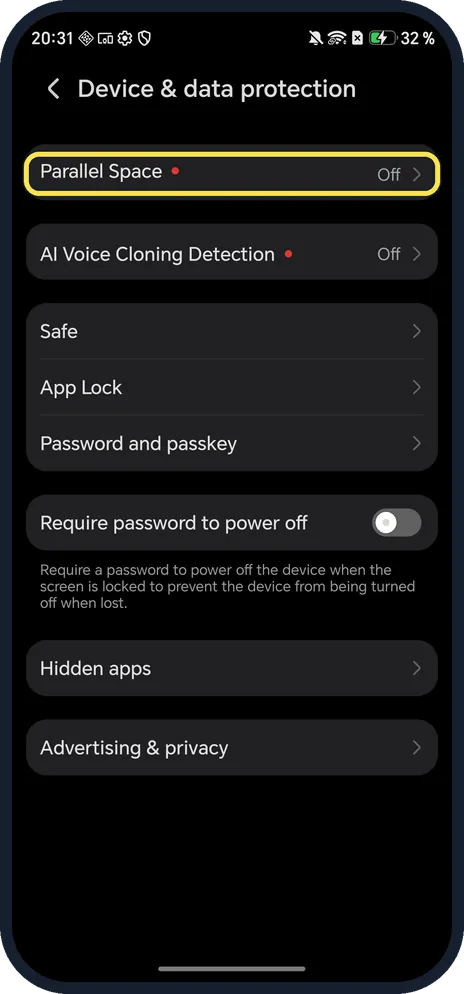
- Want a separate space instead of a twin app? Parallel Space, in Settings, Security & privacy, Device & data protection, is HONOR's second space. It was off on ours.
If this does not work
- Twin icon missing from the Home screen? The App Twin page on ours says the feature is not supported on some third-party launchers. HONOR says to set Honor Home as the default launcher in Default apps. Source: Some app icons are missing from the home screen
- Still can't see the twin icon? HONOR says to check Drawer mode and to search for the app by swiping down from the middle of the Home screen. Source: Some app icons are missing from the home screen
- Want the twin gone? Turn the switch off again. We did not test what happens to the twin's data, so back up anything you need first.
About this guide
App Twin makes a second copy of an app so you can log in with a different account. HONOR says twin apps appear on the Home screen and don't work with some third-party launchers.
The screenshots are from our HONOR Magic7 Lite, the European model BRP-NX1M, with MagicOS 10.0 and Android 16 (build 10.0.0.169(C430E7R2P1)), in Dark mode. WhatsApp was not installed on ours, so the list showed only Facebook; we did not create a twin.
Good to know
To protect either copy, find App Lock and Hidden apps on an HONOR phone.
To use both side by side, open a floating window.
In short: Settings, Apps, App Twin, switch on the app.
- HONOR Support: How to log in to two WhatsApp accounts on one HONOR mobile phone
- HONOR Support: Some app icons are missing from the home screen
Links checked in October 2026. Menus and features can change after software updates. These steps match the version named at the top.
Did this guide work for you?
Sorry about that. What happened?