GOOGLE PIXEL
How to change default apps on a Google Pixel (Android 17)
Go to Settings, Apps, Default apps. Tap a type, such as Browser app or Digital assistant app, and pick the app. On our Pixel the only choices were Chrome for the browser and Pixel Launcher for the home app; the assistant could be Google or None.

4 of 4 steps show a real screenshot from our Pixel 10a. Each step was checked against the maker's own instructions, linked at the end.
Steps
- 1
Open Default apps
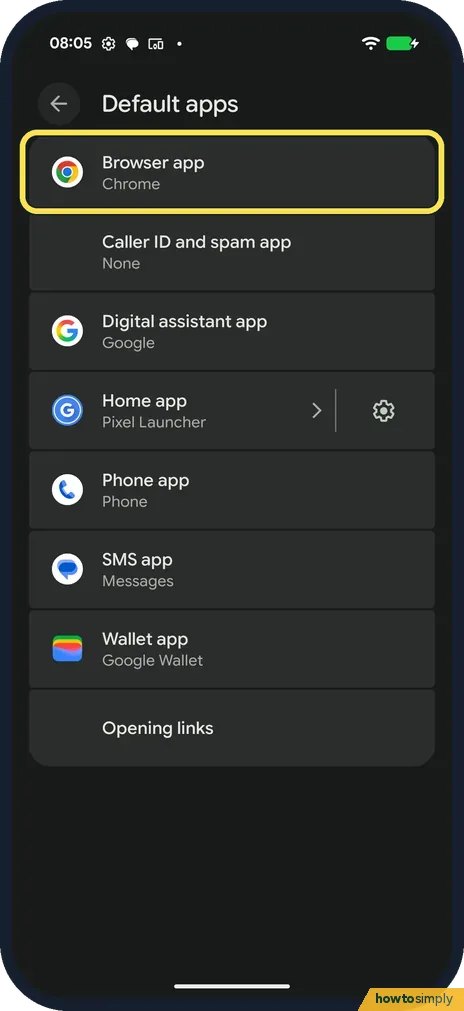
Go to Settings, Apps, Default apps. Ours: Browser app Chrome, Caller ID and spam app None, Digital assistant app Google, Home app Pixel Launcher, Phone, Messages, Wallet app Google Wallet.
- 2
Choose a browser
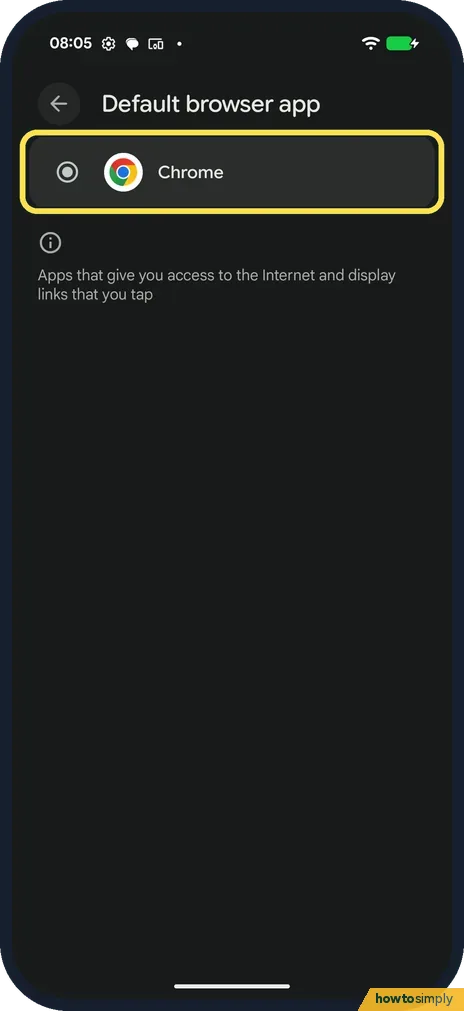
Tap Browser app. Install another browser to see more choices; Chrome was the only one on ours.
- 3
Choose a home app
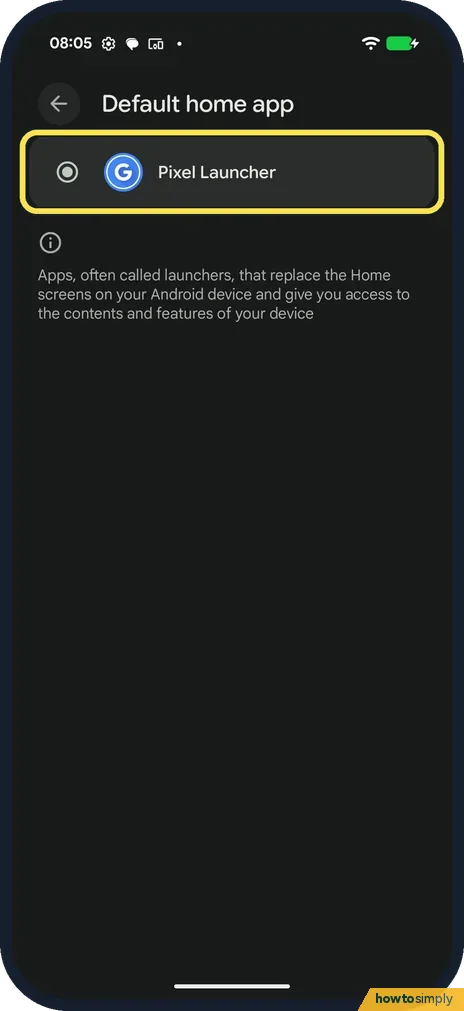
Back on Default apps, tap Home app. Pixel Launcher was the only launcher.
- 4
Choose the assistant
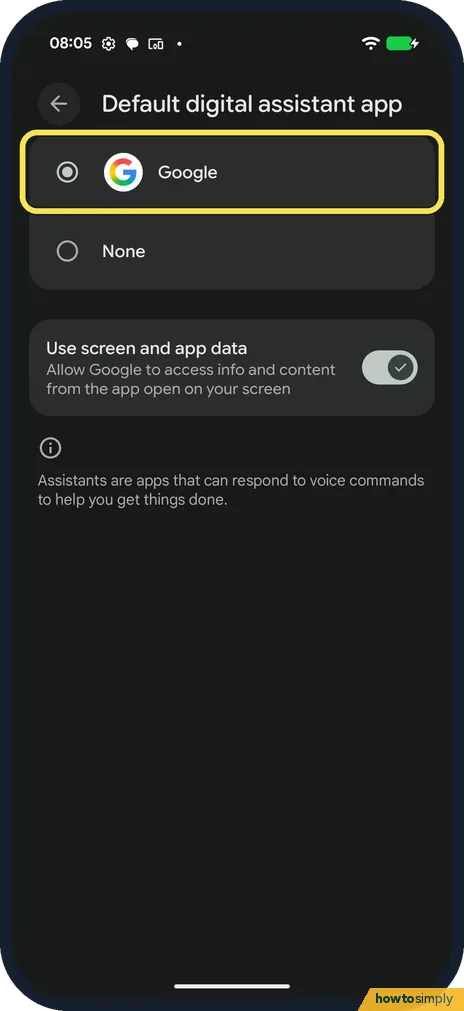
Tap Digital assistant app. Choose Google or None. Use screen and app data lets Google use what's on your screen.
If you do not see this option
- Only one choice? Only installed apps that can do the job are listed. Install another app first.
- Wallet app says Google Wallet but no Wallet app? On ours the Wallet app was Google Wallet although the Wallet app was not installed.
- Default apps greyed out on a work phone? On a phone managed by work or school, the organisation can lock some defaults. Ask your IT team.
If this does not work
- Links open in the wrong app? Opening links, at the bottom of Default apps, decides that.
- Assistant answers when you don't want it? Choose None under Digital assistant app.
- New browser installed but links still open in Chrome? Installing a browser does not make it the default. Go back to Default apps, tap Browser app and pick it. Google says to set the browser you use as the default so that links you tap open in it automatically.
- Contactless payments use the wrong app? Google says to set the payment default under Connected devices, Connection preferences, NFC, Contactless payments. It also says money transfer apps don't support contactless payments.
Good to know
Home screen options: Pixel home screen and search settings.
A new default only changes which app opens first. The old app stays installed with its data, so you can switch back at any time from the same page. If you pick a third-party browser, your Chrome history, passwords and bookmarks stay in Chrome until you move them yourself.
Some defaults have privacy effects. The Caller ID and spam app sees who calls you, and Use screen and app data under Digital assistant app lets the assistant see what is on your screen. Read what each choice offers before you pick it.
For calls from unknown numbers, see how to block numbers and spam calls on a Google Pixel.
About this guide
- Device
- Android
- Shown on
- Google Pixel 10a, Android 17 (build CP3A.260905.009)
- App
- Settings
- Path
- Settings › Apps › Default apps
- Real screenshots
- 4 of 4 steps
- What we did
- Observed: looked at each screen, changed nothing
- Checked
- October 2026
- Sources
- 1 official, linked below
Sources
Links checked October 2026. Menus and features can change with updates.Spotted a mistake? Menus change with updates, and we want every step to match your screen. Email us about this page or use the contact form. We read every report, and fixes are listed on What changed.
Liked this guide?
Follow us for new guides and short how-to videos.
Did this guide work for you?
Sorry about that. What happened?