
howtosimply.com/guides/why-there-is-no-call-recording-on-an-honor-magic7-lite/ · Checked October 2026 · BRP-NX1M, EEA), MagicOS 10.0, Android 16 (build 10.0.0.169(C430E7R2P1) · HONOR Magic7 Lite
In this guide
Our European HONOR Magic7 Lite uses Google's Phone app, and its Settings had no Call recording option; a Settings search for "call recording" found nothing. Where Google allows it, Call recording appears in the Phone app's Settings; it did not on ours.
4 of 4 steps with real screenshots · 1 official source below
- Device
- Android
- Shown on
- HONOR Magic7 Lite (BRP-NX1M, EEA), MagicOS 10.0, Android 16 (build 10.0.0.169(C430E7R2P1))
- App
- Settings
- Real screenshots
- 4 of 4 steps
- Checked
- October 2026
- Sources
- 1 official, linked below
Step by step
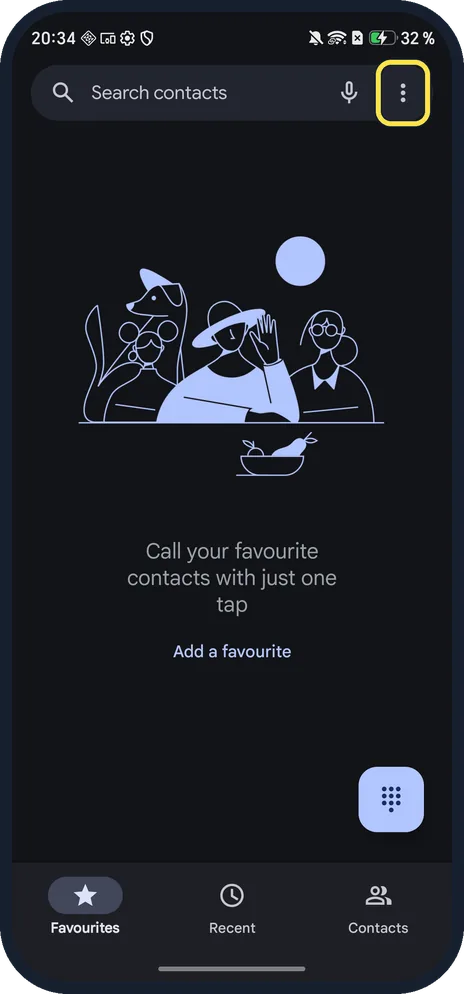
Open the Phone app menu
Open Phone and tap the three dots at the top right, next to the microphone.
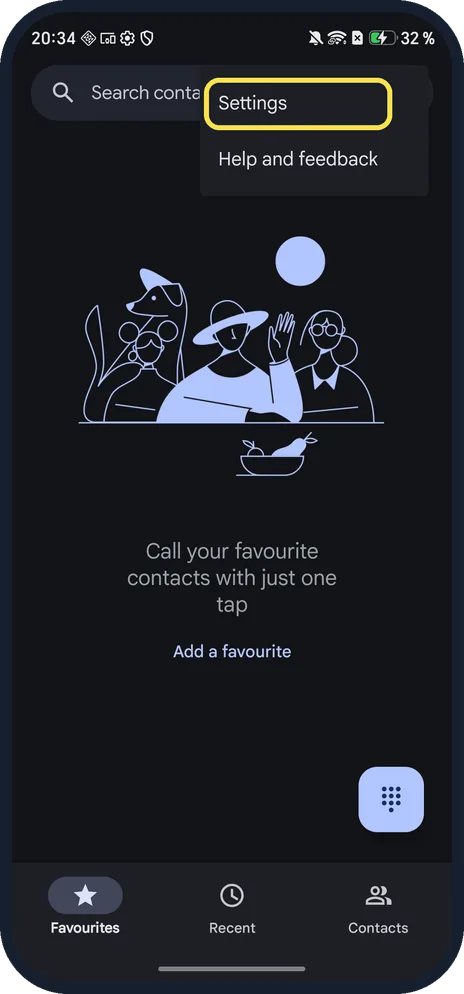
Tap Settings
The menu has Settings and Help and feedback.
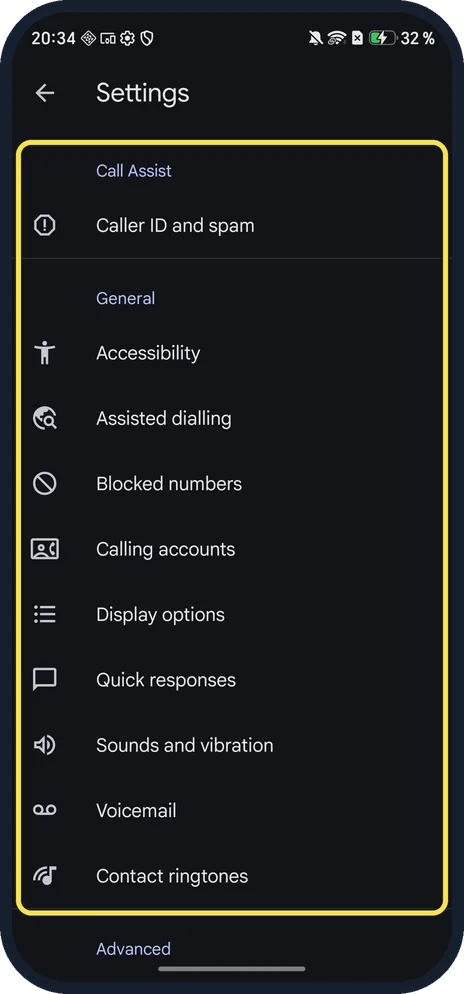
Look for Call recording
Ours listed Call Assist, Caller ID and spam, General, Accessibility, Assisted dialling, Blocked numbers and more, but no Call recording.
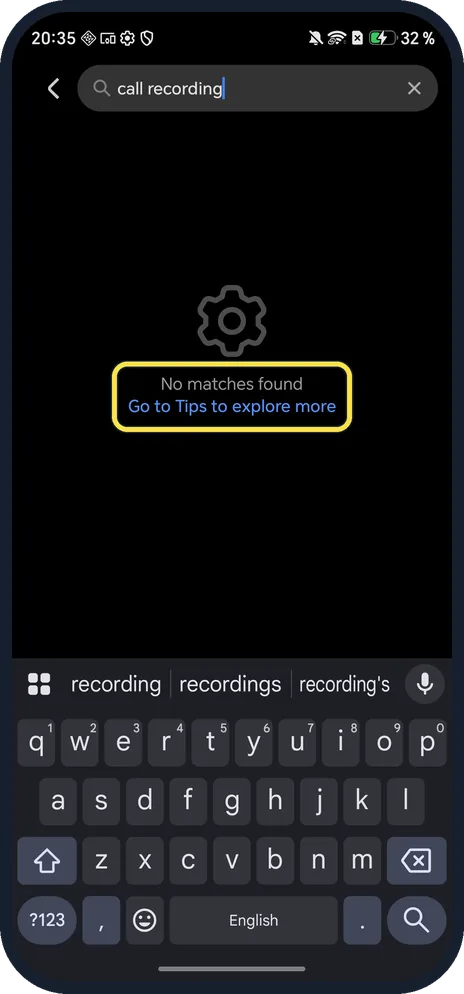
Search Settings to be sure
In the phone's Settings app, search for call recording. Ours said No matches found.
If you do not see this option
- Is it the region? Google says call recording in its Phone app is only available in some countries or regions and on certain devices and carriers, and that everyone on the call is notified that it is recorded. Our European Magic7 Lite showed no option at all. Source: Record a phone call
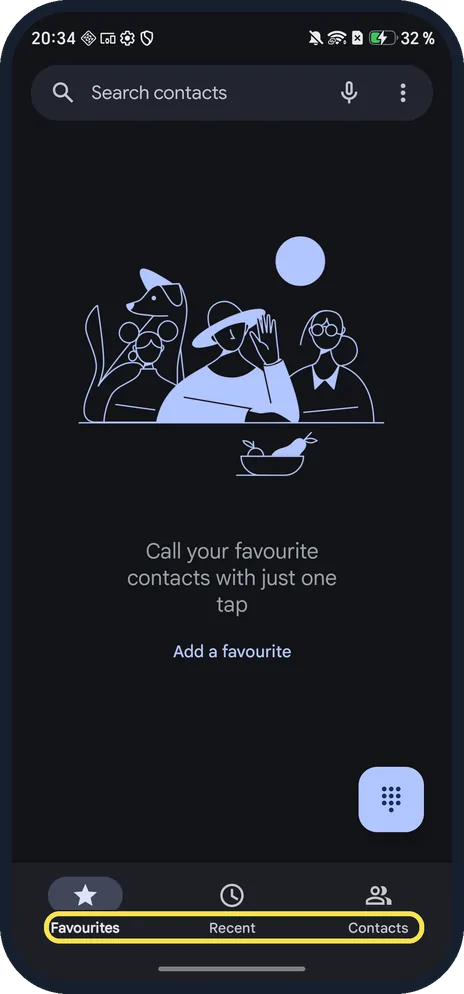
- Not sure which Phone app you have? Google's has Favourites, Recent and Contacts tabs at the bottom, as on ours. Google gives the path for its app as More options, Settings, Call recording.
If this does not work
- Phone app out of date? Google says you need the latest version of the Phone app. Update it in the Play Store, then check its Settings again. Source: Record a phone call
- Need a record of a call anyway? Google says some laws require everyone on the call to agree to being recorded, and that following those laws is up to you. Ask first, whatever you use. Source: Record a phone call
About this guide
Our Magic7 Lite (European model, MagicOS 10) ships with Google's Phone app, so recording depends on Google's rules for your country, phone and carrier.
The screenshots are from our HONOR Magic7 Lite, the European model BRP-NX1M, with MagicOS 10.0 and Android 16 (build 10.0.0.169(C430E7R2P1)), in Dark mode. The phone has no SIM, so we checked the menus, not a live call.
Good to know
For the same check on OPPO, read why there is no call recording on an OPPO Reno13.
To record the screen rather than a call, screen record on an HONOR phone.
In short: No Call recording in Google's Phone app settings on our European Magic7 Lite, and no match in Settings search.
Links checked in October 2026. Menus and features can change after software updates. These steps match the version named at the top.
Did this guide work for you?
Sorry about that. What happened?