
howtosimply.com/guides/how-to-block-a-number-on-an-honor-phone/ · Checked October 2026 · BRP-NX1M, EEA), MagicOS 10.0, Android 16 (build 10.0.0.169(C430E7R2P1) · HONOR Magic7 Lite
In this guide
Our Magic7 Lite uses Google's Phone app: tap the three dots by the search bar, then Settings, Blocked numbers, Add a number. Type the number and tap Block. HONOR phones with HONOR's own Phone app use Blocked and Block rules instead.
5 of 5 steps with real screenshots · 1 official source below
- Device
- Android
- Shown on
- HONOR Magic7 Lite (BRP-NX1M, EEA), MagicOS 10.0, Android 16 (build 10.0.0.169(C430E7R2P1))
- App
- Phone
- Real screenshots
- 5 of 5 steps
- Checked
- October 2026
- Sources
- 1 official, linked below
Step by step
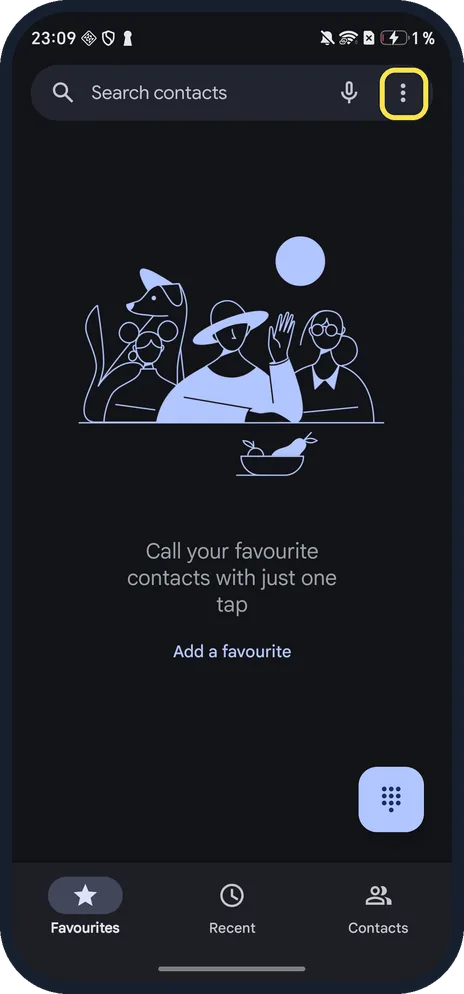
Tap the three dots
Open Phone. The three dots are at the right end of the Search contacts bar.
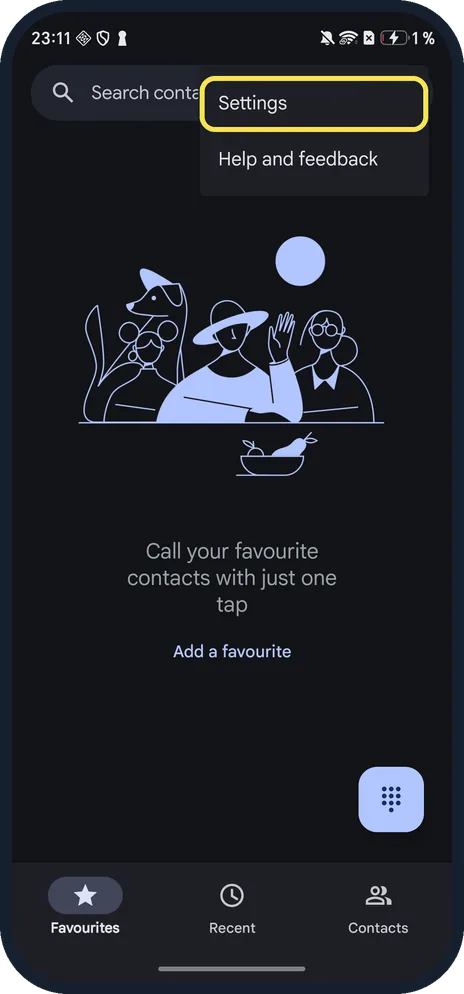
Tap Settings
Above Help and feedback.
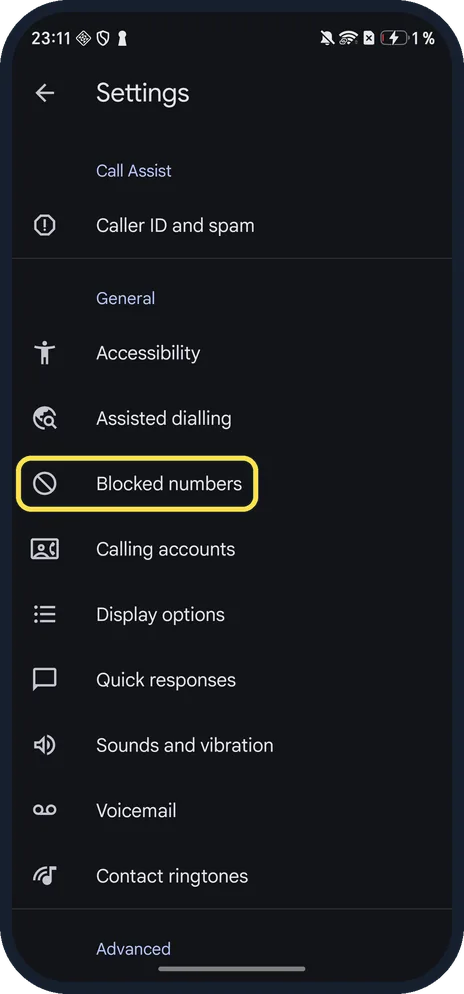
Tap Blocked numbers
Under General, after Assisted dialling.
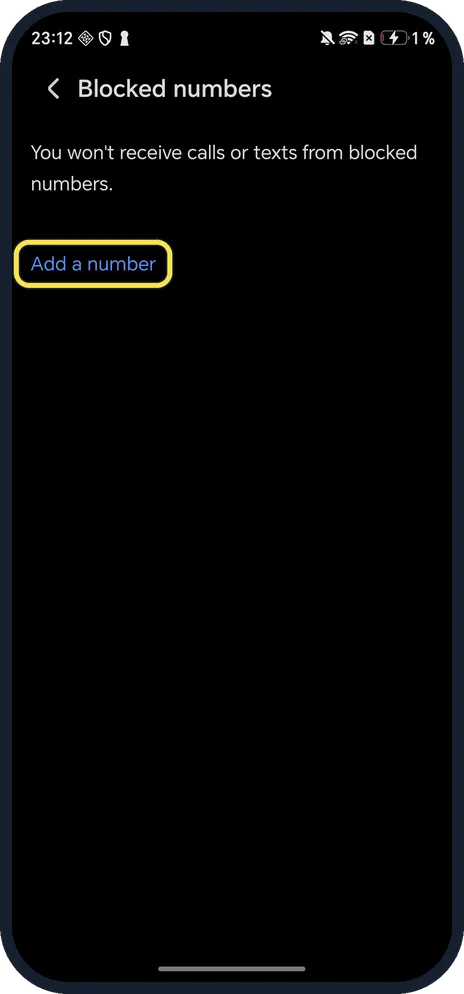
Tap Add a number
The page says you won't receive calls or texts from blocked numbers.
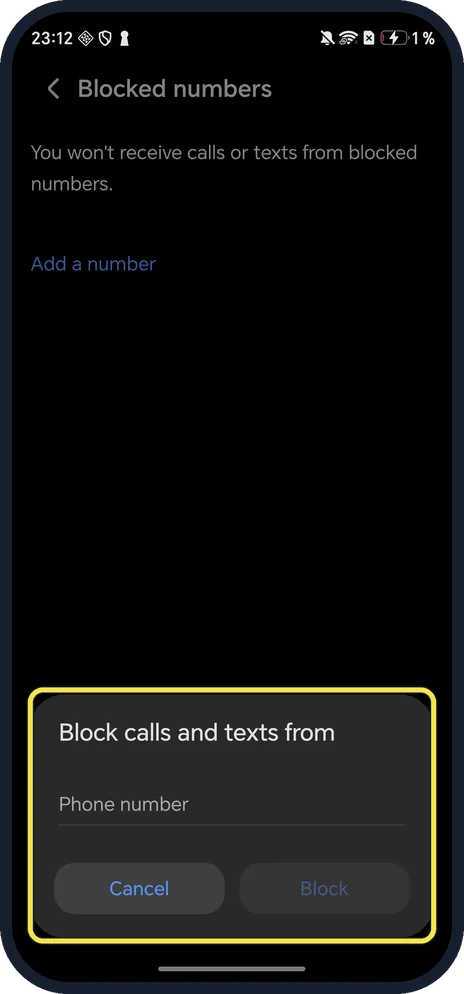
Type the number and tap Block
Block calls and texts from: type the number. Block stays grey until you do.
If you do not see this option
- Your HONOR has HONOR's own Phone app? HONOR says to go to Phone, the menu, Blocked, Block rules (or System Manager, Blocked, Block rules), tap Call block rules and turn on the rules you want. Source: Filter and Block Spam Calls
- Two SIM cards? HONOR says block rules are set for SIM 1 and SIM 2 separately. Source: Filter and Block Spam Calls
- No Harassment filter or Block rules? With Google's Phone app, as on our Magic7 Lite, the only option is Blocked numbers.
If this does not work
- Blocked someone by mistake? In HONOR's Phone app, HONOR says to open Blocked, touch the record and choose Add to trustlist; with Google's Phone app, remove the number from Blocked numbers. Source: Filter and Block Spam Calls
- Want to know when a call is blocked? HONOR says Block rules has Receive notifications for blocked calls. Source: Filter and Block Spam Calls
About this guide
The screenshots are from our HONOR Magic7 Lite, the European model BRP-NX1M, with MagicOS 10.0 and Android 16 (build 10.0.0.169(C430E7R2P1)), in Dark mode. We opened the Add dialog and tapped Cancel; nothing was blocked.
Good to know
To change how calls sound, change the ringtone on an HONOR phone.
On an OPPO, see block a number on an OPPO phone.
In short: Phone, three dots, Settings, Blocked numbers, Add a number, Block.
Links checked in October 2026. Menus and features can change after software updates. These steps match the version named at the top.
Did this guide work for you?
Sorry about that. What happened?