GOOGLE PIXEL
Where are Adaptive Battery and Adaptive Charging on a Google Pixel? (Android 17)

In short
Adaptive Battery is at Settings, Battery, Battery Saver, Adaptive Battery. Adaptive Charging is at Settings, Battery, Battery health, Charging optimisation. Our Battery page had no Adaptive preferences row, and both were on.
7 of 7 steps show a real screenshot from our Pixel 10a. Each step was checked against the maker's own instructions, linked at the end.
Steps
- 1
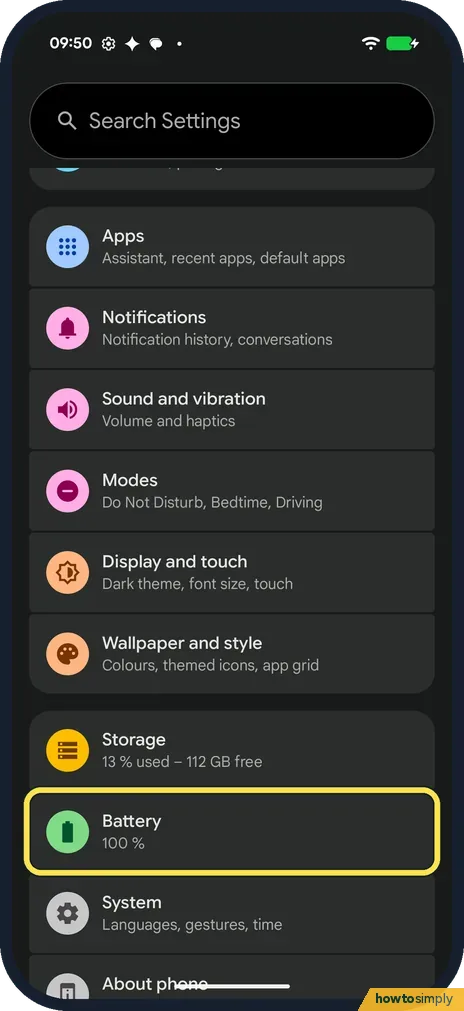
Open Battery
Open Settings and tap Battery. Ours said 100 % under it.
- 2
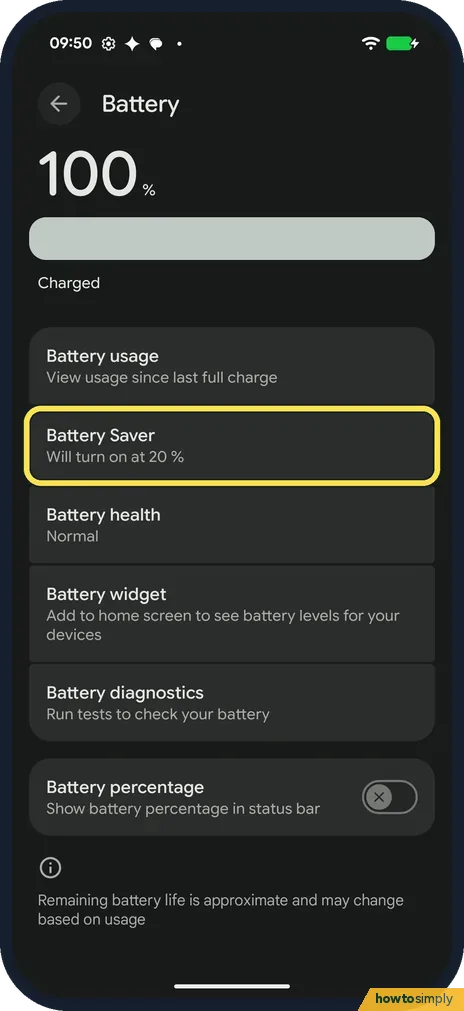
Tap Battery Saver
The Battery page on ours has no Adaptive preferences row. Adaptive Battery is inside Battery Saver: Will turn on at 20 %. Tap it.
- 3
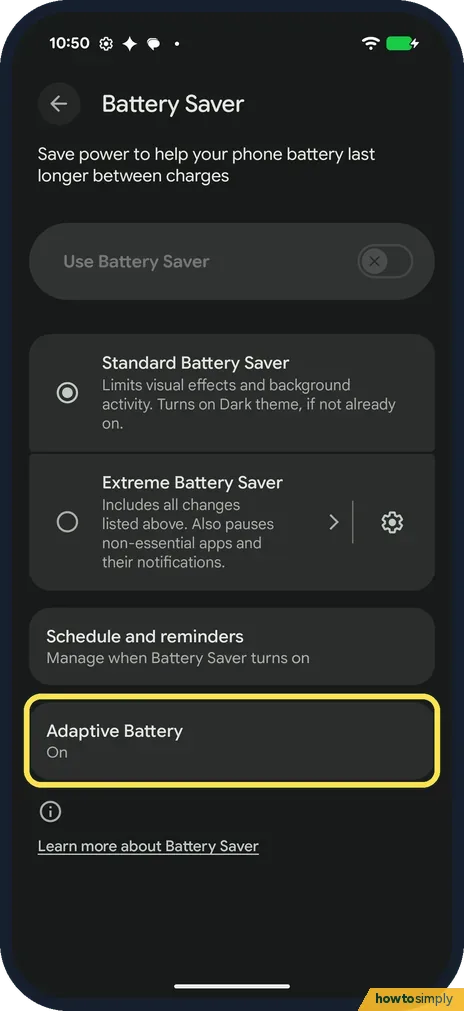
Tap Adaptive Battery
Adaptive Battery is the last row on the Battery Saver page, below Schedule and reminders. Ours said On. Tap it.
- 4
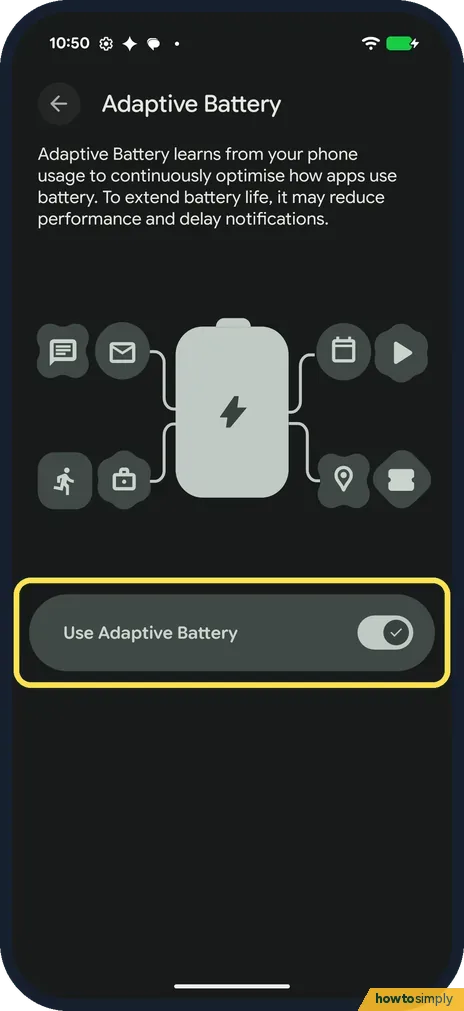
Use Adaptive Battery
The page says Adaptive Battery learns from your phone usage to continuously optimise how apps use battery, and may reduce performance and delay notifications. Use Adaptive Battery was on on ours.
- 5
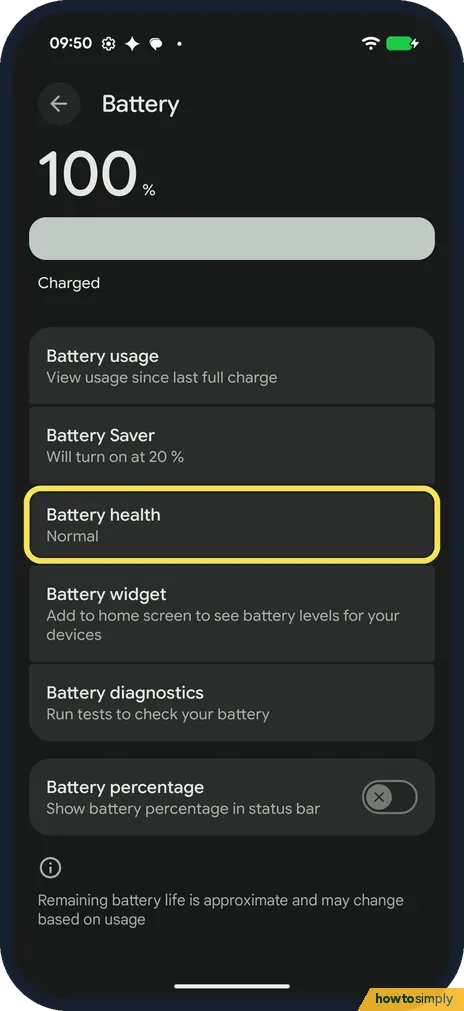
Tap Battery health
For Adaptive Charging, go back to the Battery page and tap Battery health, below Battery Saver. Ours said Normal.
- 6
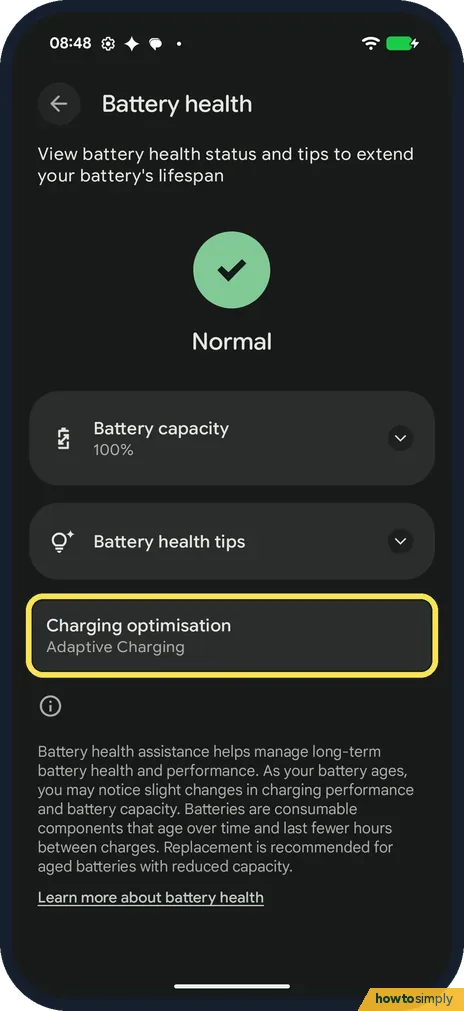
Tap Charging optimisation
Charging optimisation is below Battery health tips. Ours said Adaptive Charging. Tap it.
- 7
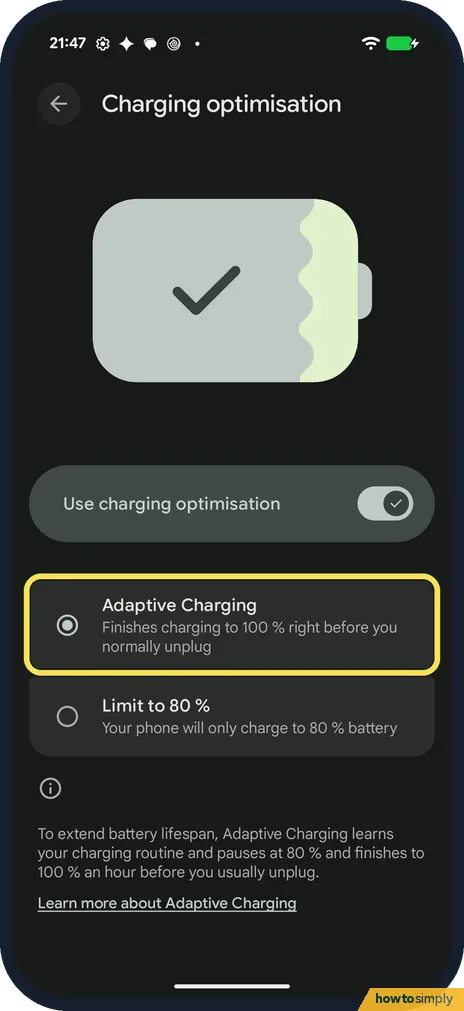
Adaptive Charging
With Use charging optimisation on, pick Adaptive Charging (finishes charging to 100 % right before you normally unplug) or Limit to 80 %. Adaptive Charging was selected on ours.
If you do not see this option
- Looking for Adaptive preferences? Our Pixel 10a with Android 17 has no Adaptive preferences row on the Battery page. Searching Settings for Adaptive Battery found Adaptive Battery and Use Adaptive Battery at the top.
- Different path in Google's help? Google's Pixel help gives Settings, Battery, Battery Saver, Adaptive Battery for Adaptive Battery, and Battery, Battery health, Charging optimisation for Adaptive Charging, as on ours. Sources: Keep Adaptive Battery & battery optimization on, Get the most life from your Pixel phone battery
If this does not work
- Notifications arrive late? Google says Adaptive Battery may reduce performance and delay notifications to save battery. See our guide on Pixel not getting notifications.
- Adaptive Charging didn't kick in? Google says it needs about 14 days to learn your charging habits, and may not turn on when they change, for example when you travel.
- Battery drains fast on a new phone? Google says that after setting up a new phone, optimisation may take a few weeks to take full effect, and to keep Adaptive Battery and battery optimisation on.
- Battery drains faster after an update? Google says higher battery drain after a software update is normal for a few days. Leave both settings on and give it time before you change anything.
Good to know
Google says both Adaptive Battery and battery optimisation are on by default. For each app, see battery use by app.
More on the same pages: Battery Saver, limit charging to 80% and battery health. Draining fast? What to check.
With Adaptive Charging, Google says the phone may finish charging to 100 % about an hour before you unplug. So in the middle of the night it can sit below full for a while; that is normal. Google also says you get a notification if an app drains the battery abnormally.
About this guide
- Device
- Android
- Shown on
- Google Pixel 10a, Android 17 (build CP3A.261005.005)
- App
- Settings
- Path
- Settings › Battery › Battery Saver › Adaptive Battery
- Real screenshots
- 7 of 7 steps
- What we did
- Observed: looked at each screen, changed nothing
- Checked
- October 2026
- Sources
- 2 official, linked below
Sources
Links checked October 2026. Menus and features can change with updates.Spotted a mistake? Menus change with updates, and we want every step to match your screen. Email us about this page or use the contact form. We read every report, and fixes are listed on What changed.
Liked this guide?
Follow us for new guides and short how-to videos.
Did this guide work for you?
Sorry about that. What happened?