ONEPLUS
Why Live Caption is greyed out on a OnePlus (OxygenOS 16)

In short
On our Nord 5 the Use Live Caption switch was greyed out with Update your software to enable this feature. It needs a software update first. Open Settings, Sound & vibration, Live Caption to see it.
5 of 5 steps show a real screenshot from our Nord 5. Each step was checked against the maker's own instructions, linked at the end.
Steps
- 1
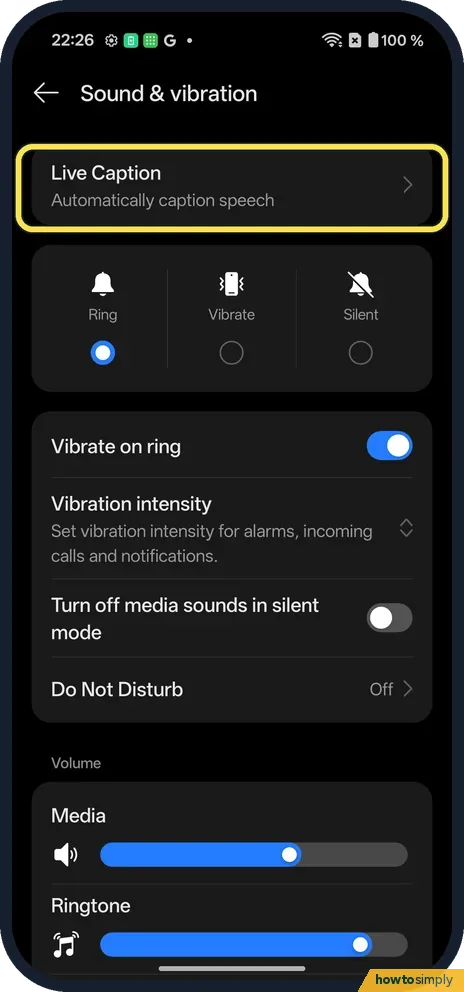
Open Live Caption
Open Settings, Sound & vibration. Live Caption is at the top.
- 2
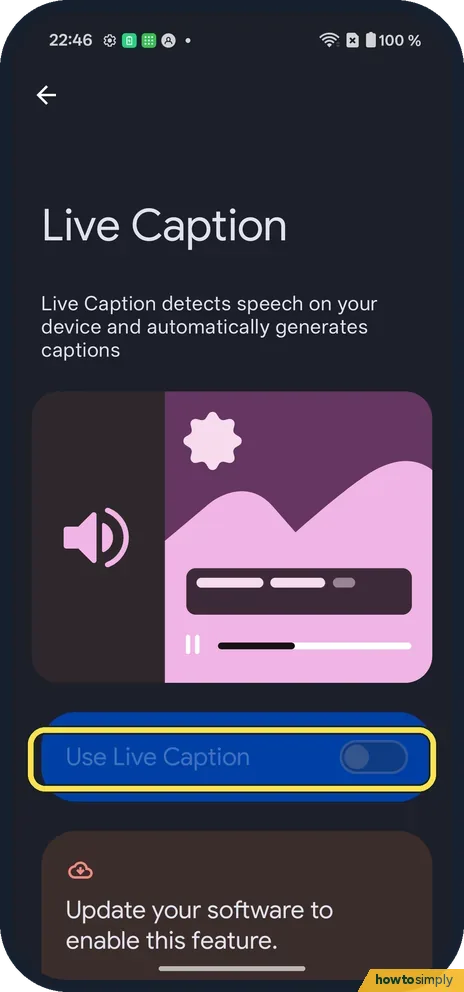
See the greyed switch
Use Live Caption could not be switched on.
- 3
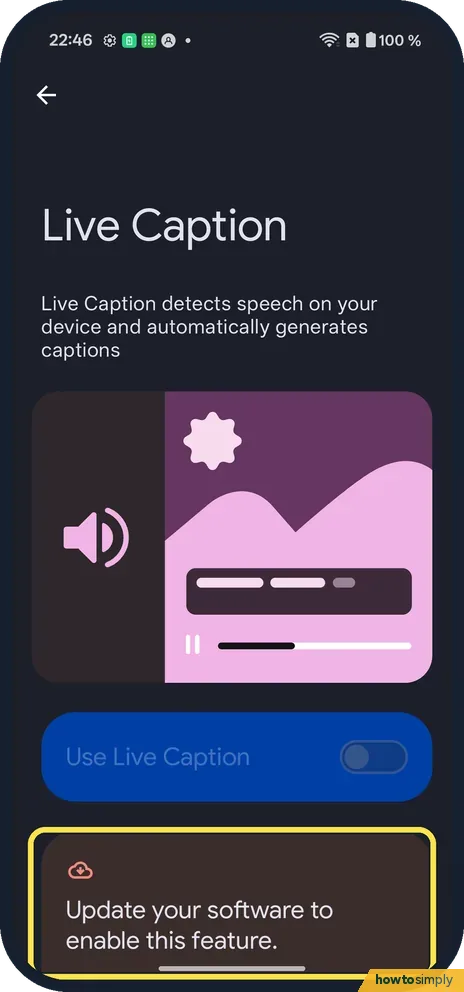
Read why
The card below says: Update your software to enable this feature. Then check for software updates.
- 4
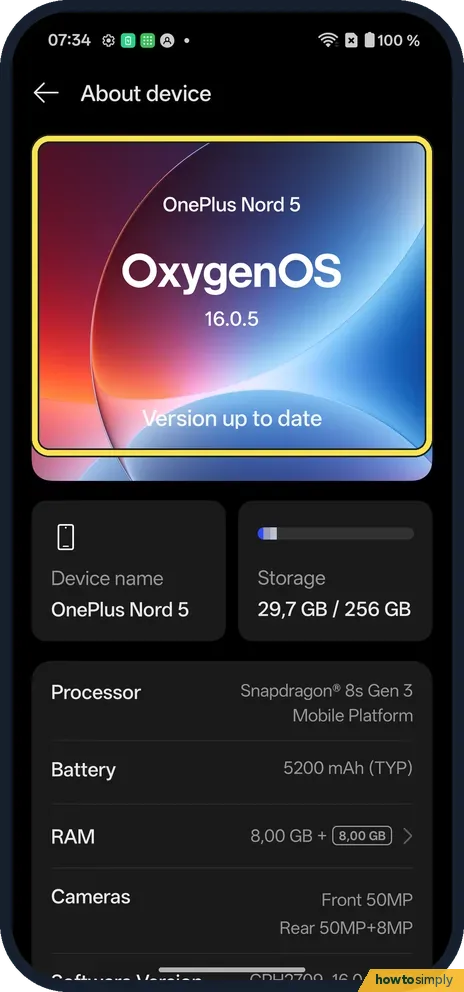
Open About device
Settings, About device. The OxygenOS card said Version up to date on ours; tap it.
- 5
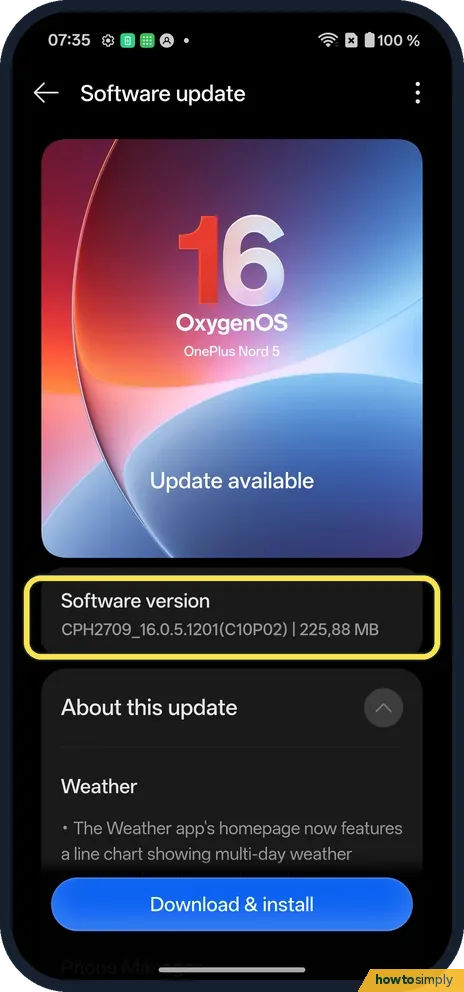
See if an update is offered
Software update checked again and offered CPH2709_16.0.5.1201(C10P02), 225.88 MB. We did not install it, so we can't say it fixes Live Caption.
If you do not see this option
- Not in Sound & vibration? Google says Live Caption is in Settings, Accessibility on many phones. Source: Live Caption: Caption media & calls on your device
- Older phone? Google says Live Caption needs Android 10 or later. Source: Live Caption: Caption media & calls on your device
If this does not work
- Says up to date? Tap the OxygenOS card anyway: ours said Version up to date, then found an update when it checked again.
- Captions in the wrong language? Google lists the languages Live Caption supports on its help page.
- Still greyed out after updating? Restart the phone, then open Live Caption again. Google also says the first time you use it you need Wi-Fi to download the default language pack, so connect to Wi-Fi before you try the switch.
- Switch works but no captions appear? Google says Live Caption does not caption music, and captions might be unavailable in some media and calling apps. Try a video with clear speech, such as a news clip, to check it is working.
- Captions vanish when the battery is low? Google says Live Caption turns off automatically in battery saver mode. Switch back to Balanced mode when you need captions: see power saving mode on a OnePlus.
- Live Caption missing entirely? Google's advice is to check with your phone's manufacturer, because not every phone includes it.
Good to know
Turn TalkBack on or off on a OnePlus.
Once it works, Google says you can touch and hold the caption box to drag it up or down, double-tap it to expand it from two lines to up to twelve, and change the caption size, style and colour in Caption preferences. Its settings also let you hide or show profanity and sound labels such as laughter and applause.
On privacy, Google states that all captions are processed locally, never stored and never leave your device, and that Live Caption does not use mobile data or an internet connection once the language pack is downloaded. It does use more battery while you are on calls or playing media, so switch it off when you do not need it.
About this guide
- Device
- Android
- Shown on
- OnePlus Nord 5 (CPH2709), OxygenOS 16.0.5.1201, Android 16
- App
- Settings
- Path
- Settings › Sound & vibration › Live Caption
- Real screenshots
- 5 of 5 steps
- Checked
- October 2026
- Sources
- 1 official, linked below
Sources
Links checked October 2026. Menus and features can change with updates.Spotted a mistake? Menus change with updates, and we want every step to match your screen. Email us about this page or use the contact form. We read every report, and fixes are listed on What changed.
Liked this guide?
Follow us for new guides and short how-to videos.
Did this guide work for you?
Sorry about that. What happened?