ANDROID
How to use the Smart Sidebar on a OnePlus (OxygenOS 16)

In short
Search Settings for Smart Sidebar and turn it on. Swipe in from the bar at the edge of the screen to open it: File Dock, Screenshot, Screen recording and your apps. Tap Edit to add or remove tools and apps, or drag an app out to open it in Split View.
6 of 6 steps show a real screenshot from our Nord 5. Each step was checked against the maker's own instructions, linked at the end.
Steps
- 1
Turn it on
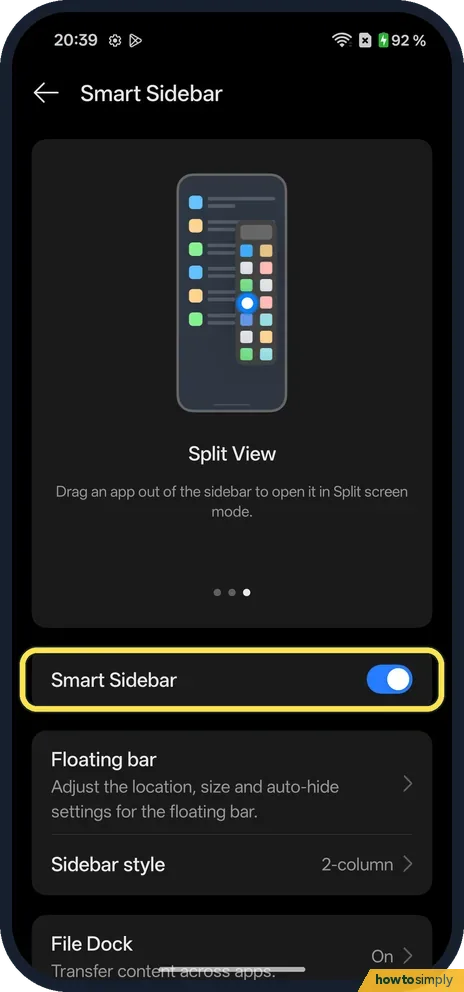
Search Settings for Smart Sidebar. Turn on Smart Sidebar. Ours had Floating bar, Sidebar style (2-column) and File Dock (On) below it.
- 2
Accept the notice
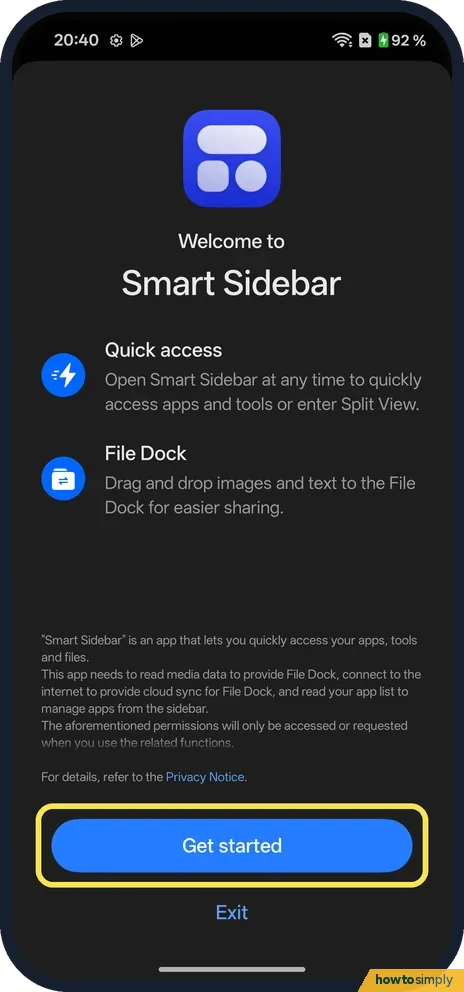
The first time you open it, Welcome to Smart Sidebar explains Quick access and File Dock and the permissions it uses. Tap Get started.
- 3
Open the sidebar
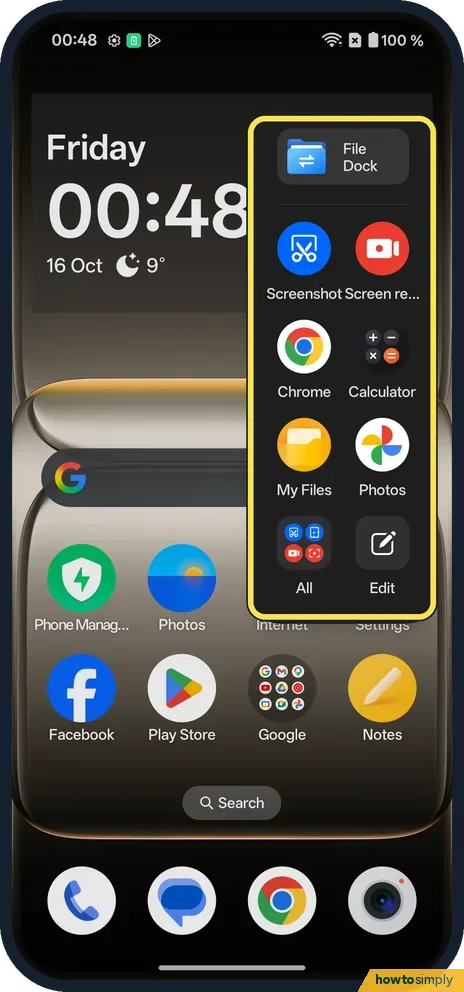
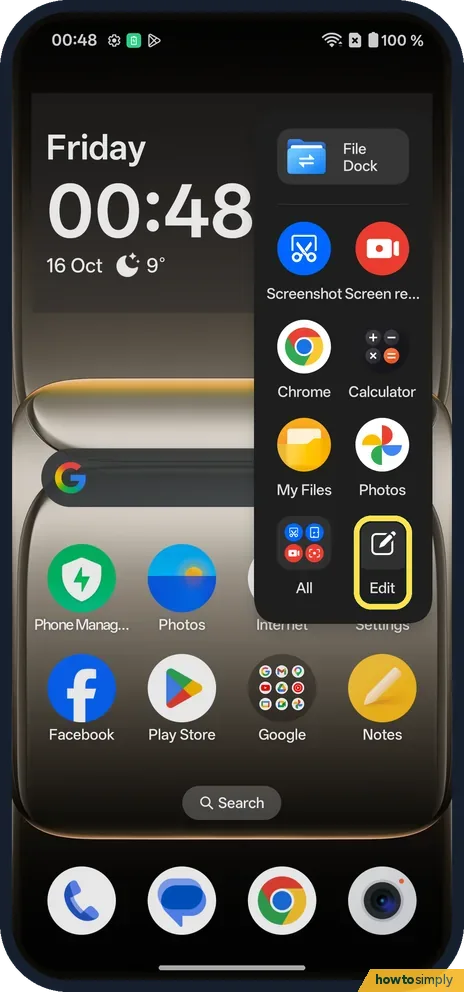
Swipe in from the floating bar at the edge of the screen. Ours showed File Dock, Screenshot, Screen recording, Chrome, Calculator, My Files, Photos, All and Edit.
- 4
Use it inside an app
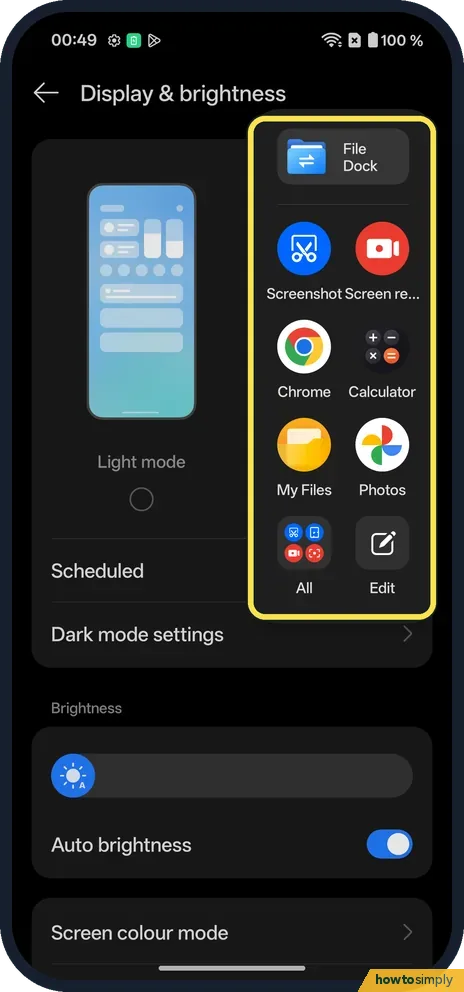
It opens the same way over an app, here the Display & brightness settings.
- 5
Tap Edit
Edit is the last button in the sidebar, next to All.
- 6
Add or remove tools and apps
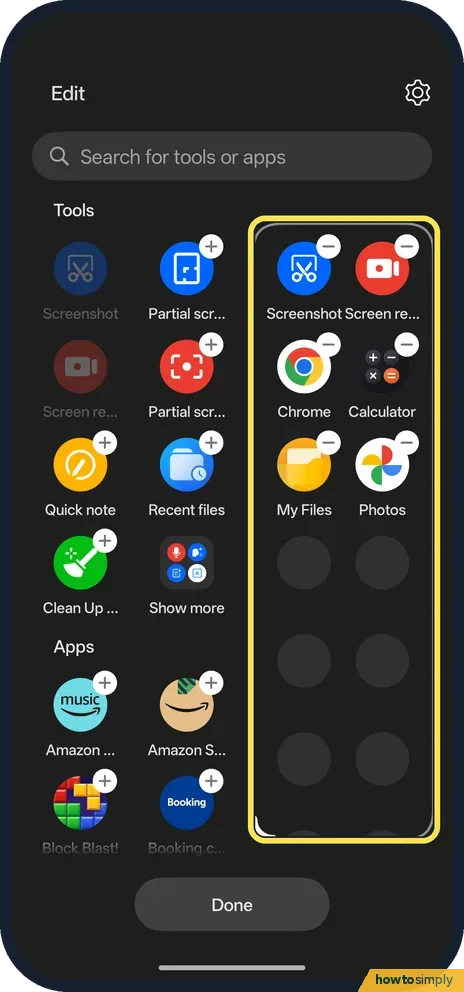
Tap + on a tool or app to add it, or the minus on one in the sidebar to remove it. Tap Done.
If you do not see this option
- Older OxygenOS? OnePlus's OxygenOS 14 manual turns it on under Settings, Special features, Smart Sidebar. Source: OxygenOS 14.0 User Manual
- All your apps? Tap All in the sidebar to see the rest of your apps. Sidebar style was 2-column on ours.
- Move or resize the bar? On the Smart Sidebar page, the Floating bar row says: Adjust the location, size and auto-hide settings for the floating bar.
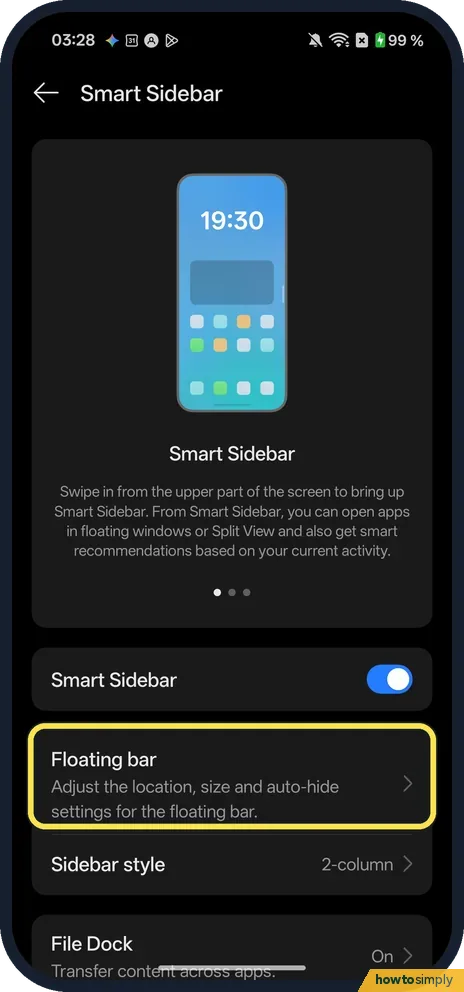
- Looking for Smart functions or Quick note? Our OxygenOS 16 Smart Sidebar page has Smart Sidebar, Floating bar, Sidebar style, File Dock and Show app names, and no rows by those names.
If this does not work
- Sidebar won't open? Check Smart Sidebar is on. The manual says the floating bar does not show while you play games.
- Bar in the way? The manual says to touch and hold the top of the sidebar and drag it, and to change the bar's transparency in the Smart Sidebar settings.
- Switched off after Exit? On ours, tapping Exit on the welcome notice turned Smart Sidebar off. Turn it on again and tap Get started.
- Not sure what File Dock is for? The manual describes it as a holding place: touch and hold text, an image or a file until it floats, drop it in File Dock, then open another app and drag it out to edit, save or share.
Good to know
Two apps at once: Split View and floating windows.
With Smart Sidebar on, the floating bar stays at the screen edge in every app except games, as the manual notes. It does not change how other apps work. To undo, switch Smart Sidebar off in Settings and the bar disappears.
The sidebar is also a quick way into multitasking, since you can drag an app out of it to open Split View. For more on that, see Split View and floating windows, or for screenshots from anywhere, take a screenshot or record the screen.
About this guide
- Device
- Android
- Shown on
- OnePlus Nord 5 (CPH2709), OxygenOS 16.0.5.1201, Android 16
- App
- Settings
- Path
- Settings › Smart Sidebar
- Real screenshots
- 6 of 6 steps
- Checked
- October 2026
- Sources
- 1 official, linked below
Sources
Links checked October 2026. Menus and features can change with updates.Spotted a mistake? Menus change with updates, and we want every step to match your screen. Email us about this page or use the contact form. We read every report, and fixes are listed on What changed.
Liked this guide?
Follow us for new guides and short how-to videos.
Did this guide work for you?
Sorry about that. What happened?