ONEPLUS
Why App pinning is greyed out on a OnePlus (OxygenOS 16)

In short
On OxygenOS 16, App pinning is greyed out while gesture navigation is on. Switch System navigation to Buttons, then turn App pinning on in Security and privacy, More security and privacy. To pin, open recent apps, tap the three dots above the app and tap Pin.
9 of 9 steps show a real screenshot from our Nord 5. Each step was checked against the maker's own instructions, linked at the end.
Steps
- 1
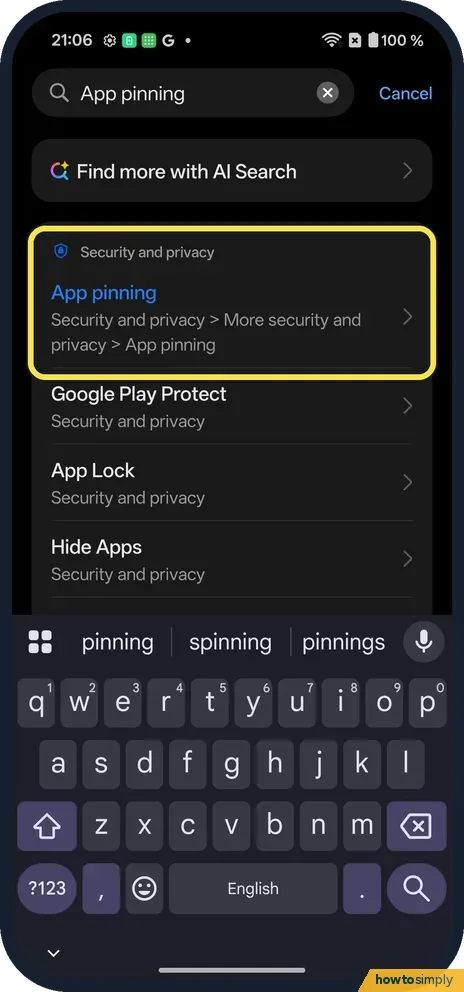
Find App pinning
Searching App pinning finds it under Security and privacy, More security and privacy.
- 2
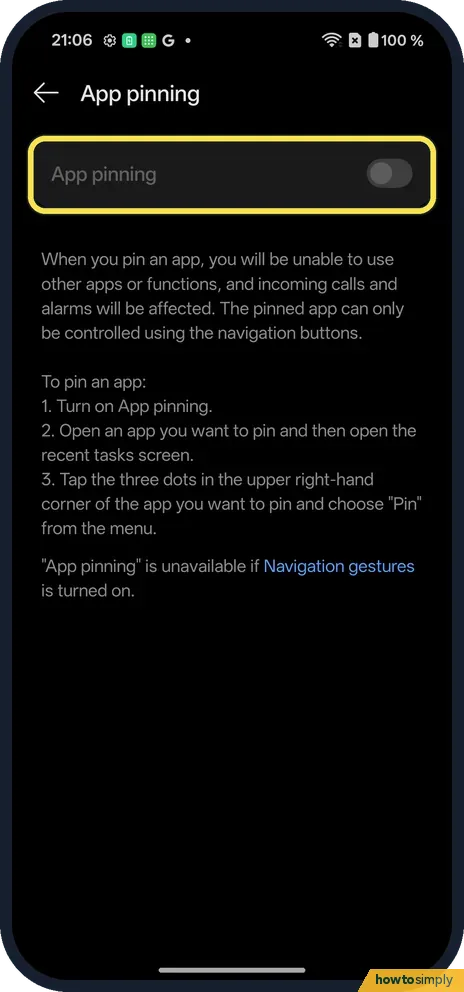
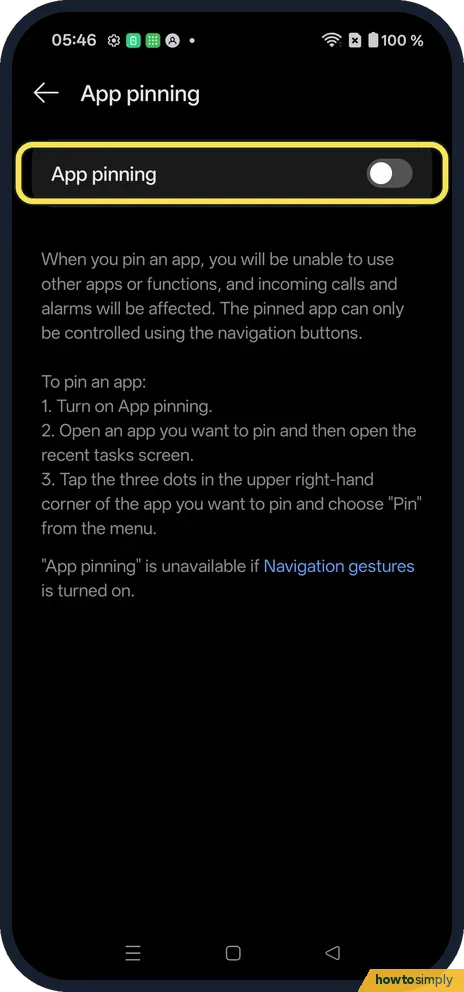
See the greyed-out switch
With gestures on, the App pinning switch cannot be turned on.
- 3
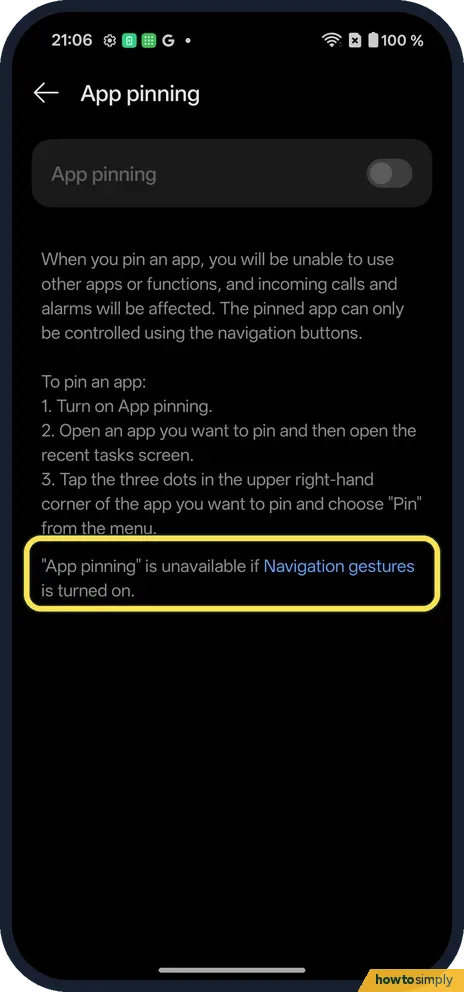
Read why
The page says App pinning is unavailable if Navigation gestures is turned on.
- 4
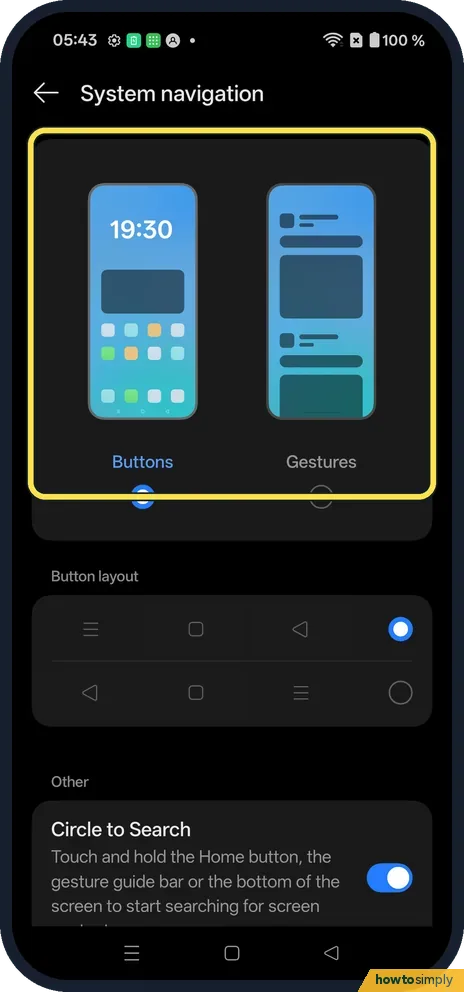
Switch to buttons
Open Settings, System & update, System navigation and pick Buttons.
- 5
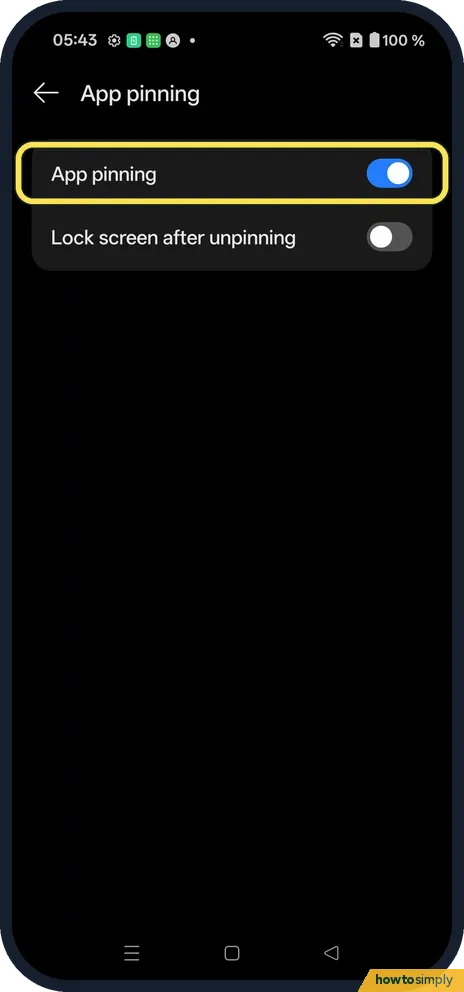
Turn App pinning on
Go back to App pinning. The switch now works. Lock screen after unpinning was off on ours.
- 6
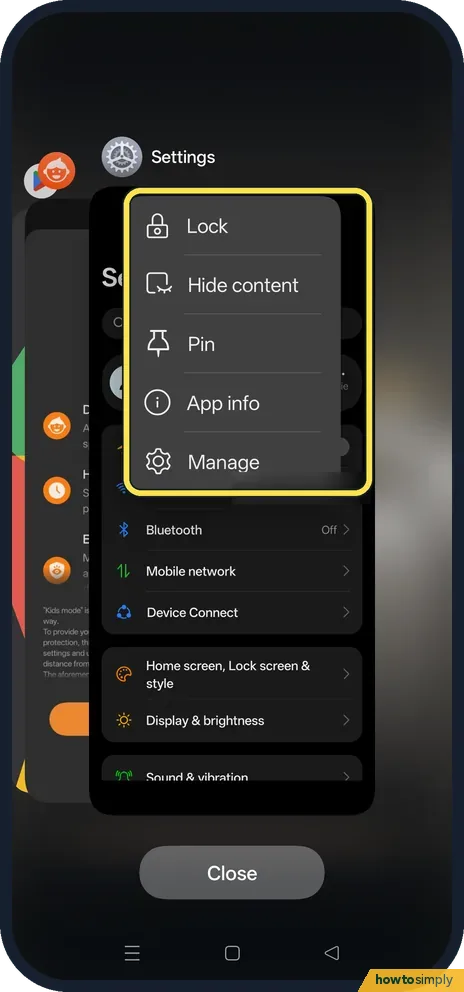
Pin an app
Open the app, then tap the recent apps button. Tap the three dots above the app and tap Pin.
- 7
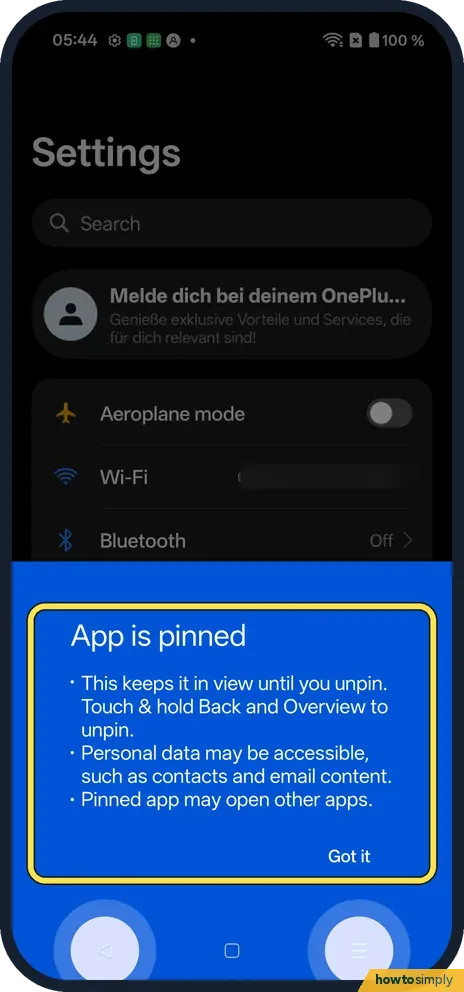
Read the message
App is pinned: it stays in view until you unpin it. Touch and hold Back and Overview to unpin. Tap Got it.
- 8
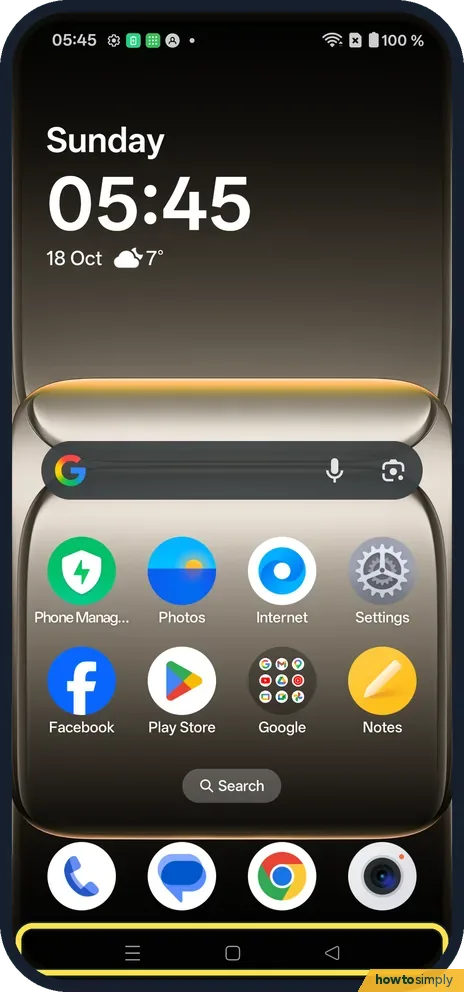
Unpin
Touch and hold Back and Overview together. Ours went to the Home screen.
- 9
Switch it off again
To go back to gestures, we turned App pinning off and switched System navigation to Gestures.
If you do not see this option
- Older OxygenOS? OnePlus's OxygenOS 14 manual says the same: App pinning works only with button navigation. Source: OxygenOS 14.0 User Manual
If this does not work
- Still greyed out with buttons? Go back and reopen the App pinning page after switching.
- Can't unpin? Touch and hold Back and Overview at the same time, for a second or two.
- Child unpinned it straight away? With Lock screen after unpinning off, as it was on ours, unpinning goes straight to the Home screen. Switch it on so the phone locks when the app is unpinned, and your screen lock is needed to get back in.
- Pin option missing from recent apps? Pin only appears once App pinning is switched on. If you switched it on, open the app first, then tap the recent apps button and the three dots above that app's card.
Good to know
Switch between gestures and buttons on a OnePlus.
Google describes pinning as letting someone use only that app while the screen is pinned. That makes it useful when you hand your phone to someone to show photos, play a game or make a call. Google also says that when app pinning is on, you may need to enter your PIN, pattern or password before you can unpin; on ours that depended on the Lock screen after unpinning switch.
Leaving App pinning switched on changes nothing until you pin an app, and has no effect on battery. If you prefer gestures, you can switch to buttons only when you need to pin, then switch back. Google lists the unpin action for each navigation style: touch and hold Back and Overview with three buttons, and Back and Home with two. For more control over what a child can do, see screen time and app timers.
About this guide
- Device
- Android
- Shown on
- OnePlus Nord 5 (CPH2709), OxygenOS 16.0.5.1201, Android 16
- App
- Settings
- Path
- Settings › Security and privacy › More security and privacy › App pinning
- Real screenshots
- 9 of 9 steps
- Checked
- October 2026
- Sources
- 2 official, linked below
Sources
Links checked October 2026. Menus and features can change with updates.Spotted a mistake? Menus change with updates, and we want every step to match your screen. Email us about this page or use the contact form. We read every report, and fixes are listed on What changed.
Liked this guide?
Follow us for new guides and short how-to videos.
Did this guide work for you?
Sorry about that. What happened?