ANDROID
How to check for software updates on a OnePlus (OxygenOS 16)

In short
Go to Settings, System & update, Software update. It shows Version up to date or offers the update. The menu at the top right has Auto update, Beta program and Local install. For the Google Play system update, go to Security and privacy, System and updates.
6 of 6 steps show a real screenshot from our Nord 5. Each step was checked against the maker's own instructions, linked at the end.
Steps
- 1
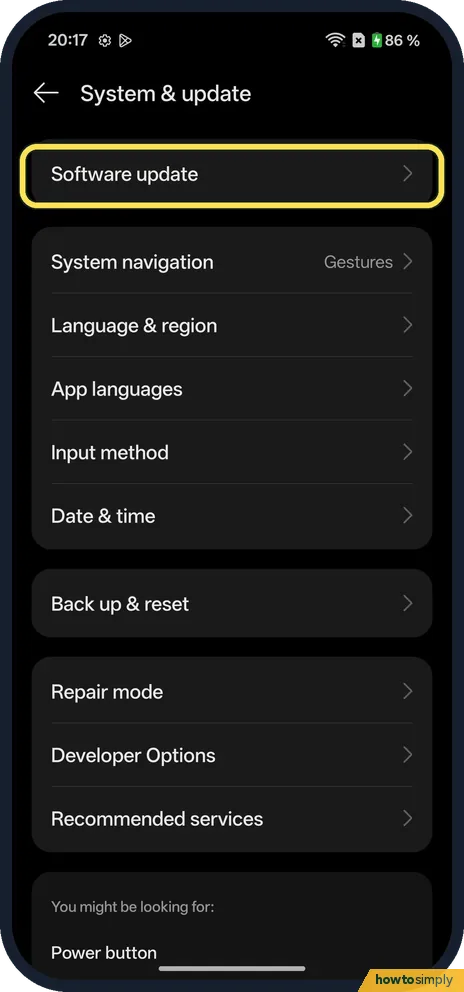
Open Software update
Go to Settings, System & update, and tap Software update.
- 2
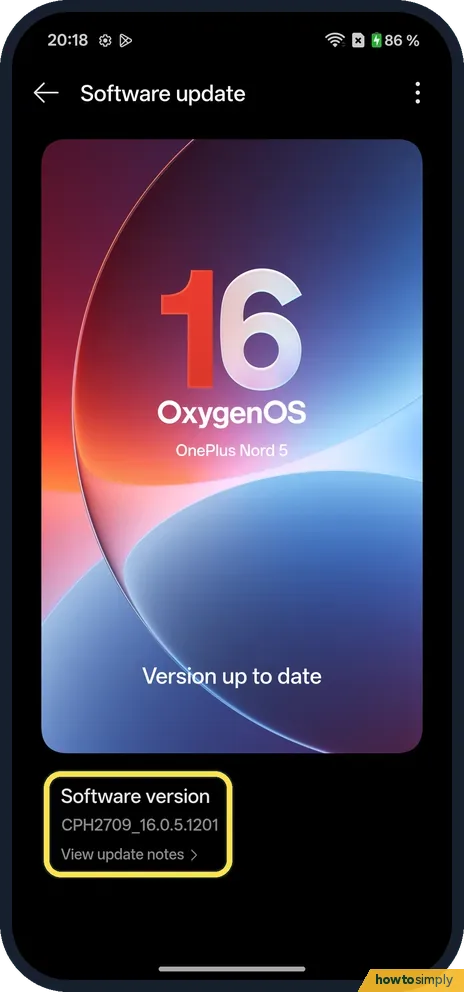
Check the version
Ours said Version up to date, with Software version CPH2709_16.0.5.1201. View update notes shows what changed.
- 3
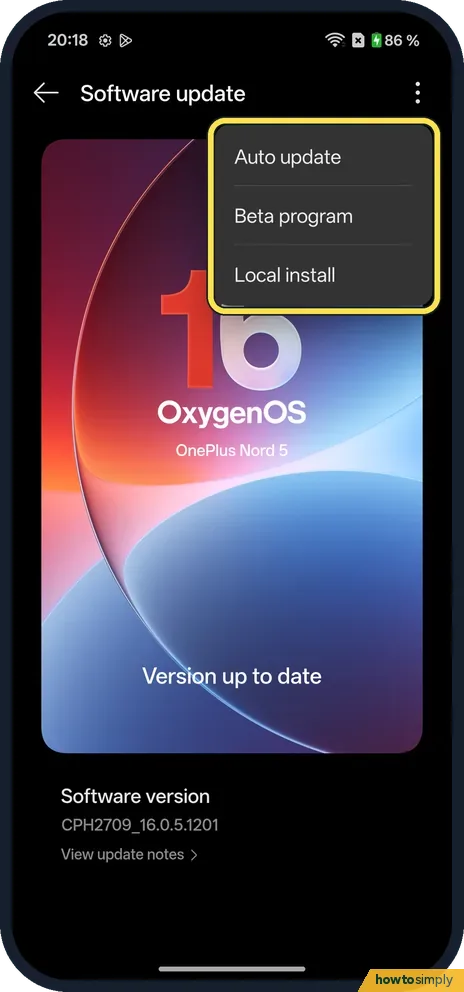
Auto update and more
Tap the three dots at the top right: Auto update, Beta program and Local install.
- 4
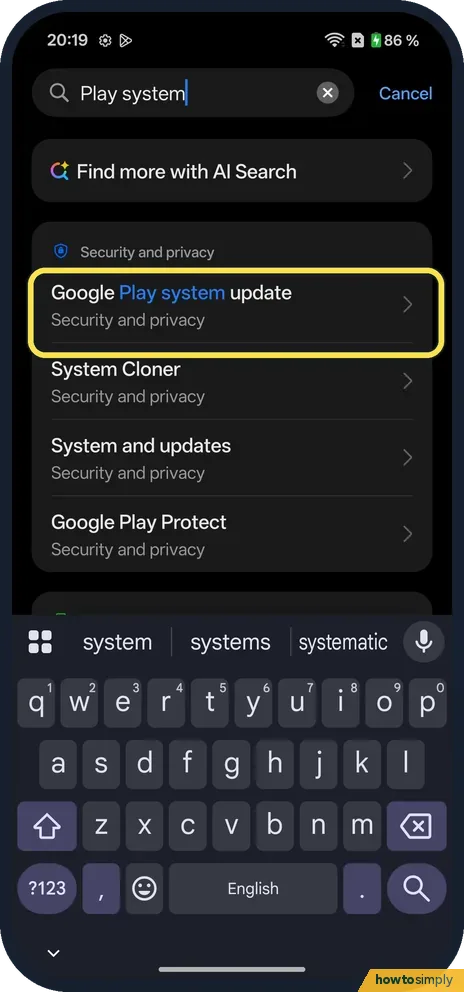
Find the Google Play system update
Search Settings for Play system. Google Play system update is under Security and privacy.
- 5
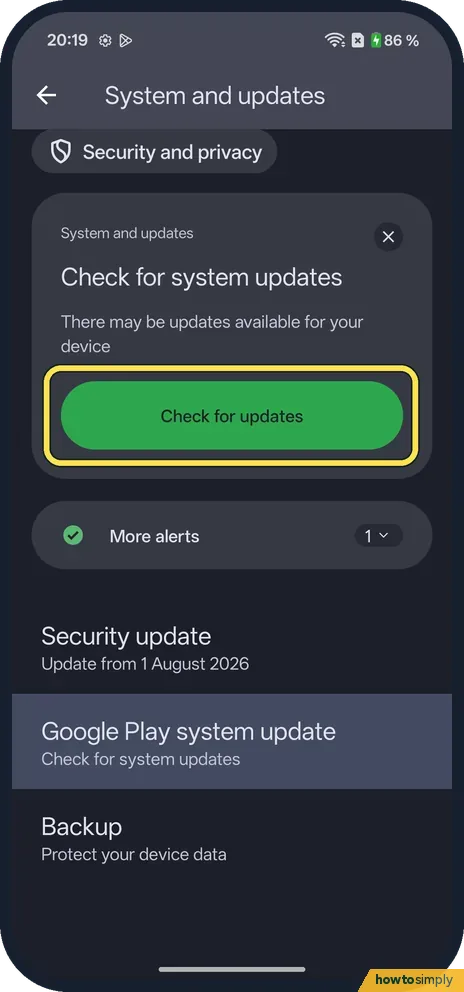
Check for system updates
Tap Google Play system update. On ours the System and updates page showed a Check for system updates card. Tap Check for updates.
- 6
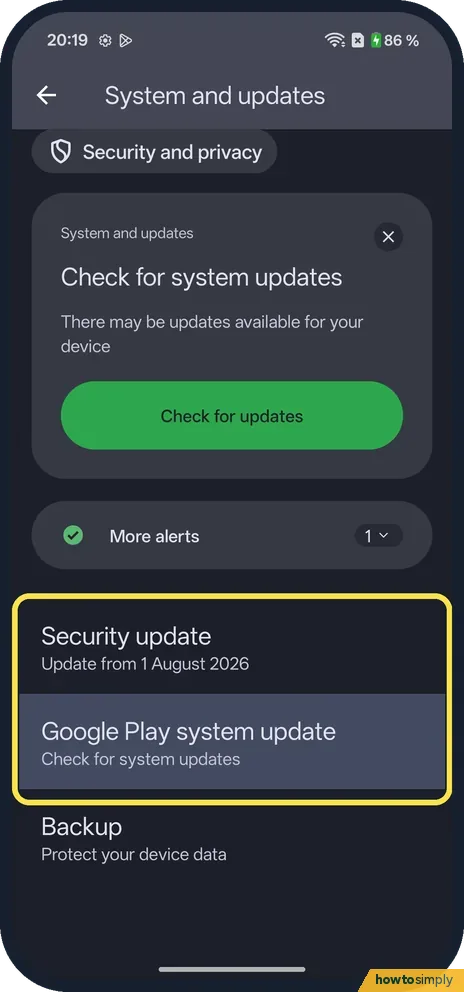
See the dates
Below, Security update said Update from 1 August 2026, and Google Play system update said Check for system updates.
If you do not see this option
- Shortcut from About device? OnePlus's manual says to tap the version at the top of About device. Ours showed Version up to date on that card. Source: OxygenOS 14.0 User Manual
- Beta program? It is in the three-dot menu. Beta software can have bugs; leave it if you rely on the phone.
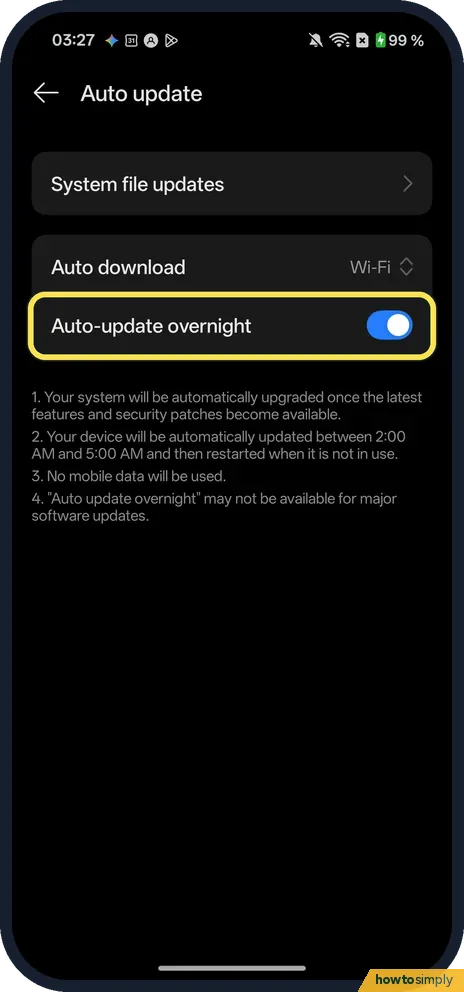
- Where is Auto update? Tap the three dots in Software update, then Auto update. Ours had Auto download (Wi-Fi) and Auto-update overnight (on). Its notes say the phone is updated between 2:00 AM and 5:00 AM and then restarted when it is not in use, that no mobile data is used, and that Auto-update overnight may not be available for major software updates.
If this does not work
- No update offered? Google says updates come in stages and may take some time to reach your phone.
- Update fails? OnePlus's manual recommends Wi-Fi for the download, and not to press the Power button during the update.
- Not enough storage to install? If the phone says there is not enough space, Google's advice is to free up storage. Then check again.
- Download stopped part-way? Google says the phone retries over the next few days and sends a notification when it does. Open the notification and tap the update action.
- Phone warm during the update? The OnePlus manual says it is normal for the phone to heat up slightly and that it cools quickly once the update is done.
- Big update did not install overnight? The manual notes that the overnight automatic update does not cover major software updates; you install those yourself from Software update.
Good to know
Turn on developer settings: Developer options.
Auto update, in the three-dot menu, lets the phone update by itself. Many Android phones restart by themselves while they install an update, Google notes. Updates cannot normally be undone, so back up first before a major version. If an update fails, the manual recommends backing up your data and contacting an official service centre.
Google says most system updates and security patches install automatically. To see the exact patch date, see check the security patch level.
On 1 November 2026 our Nord 5 showed a Software update card at the top of Settings, saying Update your system to enjoy new features, and System and updates under Security and privacy said Update available. We did not install it, so the screenshots still show OxygenOS 16.0.5.1201.
About this guide
- Device
- Android
- Shown on
- OnePlus Nord 5 (CPH2709), OxygenOS 16.0.5.1201, Android 16
- App
- Settings
- Path
- Settings › System & update › Software update
- Real screenshots
- 6 of 6 steps
- Checked
- October 2026
- Sources
- 2 official, linked below
Sources
Links checked October 2026. Menus and features can change with updates.Spotted a mistake? Menus change with updates, and we want every step to match your screen. Email us about this page or use the contact form. We read every report, and fixes are listed on What changed.
Liked this guide?
Follow us for new guides and short how-to videos.
Did this guide work for you?
Sorry about that. What happened?