ONEPLUS
How to make an app folder on a OnePlus (OxygenOS 16)

In short
Touch and hold an app on the home screen and drop it on another app. A folder appears with a name chosen for you (ours was Tools). Open it and tap the name to rename it. Drag the apps back out to get rid of it.
6 of 6 steps show a real screenshot from our Nord 5. Each step was checked against the maker's own instructions, linked at the end.
Steps
- 1
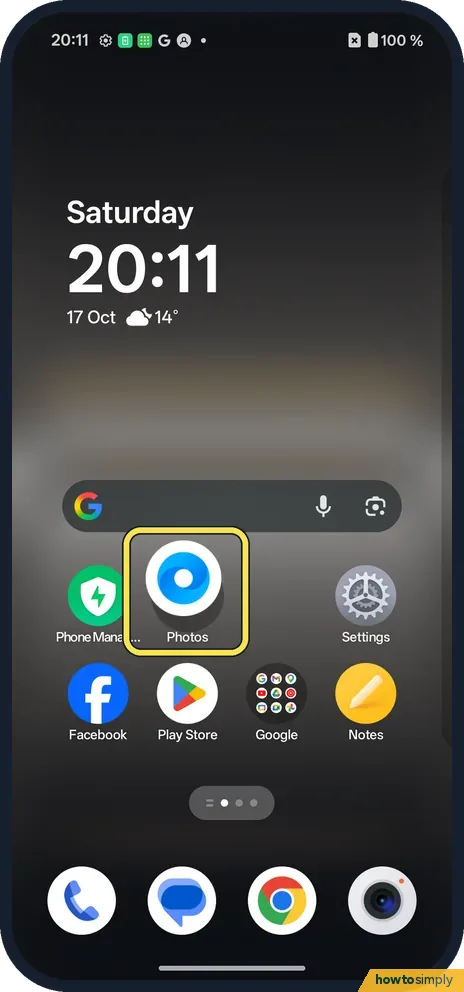
Drag one app onto another
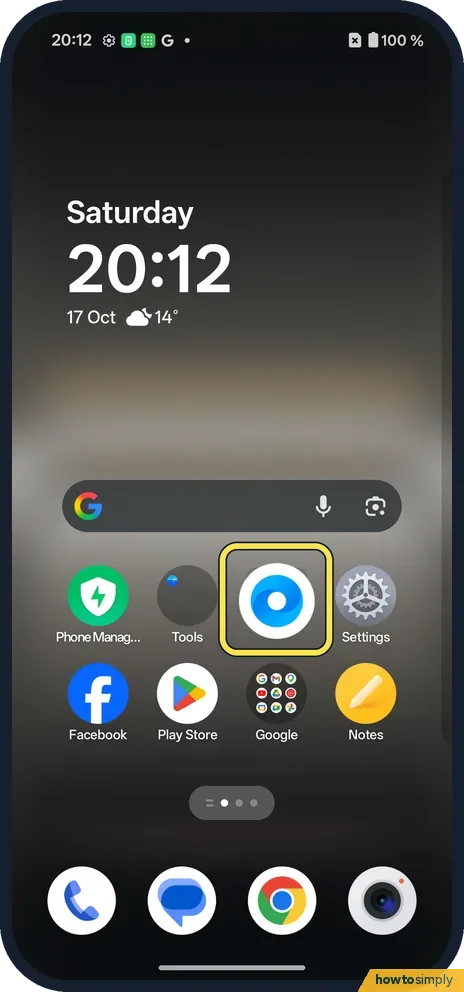
Touch and hold an icon and drag it on top of another. We dragged Internet onto Photos.
- 2
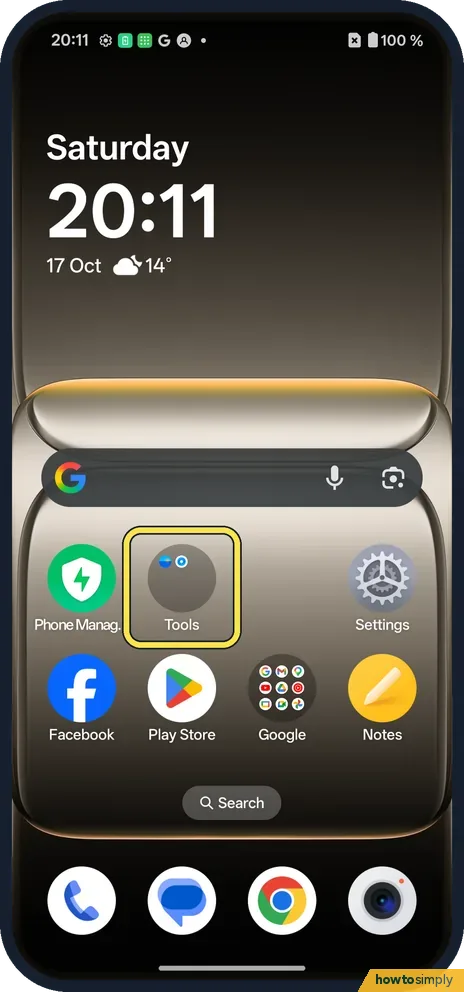
A folder appears
The two apps became one folder named Tools.
- 3
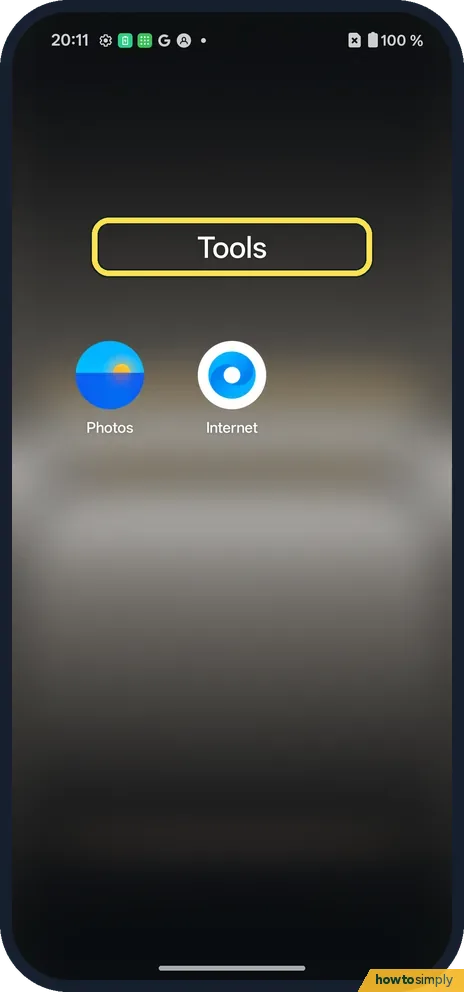
Open it
Tap the Tools folder. Its name sits above the apps.
- 4
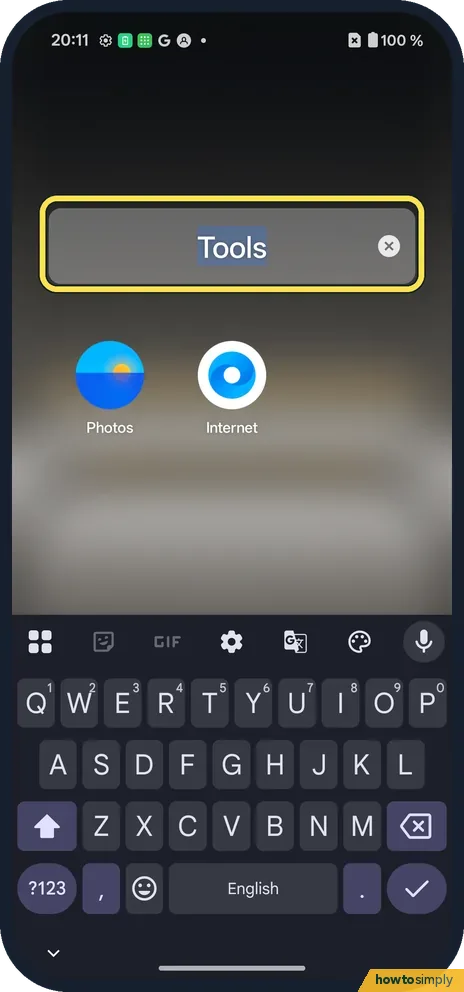
Rename it
Tap the name to type a new one; the x clears it.
- 5
To undo: drag the apps out
Drag an app out of the open folder back to the home screen.
- 6
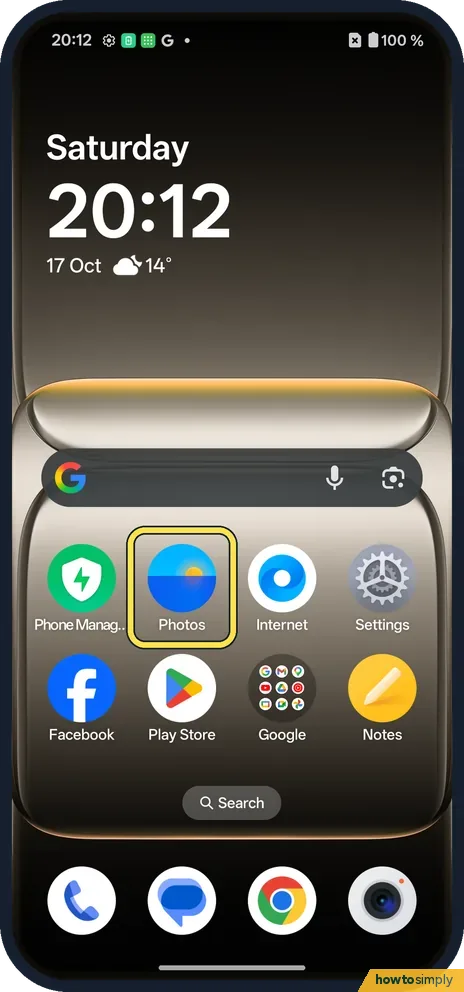
The folder disappears
With one app left, the folder turned back into the plain Photos icon.
If you do not see this option
- Several apps at once? OnePlus's manual says to select apps in Editing mode and tap Create folder. Our edit view showed Create folder at the bottom after selecting an icon. Source: OxygenOS 14.0 User Manual
- Older OxygenOS? The OxygenOS 14 manual also mentions touching and holding a folder and tapping Remove folder. Source: OxygenOS 14.0 User Manual
If this does not work
- The icon moved instead? Hold it right over the other icon until the folder outline appears, then let go.
- App drawer? Folders here are on the home screen. Change the mode in home screen layout.
- Two folders became one? OnePlus's manual says dragging a folder onto another folder and holding it merges them. Drag the apps you want to separate out of the folder, then group them again.
- Folder name changed by itself? The phone picks a name when the folder is made, like Tools on ours. Once you type your own name, it stays until you change it.
- Folder will not take another app? Drag the app right over the folder and hold it there for a moment before letting go. OnePlus's manual says you can drop more apps into a folder after it is made.
Good to know
Move or remove an app on a OnePlus.
A folder only groups icons. The apps inside work exactly as before, keep their data and notifications, and still appear in search and in the app list. A folder can also make the home screen look tidier and leave room for a widget. To undo, either drag the apps out one by one, as we did, or use Remove folder from the folder's touch and hold menu if your phone shows it.
If icons keep moving into folders by accident, it can help to stop the home screen being edited. See lock the home screen layout on a OnePlus.
About this guide
- Device
- Android
- Shown on
- OnePlus Nord 5 (CPH2709), OxygenOS 16.0.5.1201, Android 16
- App
- Home screen
- Path
- Home screen › Drag an app onto another
- Real screenshots
- 6 of 6 steps
- Checked
- October 2026
- Sources
- 2 official, linked below
Sources
Links checked October 2026. Menus and features can change with updates.Spotted a mistake? Menus change with updates, and we want every step to match your screen. Email us about this page or use the contact form. We read every report, and fixes are listed on What changed.
Liked this guide?
Follow us for new guides and short how-to videos.
Did this guide work for you?
Sorry about that. What happened?