
howtosimply.com/guides/samsung-galaxy-says-no-service-6-fixes/ · Checked October 2026 · Samsung Galaxy A57 5G (SM-A576B), One UI 8.5, Android 16
In this guide
Turn Airplane mode on and off, then open Settings, Connections, Mobile networks. Set Network mode to 5G or 4G preferred, tap Network operators and switch on Select automatically, and switch SIM 1 off and on in SIM manager. If that fails, reset mobile network settings.
5 of 6 steps with real screenshots · 1 official source below
- Device
- Android
- Shown on
- Samsung Galaxy A57 5G (SM-A576B), One UI 8.5, Android 16
- Starts in
- Quick Settings
- Real screenshots
- 5 of 6 steps
- What we did
- Observed: looked at each screen, changed nothing
- Our phone
- Shown on Galaxy A57, One UI 8.5
- Checked
- October 2026
- Sources
- 1 official, linked below
Step by step
Turn Airplane mode on and off
Swipe down from the top right and tap Airplane mode (called Flight mode on some phones), wait a few seconds and tap it again. The phone then searches for a network from scratch.
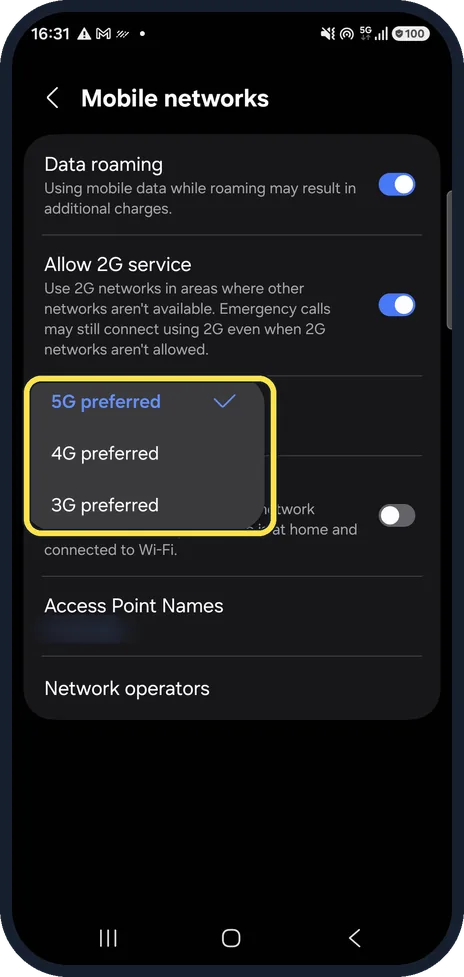
Check the network mode
Settings, Connections, Mobile networks, Network mode. If it is set to an old mode, such as 3G preferred where the carrier has switched 3G off, the phone finds no network. Ours was on 5G preferred.
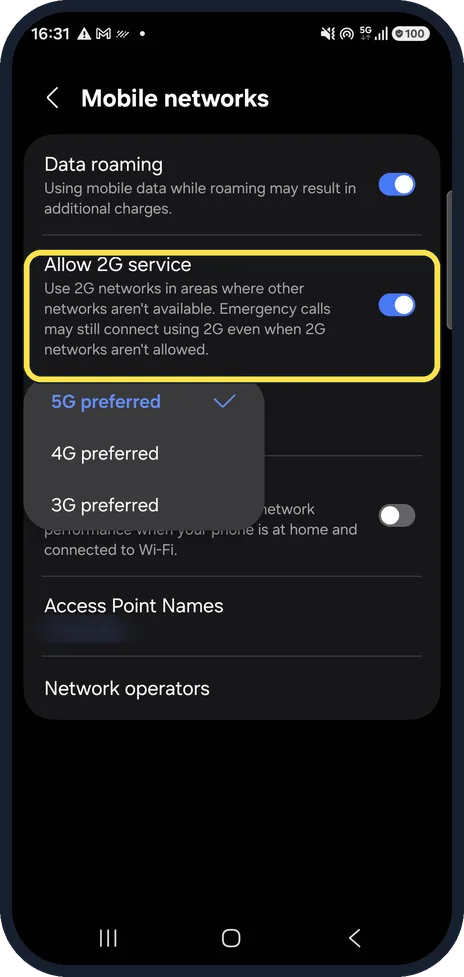
Leave Allow 2G service on
On the same page, Allow 2G service lets the phone fall back to 2G where nothing faster reaches. It was on on our phone.
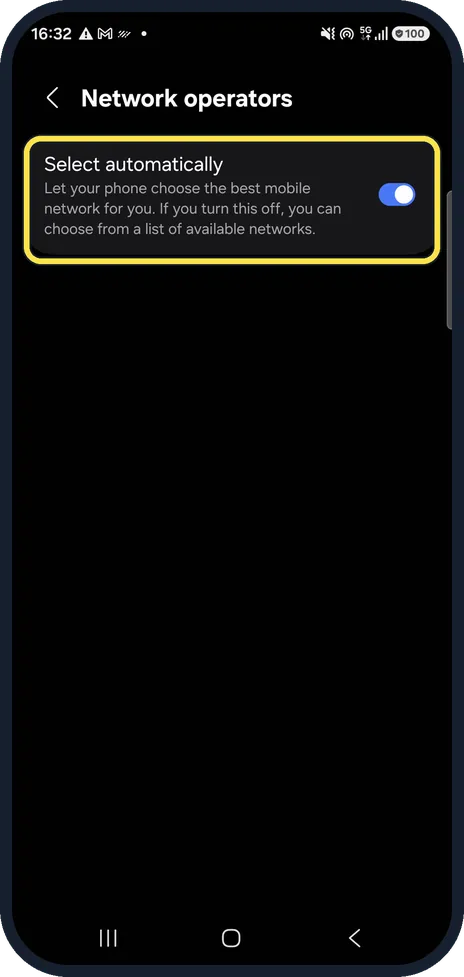
Let the phone pick the network
Mobile networks, Network operators. Switch on Select automatically. A network picked by hand, for example abroad, stays fixed even where it has no signal.
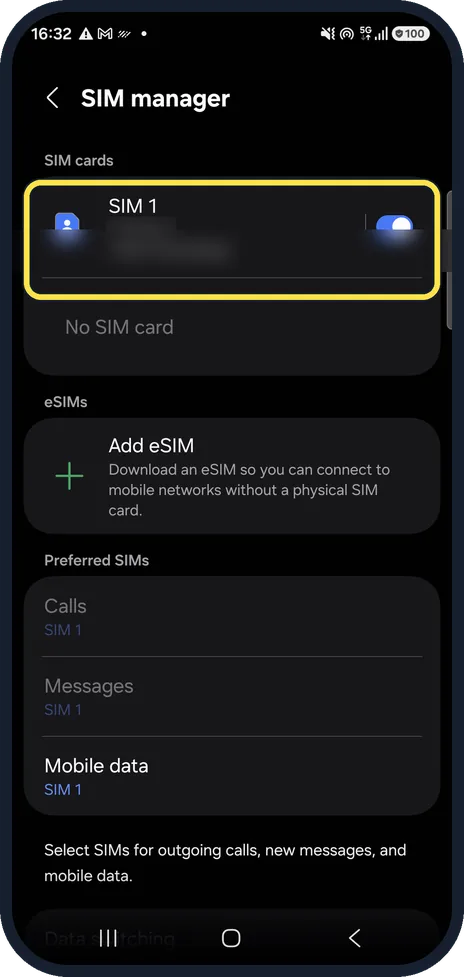
Switch the SIM off and on
Settings, Connections, SIM manager. Tap the switch next to SIM 1 off, then on again. If the SIM is not listed at all, take it out, check it for damage and put it back.
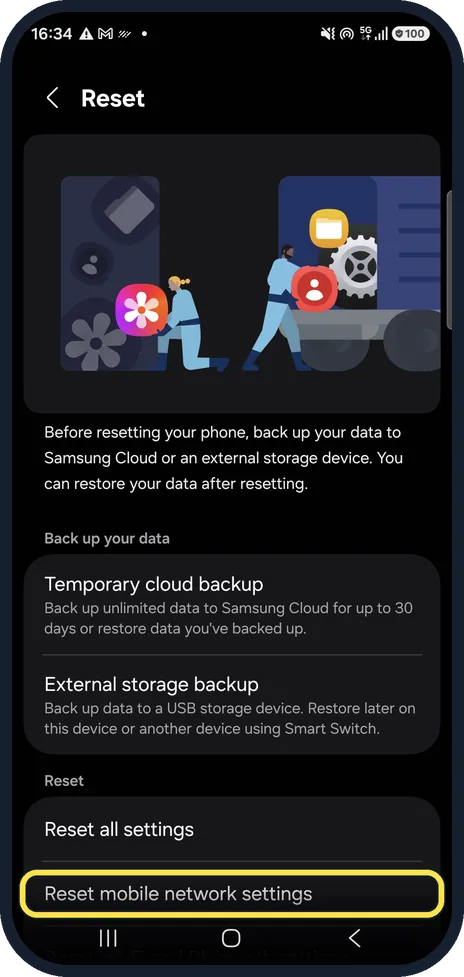
Reset mobile network settings
Settings, General management, Reset, Reset mobile network settings. This puts the mobile network settings back to their defaults.
If you do not see this option
- There is no Select automatically Samsung says Select automatically under Network operators may not be supported by every carrier. Source: Samsung phone has poor signal & cannot use data or make calls
- Your phone uses an eSIM Samsung says to reset the SIM in SIM manager by switching it off and on. For a physical SIM, also check it is inserted correctly and not damaged. Source: Samsung phone has poor signal & cannot use data or make calls
If this does not work
- Signal is weak rather than gone Samsung suggests moving away from tall buildings and parking garages, or near a window indoors, and taking off third-party cases or anything plugged into the USB port, which can block the antenna. Source: Samsung phone has poor signal & cannot use data or make calls
- Still no service after all of this Samsung says to check your account is active, that you have not reached a usage limit, and to ask the provider about outages and coverage. Testing with another active SIM shows whether the SIM is the problem. Source: Samsung phone has poor signal & cannot use data or make calls
About this guide
"No service" means the phone is not registered on any mobile network. Before blaming the SIM or the phone, check the network settings: a fixed network or the wrong network mode often causes it after travel or a SIM swap.
Our carrier, phone number and access point name are blurred.
Good to know
Data not working while calls are fine? Samsung Galaxy mobile data not working? 7 fixes.
If the SIM works in another phone and none of the steps help, ask your carrier whether your line is active and your area has an outage, then have the phone checked.
In short: Airplane mode on and off, a network mode your carrier supports, Select automatically on, SIM 1 off and on, reset mobile network settings.
Links checked in October 2026. Menus and features can change after software updates. These steps match the version named at the top.
📷 See real photos from the Galaxy A57 in our Camera Lab, next to 10 other phones.
Did this guide work for you?
Sorry about that. What happened?