
What changed: rewritten for One UI 8.5 with our own screenshots. Network reset is now two resets: Wi-Fi and Bluetooth, and mobile.
howtosimply.com/guides/how-to-reset-network-settings-on-a-samsung-galaxy-phone/ · Checked October 2026 · Samsung Galaxy A57 5G (SM-A576B), One UI 8.5, Android 16
In this guide
Open Settings, General management, Reset. One UI 8.5 has two network resets: Reset Wi-Fi and Bluetooth settings, and Reset mobile network settings. Tap the one that fits the problem, then Reset settings, and confirm with your PIN, pattern or password. The Wi-Fi and Bluetooth reset can't be undone.
4 of 6 steps with real screenshots · 1 official source below
- Device
- Android
- Shown on
- Samsung Galaxy A57 5G (SM-A576B), One UI 8.5, Android 16
- App
- Settings
- Path
- Settings › General management › Reset
- Real screenshots
- 4 of 6 steps
- Checked
- October 2026
- Sources
- 1 official, linked below
Step by step
Open General management
Open Settings, scroll down and tap General management.
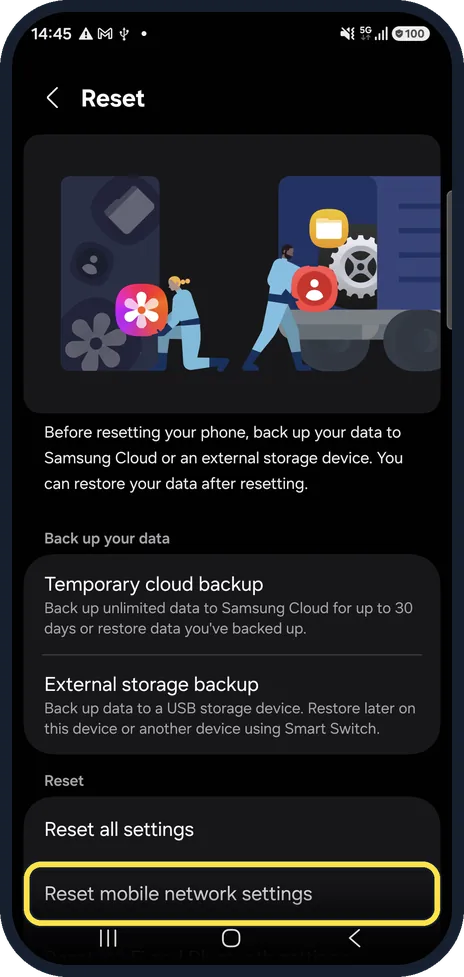
Tap Reset and pick the network reset
On our phone, the Reset page shows the backup options first. Under Reset are Reset all settings and Reset mobile network settings; scroll down for Reset Wi-Fi and Bluetooth settings.
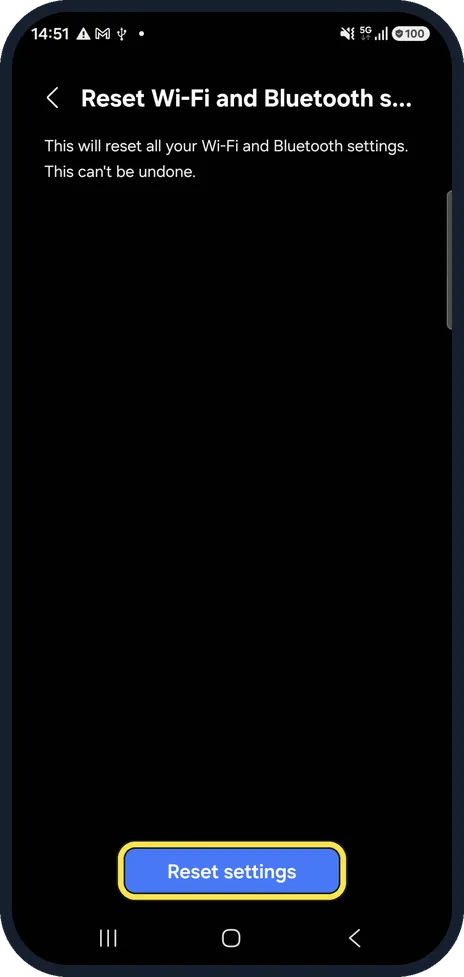
Wi-Fi or Bluetooth problem
Tap Reset Wi-Fi and Bluetooth settings. It resets all Wi-Fi and Bluetooth settings and cannot be undone. Tap Reset settings to continue.
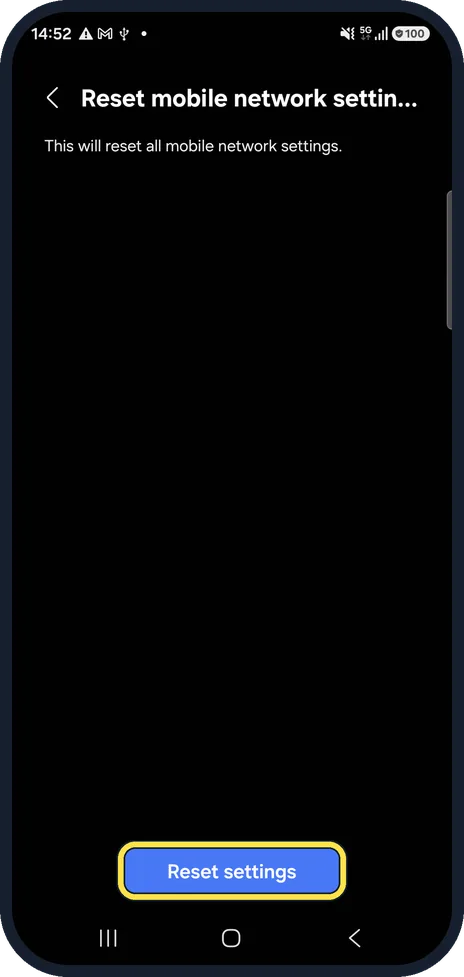
Mobile data or calls problem
Tap Reset mobile network settings instead. It resets all mobile network settings. Tap Reset settings to continue.
Confirm
Enter your PIN, pattern or password if asked, and confirm.
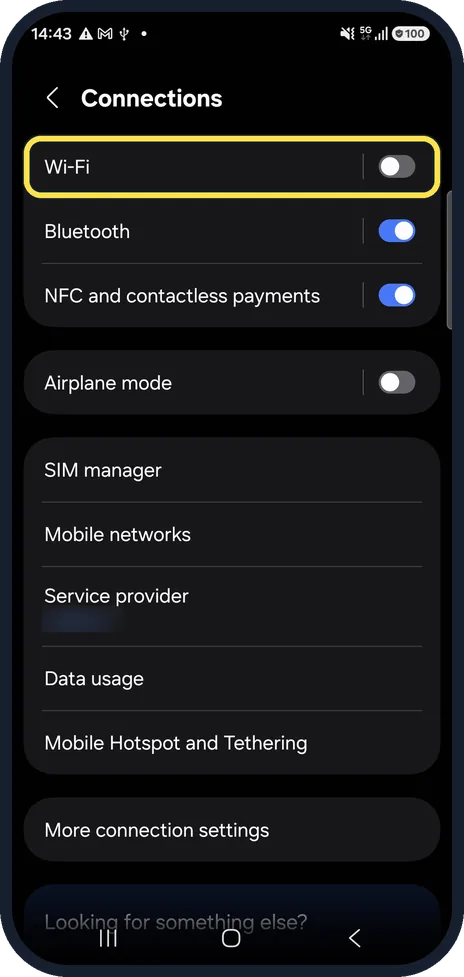
Reconnect
Open Settings, Connections, Wi-Fi and join your network again with its password. Pair Bluetooth devices again under Bluetooth.
What changed: rewritten for One UI 8.5 with our own screenshots. Network reset is now two resets: Wi-Fi and Bluetooth, and mobile.
If you do not see this option
- Your Galaxy runs an older One UI. Before One UI 8.5 there was one entry for all networks: Settings, General management, Reset, Reset network settings.
- The reset you need has another name Samsung notes that screens and settings vary by carrier, software version and model. The Wi-Fi and Bluetooth reset is for those connections; the mobile network reset is for calls and messaging. Source: How to reset your Samsung Galaxy with 5 different methods
If this does not work
- No mobile signal after the mobile reset Samsung says you may need to contact your mobile provider to connect to the mobile network again. Source: How to reset your Samsung Galaxy with 5 different methods
- The problem is still there Samsung suggests Reset all settings next: it puts every setting back to its default but keeps apps and personal data, passwords included. A factory data reset erases everything, so back up first. Source: How to reset your Samsung Galaxy with 5 different methods
About this guide
A network reset is the step to try when Wi-Fi, Bluetooth or mobile data keeps failing after a restart. It does not wipe the phone, but it does forget saved networks and paired devices, so have your Wi-Fi password ready.
Other Galaxy phones on One UI 8.5 should use the same menus; on older One UI versions names and positions can differ.
Good to know
Older Samsung pages mention a single Reset network settings option. On One UI 8.5 it is split into the two options above.
After Reset mobile network settings, your carrier may need to send settings again; contact them if mobile data still fails.
Mobile data trouble first: Samsung Galaxy mobile data not working? 7 fixes.
In short: Settings, General management, Reset, then Reset Wi-Fi and Bluetooth settings or Reset mobile network settings, Reset settings, confirm.
Links checked in October 2026. Back up anything you want to keep before you reset or delete. Menus can change after software updates.
📷 See real photos from the Galaxy A57 in our Camera Lab, next to 10 other phones.
Did this guide work for you?
Sorry about that. What happened?