XIAOMI REDMI
How to turn on Find device on a Xiaomi phone (HyperOS 3)
Go to Settings, Xiaomi Account, Xiaomi Cloud, Find device, and turn on the switch. Turning it on sends a paid text message from your SIM to activate it. Google's Find Hub works too, once its app is installed.

4 of 4 steps show a real screenshot from our Redmi Note 15 Pro 5G. Each step was checked against the maker's own instructions, linked at the end.
Steps
- 1
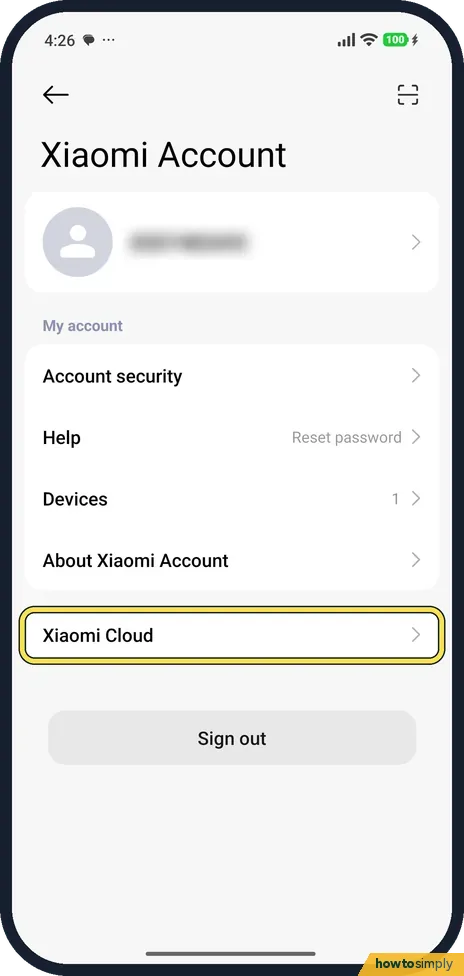
Open Xiaomi Account
In Settings, tap Xiaomi Account, then Xiaomi Cloud.
- 2
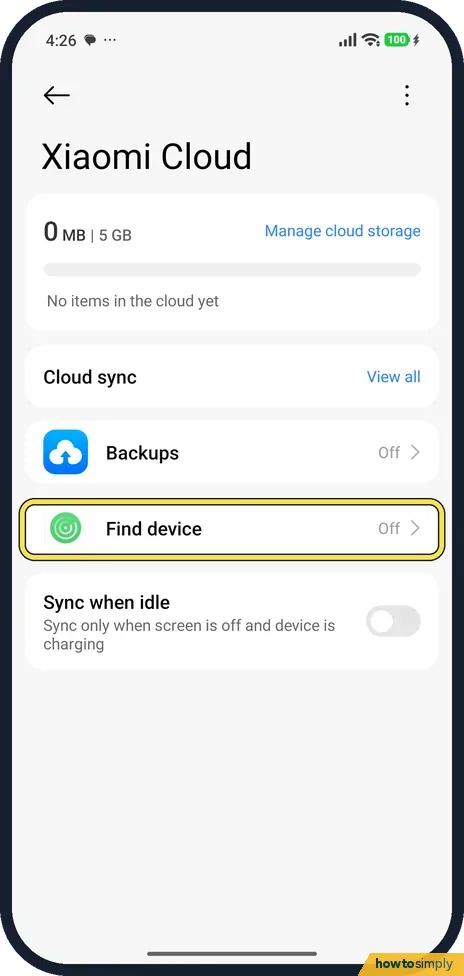
Tap Find device
Find device showed Off on ours.
- 3
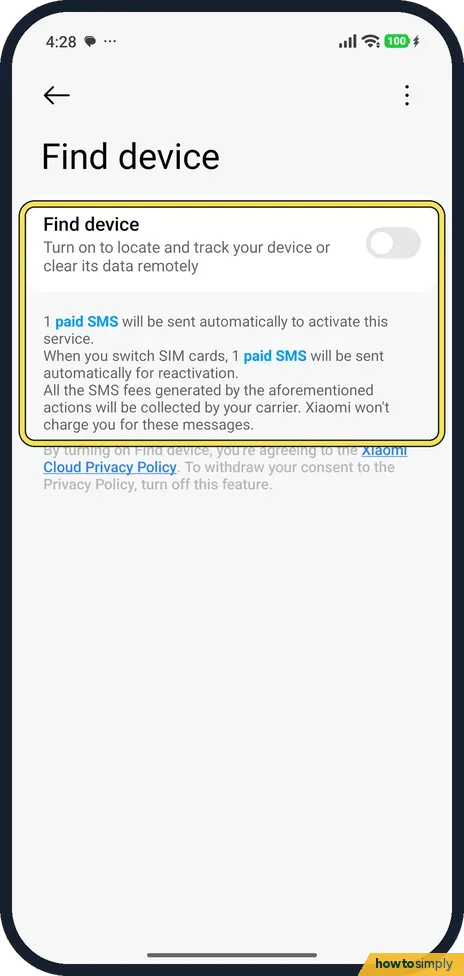
Read the note, then turn it on
The page says 1 paid SMS will be sent automatically to activate the service, and another when you switch SIM cards. Turn on Find device to accept.
- 4
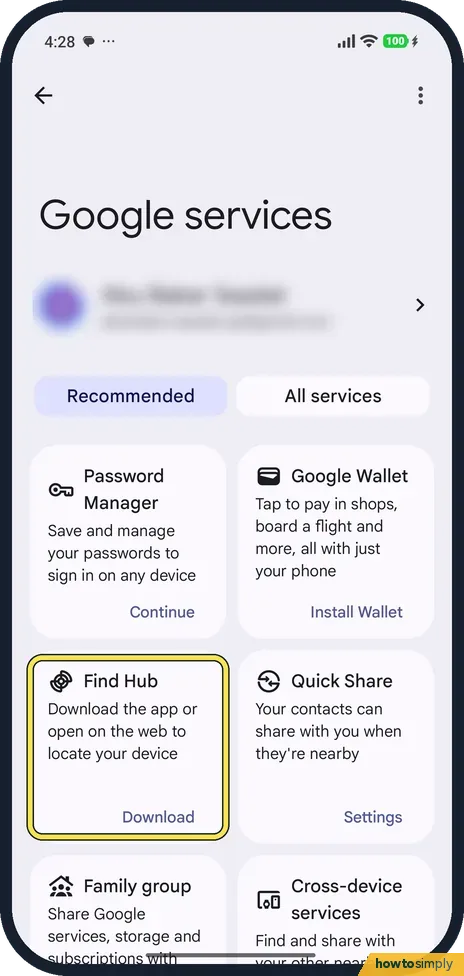
Or use Google Find Hub
In Settings, Google services, Find Hub said Download the app or open on the web to locate your device. Install it from Play Store.
If you do not see this option
- Xiaomi Cloud asks you to set it up first? Ours showed a Xiaomi Cloud page with Sync and a Continue button, with the same paid SMS note, before the settings opened.
- No Find device row? Xiaomi's guide says Settings, Security & privacy also shows Find device information. Source: Generic User Guide for HyperOS 3.0
If this does not work
- Why a paid SMS? Xiaomi says it sends 1 or 2 paid messages to your carrier to check that your SIM is in service. Ask your carrier about the cost.
- No SIM in the phone? The note says it sends an SMS, so Find device needs a working SIM to activate. Google Find Hub is the other option.
- Not signed in? Find device needs a Xiaomi Account.
- Not sure Google's finder is switched on? Xiaomi's user guide says Use Find My Device is usually enabled by default, under Settings, Fingerprints, face data, and screen lock, Privacy, Find My Device. It also notes that it does not work until a Google account is added.
- Lost phone does not appear in Find Hub? Google says the phone must be switched on, connected to mobile data or Wi-Fi, signed in to a Google Account, visible on Google Play and have Find Hub on. If it cannot be located now, you may still see its last known location.
- Phone is nearby but on silent? Use Play sound in Find Hub. Google says it rings the phone at full volume for 5 minutes, even when set to silent or vibrate.
Good to know
Back up the phone too: how to back up a Xiaomi phone.
With a finder switched on, your phone's location can be seen from your account when you ask for it, so keep the account passwords private. Find Hub's Mark as lost option, as Google describes it, locks the phone with your PIN, pattern or password and can show your contact info and a message on the lock screen for whoever finds it. If the phone is lost for good, call your carrier: they can block it using its IMEI, which you can find in advance with how to find the IMEI on a Xiaomi phone.
About this guide
- Device
- Android
- Shown on
- Xiaomi Redmi Note 15 Pro 5G (25080RABDG), HyperOS 3.0.308.0, Android 16
- App
- Settings
- Path
- Settings › Xiaomi Account › Xiaomi Cloud
- Real screenshots
- 4 of 4 steps
- Checked
- October 2026
- Sources
- 3 official, linked below
Sources
Links checked October 2026. Menus and features can change with updates.Spotted a mistake? Menus change with updates, and we want every step to match your screen. Email us about this page or use the contact form. We read every report, and fixes are listed on What changed.
Liked this guide?
Follow us for new guides and short how-to videos.
Did this guide work for you?
Sorry about that. What happened?