ONEPLUS
How to close all apps on a OnePlus (OxygenOS 16)

In short
Swipe up from the bottom and hold to open recent apps, then tap Close at the bottom. The other unlocked apps close, and the app you were in stays, as Calculator did on ours. To close one app, swipe its card up.
3 of 3 steps show a real screenshot from our Nord 5. Each step was checked against the maker's own instructions, linked at the end.
Steps
- 1
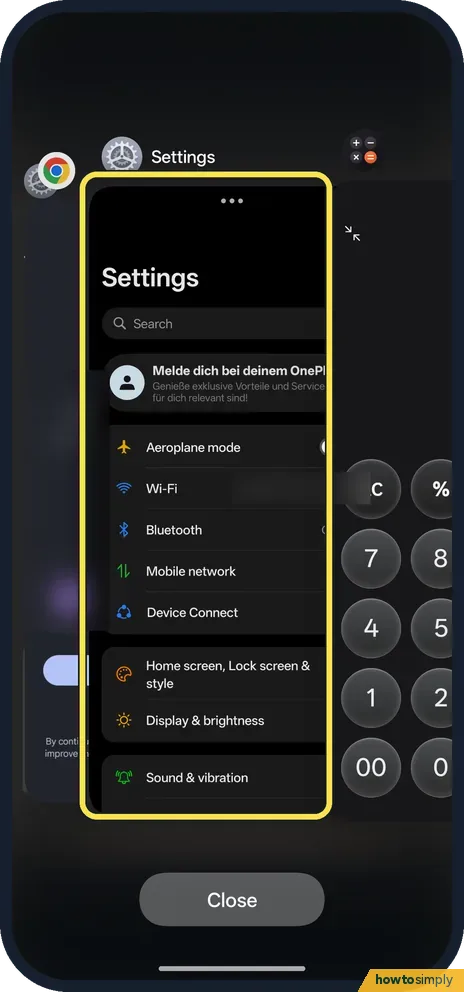
Open recent apps
Swipe up from the bottom of the screen and hold, then let go.
- 2
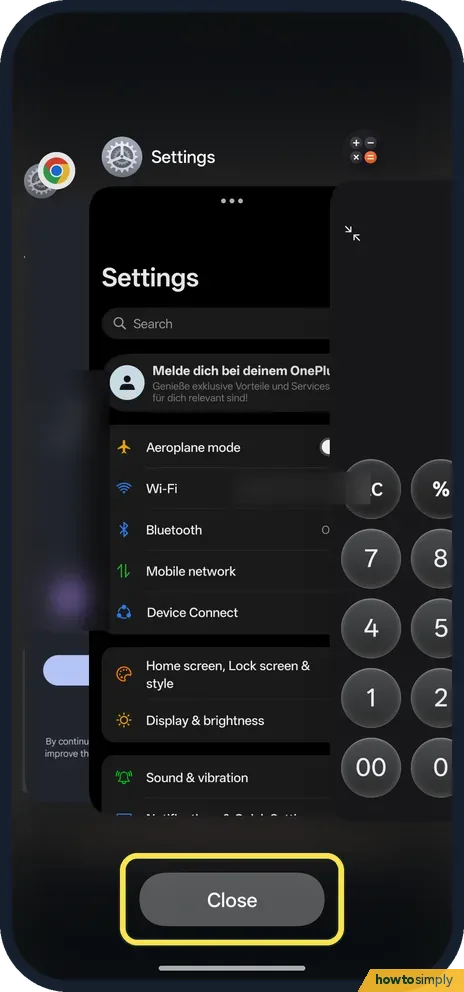
Tap Close
It is at the bottom of the screen.
- 3
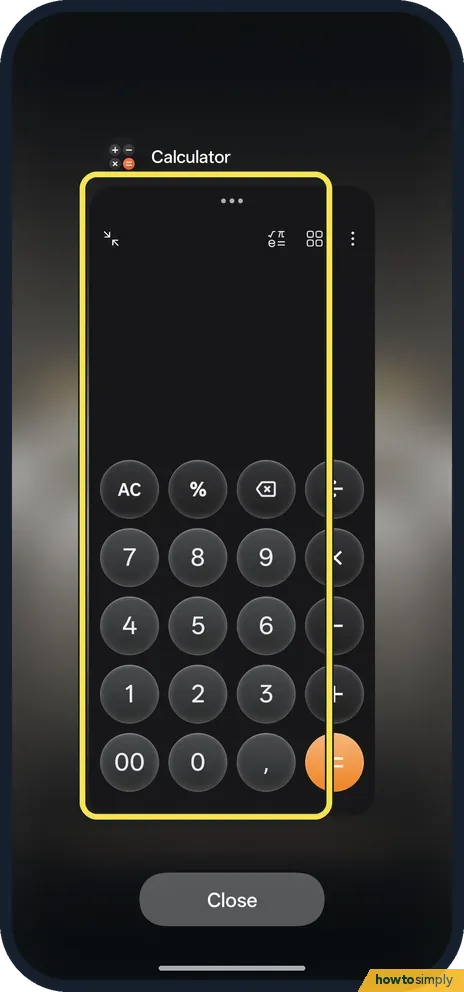
Check what is left
Ours went back to Calculator, the app we came from. Opening recent apps again showed only Calculator.
If you do not see this option
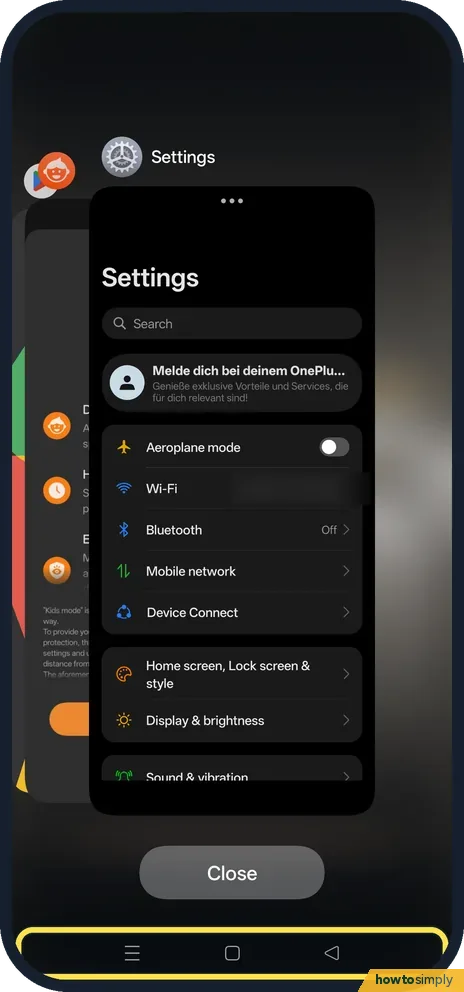
- Using buttons navigation? The OnePlus manual says to tap the Recents button at the bottom. Close was in the same place on ours. Source: OxygenOS 14.0 User Manual
- On OxygenOS 14? The manual calls the button Close all. Ours just says Close. Source: OxygenOS 14.0 User Manual
- Keep one open? Lock it in recent apps.
- Swiping left to right instead? Google's general Android Help describes swiping across the cards and tapping Clear all on the left. That is the layout on many other Android phones; on the Nord 5, Close sat at the bottom. Source: Find, open & close apps on Android
If this does not work
- An app stays after Close? It is locked: it has a padlock by its name.
- App still stuck? Force stop it.
- Recent apps looks empty? If you only had one app open, there is nothing else for Close to clear. Recent apps then shows just that app, as ours showed only Calculator.
- Music or navigation stopped? Close can also end apps playing in the background, such as music, podcasts or maps directions. Open the app again to restart it, and lock it in recent apps if you want it to survive the next Close.
- An app comes straight back? Some apps, like Google Play services or system apps, cannot be stopped this way. Google notes this on its Android Help page. Others restart themselves to deliver messages, which is normal.
Good to know
Stop a OnePlus closing apps in the background.
After Close, each app starts fresh the next time you open it, so you may land on its home page instead of where you left off. Signed-in accounts and saved settings stay as they were; nothing is uninstalled or deleted. There is no undo, but you can simply open the apps again. If an app keeps closing on its own when you have not touched it, the cause is usually background battery management rather than this button: stop a OnePlus closing apps in the background.
About this guide
- Device
- Android
- Shown on
- OnePlus Nord 5 (CPH2709), OxygenOS 16.0.5.1201, Android 16
- Starts in
- Recents
- Real screenshots
- 3 of 3 steps
- Checked
- October 2026
- Sources
- 2 official, linked below
Sources
Links checked October 2026. Menus and features can change with updates.Spotted a mistake? Menus change with updates, and we want every step to match your screen. Email us about this page or use the contact form. We read every report, and fixes are listed on What changed.
Liked this guide?
Follow us for new guides and short how-to videos.
Did this guide work for you?
Sorry about that. What happened?