GOOGLE PIXEL
Pixel 10a missing features: what our Pixel 10a doesn't have (Android 17)

In short
Our Pixel 10a had no Magic Cue, Pixel Screenshots, Notification summaries, Call notes, App lock or Pause Point, no Video Boost or Night Sight video, and no Call Screen. Call Screen may depend on the region or SIM; ours was in Germany with no SIM.
6 of 6 steps show a real screenshot from our Pixel 10a. Each step was checked against the maker's own instructions, linked at the end.
Steps
- 1
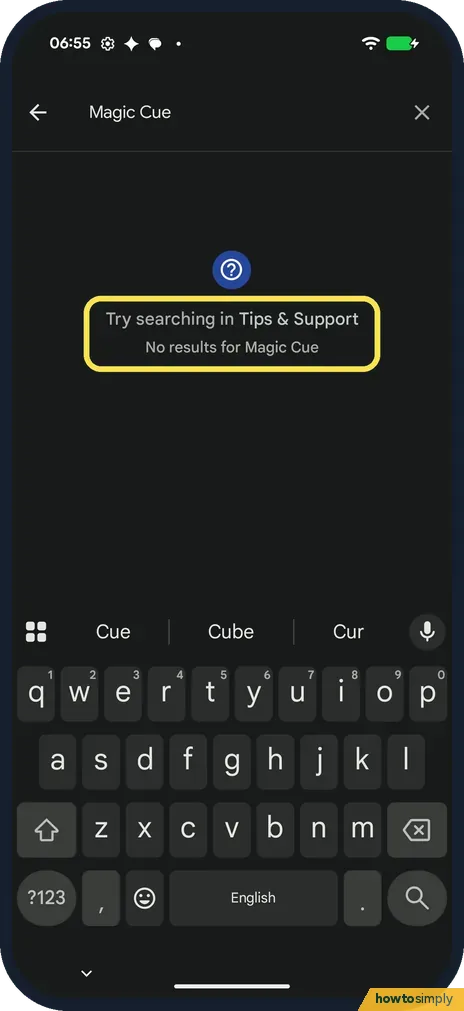
Search Settings for Magic Cue: no results
Open Settings and tap the search bar. Magic Cue gave No results for Magic Cue. Google's spec page lists Magic Cue for the Pixel 10, not for the 10a.
- 2
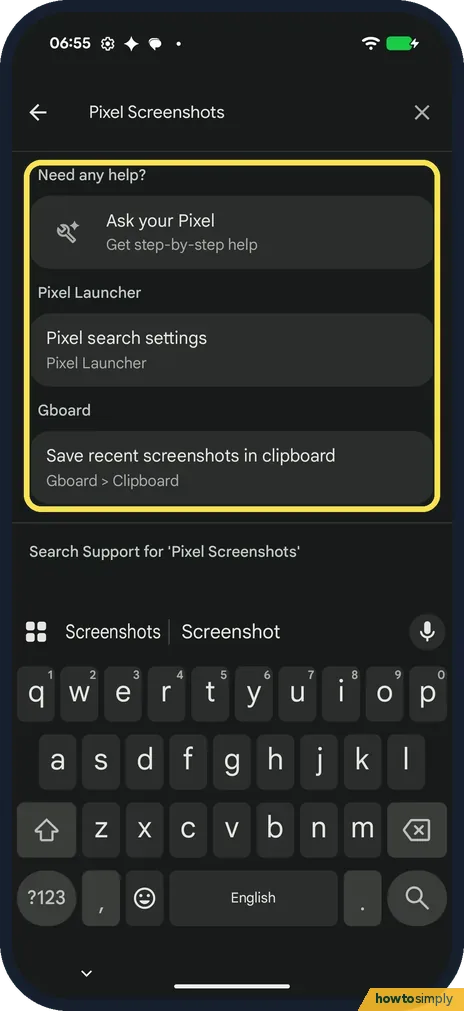
Search Pixel Screenshots: no app
Pixel Screenshots found only Ask your Pixel, Pixel search settings and Gboard's Save recent screenshots in clipboard. There is no Pixel Screenshots app. Google lists it for the Pixel 10, not the 10a.
- 3
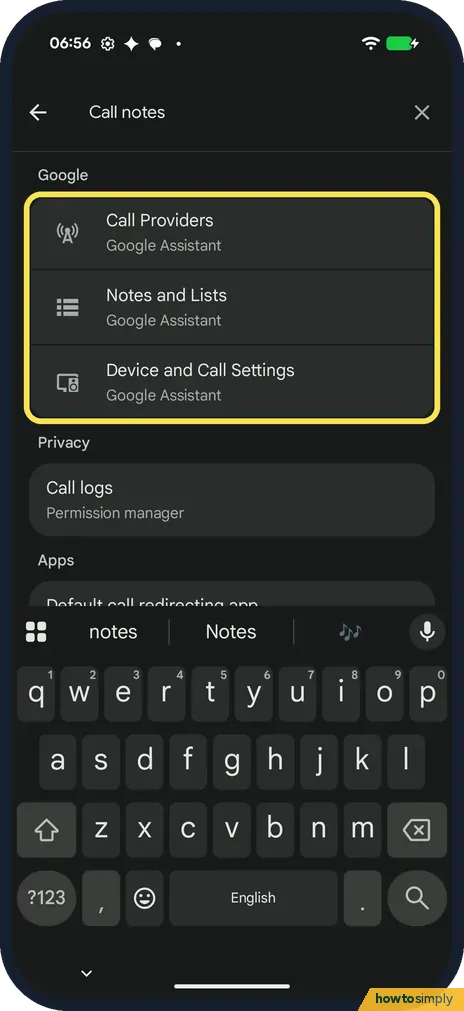
Search Call notes: no match
Call notes found only Google Assistant entries such as Call Providers and Notes and Lists, and Call logs. No Call notes setting.
- 4
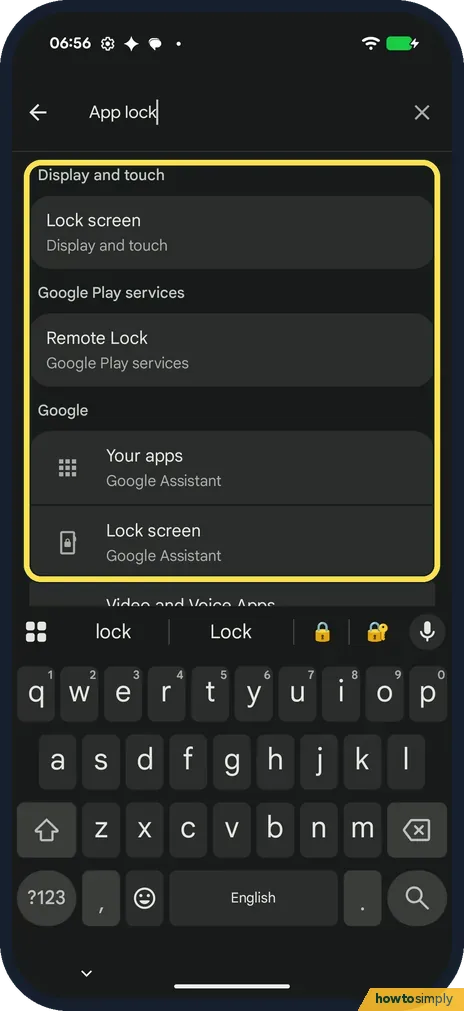
Search App lock: no App lock
App lock found Lock screen, Remote Lock and Google Assistant entries. There is no feature to lock a single app.
- 5
Camera video: no Video Boost or Night Sight video
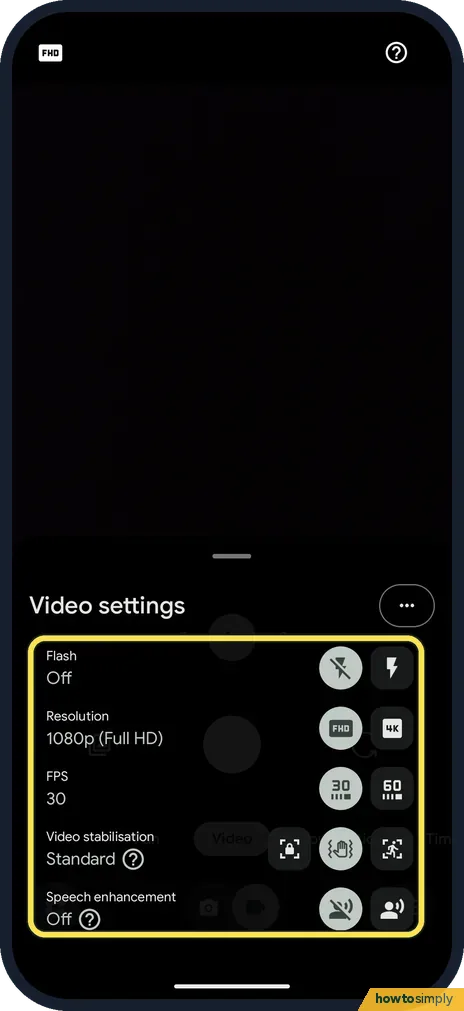
In the Camera app, Video settings has Flash, Resolution (1080p or 4K), FPS (30 or 60), Video stabilisation and Speech enhancement. No Video Boost or Night Sight video. Google lists those for the Pixel 10 Pro and Pro XL.
- 6
Phone app: no Call Screen
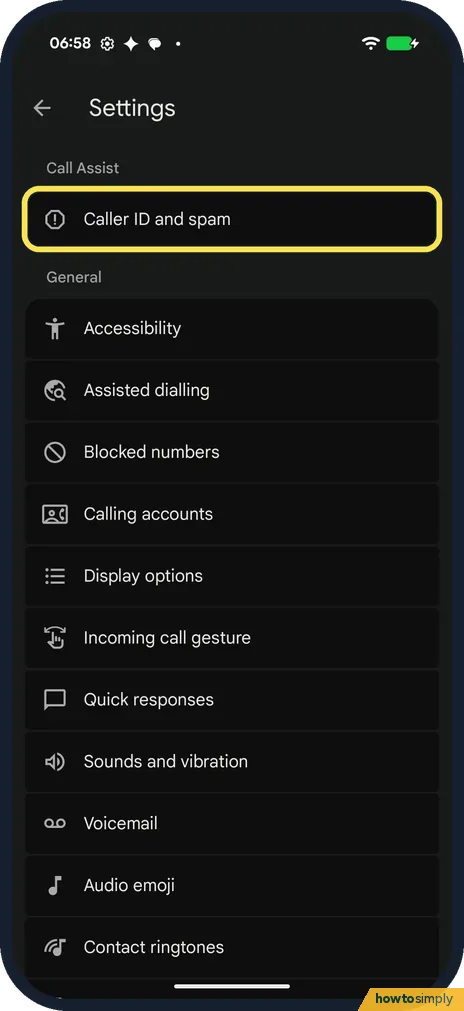
In the Phone app's Settings, Call Assist had only Caller ID and spam. No Call Screen, Call Notes, Hold for Me or Direct My Call. This may depend on the region or the SIM: ours was in Germany with no SIM.
If you do not see this option
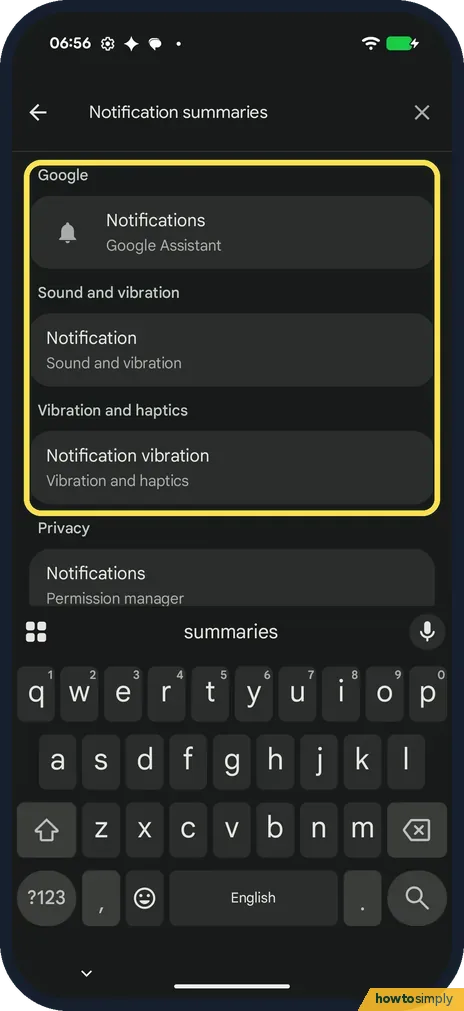
- Notification summaries? Searching Settings found only ordinary notification settings: Notifications, Notification sound and Notification vibration. No summaries.
- Pause Point? No match. The search showed only Pointer location in Developer options and Focus in Digital Wellbeing.
- Is this true for every Pixel 10a? We checked one phone, in Germany, with no SIM and on build CP3A.261005.005. Some features may turn up with a SIM, in another country or after an update.
If this does not work
- Want to lock an app? Android has Private space, which keeps apps behind a separate lock. It needs a screen lock first, so we did not try it on ours.
- Want fewer spam calls without Call Screen? Caller ID and spam is there: how to block numbers and spam calls on a Google Pixel.
- Want a break from your phone? Digital Wellbeing has Focus and app timers: how to see screen time and set app timers.
Good to know
Screenshots still work the normal way: how to take a screenshot on a Google Pixel.
Check for updates now and then: how to update a Google Pixel and its apps.
Google's spec page still lists plenty for the Pixel 10a. Under its Google features it names Circle to Search, Live Translate, Call Assist, Gemini Live and Gemini Nano. For photos it lists Camera Coach, Add Me, Night Sight, Astrophotography, Magic Eraser, Best Take and Photo Unblur. For video it lists Audio Magic Eraser, Cinematic Pan and Night Sight timelapse, which is not the same as Night Sight video. See how to use Circle to Search on a Google Pixel.
About this guide
- Device
- Android
- Shown on
- Google Pixel 10a, Android 17 (build CP3A.261005.005)
- App
- Camera
- Real screenshots
- 6 of 6 steps
- Checked
- October 2026
- Sources
- 1 official, linked below
Sources
Links checked October 2026. Menus and features can change with updates.Spotted a mistake? Menus change with updates, and we want every step to match your screen. Email us about this page or use the contact form. We read every report, and fixes are listed on What changed.
Liked this guide?
Follow us for new guides and short how-to videos.
Did this guide work for you?
Sorry about that. What happened?