
howtosimply.com/guides/galaxy-a57-missing-features-what-it-doesnt-have/ · Checked October 2026 · Samsung Galaxy A57 (One UI 9, Android 17 (build A576BXXU6BZIE)) and Samsung Galaxy S26 (One UI 9, Android 17 (build S942NKSS4BZIG))
In this guide
- A57: search for Interpreter
- S26: Interpreter is under Galaxy AI
- A57: no Live translate
- S26: Live translate in Call assist
- A57: no Note assist
- S26: Note assist under Galaxy AI
- A57: only Now bar, no Now brief
- S26: Now brief under Galaxy AI
- A57: no Wireless power sharing
- S26: Wireless power sharing in Battery
- A57: no Samsung DeX
- S26: Samsung DeX in Connected devices
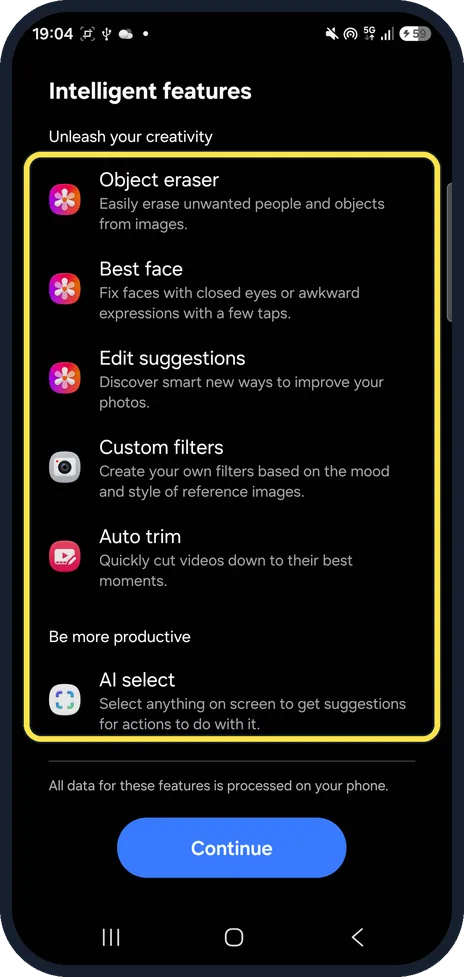
- What the A57 has: Intelligent features
- If you do not see this option
- If this does not work
- Good to know
- Sources
Settings search on our Galaxy A57 (One UI 9) found no Interpreter, Live translate, Note, Photo, Writing, Browsing or Transcript assist, Audio eraser, Now brief, DeX, Wireless power sharing, Fast wireless charging or Super HDR. The same searches on our Galaxy S26 found every one.
13 of 13 steps with real screenshots · 2 official sources below
- Device
- Android
- Shown on
- Samsung Galaxy A57 (SM-A576B), One UI 9, Android 17 (build A576BXXU6BZIE), Samsung Galaxy S26 (SM-S942N, Korean model), One UI 9, Android 17 (build S942NKSS4BZIG)
- App
- Settings
- Real screenshots
- 13 of 13 steps
- Checked
- October 2026
- Sources
- 2 official, linked below
Step by step
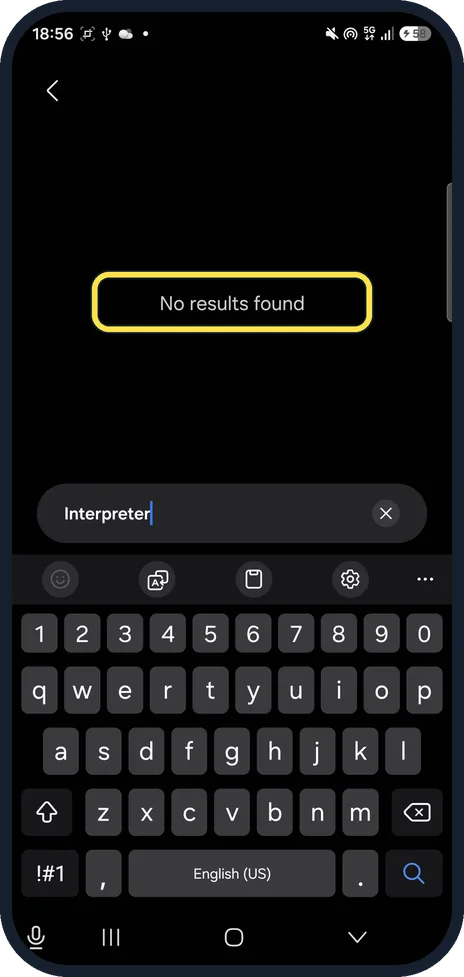
A57: search for Interpreter
Open Settings, tap Search and type Interpreter. Our A57 said No results found.
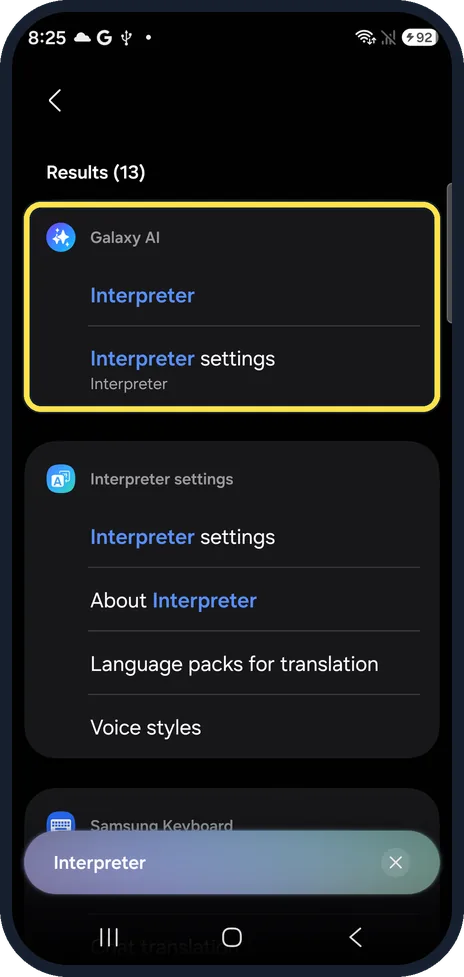
S26: Interpreter is under Galaxy AI
The same search on our S26 found 13 results, first Galaxy AI, Interpreter and Interpreter settings.
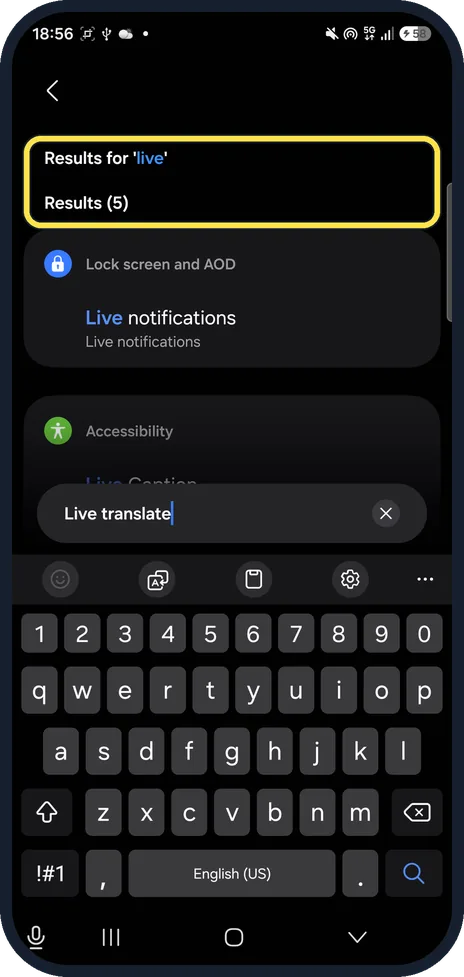
A57: no Live translate
Live translate fell back to Results for 'live': only Live notifications and other rows with the word live.
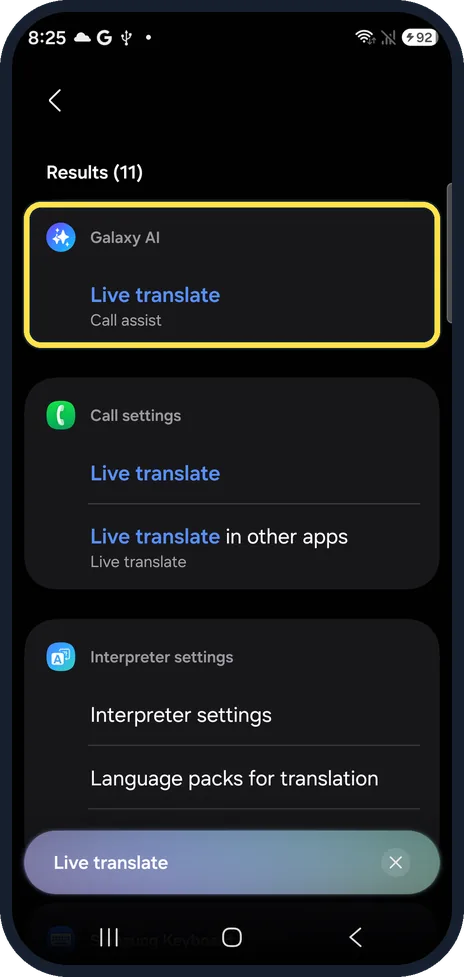
S26: Live translate in Call assist
Our S26 showed Galaxy AI, Live translate (Call assist), plus Live translate in Call settings.
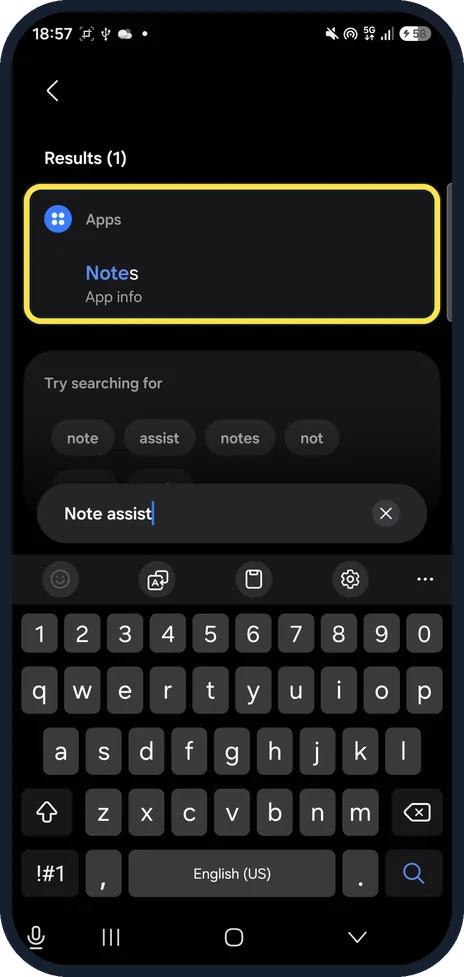
A57: no Note assist
Note assist found 1 result, the Notes app info, and Try searching for suggestions. No Note assist.
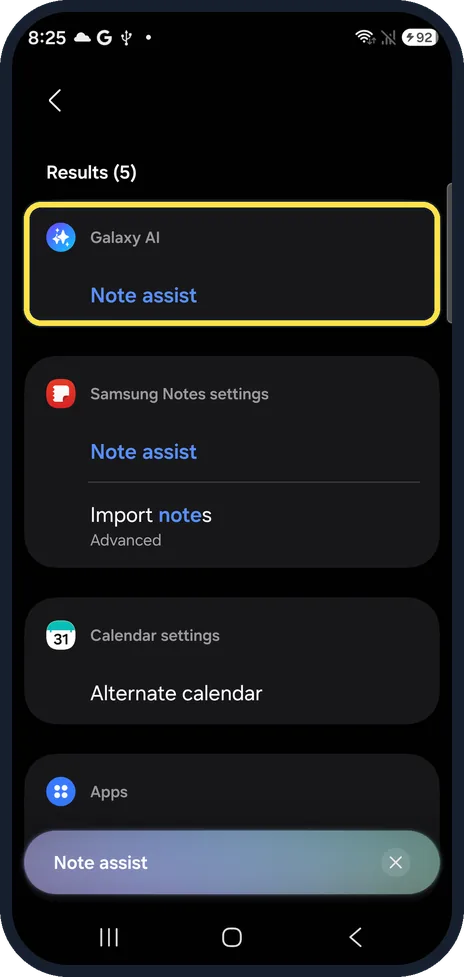
S26: Note assist under Galaxy AI
Our S26 found Galaxy AI, Note assist and Note assist in Samsung Notes settings.
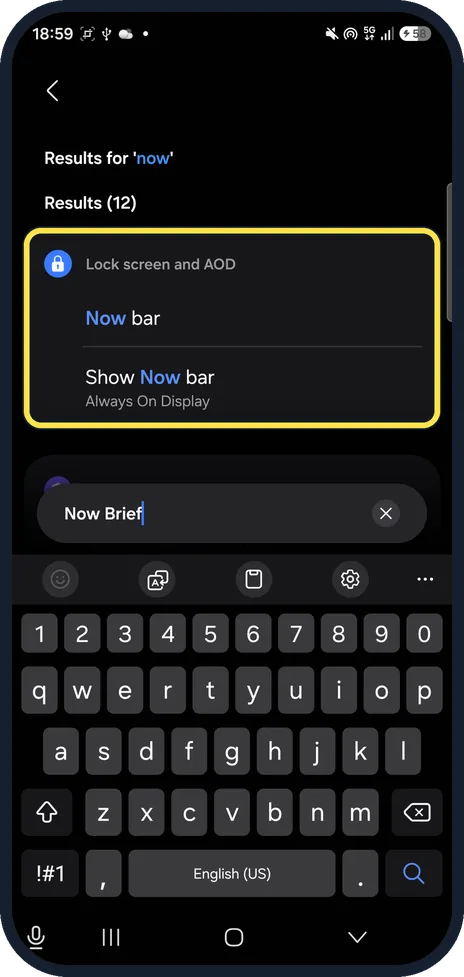
A57: only Now bar, no Now brief
Now Brief fell back to Results for 'now'. The A57 has the Now bar and Show Now bar under Lock screen and AOD, but no Now brief.
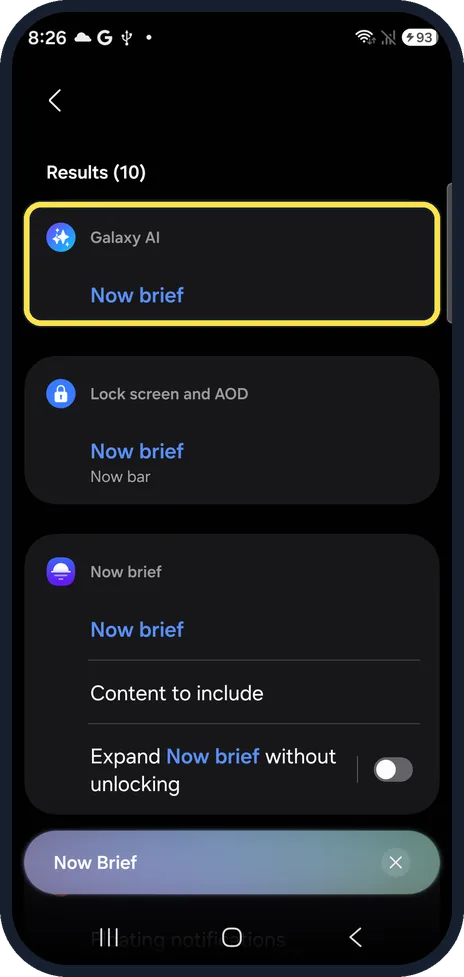
S26: Now brief under Galaxy AI
Our S26 found Galaxy AI, Now brief, and Now brief under Lock screen and AOD, Now bar.
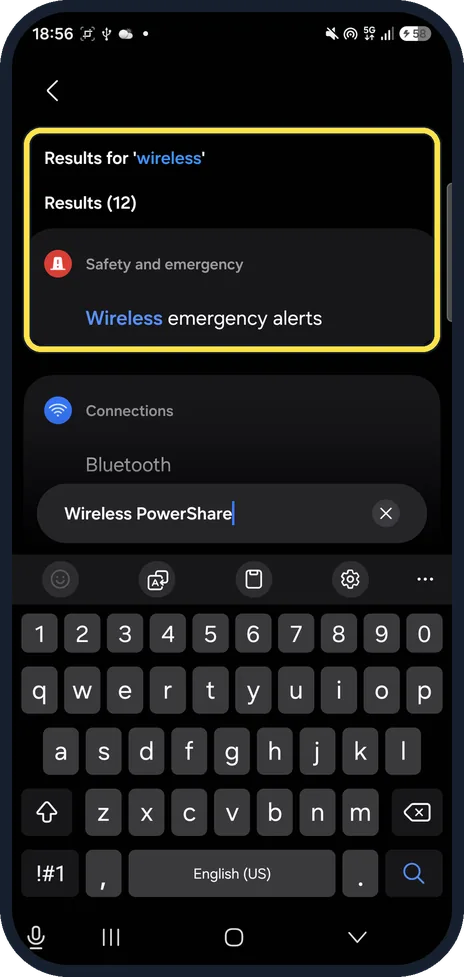
A57: no Wireless power sharing
Wireless PowerShare fell back to Results for 'wireless', such as Wireless emergency alerts. No power sharing row.
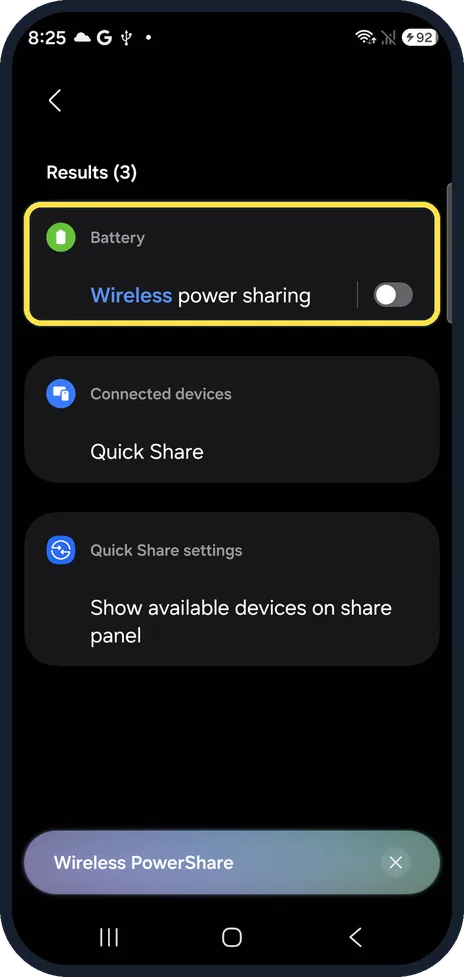
S26: Wireless power sharing in Battery
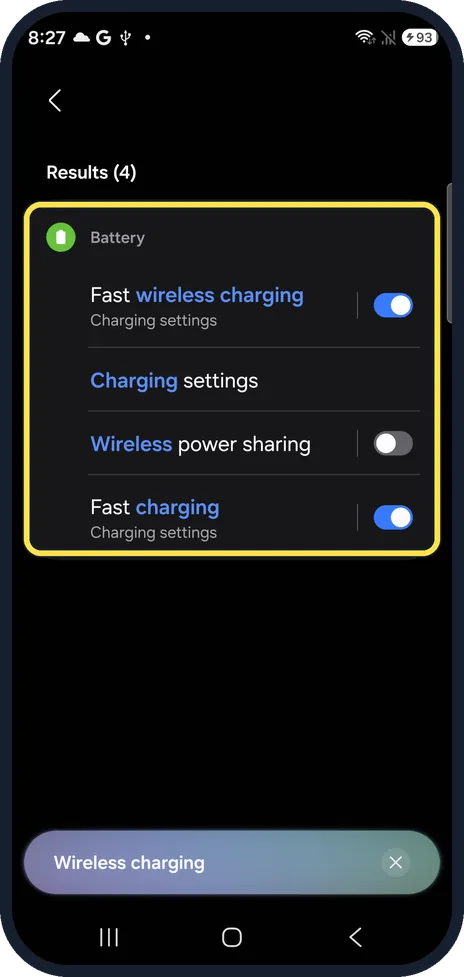
Our S26 showed Battery, Wireless power sharing, with its switch. It was off.
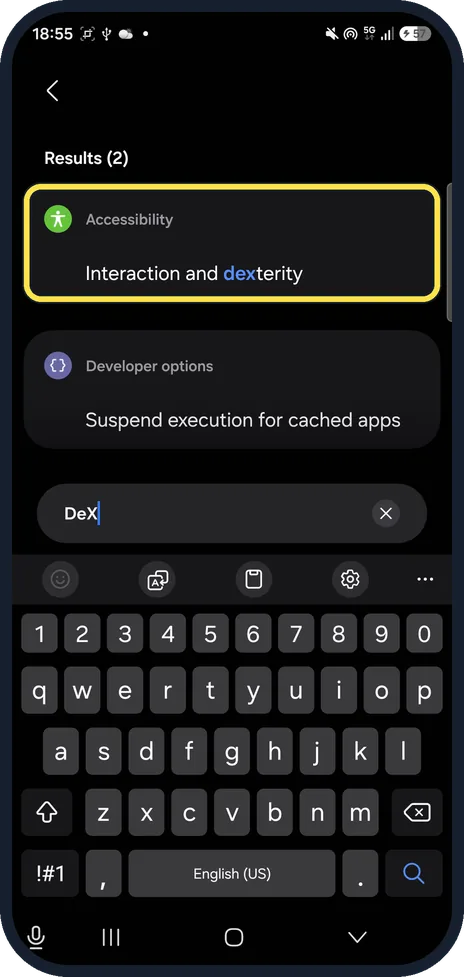
A57: no Samsung DeX
DeX found only Interaction and dexterity in Accessibility and a Developer options row.
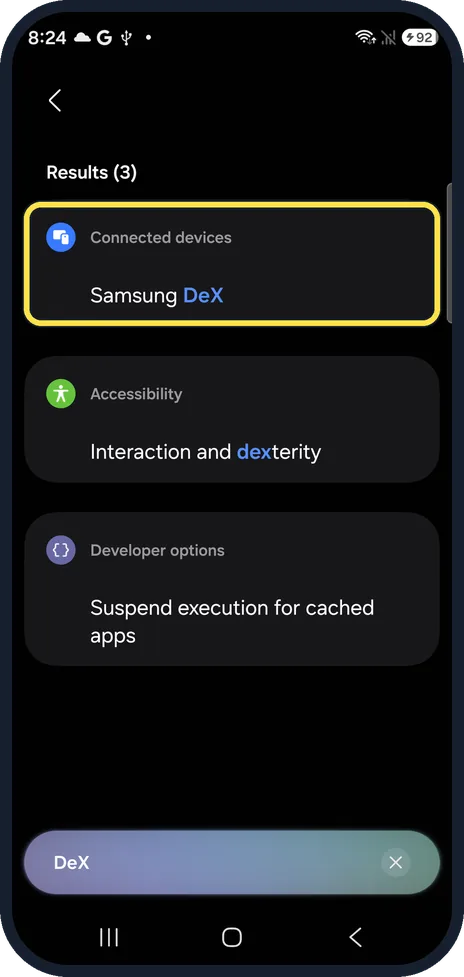
S26: Samsung DeX in Connected devices
Our S26 showed Connected devices, Samsung DeX as the first result.
What the A57 has: Intelligent features
Settings, Advanced features, Intelligent features opens a list: Object eraser, Best face, Edit suggestions, Custom filters, Auto trim and AI select, then Read aloud and Voice transcription below. It says All data for these features is processed on your phone.
If you do not see this option
- Photo assist, Audio eraser, Writing, Browsing or Transcript assist? None of them had a row on our A57; the search fell back to single words such as assist or audio. Our S26 found each one, for example Galaxy AI, Audio eraser. Samsung's Galaxy AI page lists the S26 series and says the features are not available on A series phones. Source: Use features with Galaxy AI on your Galaxy phone and tablet
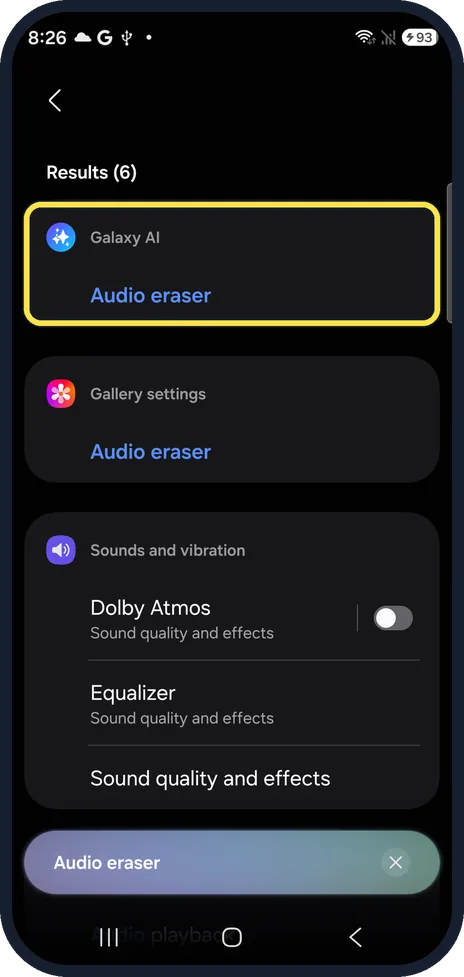
- No wireless charging? Wireless charging on our A57 fell back to Results for 'charging': only the Charging sound and vibration. Our S26 showed Battery, Fast wireless charging and Wireless power sharing. Samsung lists Wireless power sharing for the Galaxy S20 series and later, not for A series phones. Source: Use the Wireless power sharing feature on your Samsung Galaxy
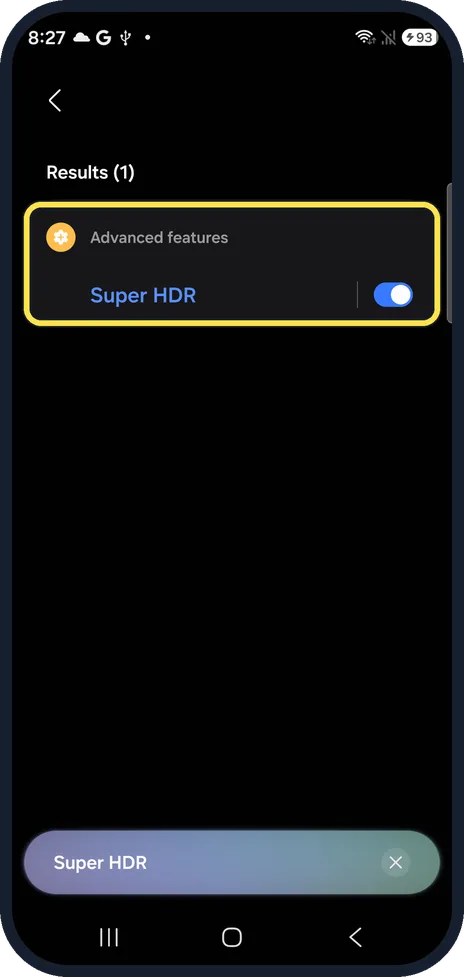
- Super HDR on the S26? Advanced features, Super HDR, with its switch on. Our A57 only fell back to Results for 'hdr'.
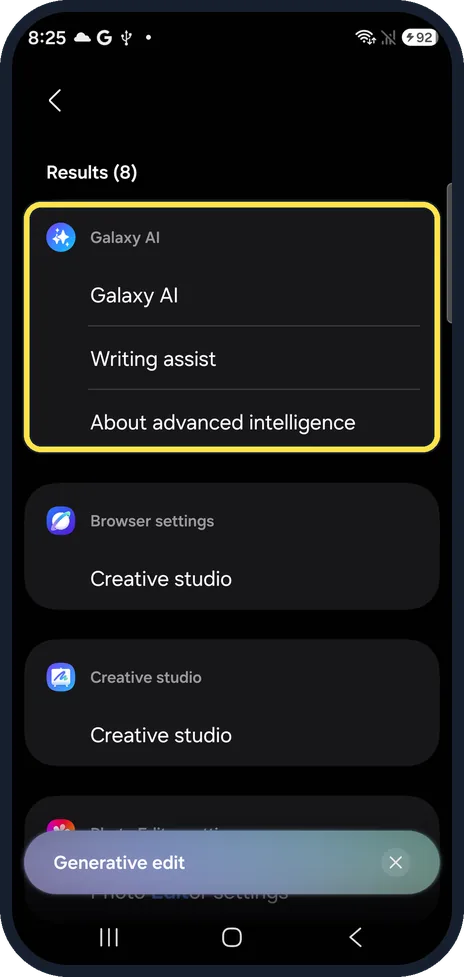
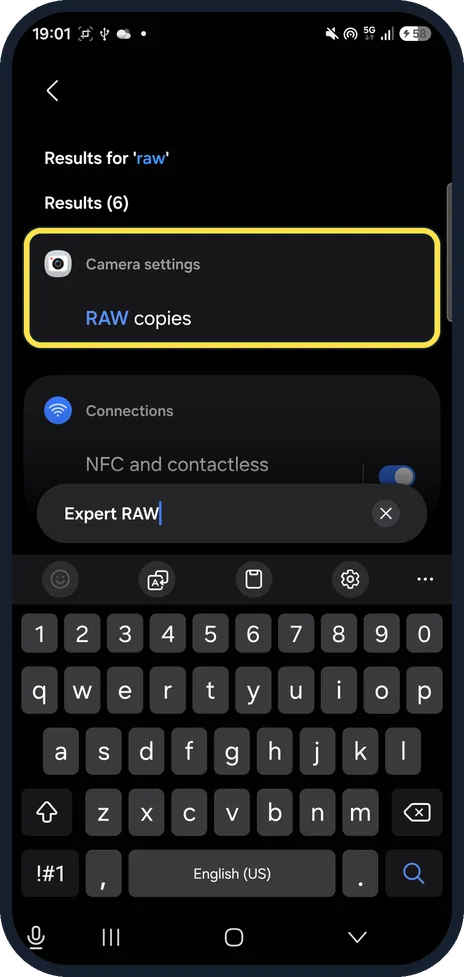
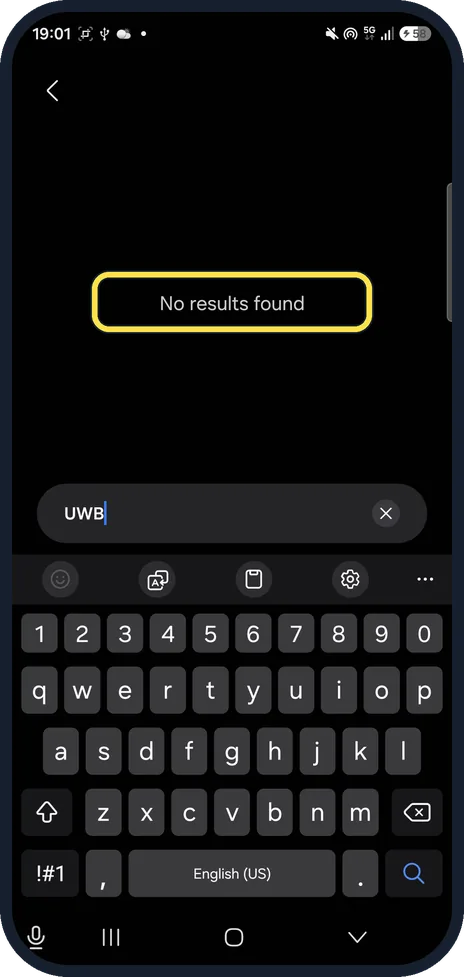
- Generative edit, Sketch to image, Expert RAW or UWB? Not on our S26 either under those names: Generative edit pointed to Galaxy AI, Writing assist and Creative studio, Sketch to image to Creative studio, Expert RAW to Camera settings, Photo enhancer, and UWB gave no results at all. So we do not count them as A57 gaps.
- Is this true for every A57 and S26? We checked one A57 (SM-A576B) and one Korean S26 (SM-S942N), with no Samsung account signed in. Samsung says available Galaxy AI features vary by device and software version. Source: Use features with Galaxy AI on your Galaxy phone and tablet
If this does not work
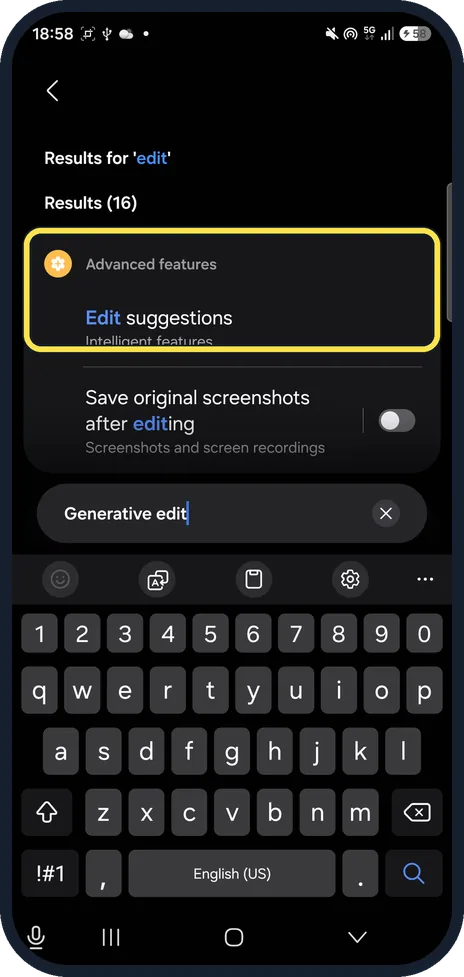
- Want something like Generative edit on the A57? Searching Generative edit on our A57 found Edit suggestions under Intelligent features. Object eraser and Best face are in the same list.
- Want RAW photos on the A57? There is no Expert RAW, but the Expert RAW search found Camera settings, RAW copies on our A57.
- Galaxy AI asks for a Samsung account? Intelligent features on our A57 asked for a Samsung account after Continue. Samsung says Galaxy AI features may be limited or unavailable if you do not sign in. Source: Use features with Galaxy AI on your Galaxy phone and tablet
- Looking for UWB? UWB gave No results found on both phones, so Settings search cannot tell you if a phone has it.
About this guide
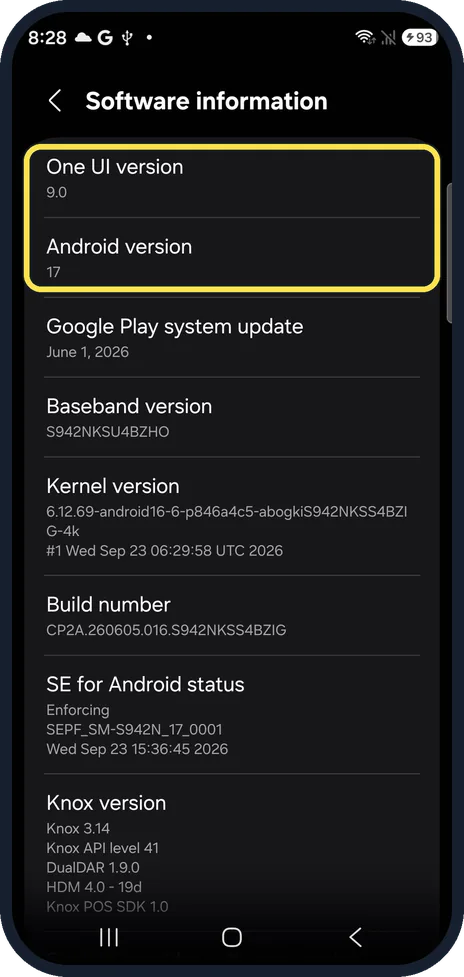
The Galaxy A57 runs the same One UI 9 as the Galaxy S26, but many Galaxy AI and hardware features are not on it. We typed each feature into Settings search on both phones.
The screenshots are from our Samsung Galaxy A57 (SM-A576B) with One UI 9.0 and Android 17 (build CP2A.260605.016.A576BXXU6BZIE), taken on 26 October 2026, and our Galaxy S26, the Korean model SM-S942N, with One UI 9.0 and Android 17 (build CP2A.260605.016.S942NKSS4BZIG), taken on 27 October 2026, both in Dark mode. We only searched and looked.
Good to know
On the S26, Interpreter is a full app: how to use the Interpreter app on a Samsung Galaxy S26.
Galaxy AI privacy: how to make Galaxy AI process data only on your Galaxy. The Now bar on the lock screen: how to turn off Now brief on a Samsung Galaxy.
In short: Our A57 on One UI 9: no Interpreter, Live translate, Note, Photo, Writing, Browsing or Transcript assist, Audio eraser, Now brief, DeX, Wireless power sharing, Fast wireless charging or Super HDR in Settings search. It has Intelligent features and RAW copies.
- Samsung US: Use features with Galaxy AI on your Galaxy phone and tablet
- Samsung CA: Use the Wireless power sharing feature on your Samsung Galaxy
Links checked in October 2026. Menus and features can change after software updates. These steps match the version named at the top.
📷 See real photos from the Galaxy S26 in our Camera Lab, next to 10 other phones.
Did this guide work for you?
Sorry about that. What happened?