
howtosimply.com/guides/how-to-make-firefox-the-default-browser-on-android/ · Checked October 2026 · build CP3A.261005.005 · Google Pixel 10a, Android 17
In this guide
Open Firefox, tap Continue on the welcome screen, and in the Set Firefox as your default browser app? box pick Firefox and tap Set as default. Later, use Settings, Apps, Default apps, Browser app. Links from other apps then open in Firefox.
5 of 5 steps with real screenshots · 2 official sources below
- Device
- Android
- Shown on
- Google Pixel 10a, Android 17 (build CP3A.261005.005)
- App
- Firefox
- Path
- Firefox › Continue
- Real screenshots
- 5 of 5 steps
- What we did
- Performed: we made the change on our device and show the result
- Checked
- October 2026
- Sources
- 2 official, linked below
Step by step
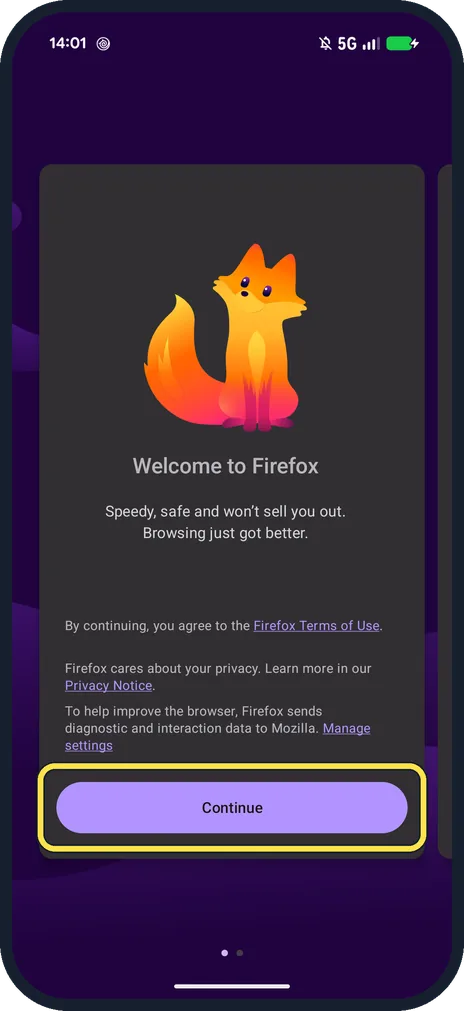
Open Firefox and tap Continue
Welcome to Firefox. Continuing means you agree to the Firefox Terms of Use.
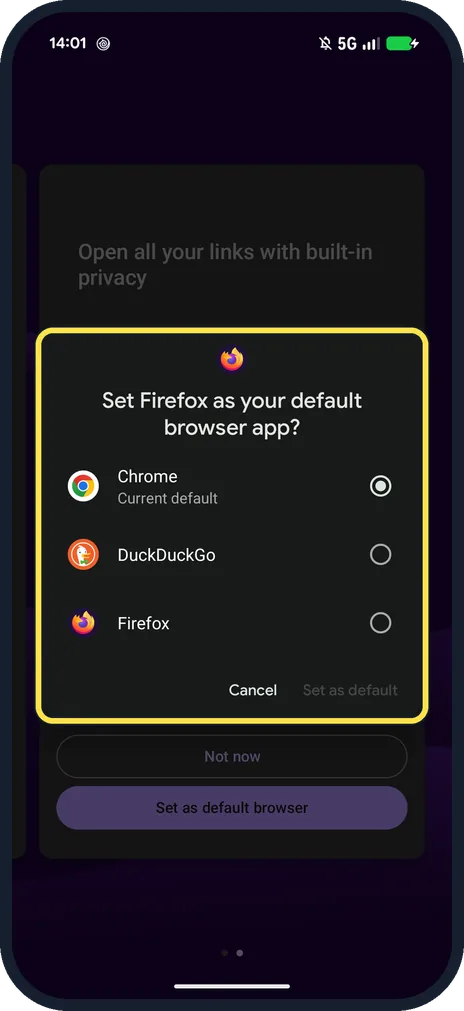
Look for the default browser box
Set Firefox as your default browser app? Ours listed Chrome (Current default), DuckDuckGo and Firefox.
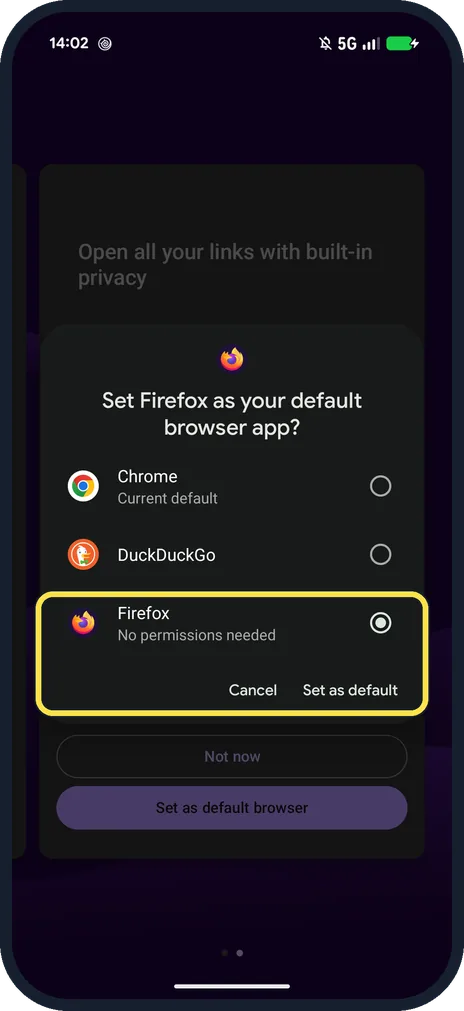
Pick Firefox and tap Set as default
Firefox said No permissions needed. Set as default only lights up once Firefox is ticked.
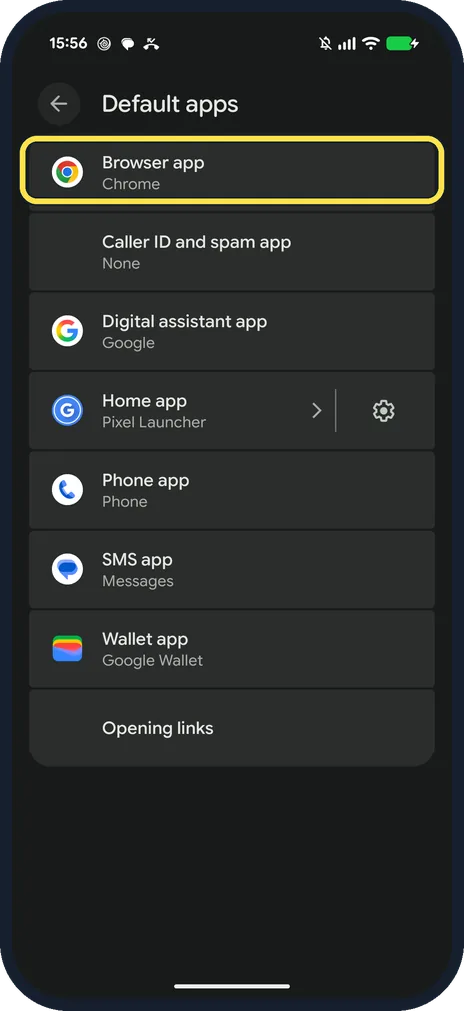
To check it later, open Default apps
In the phone's Settings, tap Apps, then Default apps, then Browser app. Google gives the same route. This shot is from after we set Chrome back, so it says Chrome.
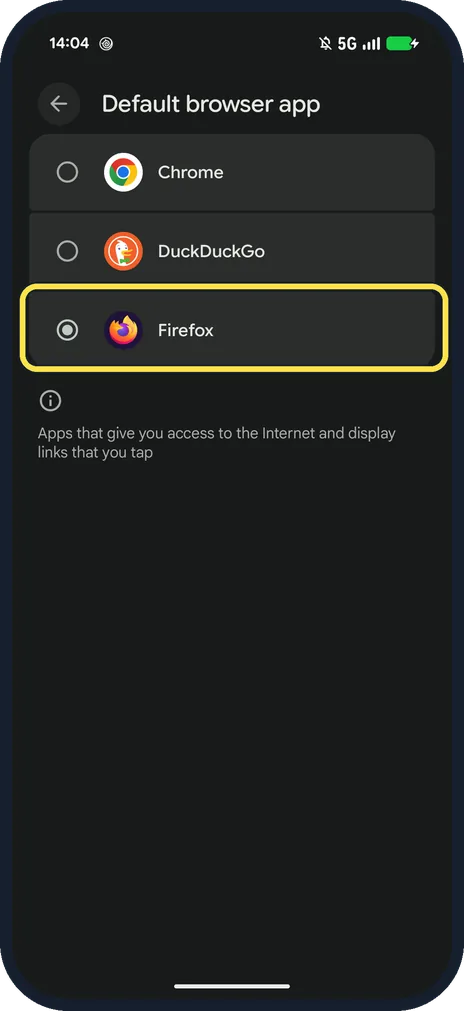
Look for Firefox ticked
Our Default browser app page had Firefox ticked, above the note: Apps that give you access to the Internet and display links that you tap.
If you do not see this option
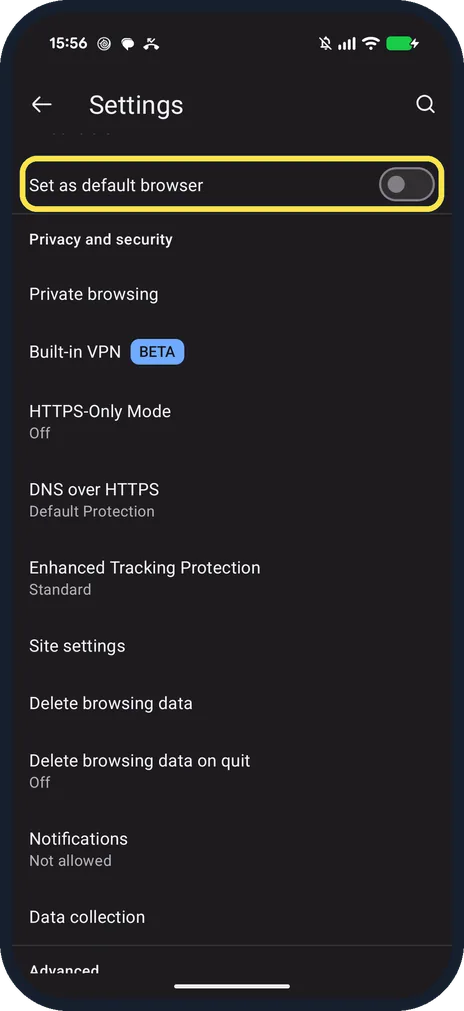
- Tapped Not now? Mozilla says: open Firefox, tap the three dots, Settings, then turn on Set as default browser and choose Firefox. On ours it was the first switch in Firefox's Settings, off while Chrome was the default. Source: Set Firefox as your default browser on Android
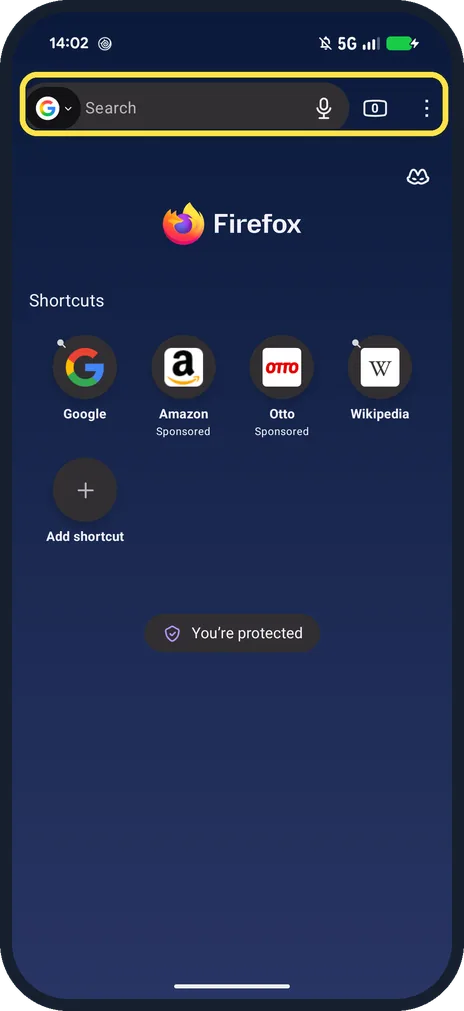
- What happens next? Firefox opened its home page with Shortcuts and You're protected.
If this does not work
- Links still open in another app? Google says: Settings, Apps, tap that app, Open by default, Clear default preferences. The phone then asks which app to use. Source: Set or clear default apps on your Pixel phone or Pixel Tablet
- Phone keeps asking which app to use? Google says to tap the app, then Always; Just once uses it for that link only. Source: Set or clear default apps on your Pixel phone or Pixel Tablet
About this guide
Firefox asks to become the default browser the first time you open it. On our Pixel it said No permissions needed.
The screenshots are from our Google Pixel 10a with Android 17 and Firefox 158.0.2 from the Play Store, taken on 25 October 2026. We set Firefox as the default for the screenshots, then set Chrome back.
Good to know
To change other default apps, see change default apps on a Google Pixel.
In short: Firefox, Continue, pick Firefox, Set as default.
- Firefox for Android Help: Set Firefox as your default browser on Android
- Pixel Phone Help: Set or clear default apps on your Pixel phone or Pixel Tablet
Links checked in October 2026. Menus and features can change after software updates. These steps match the version named at the top.
📷 See real photos from the Pixel 10a in our Camera Lab, next to 10 other phones.
Did this guide work for you?
Sorry about that. What happened?