ONEPLUS
How to use one-handed mode on a OnePlus (OxygenOS 16)

In short
Go to Settings, Accessibility & convenience, One-handed mode and switch it on. Then swipe down at the bottom of the screen: the screen drops to the lower half. Swipe up or tap outside it to leave. It only works with gesture navigation.
4 of 4 steps show a real screenshot from our Nord 5. Each step was checked against the maker's own instructions, linked at the end.
Steps
- 1
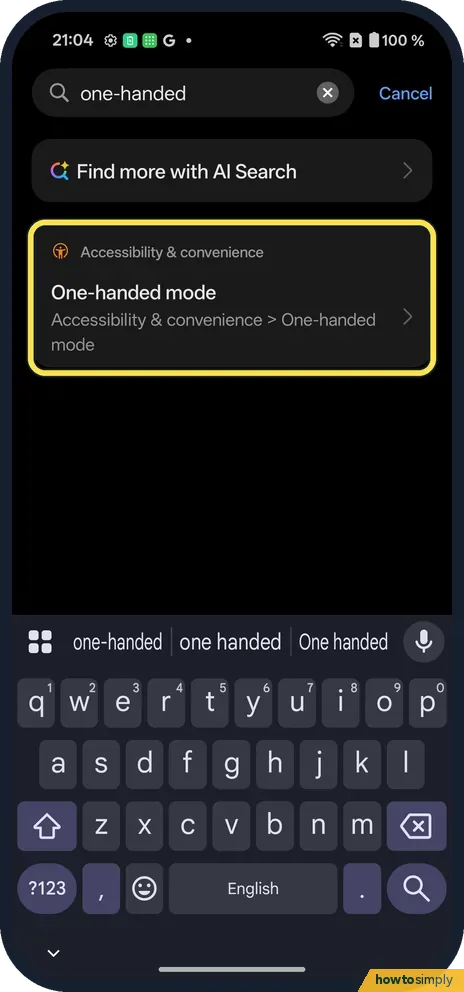
Search or open it
Searching one-handed finds One-handed mode under Accessibility & convenience.
- 2
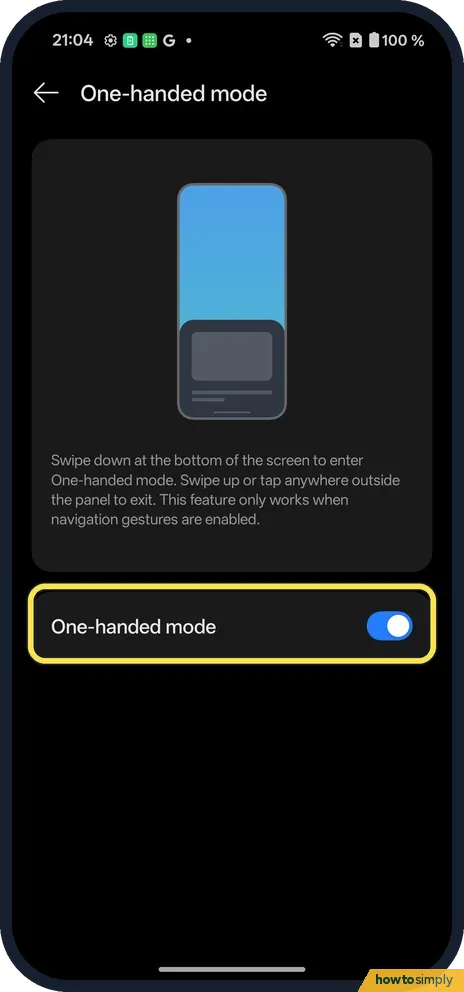
Switch on One-handed mode
The page says it only works when navigation gestures are on.
- 3
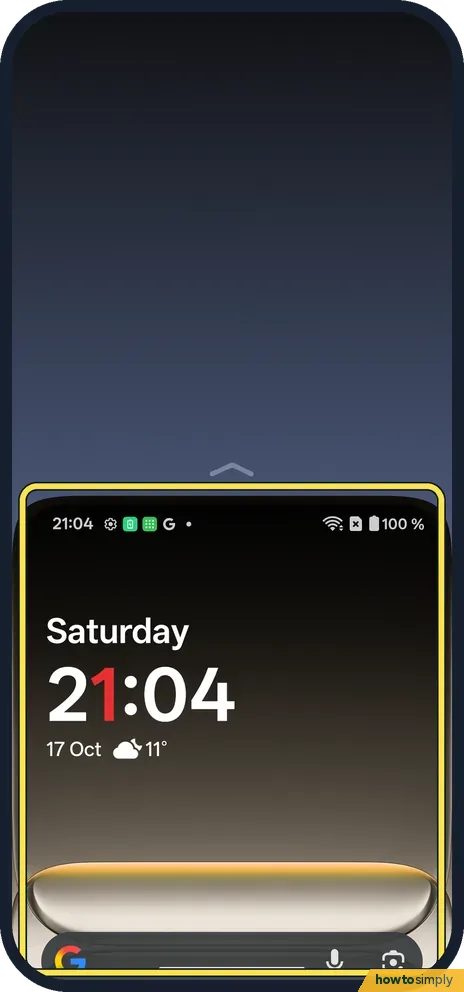
Swipe down at the bottom
Swipe down on the bottom edge. Ours dropped the screen to the lower half.
- 4
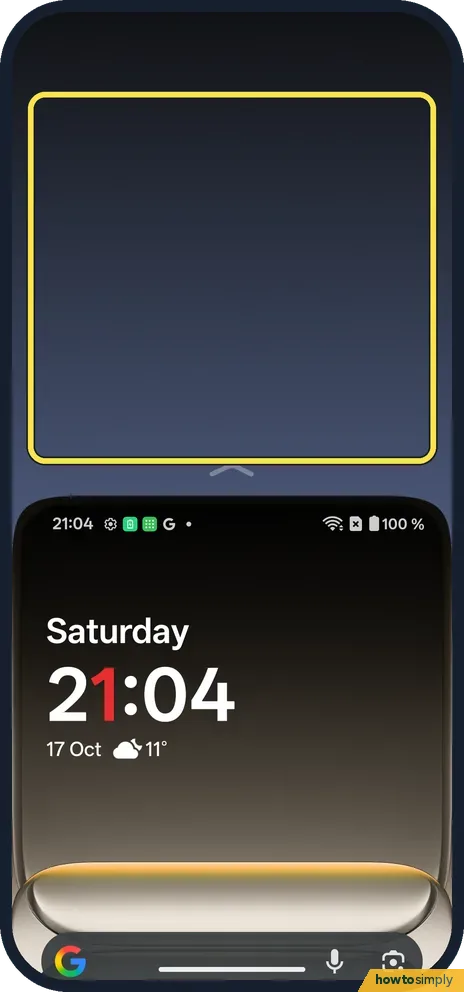
Leave it
Swipe up, or tap anywhere outside the panel.
If you do not see this option
- Using buttons? It needs gesture navigation. Source: OxygenOS 14.0 User Manual
- Older OxygenOS? OnePlus's OxygenOS 14 manual has it under Additional settings, One-handed mode. Source: OxygenOS 14.0 User Manual
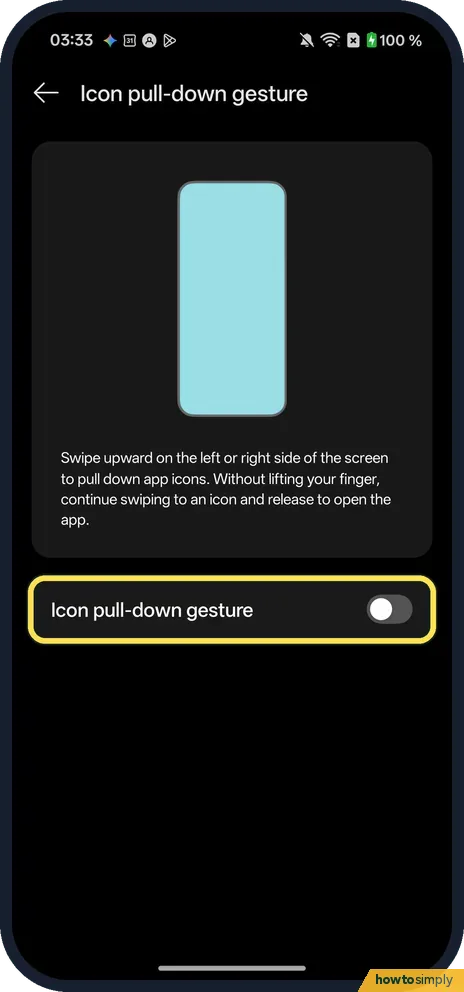
- Can't reach apps at the top? Icon pull-down gesture, in Home screen settings under Gestures, is another one-hand option. Its page says to swipe upward on the left or right side of the screen to pull down app icons, then, without lifting your finger, swipe to an icon and release to open the app. It was off on ours.
If this does not work
- Swipe does nothing? Check the switch is on and swipe down right at the bottom edge, on the gesture bar.
- Opens by accident? Switch One-handed mode off.
- Swipe opens recent apps instead? A slow swipe or one that starts above the gesture bar can be read as a navigation gesture. Put your thumb right on the bottom edge and make a short, quick downward flick.
- Stopped working after an update? Check that One-handed mode is still switched on and that the phone still uses gesture navigation, since it does nothing with buttons. If both are right and the swipe still fails, restart the phone to clear a stuck gesture.
- Screen springs back while you reach? Tapping the blank area above the panel exits the mode. Keep your other fingers off the top of the screen while you use it.
- Want it from Quick Settings? Google's help says one-handed mode can be added to Quick Settings as an accessibility shortcut, on Android 12 and up.
Good to know
Switch between gestures and buttons on a OnePlus.
With the switch on, nothing changes until you swipe down at the bottom edge, so it does not use extra battery or affect apps. Each time you exit, the screen returns to normal. To turn it off for good, go back to Accessibility & convenience, One-handed mode and switch it off; the swipe then does nothing.
The manual also describes an Icon pull-down gesture in the Home screen and Lock screen settings, which lets you pull app icons down to open them with one hand. It suits people who mostly struggle to reach apps at the top of the home screen. You can also change the home screen layout so the apps you use most sit lower.
About this guide
- Device
- Android
- Shown on
- OnePlus Nord 5 (CPH2709), OxygenOS 16.0.5.1201, Android 16
- App
- Settings
- Path
- Settings › Accessibility & convenience › One-handed mode
- Real screenshots
- 4 of 4 steps
- Checked
- October 2026
- Sources
- 2 official, linked below
Sources
Links checked October 2026. Menus and features can change with updates.Spotted a mistake? Menus change with updates, and we want every step to match your screen. Email us about this page or use the contact form. We read every report, and fixes are listed on What changed.
Liked this guide?
Follow us for new guides and short how-to videos.
Did this guide work for you?
Sorry about that. What happened?