ONEPLUS
How to use Split View and floating windows on a OnePlus (OxygenOS 16)

In short
Open Recents, tap the three dots by an app and choose Split View or Floating window. For Split View, then open a second app. With gestures, you can also swipe up from the bottom and move towards the top left (Split View) or top right (floating window).
6 of 6 steps show a real screenshot from our Nord 5. Each step was checked against the maker's own instructions, linked at the end.
Steps
- 1
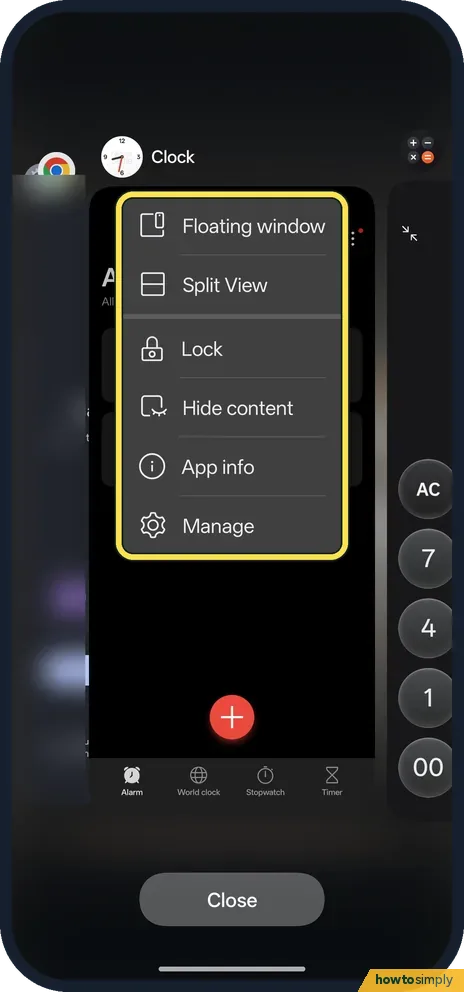
Open the app menu in Recents
Open Recents and tap the three dots by an app. Ours offered Floating window, Split View, Lock, Hide content, App info and Manage.
- 2
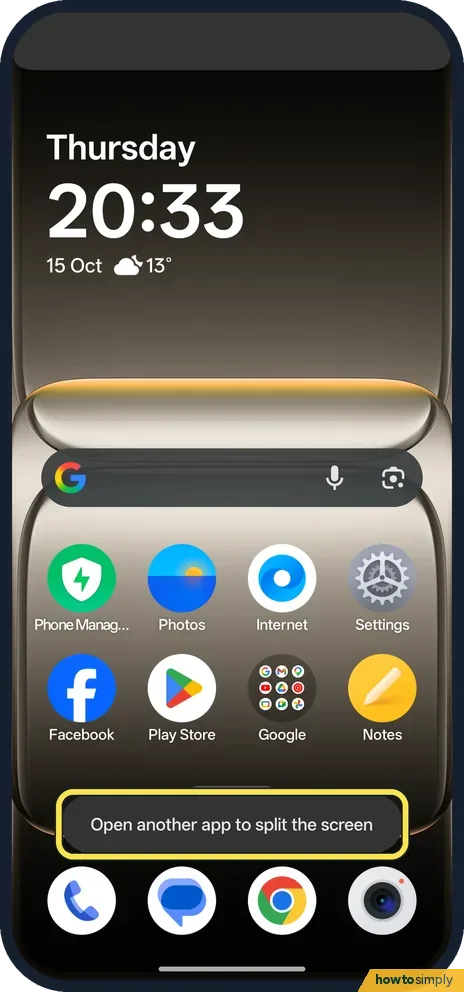
Start Split View
Tap Split View. The phone says: Open another app to split the screen. Open the second app.
- 3
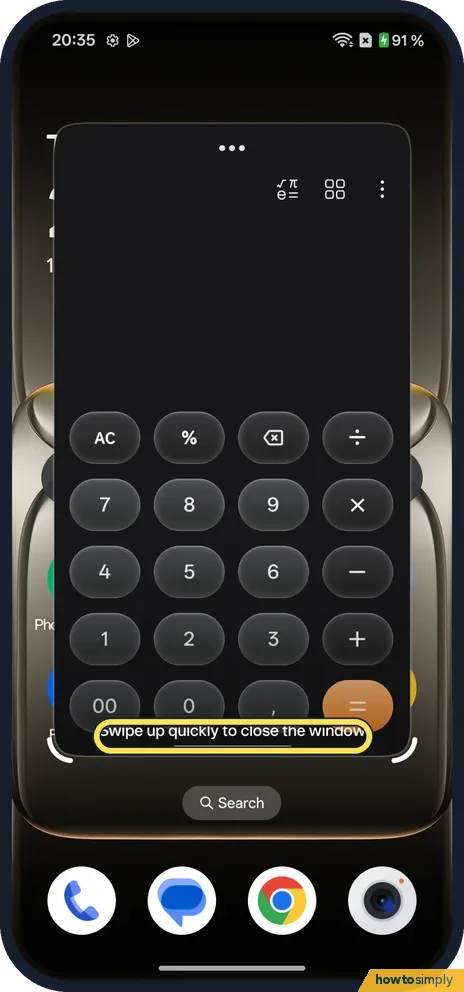
Or open a floating window
Tap Floating window instead. The app opens in a small window. Swipe up quickly to close it, as the hint says.
- 4
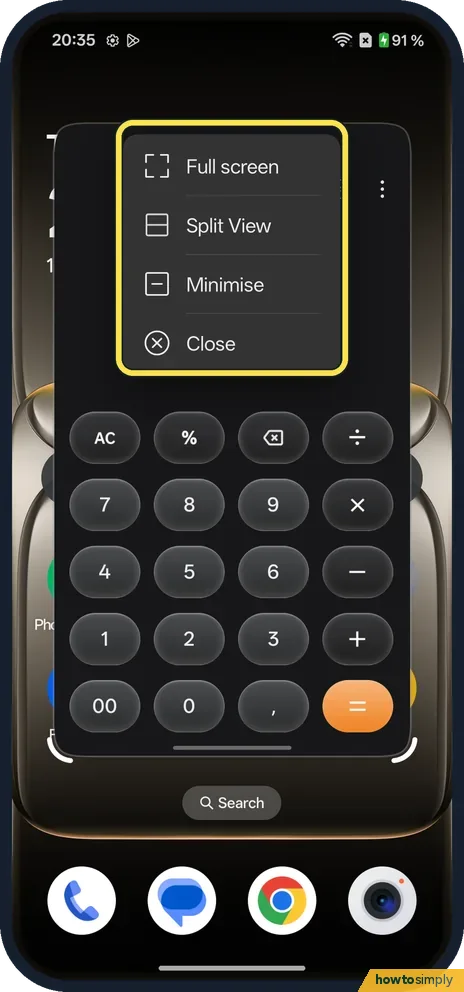
Use the window menu
Tap the three dots at the top of the floating window: Full screen, Split View, Minimise or Close.
- 5
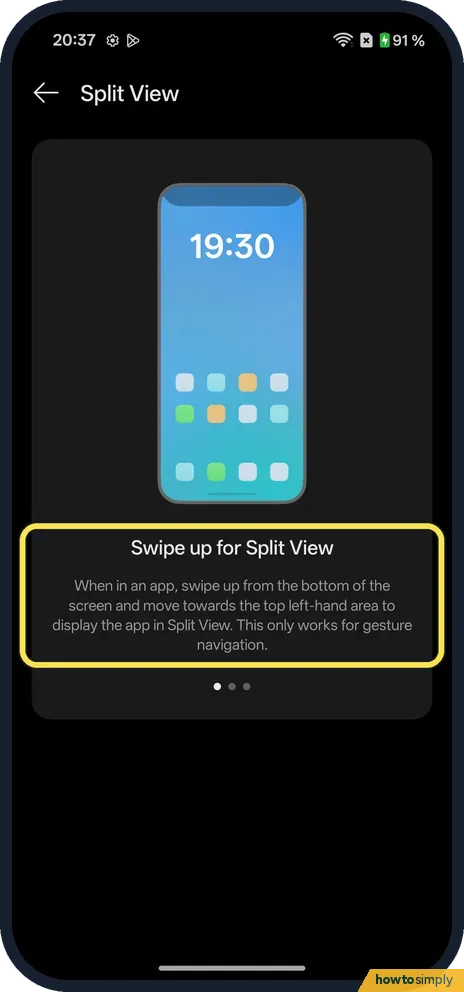
Learn the Split View swipe
Go to Settings, Accessibility & convenience, Split View. It says: swipe up from the bottom and move towards the top left-hand area. This only works with gesture navigation.
- 6
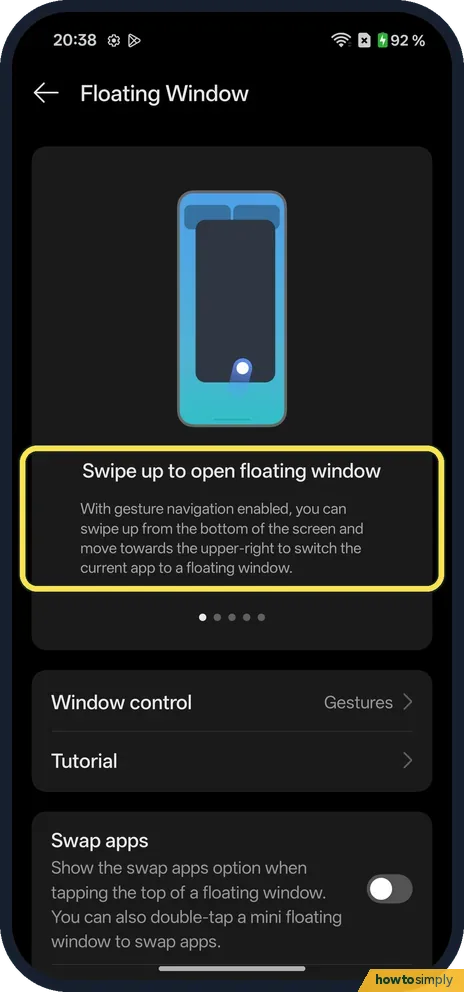
Learn the floating window swipe
Go back to Accessibility & convenience and tap Floating Window. It says: swipe up from the bottom and move towards the upper right. Swap apps was off on ours.
If you do not see this option
- Older OxygenOS? OnePlus's OxygenOS 14 manual turns on Split View under Settings, Special features. On our OxygenOS 16 phone the page is under Accessibility & convenience. Source: OxygenOS 14.0 User Manual
- From the Smart Sidebar? The Smart Sidebar settings page on ours says: drag an app out of the sidebar to open it in Split screen mode.
- Floating window from a swipe? Window control was set to Gestures on the Floating Window page on ours.
If this does not work
- Swipe shortcut does nothing? It only works with gesture navigation. See how to switch to gesture navigation.
- No Split View for an app? OnePlus's manual says Split View needs an app that supports it.
- Exit Split View? The manual says to drag the divider to the top or bottom of the screen.
- One app too small in Split View? The manual says you can drag the divider between the two apps up or down to give one of them more room.
- Use the same two apps every day? The manual describes saving them as an app group: on a regular phone, open the recent tasks screen while in Split View and save the pair there, so they open together next time.
Good to know
Open Split View from the side of the screen: the Smart Sidebar.
Split View and floating windows only change how apps are shown. Both apps keep running, and leaving Split View or closing the window returns the app to normal full screen. Nothing is saved or lost.
About this guide
- Device
- Android
- Shown on
- OnePlus Nord 5 (CPH2709), OxygenOS 16.0.5.1201, Android 16
- Starts in
- Recents
- Real screenshots
- 6 of 6 steps
- Checked
- October 2026
- Sources
- 1 official, linked below
Sources
Links checked October 2026. Menus and features can change with updates.Spotted a mistake? Menus change with updates, and we want every step to match your screen. Email us about this page or use the contact form. We read every report, and fixes are listed on What changed.
Liked this guide?
Follow us for new guides and short how-to videos.
Did this guide work for you?
Sorry about that. What happened?