
howtosimply.com/guides/how-to-use-simple-mode-on-an-honor-phone/ · Checked October 2026 · BRP-NX1M, EEA), MagicOS 10.0, Android 16 (build 10.0.0.169(C430E7R2P1) · HONOR Magic7 Lite
In this guide
Open Settings, System & updates, Simple mode and tap Enable. The Home screen switches to big icons and text. To leave, open Settings, tap Simple, then Exit Simple mode and confirm with Exit.
7 of 7 steps with real screenshots · 1 official source below
- Device
- Android
- Shown on
- HONOR Magic7 Lite (BRP-NX1M, EEA), MagicOS 10.0, Android 16 (build 10.0.0.169(C430E7R2P1))
- App
- Settings
- Path
- Settings › System & updates › Simple mode › Enable; exit from Settings › Simple › Exit Simple mode
- Real screenshots
- 7 of 7 steps
- Checked
- October 2026
- Sources
- 1 official, linked below
Step by step
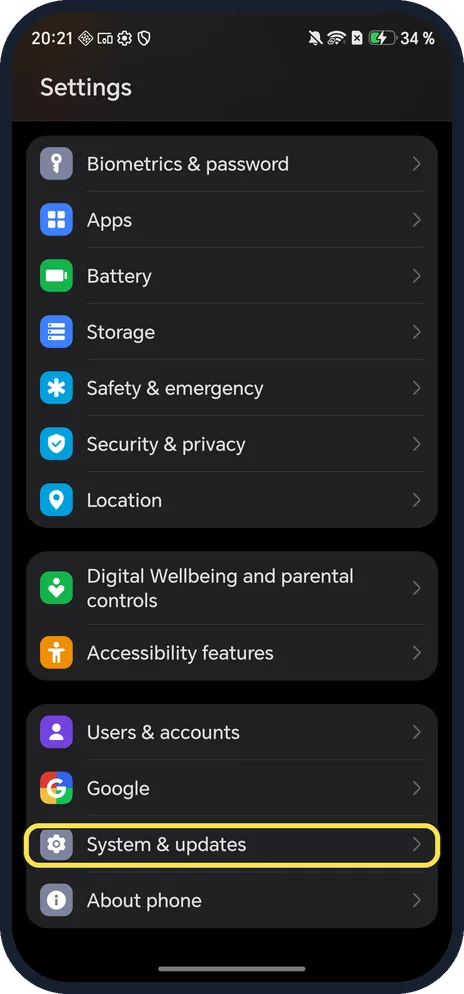
Open System & updates
Open Settings and scroll to the bottom.
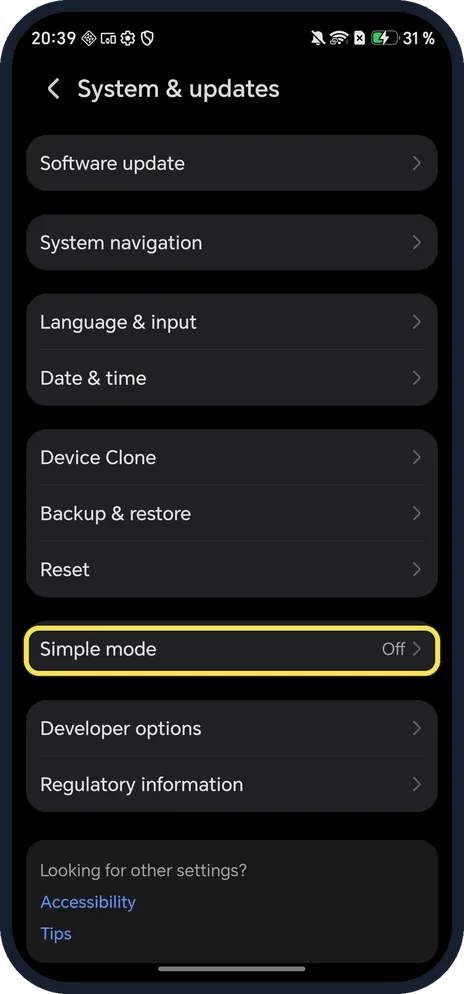
Tap Simple mode
In the System & updates list.
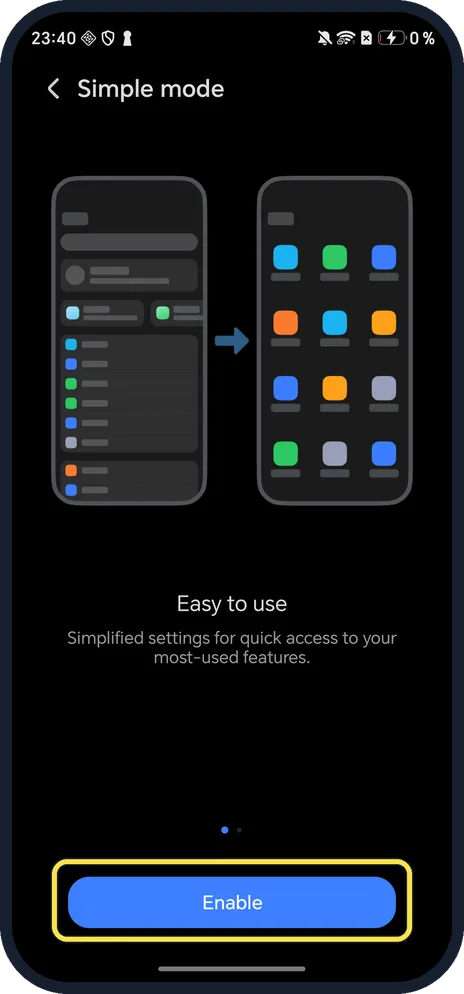
Tap Enable
The page says: Easy to use, simplified settings for quick access to your most-used features.
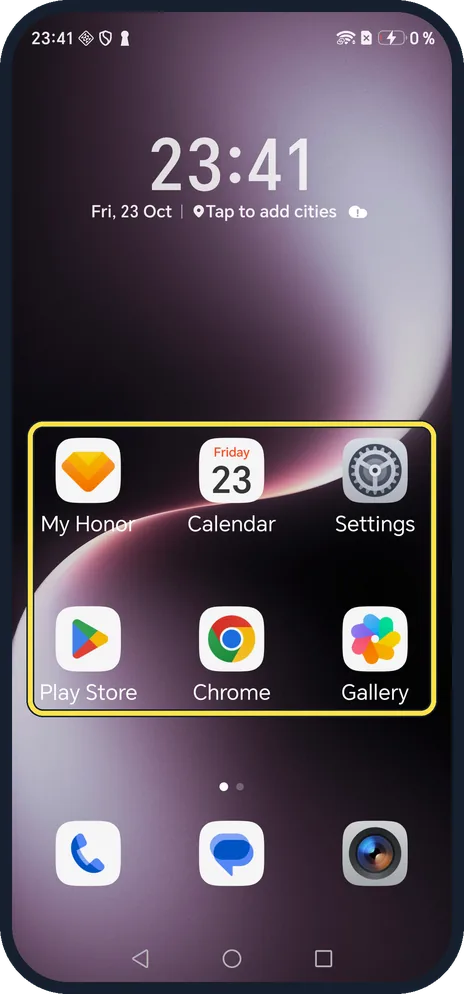
Use the simple Home screen
Apps sit in large tiles with bigger names: here My Honor, Calendar, Settings, Play Store, Chrome and Gallery.
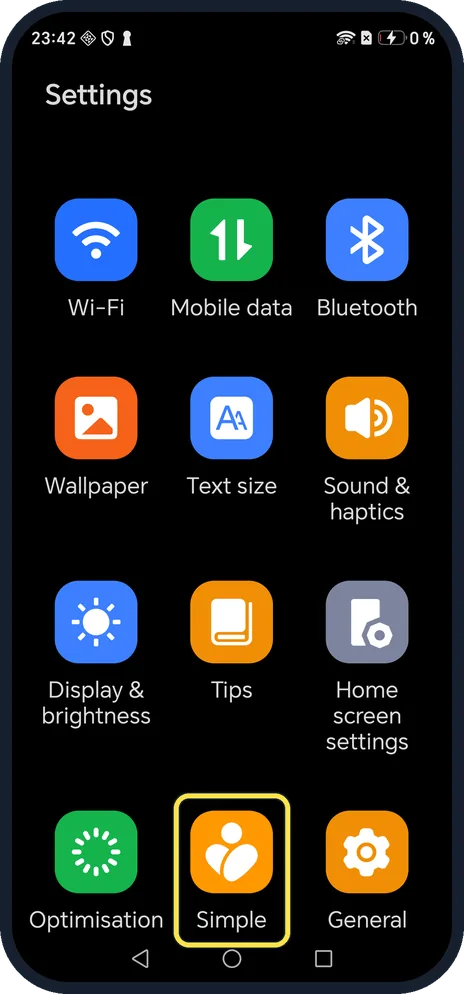
To leave, tap Simple in Settings
Settings is now a grid of big tiles. Simple is near the bottom.
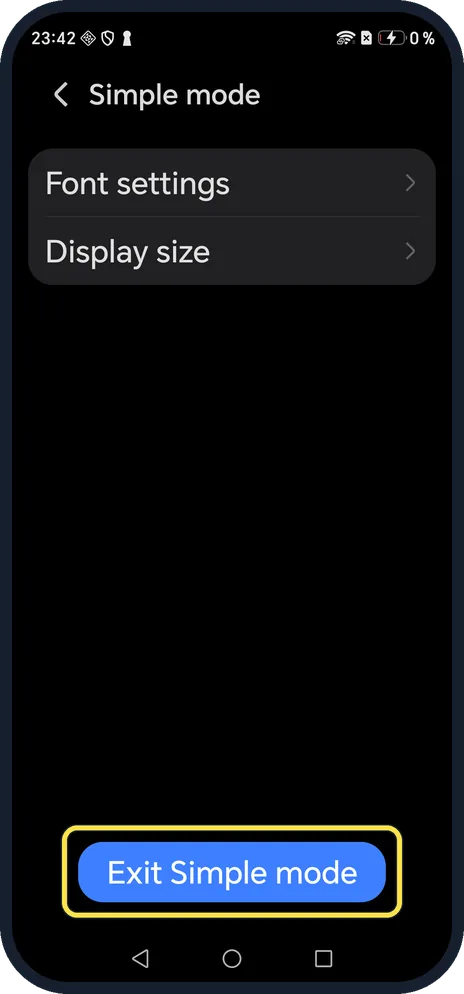
Tap Exit Simple mode
It is the blue button at the bottom of the Simple mode page.
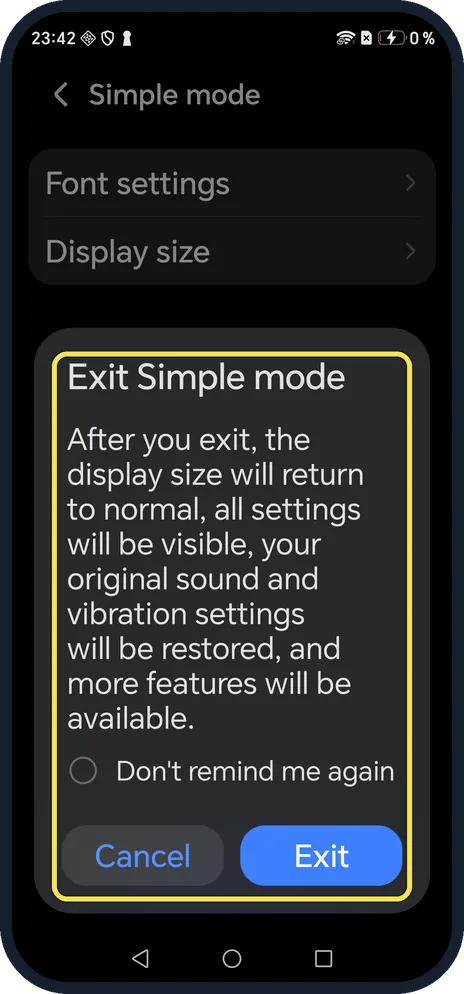
Confirm with Exit
The dialog says the display size returns to normal, all settings become visible again and your original sound and vibration settings are restored.
If you do not see this option
- No Simple mode under System & updates? HONOR gives the same path, Settings, System & updates, Simple mode; search Settings for Simple if your version moves it. Source: Enable or Exit Simple Mode
- Want to rearrange the big icons? HONOR says to touch and hold an icon to drag it, or uninstall it if it is not a mandatory app. Source: Enable or Exit Simple Mode
- Only want bigger text? Simple mode's own page has Font settings and Display size, and the normal Display & brightness page has the same sliders. See change font size on an HONOR phone.
If this does not work
- Phone suddenly very loud? HONOR says Simple mode maximises the volume. Exiting restores your original sound and vibration settings. Source: Enable or Exit Simple Mode
- Can't find Exit? HONOR says to open Settings and touch Exit Simple mode; on ours it sat inside the Simple tile. Source: Enable or Exit Simple Mode
About this guide
Simple mode gives a phone big icons, big text and a short Settings screen, which helps someone who finds the normal layout too busy.
The screenshots are from our HONOR Magic7 Lite, the European model BRP-NX1M, with MagicOS 10.0 and Android 16 (build 10.0.0.169(C430E7R2P1)), in Dark mode. We turned Simple mode on for the screenshots and exited it afterwards.
Good to know
For bigger text without Simple mode, change font size on an HONOR phone.
To read with less glare, turn on eBook mode.
In short: Settings, System & updates, Simple mode, Enable; exit from Settings, Simple, Exit Simple mode.
Links checked in October 2026. Menus and features can change after software updates. These steps match the version named at the top.
Did this guide work for you?
Sorry about that. What happened?