
howtosimply.com/guides/how-to-turn-on-eye-comfort-on-an-honor-phone/ · Checked October 2026 · BRP-NX1M, EEA), MagicOS 10.0, Android 16 (build 10.0.0.169(C430E7R2P1) · HONOR Magic7 Lite
In this guide
Open Settings, Display & brightness, Honor Eye Comfort Display, Eye Comfort and turn on Enable all day, or set a schedule with Scheduled. Adjust Filter level for how warm the screen gets. You can also tap Eye Comfort in Control Center.
6 of 6 steps with real screenshots · 1 official source below
- Device
- Android
- Shown on
- HONOR Magic7 Lite (BRP-NX1M, EEA), MagicOS 10.0, Android 16 (build 10.0.0.169(C430E7R2P1))
- App
- Settings
- Path
- Settings › Display & brightness › Honor Eye Comfort Display › Eye Comfort › Enable all day
- Real screenshots
- 6 of 6 steps
- Checked
- October 2026
- Sources
- 1 official, linked below
Step by step
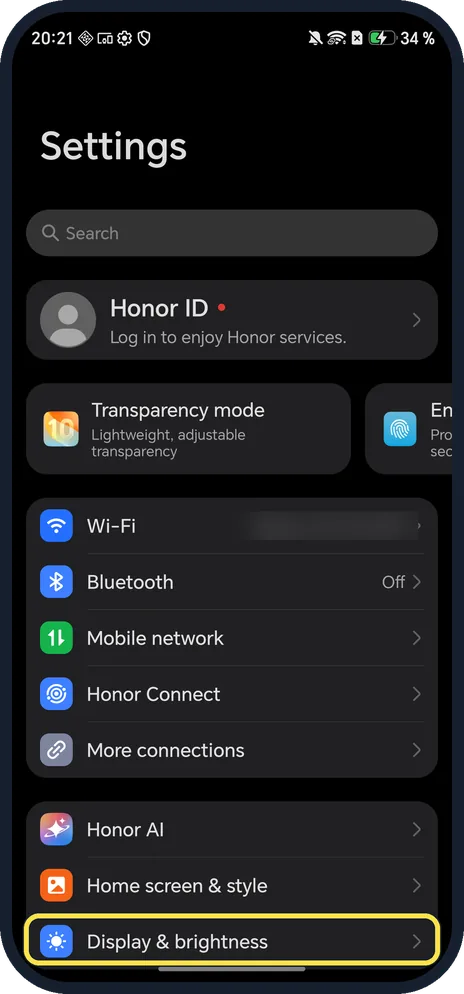
Open Display & brightness
Open Settings and scroll down to it.
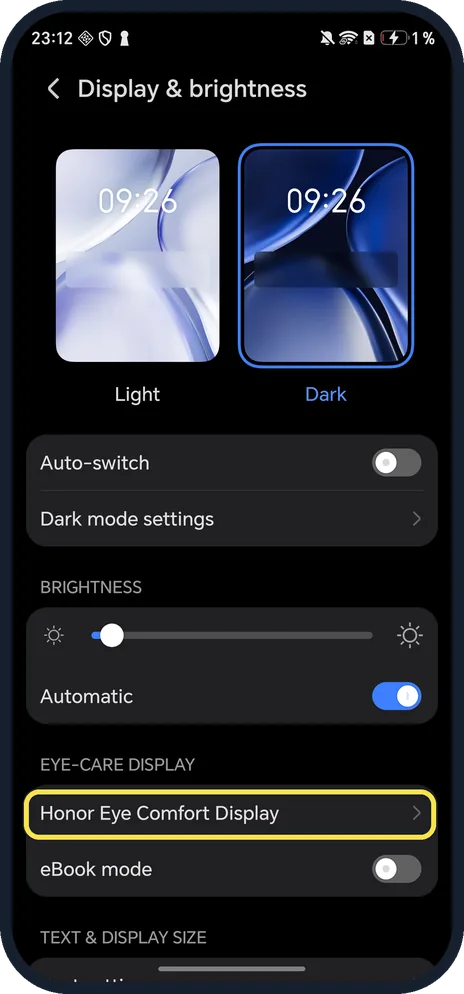
Tap Honor Eye Comfort Display
Under Eye-care display.
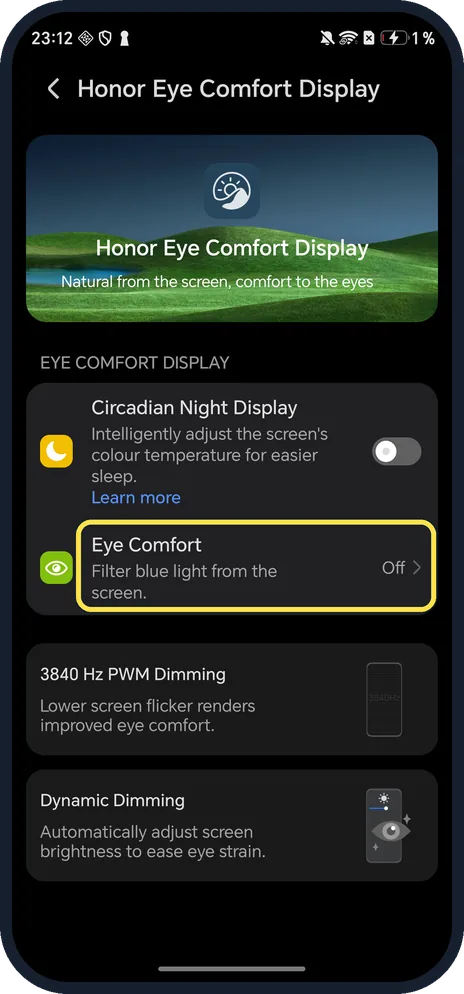
Tap Eye Comfort
It says Off until you turn it on.
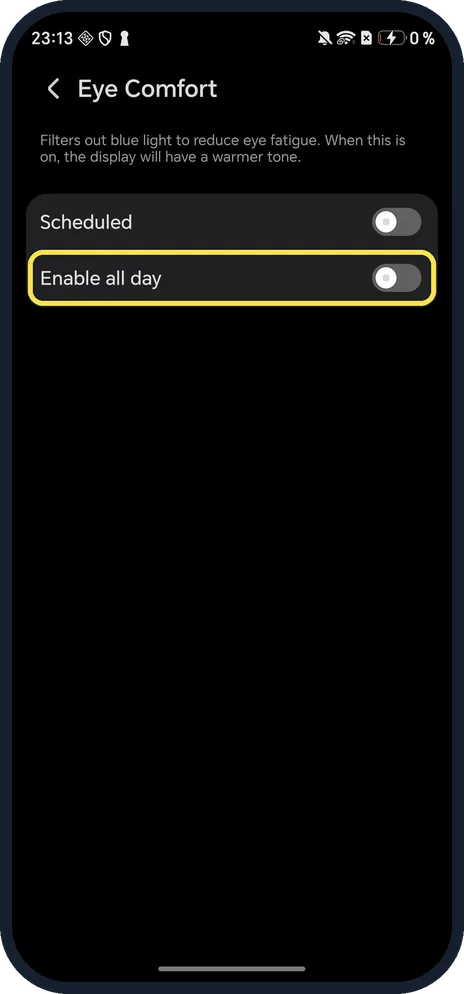
Turn on Enable all day
The page says it filters out blue light to reduce eye fatigue and gives the display a warmer tone.
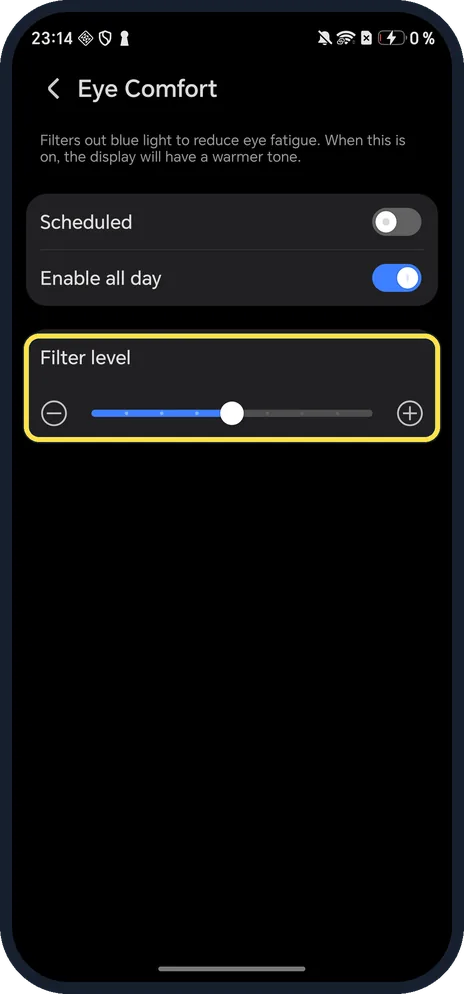
Set the Filter level
The slider appears once it is on.
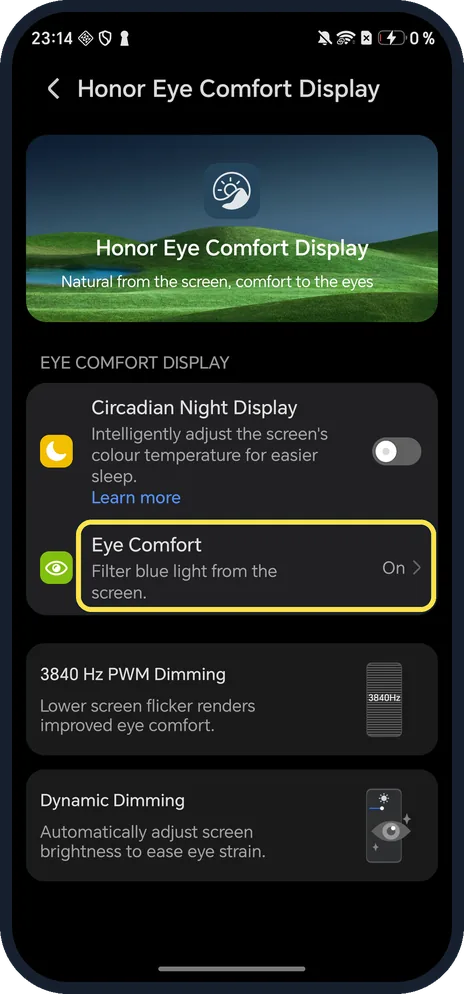
Check it says On
Back on Honor Eye Comfort Display, Eye Comfort now says On.
If you do not see this option
- Only in the evening? Turn on Scheduled instead and set Start and End. Source: Use Eye Comfort Mode
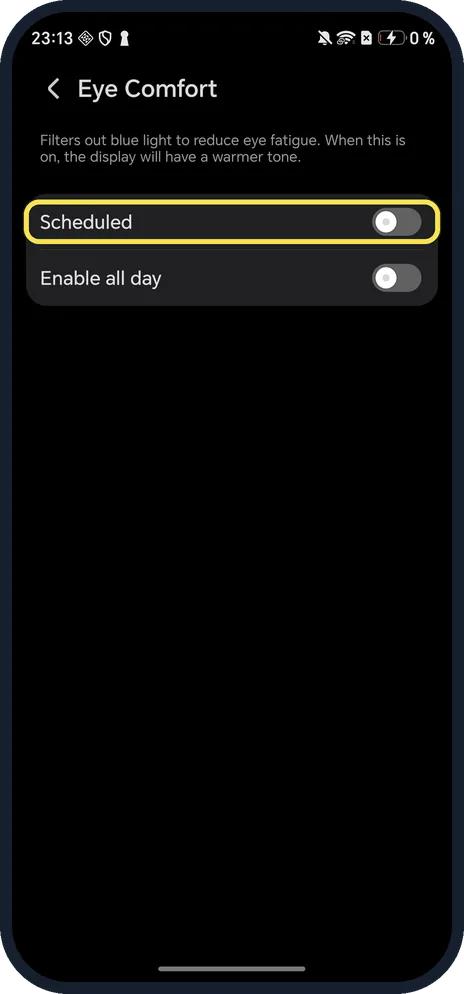
- Quicker switch? HONOR says to swipe down from the top right to open Control Center and tap Eye Comfort; touch and hold it for the settings. Source: Use Eye Comfort Mode
- Want warmer colours only at night? Circadian Night Display on the same page adjusts the colour temperature for easier sleep.
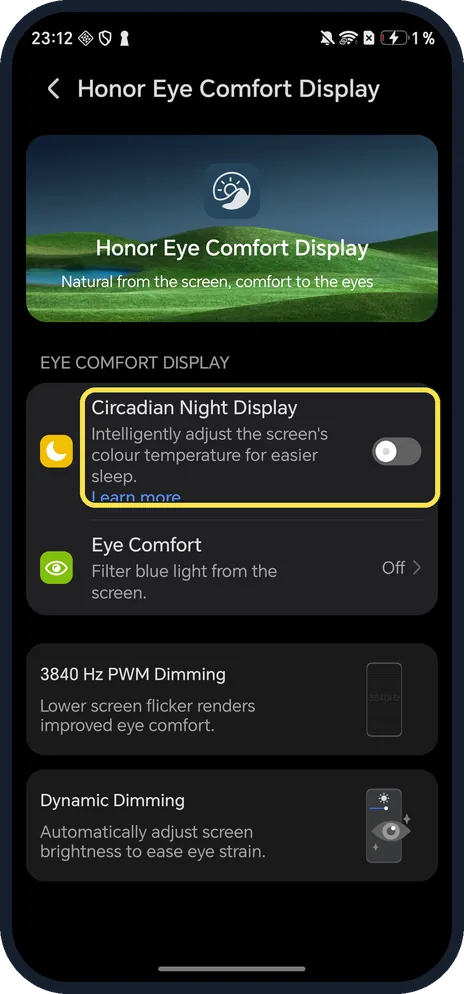
If this does not work
- Screen looks yellow? HONOR says the screen takes on a yellow tint and an icon shows in the status bar while Eye Comfort is on. Turn off Enable all day and Scheduled. Source: Use Eye Comfort Mode
- Screenshots look normal? On our phone a screenshot taken with Eye Comfort on showed no tint, although the setting said On.
About this guide
The screenshots are from our HONOR Magic7 Lite, the European model BRP-NX1M, with MagicOS 10.0 and Android 16 (build 10.0.0.169(C430E7R2P1)), in Dark mode. We turned Eye Comfort on for the screenshots and off again afterwards.
Good to know
To darken the whole interface, turn on dark mode on an HONOR phone.
On an OPPO, see turn on Eye Comfort on an OPPO phone.
In short: Settings, Display & brightness, Honor Eye Comfort Display, Eye Comfort, Enable all day.
Links checked in October 2026. Menus and features can change after software updates. These steps match the version named at the top.
Did this guide work for you?
Sorry about that. What happened?