ONEPLUS
How to turn aeroplane mode on or off on a OnePlus (OxygenOS 16)

In short
Swipe down twice from the top for Quick Settings and tap the Aeroplane mode tile. It turns orange and a plane shows in the status bar. Tap it again to turn it off.
6 of 6 steps show a real screenshot from our Nord 5. Each step was checked against the maker's own instructions, linked at the end.
Steps
- 1
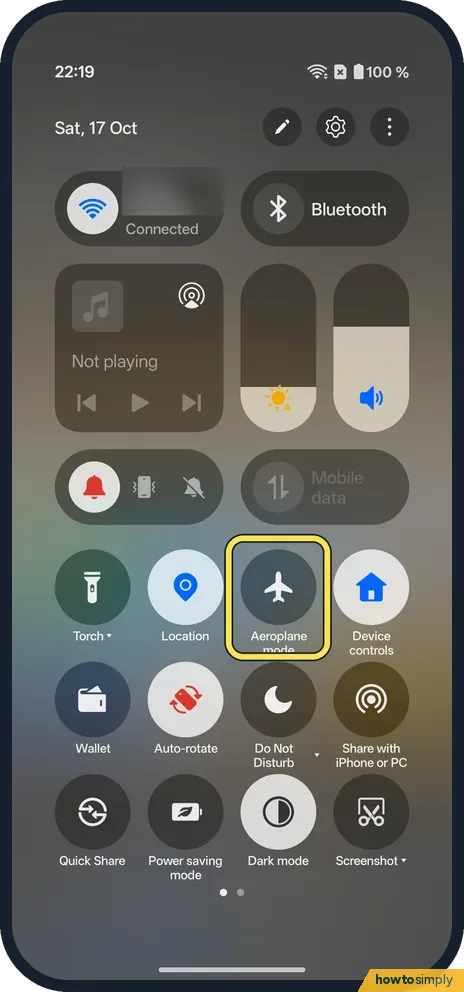
Find the tile
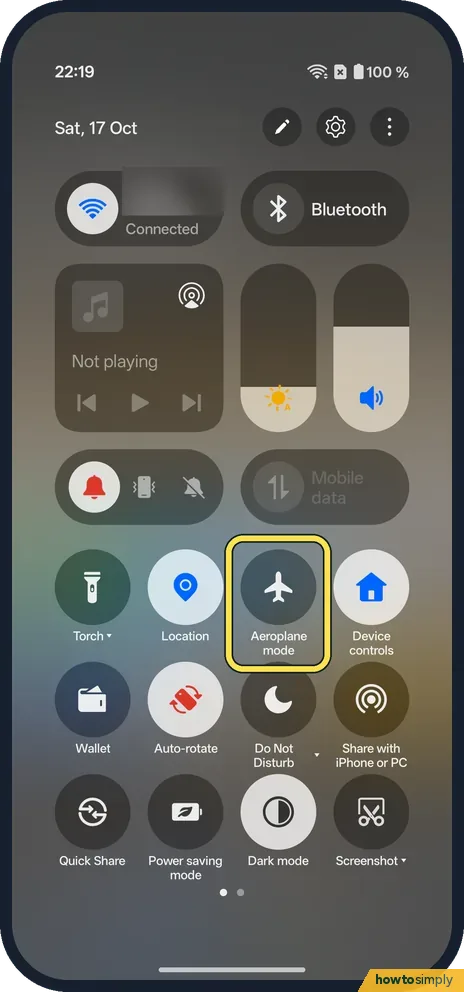
Swipe down twice from the top. Aeroplane mode is the third round tile under the sliders on ours.
- 2
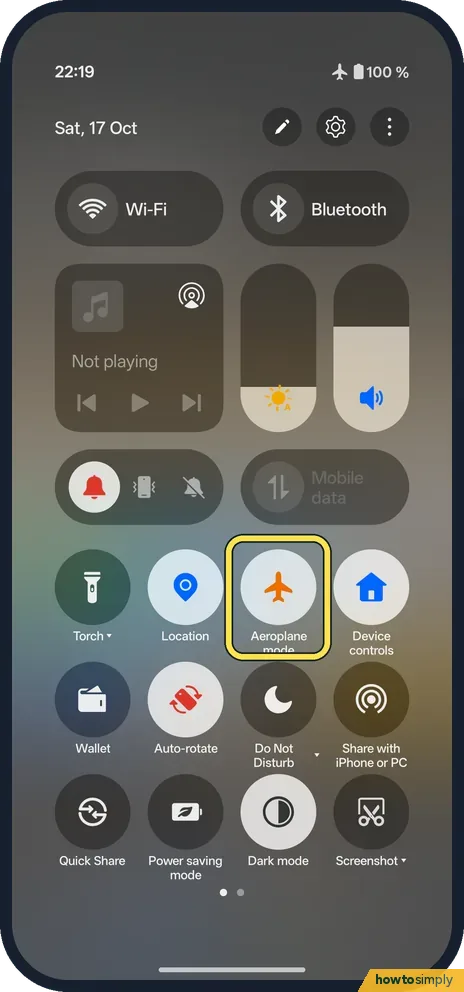
Tap it
The Aeroplane mode tile turns orange.
- 3
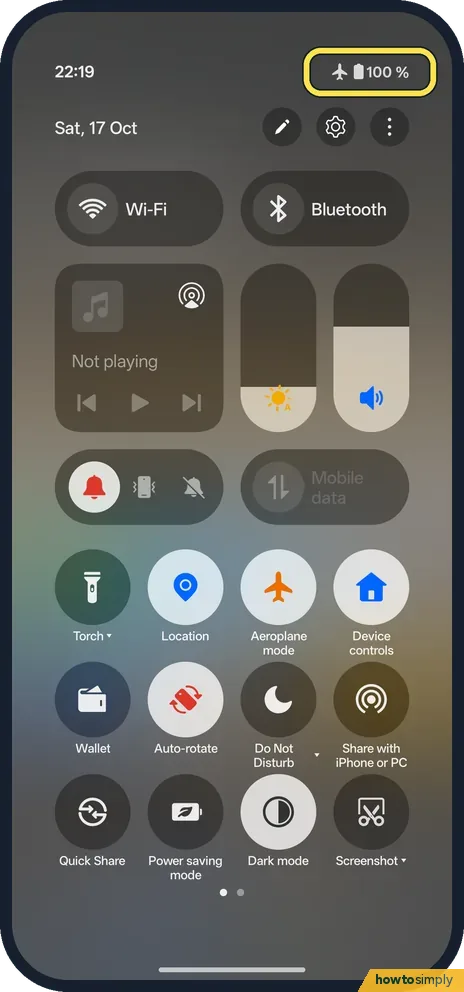
Check the status bar
A plane icon shows next to the battery, and the Wi-Fi icon is gone.
- 4
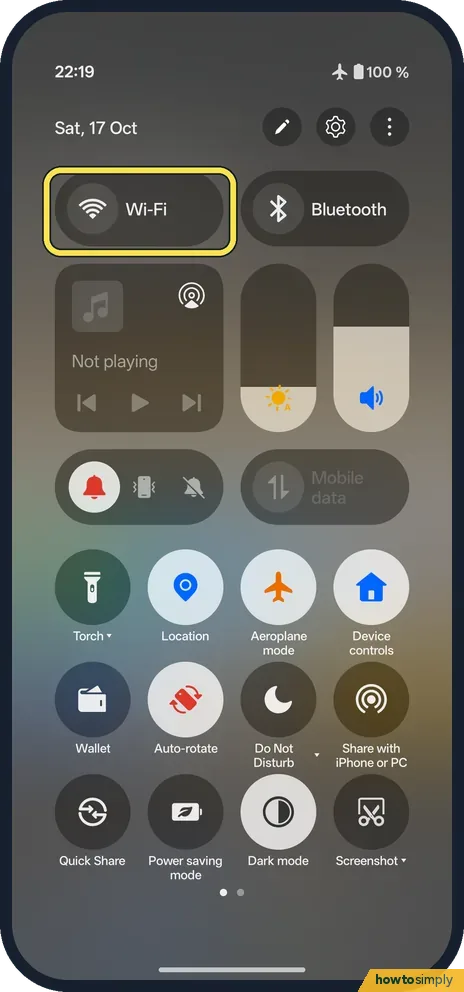
Wi-Fi went off with it
The Wi-Fi tile switched off too.
- 5
Tap Aeroplane mode again
The tile goes grey, and aeroplane mode is off.
- 6
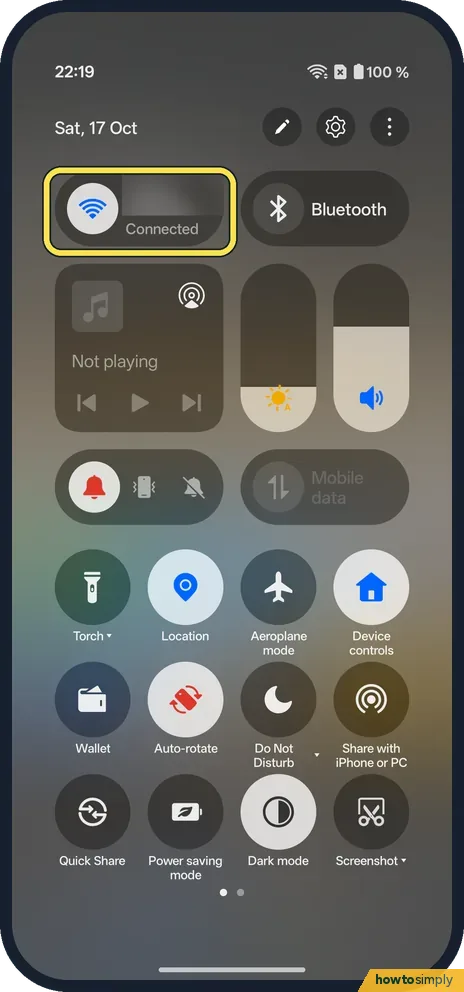
Wi-Fi comes back
Ours reconnected to Wi-Fi straight away: the Wi-Fi tile said Connected again.
If you do not see this option
- No Aeroplane mode tile? Tap the pencil in Quick Settings and add it; on ours it was in the Connection group of the tile list.
- On OxygenOS 14? The OnePlus manual puts the switch under Settings, Connection & sharing. On our OxygenOS 16 phone it is on the main Settings page, near the top. Source: OxygenOS 14.0 User Manual
If this does not work
- No signal after turning it off? Wait a few seconds for the networks to reconnect; ours was back on Wi-Fi at once.
- Bluetooth headphones stopped? The OnePlus manual says features that use the mobile network, Wi-Fi and Bluetooth are unavailable in aeroplane mode. Google says you can turn Wi-Fi or Bluetooth back on while it stays on.
- Wi-Fi stays on in aeroplane mode now? Google says that if you turn Wi-Fi or Bluetooth back on while aeroplane mode is on, the phone remembers that choice and keeps them on next time. Switch them off once in aeroplane mode if you want it to turn everything off again.
- Mobile data still missing after a minute? Toggle aeroplane mode on and off once more. If there is still no signal, restart the phone; it is also a common quick fix for a stuck mobile connection.
- Messages arrive late after landing? Texts and app notifications sent while you were offline are held by the network and arrive once you reconnect. Give it a few minutes after turning aeroplane mode off.
Good to know
Turn Bluetooth on or off on a OnePlus.
While aeroplane mode is on, OnePlus's manual says features that rely on the mobile network, Wi-Fi and Bluetooth are unavailable. Calls and texts cannot reach you, and apps that need the internet stop updating. Alarms, the camera, music and anything stored on the phone keep working. Battery lasts longer, especially where signal is weak, because the phone stops searching for a network.
Turning it off brings everything back as it was: on ours Wi-Fi reconnected straight away. If you only want Wi-Fi to stop joining networks by itself, without losing calls, see stop Wi-Fi turning on by itself on a OnePlus.
About this guide
- Device
- Android
- Shown on
- OnePlus Nord 5 (CPH2709), OxygenOS 16.0.5.1201, Android 16
- App
- Quick Settings
- Path
- Quick Settings › Aeroplane mode
- Real screenshots
- 6 of 6 steps
- Checked
- October 2026
- Sources
- 3 official, linked below
Sources
Links checked October 2026. Menus and features can change with updates.Spotted a mistake? Menus change with updates, and we want every step to match your screen. Email us about this page or use the contact form. We read every report, and fixes are listed on What changed.
Liked this guide?
Follow us for new guides and short how-to videos.
Did this guide work for you?
Sorry about that. What happened?