ONEPLUS
How to turn NFC on or off on a OnePlus (OxygenOS 16)

In short
Go to Settings, Device Connect and switch NFC on under Touch. Payment & access badge, just below, sets the default payment app (Google Wallet on ours). There is no Connection & sharing menu on OxygenOS 16.
4 of 4 steps show a real screenshot from our Nord 5. Each step was checked against the maker's own instructions, linked at the end.
Steps
- 1
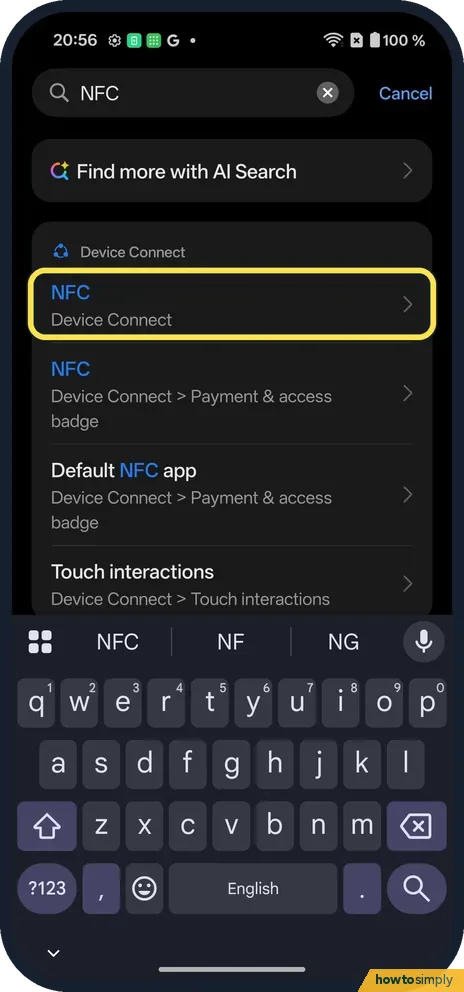
Search or open Device Connect
Searching NFC finds it under Device Connect. Or open Settings, Device Connect.
- 2
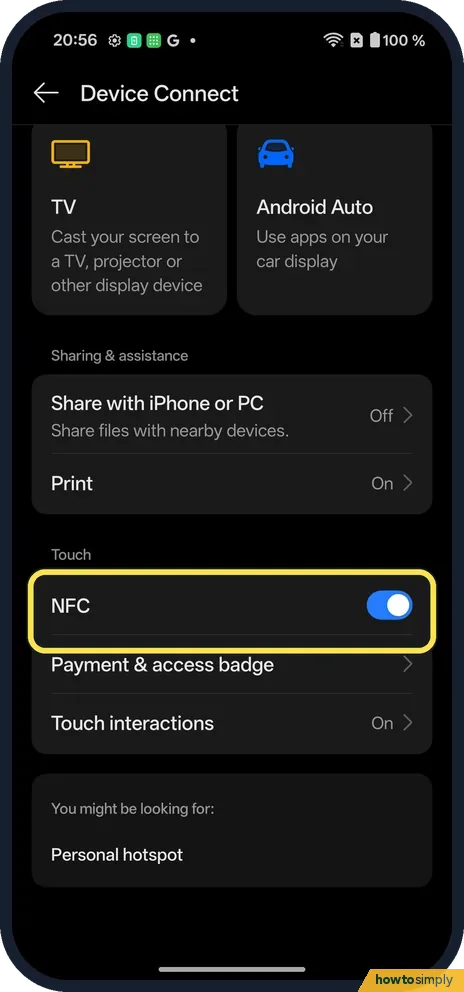
Find NFC under Touch
Scroll Device Connect to the Touch section. NFC was on.
- 3
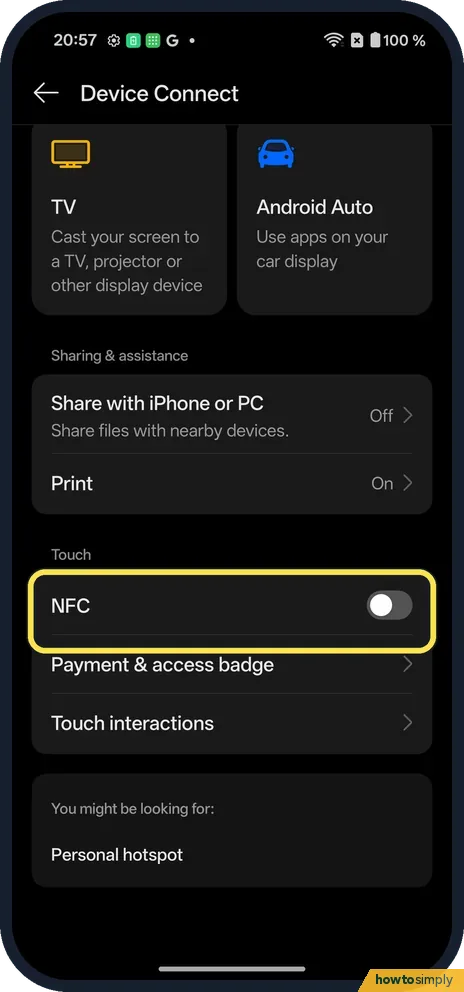
Tap to switch it
The whole row works as the switch: one tap on the word NFC turned ours off.
- 4
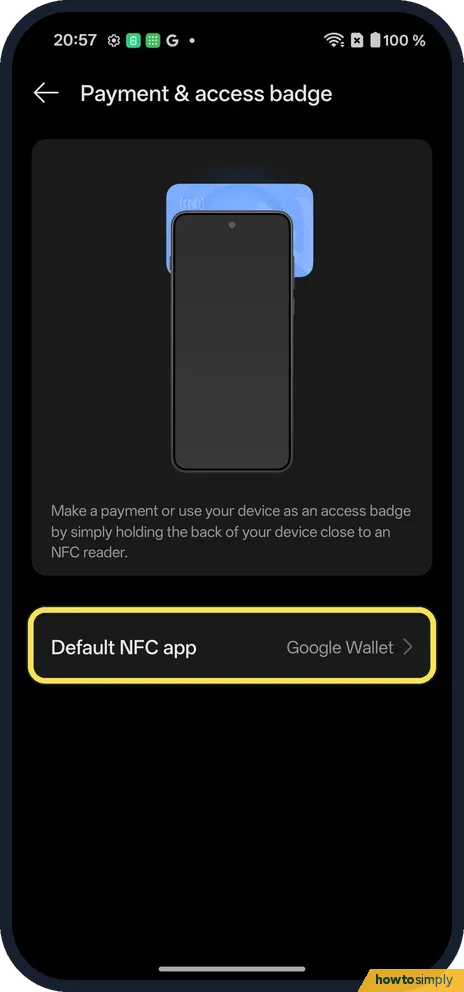
Check the payment app
Tap Payment & access badge. Default NFC app was Google Wallet on ours.
If you do not see this option
- No Connection & sharing? OxygenOS 16 moved NFC to Device Connect, under Touch.
- No NFC row at all? Not every phone has NFC. Our Nord 5 does. Source: Turn on near field communication (NFC)
- Wallet will not set up? Google Wallet needs a screen lock and a phone that is Play Protect certified. Set a PIN, pattern or password before adding a card. Source: Fix problems with contactless transactions
If this does not work
- Payment does not start? NFC must be on and Default NFC app set to your wallet. Hold the top of the back of the phone near the reader.
- Turned off by mistake? Tap the NFC row again.
- Reader says try again? Google suggests resting the phone against the reader for a few extra seconds without moving it too quickly, because the NFC antenna can be near the top or the middle of the phone. A thick case can also interrupt the signal.
- Phone or till asks for a PIN? Google says the phone wants you to unlock it with a supported method. Enter your phone's screen lock PIN on the phone, not your card PIN on the till, then tap again.
- Payments stopped after an update? Google notes that a software update can affect contactless payments and suggests contacting the phone maker if that happens. Check that NFC is still on and Google Wallet is still the default app first.
Good to know
Share files with an iPhone or PC from a OnePlus.
With NFC off, the phone ignores payment readers, NFC tags and tap-to-pair accessories; your cards and wallet app stay set up, so switching it back on is all it takes. With it on, the phone only exchanges data with something held a few centimetres away, so it does not broadcast to people nearby. If the till accepts the tap but the shop says the payment failed, Google suggests trying a different reader, checking that the shop accepts mobile payments and asking your bank about the card. For moving files between phones, NFC is not involved: change who can send you files with Quick Share.
About this guide
- Device
- Android
- Shown on
- OnePlus Nord 5 (CPH2709), OxygenOS 16.0.5.1201, Android 16
- App
- Settings
- Path
- Settings › Device Connect › NFC
- Real screenshots
- 4 of 4 steps
- Checked
- October 2026
- Sources
- 2 official, linked below
Sources
Links checked October 2026. Menus and features can change with updates.Spotted a mistake? Menus change with updates, and we want every step to match your screen. Email us about this page or use the contact form. We read every report, and fixes are listed on What changed.
Liked this guide?
Follow us for new guides and short how-to videos.
Did this guide work for you?
Sorry about that. What happened?