XIAOMI REDMI
How to use palm shutter, voice shutter and the timer on a Xiaomi camera (HyperOS 3)

In short
In Camera, tap the arrow at the top, then Settings. Under Photo, Shutter type has Palm shutter, Audio (say Cheese!), Tap to take a photo and Additional shutter. Under General, Volume buttons function can start a 2-second timer. More modes appear when you swipe up on the mode bar.
8 of 8 steps show a real screenshot from our Redmi Note 15 Pro 5G. Each step was checked against the maker's own instructions, linked at the end.
Steps
- 1
Open Camera settings
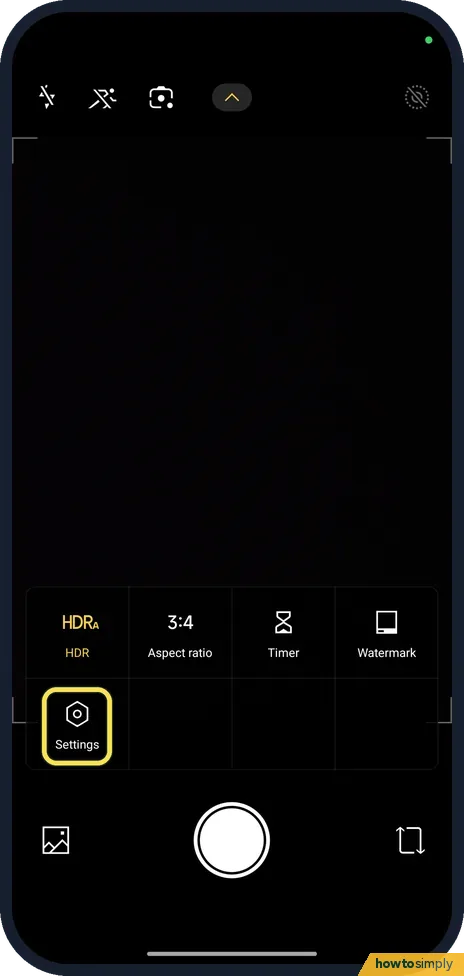
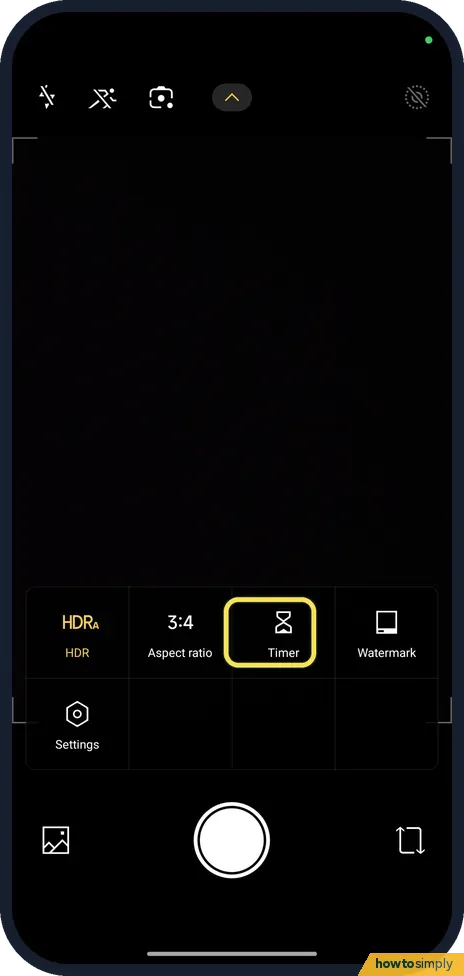
Open Camera and tap the arrow at the top. The menu shows HDR, Aspect ratio, Timer, Watermark and Settings. Tap Settings.
- 2
Tap Shutter type
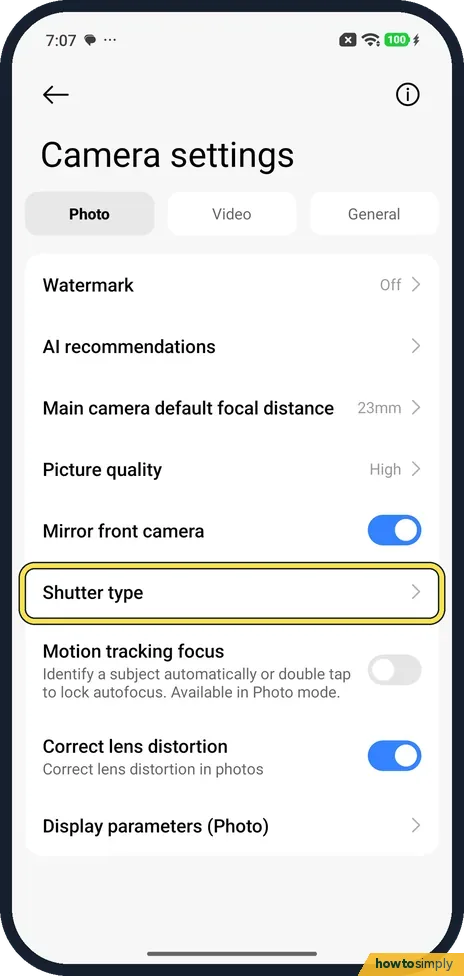
On the Photo tab, scroll down and tap Shutter type.
- 3
Palm shutter
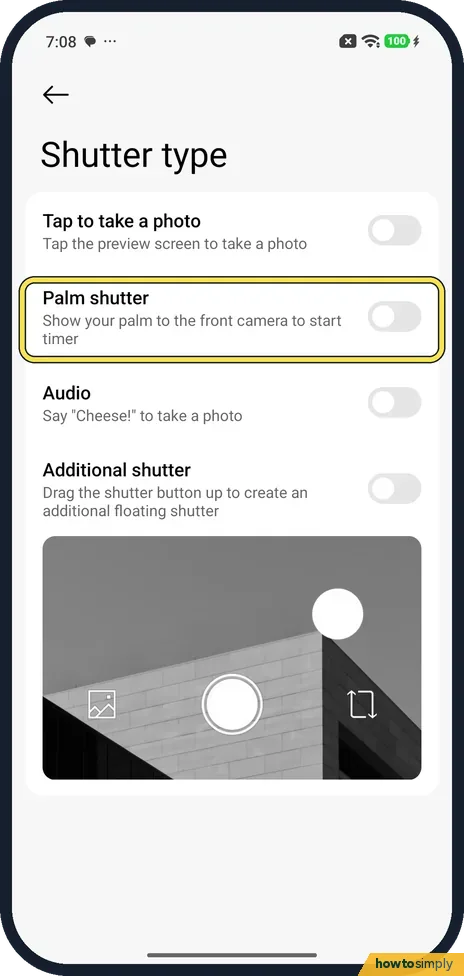
Turn on Palm shutter. The page says to show your palm to the front camera to start the timer. It was off on ours.
- 4
Say "Cheese!"
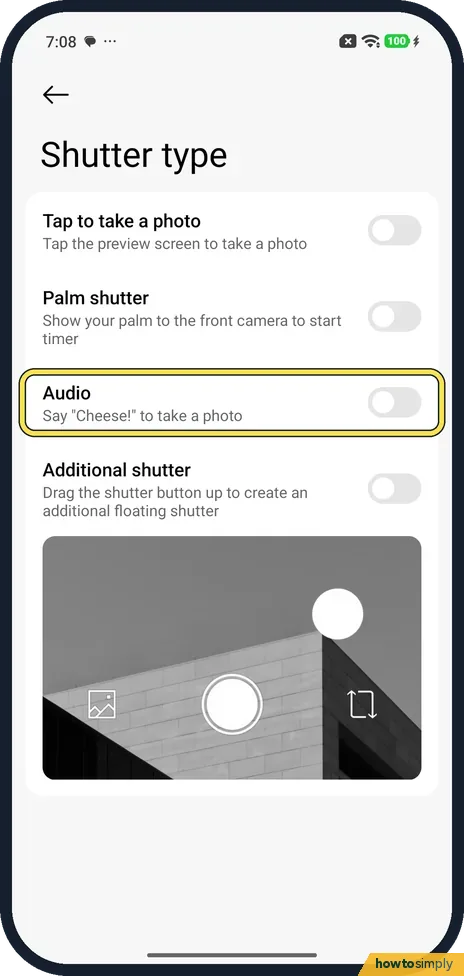
Turn on Audio to take a photo when you say Cheese!. It was off on ours, as were Tap to take a photo and Additional shutter.
- 5
Open the General tab
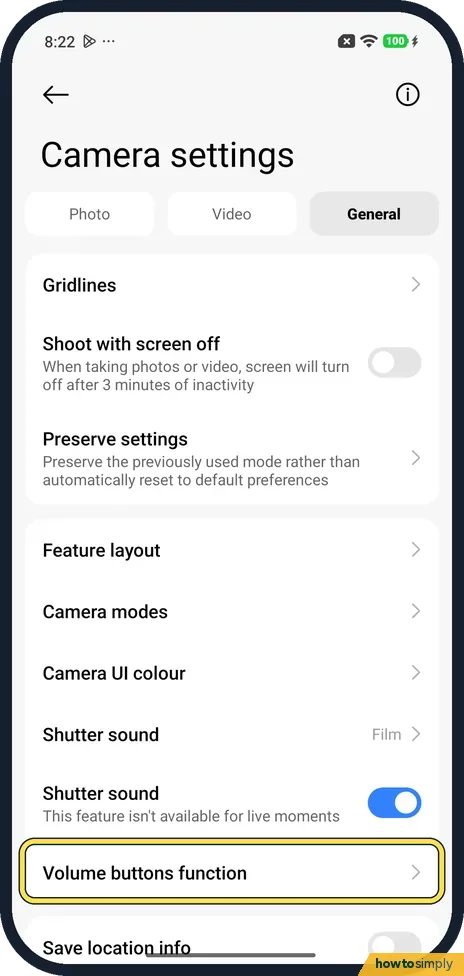
Go back, open the General tab and scroll to Volume buttons function. Tap it.
- 6
Use a volume button as a timer
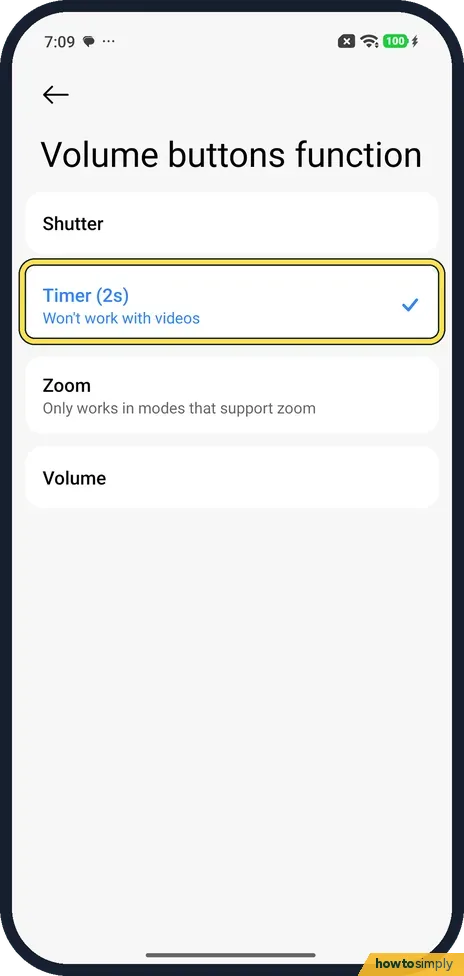
Ours was set to Timer (2s), which won't work with videos. The others are Shutter, Zoom and Volume.
- 7
Check the mode bar
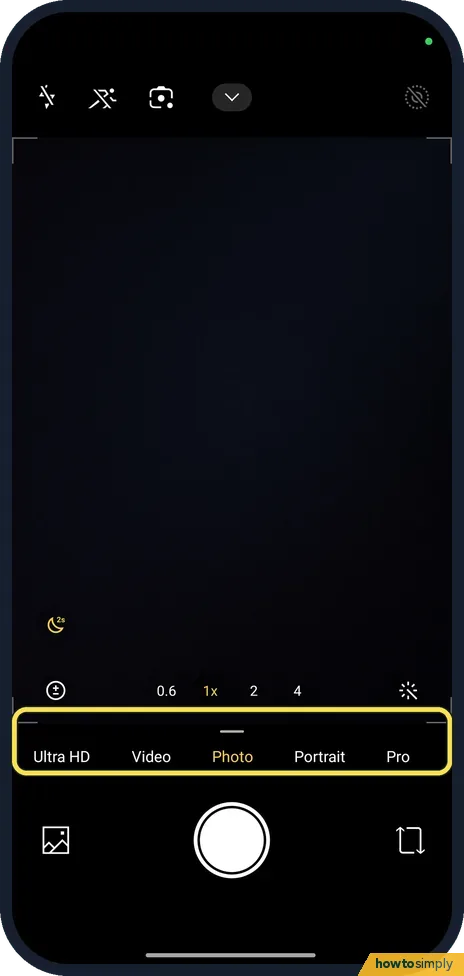
Back in the camera, the mode bar shows Ultra HD, Video, Photo, Portrait and Pro.
- 8
Find the extra modes
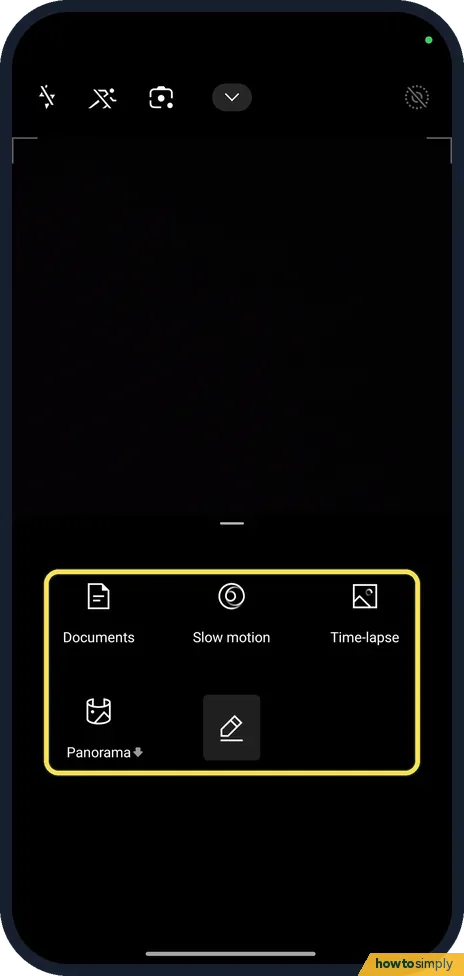
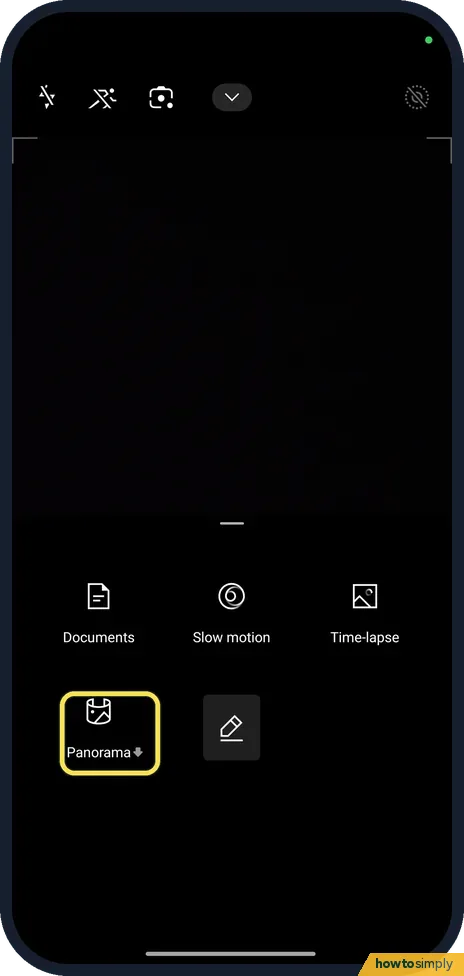
Swipe up on the mode bar to see Documents, Slow motion, Time-lapse and Panorama.
If you do not see this option
- Voice shutter somewhere else? Xiaomi says that on the REDMI 13C you tap the icon in the middle at the top of Camera and turn on Voice shutter. On ours it is called Audio, under Shutter type. Source: How to turn on voice shutter on the REDMI 13C?
- No Palm shutter on the back camera? Xiaomi lists Palm shutter among the front camera modes of the REDMI 17, not the rear ones. Ours also says to show your palm to the front camera. Source: REDMI 17 FAQ
- Looking for burst? Xiaomi lists Timed burst for the REDMI 17 camera. We found no burst or hold-shutter setting in the Camera settings tabs on ours. Source: REDMI 17 FAQ
- Panorama has a small arrow? Xiaomi's HyperOS 3 guide says some modes, such as Documents, are not present the first time you tap them and are downloaded first. Source: Generic User Guide for HyperOS 3.0
- Want a longer countdown? Use Timer in the top menu. It was off on ours. Xiaomi's HyperOS 3 guide says you can choose 3s, 5s or 10s. Source: Generic User Guide for HyperOS 3.0
If this does not work
- Palm or Cheese! does nothing? Check the switch under Shutter type is on. Palm shutter needs the front camera, so switch to it first. If the camera itself fails, see Xiaomi camera not working.
- Volume button changes the volume instead? Volume buttons function is set to Volume. Pick Shutter or Timer (2s).
- Timer (2s) does nothing in Video? The Volume buttons function page on ours says Timer (2s) won't work with videos.
Good to know
Additional shutter, under Shutter type, lets you drag the shutter button up to make a floating second button.
Other camera settings: turn off the watermark and shutter sound, Auto night mode and 4K or 60fps video.
About this guide
- Device
- Android
- Shown on
- Xiaomi Redmi Note 15 Pro 5G (25080RABDG), HyperOS 3.0.308.0, Android 16
- App
- Camera
- Real screenshots
- 8 of 8 steps
- Checked
- October 2026
- Sources
- 3 official, linked below
Sources
Links checked October 2026. Menus and features can change with updates.Spotted a mistake? Menus change with updates, and we want every step to match your screen. Email us about this page or use the contact form. We read every report, and fixes are listed on What changed.
Liked this guide?
Follow us for new guides and short how-to videos.
Did this guide work for you?
Sorry about that. What happened?