In this guide
Go to Settings, Security and privacy, Privacy controls, Ads. Tap Reset advertising ID for a new one, or Delete advertising ID so apps can no longer use it for personalised ads.
- Device
- Android
- Shown on
- OnePlus Nord 5 (CPH2709), OxygenOS 16.0.5.1201, Android 16
- App
- Settings
- Path
- Settings › Security and privacy › Privacy controls › Ads
- Real screenshots
- 5 of 5 steps
- Checked
- October 2026
- Sources
- 1 official, linked below
Step by step
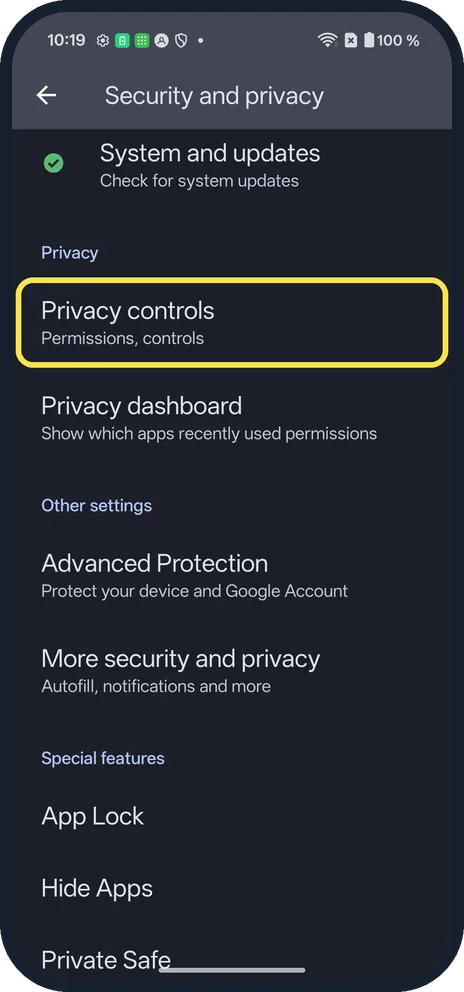
Open Privacy controls
Open Settings, Security and privacy, Privacy controls.
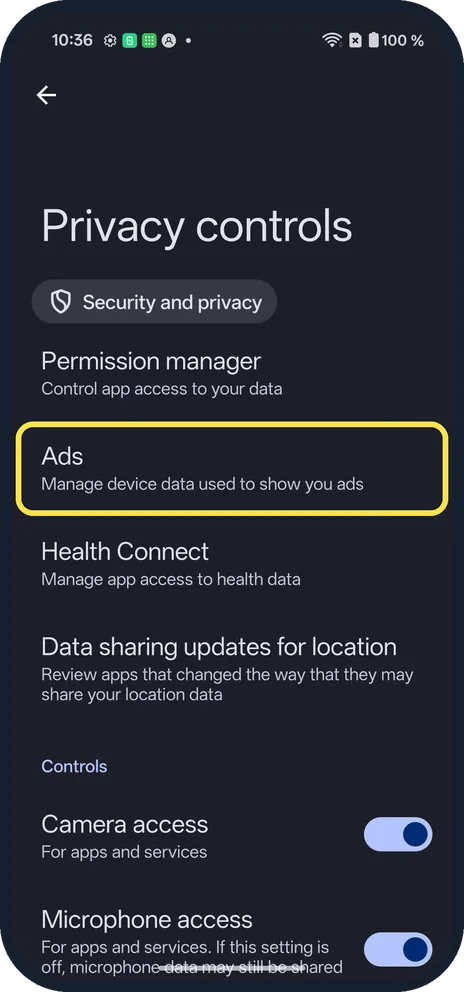
Tap Ads
It says Manage device data used to show you ads.
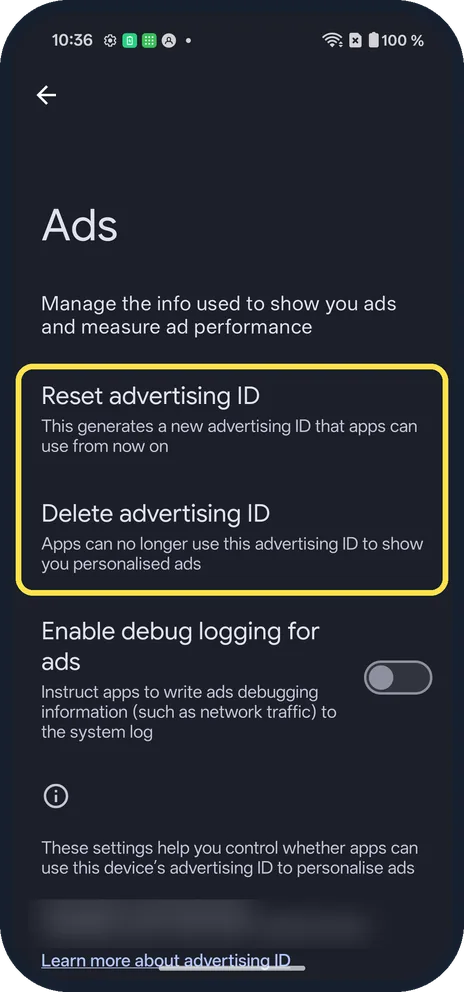
See both options
The Ads page has Reset advertising ID, Delete advertising ID and Enable debug logging for ads (off on ours). Our ID, at the bottom, is blurred.
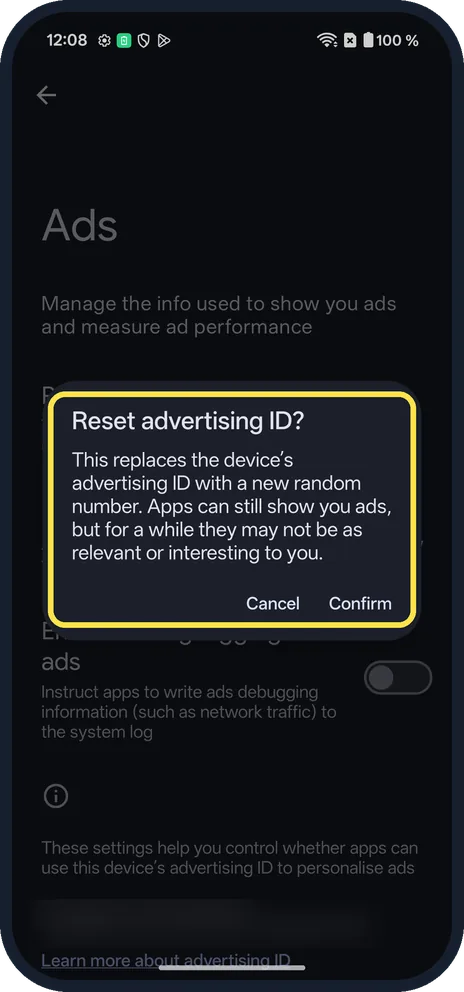
Reset it
Tap Reset advertising ID. A box says it replaces the ID with a new random number; tap Confirm. We tapped Cancel.
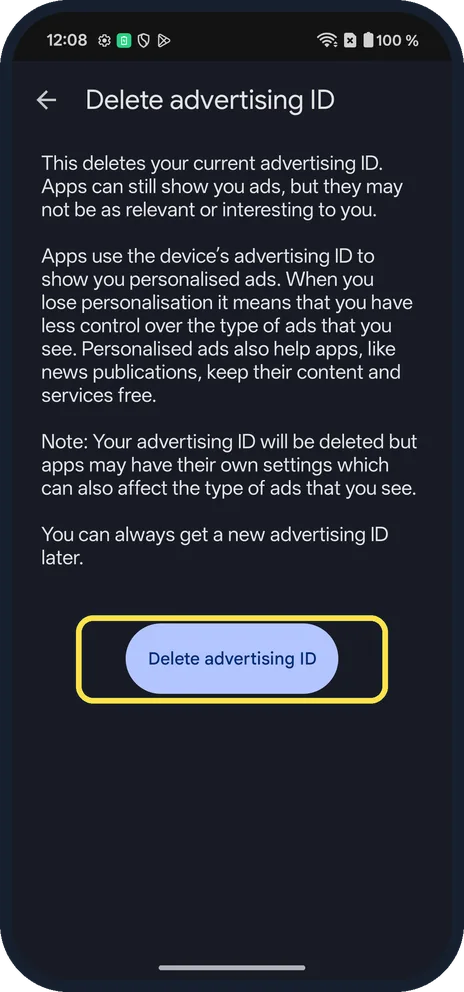
Or delete it
Tap Delete advertising ID. A page explains that apps can still show ads, and that you can always get a new advertising ID later. The button is at the bottom; we did not tap it.
If you do not see this option
- Older Android? Ads was under Settings, Google, Ads on many phones. Source: Advertising ID
- Debug logging? Enable debug logging for ads, on the same page, was off on ours. It is for app makers.
If this does not work
- Ads still personal? The delete page notes that apps may have their own settings that affect the ads you see. Source: Advertising ID
- Deleted by mistake? The delete page says you can always get a new advertising ID later. Source: Advertising ID
About this guide
Apps use the advertising ID to show ads based on what you do.
The screenshots are from our OnePlus Nord 5 with OxygenOS 16.0.5.1201 and Android 16, in Dark mode. We only looked; nothing was reset or deleted. We blurred our ID. Some screenshots were retaken after the 18 October 2026 patch (version CPH2709_16.0.5.1201(EX01C10P02)).
Good to know
Use the privacy dashboard on a OnePlus.
In short: Settings, Security and privacy, Privacy controls, Ads, Reset or Delete.
Links checked in October 2026. Back up anything you want to keep before you reset or delete. Menus can change after software updates.
Did this guide work for you?
Sorry about that. What happened?