
howtosimply.com/guides/how-to-use-google-translate-offline-on-android/ · Checked October 2026 · build CP3A.261005.005 · Google Pixel 10a, Android 17
In this guide
In Google Translate, tap your profile picture, then Downloaded languages, search the language and tap the download arrow, then Download. Choose Wi-Fi only or Wi-Fi or mobile network. When it moves to Downloaded, it works without internet.
7 of 7 steps with real screenshots · 1 official source below
- Device
- Android
- Shown on
- Google Pixel 10a, Android 17 (build CP3A.261005.005)
- App
- Google Translate
- Real screenshots
- 7 of 7 steps
- Checked
- October 2026
- Sources
- 1 official, linked below
Step by step
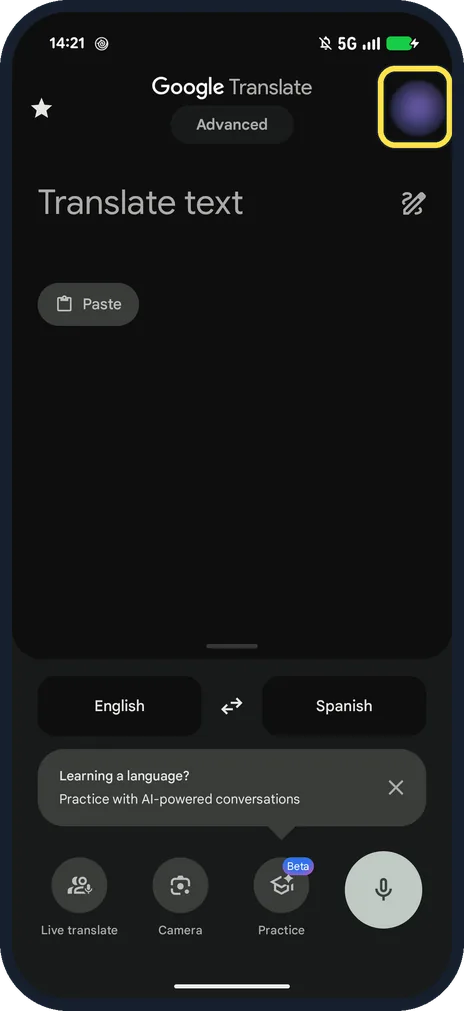
Tap your profile picture
Top right of the Translate home screen.
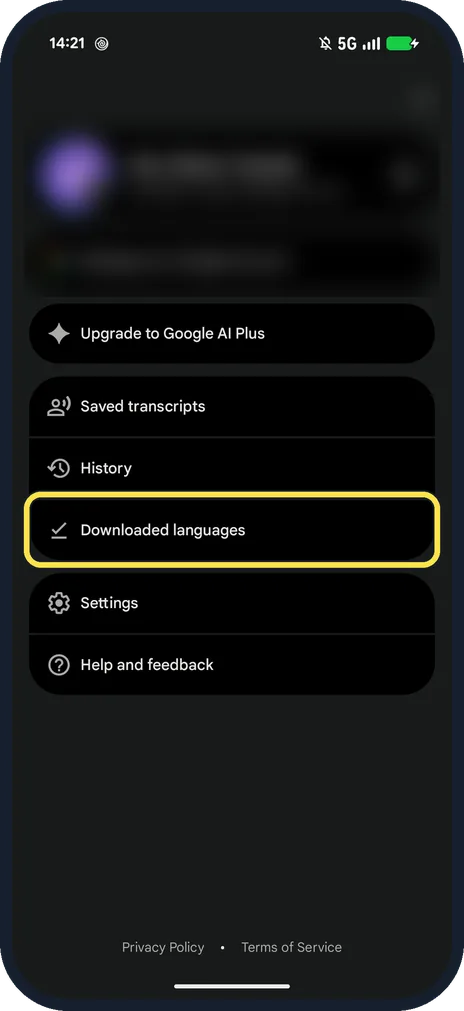
Tap Downloaded languages
Below Saved transcripts and History.
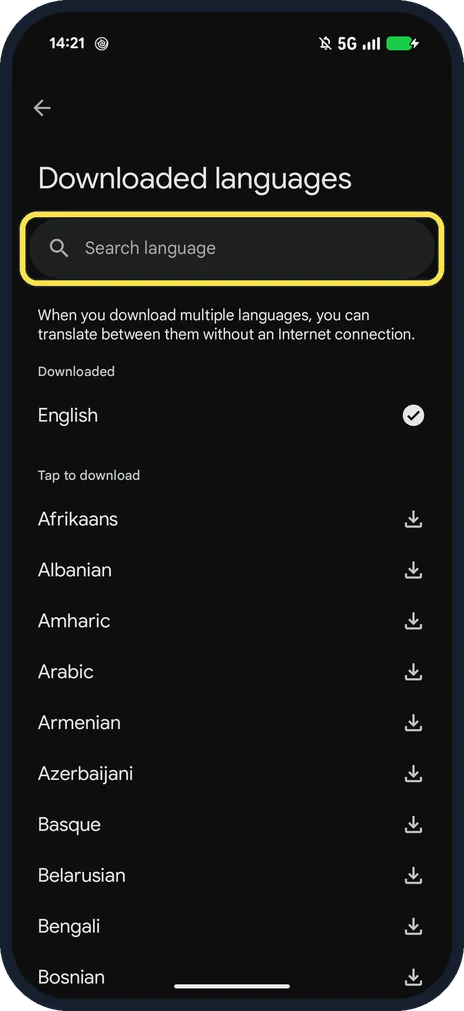
Search for the language
English was already downloaded on ours; the rest are under Tap to download.
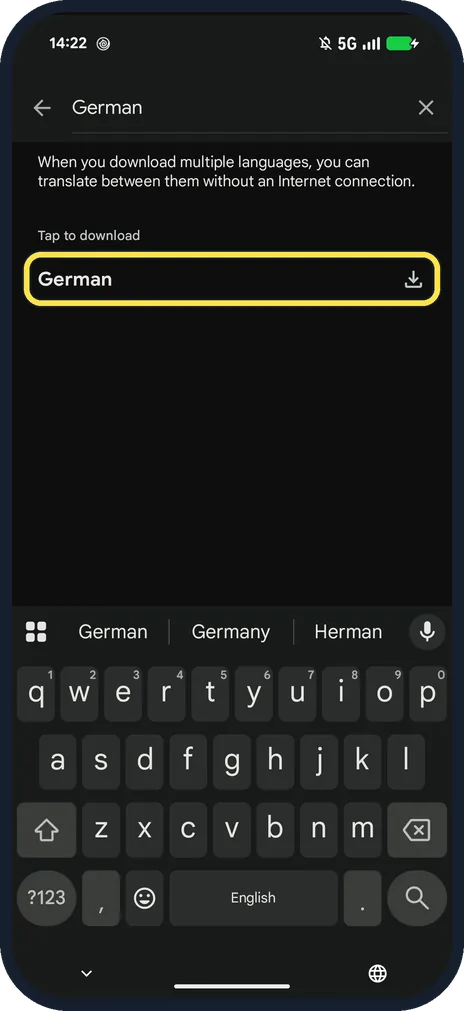
Tap the download arrow
We searched for German. The page says: When you download multiple languages, you can translate between them without an Internet connection.
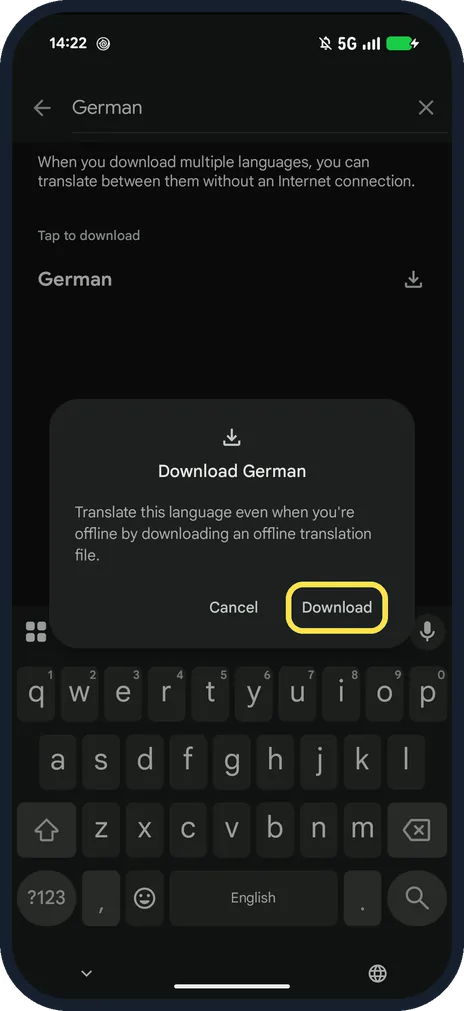
Tap Download
Download German: Translate this language even when you're offline by downloading an offline translation file.
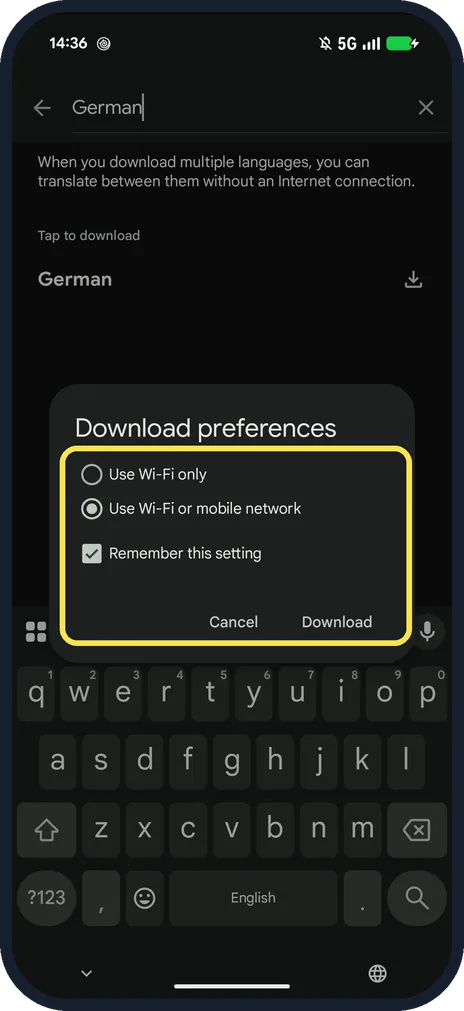
Choose the network and tap Download
We had no Wi-Fi, so we picked Use Wi-Fi or mobile network. Remember this setting was ticked.
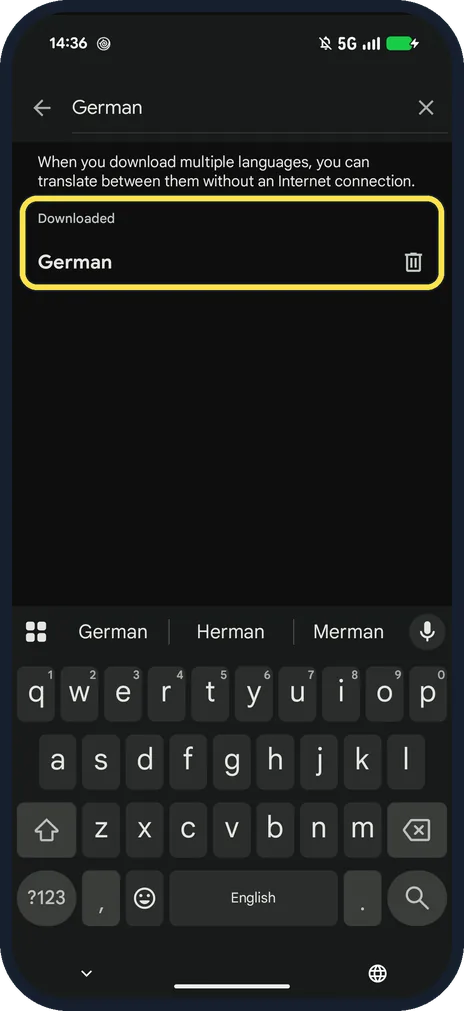
Check it says Downloaded
German moved to Downloaded, with a bin icon to remove it.
If you do not see this option
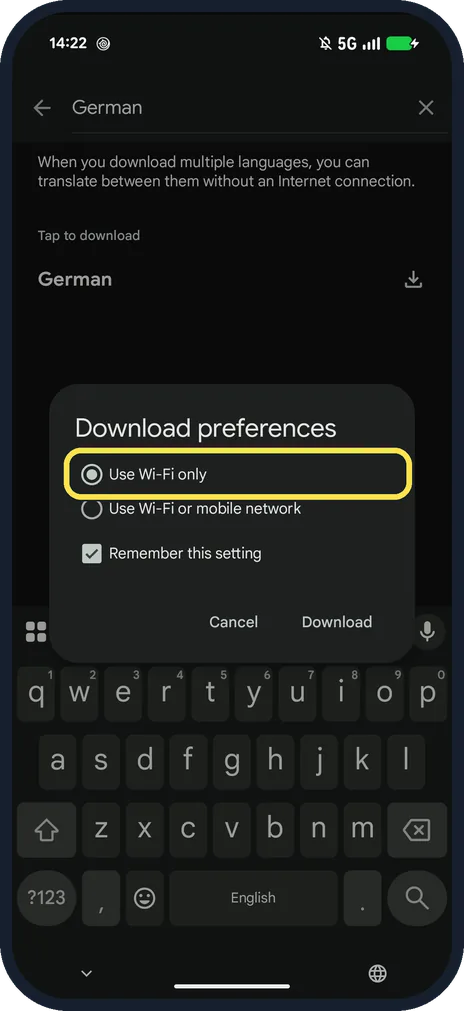
- Download did not start? Download preferences starts on Use Wi-Fi only. Google says to connect to Wi-Fi first, or choose Wi-Fi or mobile network. Source: Download languages to use offline (Android)
- No download arrow? Google says if there is no Download next to a language, it can't be downloaded. Source: Download languages to use offline (Android)
If this does not work
- Worried about data charges? Google says language files are small, but mobile data may affect your carrier charges. Source: Download languages to use offline (Android)
- Want to free the space? Tap the bin next to the language under Downloaded. Google says to tap Remove to confirm. Source: Download languages to use offline (Android)
About this guide
A downloaded language lets Translate work with no connection, for example abroad without roaming.
The screenshots are from our Google Pixel 10a with Android 17, taken on 25 October 2026. We downloaded German over mobile data. Our profile picture is blurred.
Good to know
For maps without signal, see download offline maps in Google Maps on Android.
In short: Profile picture, Downloaded languages, search, download, network, Download.
Links checked in October 2026. Menus and features can change after software updates. These steps match the version named at the top.
📷 See real photos from the Pixel 10a in our Camera Lab, next to 10 other phones.
Did this guide work for you?
Sorry about that. What happened?